
Įvadas
Thank you for choosing the Varmilo Minilo VXB67 65% Bluetooth Mechanical Keyboard. This manual provides detailed instructions for setting up, operating, and maintaining your new keyboard. The VXB67 offers a compact 65% layout, dual-mode connectivity (wired USB-C and Bluetooth), and a comfortable typing experience with Varmilo EC Daisy V2 switches and durable ABS double-shot keycaps. It also features a Type-Cool sound dampening structure for a clear typing sound.

Image: The Varmilo Minilo VXB67 keyboard, showcasing its compact design and color scheme.
Pakuotės turinys
Patikrinkite pakuotės turinį, kad įsitikintumėte, jog yra visi reikalingi daiktai:
- Varmilo Minilo VXB67 mechaninė klaviatūra
- USB-C kabelis
- Klaviatūros traukiklis
- Jungiklio traukiklis
- Apsauga nuo dulkių
- Vartotojo vadovas (šis dokumentas)

Image: The Varmilo Minilo VXB67 keyboard alongside its USB-C cable, keycap puller, switch puller, and a clear dust cover.
Sąranka
1. Laidinis ryšys
- Raskite USB-C prievadą klaviatūroje.
- Prijunkite vieną pateikto USB-C laido galą prie klaviatūros.
- Prijunkite kitą USB-C kabelio galą prie laisvo kompiuterio USB prievado.
- Jūsų operacinė sistema automatiškai atpažins klaviatūrą.
2. „Bluetooth“ ryšys
The VXB67 keyboard can connect to up to 3 devices via Bluetooth.
- Įsitikinkite, kad klaviatūra įkrauta arba prijungta per USB-C.
- Turn on Bluetooth on your device (computer, tablet, or smartphone).
- Klaviatūroje paspauskite ir palaikykite Fn key and one of the Bluetooth keys (Q, W, arba E) for 3-5 seconds to enter pairing mode. The indicator light will flash.
- On your device, search for Bluetooth devices and select "Varmilo VXB67" (or similar) from the list.
- Once paired, the indicator light on the keyboard will stop flashing and remain solid.
- Repeat for up to two additional devices using the other Bluetooth keys.
3. Klaviatūros kampo reguliavimas
The keyboard features 3-level adjustable kickstands on the bottom to customize your typing angle for comfort.

Image: The underside of the keyboard, highlighting the foldable kickstands for ergonomic adjustment.
Video: Demonstrates the features of the Varmilo Minilo Eucalyptus keyboard, including the adjustable kickstands and multi-device connectivity.
Naudojimo instrukcijos
1. Klaviatūros dangtelio ir jungiklio keitimas
The VXB67 features hot-swappable switches, allowing you to change switches without soldering. Use the provided keycap and switch pullers for this process.
- Klaviatūros dangtelių nuėmimas: Use the keycap puller to gently grip the keycap and pull upwards.
- Jungiklių nuėmimas: Use the switch puller to carefully grip the top and bottom clips of the switch and pull upwards.
- Jungiklių diegimas: Suderinkite naujo jungiklio kaiščius su spausdintinės plokštės skylėmis. Tvirtai spauskite, kol jungiklis spragtelės ir užsifiksuos. Įsitikinkite, kad kaiščiai nėra sulenkti.
- Klaviatūros dangtelių diegimas: Place the keycap over the switch stem and press down gently until it is secure.
Video: Demonstrates the process of changing switches and keycaps on the Varmilo Minilo 67 keyboard.
2. Apšvietimo valdymas
The keyboard features white LED backlighting. Use the following key combinations to control the backlight:
- Fn + \ |: Perjungti foninio apšvietimo efektus.
- Fn + ↑: Padidinkite foninio apšvietimo ryškumą.
- Fn + ↓: Sumažinkite foninio apšvietimo ryškumą.
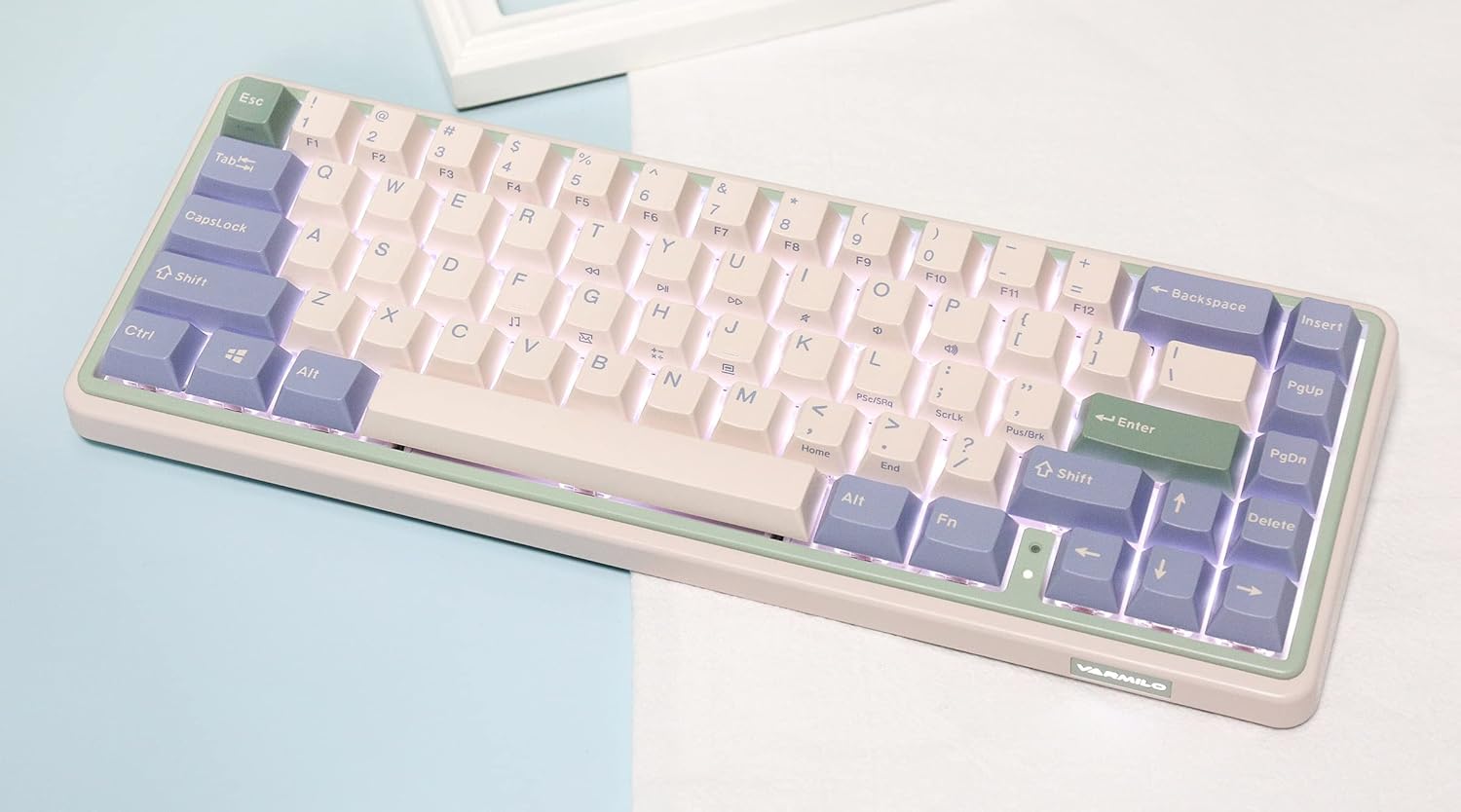
Image: The Varmilo Minilo VXB67 keyboard illuminated by its white LED backlighting.
3. Kelių įrenginių perjungimas
To switch between paired Bluetooth devices:
- Paspauskite Fn + Q to switch to Bluetooth Device 1.
- Paspauskite Fn + W to switch to Bluetooth Device 2.
- Paspauskite Fn + E to switch to Bluetooth Device 3.
The keyboard will quickly connect to the selected device.
Priežiūra
- Valymas: Use a soft, dry cloth to wipe the keyboard surface. For deeper cleaning, remove keycaps using the provided keycap puller and use compressed air to clear debris.
- Akumuliatoriaus įkrovimas: Connect the keyboard via the USB-C cable to a power source (computer USB port or USB wall adapter). The Escape key will light up while charging and flash when the battery is low.
- Saugykla: When not in use, store the keyboard in a cool, dry place. Use the provided dust cover to protect it from dust and spills.
Trikčių šalinimas
- Klaviatūra nereaguoja (laidinė):
- Įsitikinkite, kad USB-C laidas yra tvirtai prijungtas prie klaviatūros ir kompiuterio.
- Išbandykite kitą kompiuterio USB prievadą.
- Išbandykite kitą USB-C laidą.
- Klaviatūra nereaguoja („Bluetooth“):
- Įsitikinkite, kad jūsų įrenginyje įjungtas „Bluetooth“.
- Įsitikinkite, kad klaviatūra įkrauta.
- Re-enter pairing mode (Fn + Q/W/E) and attempt to re-pair with your device.
- Forget the device on your computer/tablet/phone and try pairing again.
- Raktai neregistruojami:
- Ensure the keycap and switch are properly seated. Remove and re-install if necessary.
- If using hot-swappable switches, ensure the switch pins are not bent.
- Foninis apšvietimas neveikia:
- Check backlight brightness settings (Fn + ↑/↓).
- Ensure the keyboard is not in a low power state.
Specifikacijos
| Modelis | VXB67 |
| Išdėstymas | 65 % (67 raktas) |
| Ryšys | „Bluetooth 5.0“, USB-C laidinis |
| Jungikliai | Varmilo EC Daisy V2 (Hot-swappable) |
| Klaviatūros | 1.5mm thick ABS Double Shot |
| Foninis apšvietimas | Baltas LED |
| Baterijos talpa | 3400 mAh |
| Suderinami įrenginiai | PC (and other Bluetooth-enabled devices) |
| Medžiaga | Akrilnitrilo butadieno stirenas (ABS) |
| Matmenys | Approx. 15 x 7 x 2.5 inches (based on package dimensions) |
| Svoris | 3.21 svaro |
Garantija ir palaikymas
Dėl garantijos informacijos ir techninės pagalbos kreipkitės į oficialią „Varmilo“ atstovybę. websvetainėje arba susisiekite su pardavėju. Išsaugokite pirkimo įrodymą, jei prireiktų pateikti garantinį prašymą.
Varmilo pareigūnas Websvetainė: www.varmilo.com