
Ctronics CTIPC-380C-5MP-BW
Ctronics Outdoor Wi-Fi Security Camera User Manual
Prekinis ženklas: Ctronics
Modelis: CTIPC-380C-5MP-BW
1. Įvadas
Thank you for choosing the Ctronics Outdoor Wi-Fi Security Camera. This manual provides detailed instructions for setting up, operating, and maintaining your camera to ensure optimal performance and security. This advanced surveillance camera features 5MP Ultra HD resolution, dual-band 2.4GHz/5GHz Wi-Fi connectivity, intelligent human detection with auto-tracking, color night vision, two-way audio, and robust IP66 waterproof construction.

Figure 1: Ctronics Outdoor Wi-Fi Security Camera Overview
2. Pagrindinės savybės
- Dual-Band Wi-Fi & Enhanced Antenna: Supports both 2.4GHz and the latest 5GHz Wi-Fi for more stable, faster, and smoother data transmission with less interference. Equipped with a reinforced 5DBi antenna for improved signal stability, especially in outdoor environments.

Figure 2: Dual-band Wi-Fi and 5DBi antenna for stable connection.
- 5MP Ultra HD Resolution: Captures crystal-clear 5-megapixel video, allowing for precise identification of details like facial expressions, clothing, and accessories, crucial for evidence collection. Supports 4x digital zoom.

Figure 3: High-definition 5MP video capture.
- Advanced Night Vision & Two-Way Audio: Offers full-color night vision for clear identification of subjects even in low light. Features a high-quality built-in microphone and speaker for clear two-way communication without noise.

Figure 4: Color and Infrared night vision modes.
- 360° Pan-Tilt & Smart Detection: Provides a 360° surveillance range with Pan 350° and Tilt 90° capabilities. Equipped with intelligent human detection to minimize false alarms (over 95% accuracy) and an auto-tracking function that follows detected subjects and returns to the preset position after they leave the frame.

Figure 5: Pan-Tilt functionality for comprehensive coverage.

Figure 6: Human detection and auto-tracking in action.
- Durable Construction & Multiple Recording Options: Features a metal front cover for superior heat dissipation, fire resistance, and extended lifespan compared to plastic alternatives. IP66 waterproof and dustproof rating ensures reliable outdoor performance. Supports 24-hour continuous recording, motion-triggered recording, human detection recording, and schedule recording. Compatible with up to 128GB SD cards, ONVIF, NVR, and FTP.

Figure 7: Durable metal construction for longevity.

Figure 8: Multiple recording modes and storage options.
3. Sąrankos vadovas
3.1 Pakuotės turinys
Prieš pradėdami, įsitikinkite, kad pakuotėje yra visi reikalingi daiktai:
- Ctronics Outdoor Wi-Fi Security Camera
- Maitinimo adapteris
- Montavimo varžtai ir inkarai
- LAN kabelis
- Įspėjamasis lipdukas
- Vartotojo vadovas (šis dokumentas)
3.2 Pradinė sąranka
- Maitinimo jungtis: Prijunkite fotoaparatą prie maitinimo šaltinio naudodami pateiktą maitinimo adapterį.
- Programos atsisiuntimas: Download the "Ctronics" app from the App Store (iOS) or Google Play Store (Android).
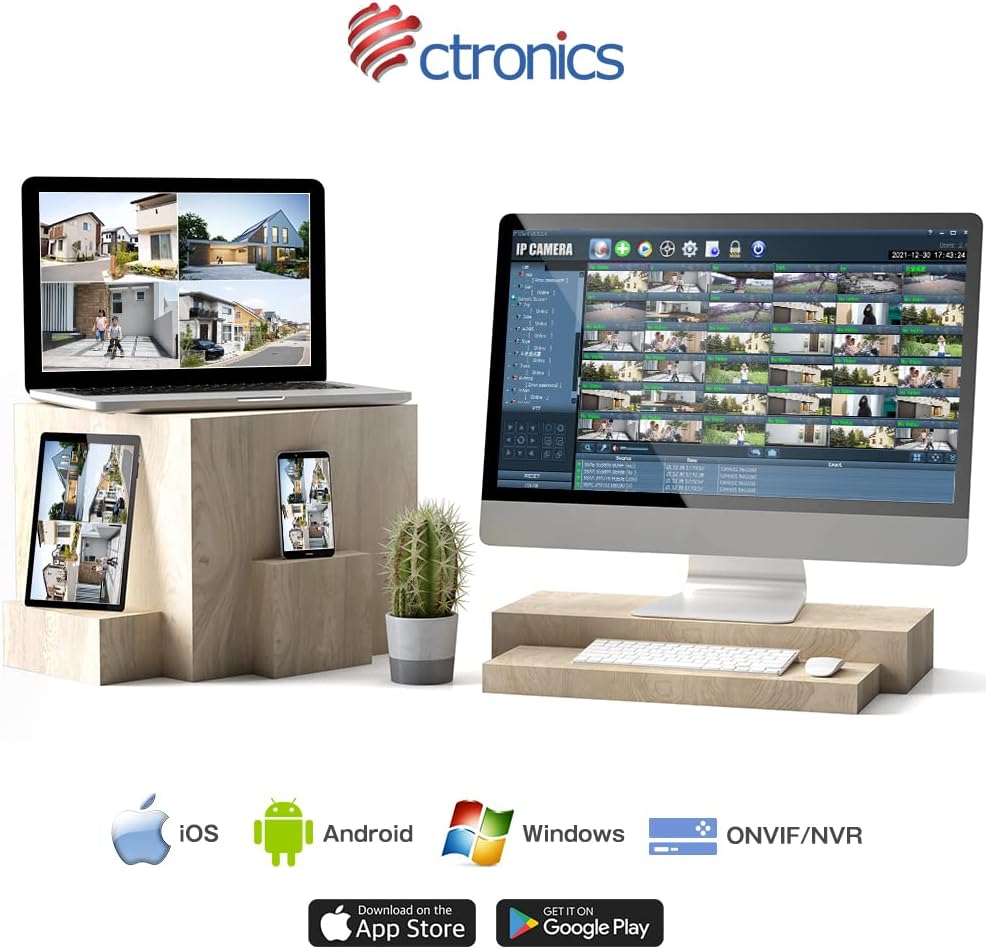
Figure 9: Ctronics App for mobile devices.
- Paskyros registracija: Atidarykite programėlę ir užregistruokite naują paskyrą arba prisijunkite, jei jau turite.
- Pridėti įrenginį: Norėdami pridėti kamerą, vadovaukitės programėlėje pateiktomis instrukcijomis. Paprastai tai reiškia, kad reikia nuskaityti QR kodą kameroje arba rankiniu būdu įvesti jos ID.
- Tinklo konfigūracija: Select your preferred Wi-Fi network (2.4GHz or 5GHz) and enter the password. Ensure your camera is within range of your Wi-Fi router. For initial setup, it is recommended to place the camera close to the router.
- Montavimas: Once configured, choose a suitable outdoor location for mounting. Use the provided screws and anchors to securely attach the camera. Ensure the camera has a clear view ploto, kurį norite stebėti.
4. Naudojimo instrukcijos
4.1 Tiesiogiai View
Open the Ctronics app and select your camera from the device list to access the live video feed. You can view realaus laiko footage iš bet kurios vietos, kur yra interneto ryšys.
4.2 Pakreipimo ir pasukimo valdymas
Tiesioginiame eteryje view screen, use the directional controls to remotely adjust the camera's pan (horizontal) and tilt (vertical) angles. The camera supports 350° pan and 90° tilt.
4.3 Įrašymo režimai
The camera offers several recording options:
- 24 valandų nepertraukiamas įrašymas: Records continuously to the inserted SD card or connected NVR/FTP server.
- Judesio įrašymas: Įrašo tik aptikus judesį.
- Human Detection Recording: Records specifically when a human figure is detected, reducing false alarms.
- Įrašymo tvarkaraštis: Set specific times or days for recording.
Recordings can be stored on a microSD card (up to 128GB, not included), or via ONVIF/NVR/FTP for external storage solutions.
4.4 Dvipusis garsas
Tap the microphone icon in the app to speak through the camera's speaker. Tap the speaker icon to listen to audio from the camera's microphone.
4.5 Signalizacija ir pranešimai
When motion or human detection is triggered, the camera can:
- Siųskite tiesioginius pranešimus į savo mobilųjį įrenginį.
- Activate a sensor light to deter intruders.
- Trigger a customizable alarm sound.

Figure 10: Alarm and push notification system.
5. Priežiūra
- Valymas: Reguliariai valykite kameros objektyvą ir korpusą minkšta,amp cloth to ensure clear image quality. Do not use harsh chemicals or abrasive materials.
- Firmware atnaujinimai: Check the Ctronics app periodically for firmware updates. Keeping your camera's firmware up-to-date ensures optimal performance, security, and access to new features.
- Maitinimas: Ensure the power adapter and cable are not damaged and are securely connected.
- Aplinkos sąlygos: While the camera is IP66 waterproof, avoid direct exposure to extreme weather conditions if possible, such as prolonged heavy rain or direct sunlight in very hot climates, to maximize its lifespan.

Figure 11: IP66 waterproof and wide operating temperature range.
6. Problemų sprendimas
| Problema | Galima priežastis | Sprendimas |
|---|---|---|
| Kamera neprisijungusi / Nepavyksta prisijungti prie „Wi-Fi“ | Weak Wi-Fi signal; Incorrect Wi-Fi password; Router issues; Camera too far from router. | Ensure camera is within Wi-Fi range. Check Wi-Fi password. Restart router and camera. Try connecting to 2.4GHz if 5GHz is unstable, or vice versa. |
| Prasta vaizdo kokybė | Dirty lens; Insufficient light; Network bandwidth issues. | Clean the lens. Ensure adequate lighting or enable night vision. Check network speed. |
| False alarms/Too many notifications | Motion detection sensitivity too high; Non-human objects triggering detection. | Adjust motion detection sensitivity in the app. Enable human detection only. Adjust detection zones. |
| SD kortelė neįrašo | SD card full or corrupted; Incorrect recording settings. | Format the SD card in the app. Check recording schedule and mode settings. Ensure SD card is inserted correctly. |
7. Specifikacijos
| Funkcija | Detalė |
|---|---|
| Prekės ženklas | Ctronics |
| Modelio numeris | CTIPC-380C-5MP-BW |
| Ryšio technologija | Wireless (2.4GHz & 5GHz Wi-Fi) |
| Vaizdo įrašymo raiška | 5 megapikseliai (2560 x 1920) |
| Panardinimo / pakreipimo diapazonas | 350°, pakreipimas 90° |
| Ypatingos savybės | Human Detection, Auto Tracking, Color Night Vision, Two-Way Audio, Alarm Notification, IP66 Waterproof |
| Medžiaga | Metal (front cover) |
| Maitinimo šaltinis | Su laidu elektra |
| Vattage | 5 W |
| Šviesos šaltinis | Infrared, White Light |
| Saugojimo palaikymas | MicroSD card (up to 128GB), ONVIF/NVR/FTP |
| Operacinės sistemos suderinamumas | iOS, Android, Windows, MAC |
| Prekės svoris | 800 g |
| Pakuotės matmenys | 21.1 x 20.3 x 13.7 cm |
8. Garantija ir palaikymas
Ctronics provides a two-year quality warranty šiam produktui.
If you encounter any malfunctions or issues with your security camera during the warranty period, you are eligible for a new product replacement, return, or refund.
For any inquiries or support, please feel free to contact our customer service team at: support.jp@ctronics.com
Ask a question about this manual
Ask about setup, troubleshooting, compatibility, parts, safety, or missing instructions. Manuals+ will review the question and use this page’s manual context to help answer it.