
1. Įvadas
Thank you for choosing the TMEZON 4G LTE Solar Wireless Outdoor Security Camera. This manual provides detailed instructions for the installation, operation, and maintenance of your camera. Please read this manual thoroughly before use to ensure proper functionality and to maximize the camera's performance.
This camera is designed for outdoor surveillance in areas without Wi-Fi access, utilizing 4G LTE connectivity. It features a built-in rechargeable battery and a solar panel for continuous power, 2K resolution, 355° pan and 90° tilt capabilities, color night vision, PIR motion detection, and two-way audio communication.
2. Pakuotės turinys
Gavę siuntinį, patikrinkite jo turinį. Jei trūksta kokių nors prekių arba jos pažeistos, susisiekite su klientų aptarnavimo tarnyba.
- TMEZON 4G LTE Solar Wireless Outdoor Security Camera
- Saulės skydas
- Mounting Bracket
- Montavimo varžtai ir inkarai
- USB įkrovimo laidas
- Vartotojo vadovas
- Pre-installed 100MB SIM Card
3. Produktas baigtasview
Susipažinkite su fotoaparato komponentais.

Vaizdas: priekis view of the TMEZON 4G LTE Solar Wireless Outdoor Security Camera, showing the main camera unit, solar panel, and antennas. This camera operates using 4G LTE signal, eliminating the need for Wi-Fi.
- Kameros objektyvas: Užfiksuoja vaizdo įrašą footage.
- Infraraudonųjų spindulių šviesos diodai: Juodai baltam naktiniam matymui.
- Prožektoriai: For color night vision and alarm illumination.
- PIR jutiklis: Detects motion based on heat signatures.
- Mikrofonas: Įrašo garsą dvipusiam ryšiui ir įrašymui.
- Pranešėjas: Išveda garsą dvipusiam ryšiui ir signalizacijai.
- Antenos: 4G LTE signalo priėmimui.
- Saulės skydas: Įkrauna vidinę bateriją saulės šviesa.
- SIM kortelės lizdas: For the 4G LTE SIM card.
- „Micro SD“ kortelės lizdas: Vietiniam vaizdo įrašų saugojimui (iki 128 GB, nepridedama).
- Atkūrimo mygtukas: Naudojamas norint atkurti gamyklinius fotoaparato nustatymus.
- USB įkrovimo prievadas: For initial charging or manual charging.
4. Sąranka
4.1 Pradinis įkrovimas
Before first use, fully charge the camera's built-in battery using the provided USB cable and a 5V/2A power adapter (not included). The charging indicator light will turn solid blue when fully charged.
4.2 SIM Card & Micro SD Card Installation
The camera comes with a pre-installed 100MB SIM card. If you wish to use your own SIM card or install a Micro SD card for local storage, follow these steps:
- Locate the SIM card and Micro SD card slots on the camera body. These are typically protected by a rubber cover.
- Atsargiai atidarykite guminį dangtelį.
- Insert the Nano SIM card into the SIM card slot with the gold contacts facing down and the notched corner oriented correctly. Push until it clicks into place.
- Insert a Micro SD card (Class 10 or higher, up to 128GB, not included) into the Micro SD card slot with the gold contacts facing down. Push until it clicks into place.
- Ensure both cards are securely seated.
- Close the rubber cover firmly to maintain the camera's IP65 waterproof rating.

Vaizdas: Stambus planas view of the camera's card slots, showing how to insert a Nano SIM card (included) and a Micro SD card (not included).
4.3 App Installation & Account Creation
The camera operates with the UBox app. Download it from your smartphone's app store (iOS App Store or Google Play Store).
- Ieškokite "UBox" in your app store and download the application.
- Open the UBox app and register a new account using your email address.
- Vykdykite ekrane pateikiamus nurodymus, kad užbaigtumėte registracijos ir prisijungimo procesą.
4.4 Kameros susiejimas
- Ensure your camera is powered on and fully charged.
- Open the UBox app and tap the "+" icon to add a new device.
- Select "4G Camera" or "Add 4G Device" from the options.
- Nuskaitykite QR kodą, esantį ant fotoaparato arba jo pakuotės.
- Follow the app's prompts to connect the camera. The camera will emit a voice prompt when successfully connected.
- Pavadinkite savo fotoaparatą, kad jį būtų lengviau atpažinti.
4.5 Fotoaparato montavimas
Choose a suitable location for mounting the camera. Consider areas with good 4G signal reception and sufficient sunlight exposure for the solar panel.
- Pasirinkite vietą: Identify a mounting spot that provides the desired viewing angle and receives direct sunlight for several hours daily.
- Pažymėkite gręžimo skyles: Use the mounting bracket as a template to mark the positions for drilling holes on the wall or surface.
- Gręžimo skylės: Drill holes at the marked positions. Insert wall anchors if mounting on masonry or concrete.
- Pritvirtinkite laikiklį: Pritvirtinkite tvirtinimo laikiklį prie sienos naudodami pateiktus varžtus.
- Prijunkite kamerą: Mount the camera onto the bracket. Adjust the angle of the solar panel to maximize sun exposure.
- Saugūs ryšiai: Ensure all cables (solar panel to camera) are securely connected and protected from weather.

Image: The TMEZON camera mounted outdoors with its solar panel, illustrating its wire-free, solar-powered operation.

Image: The camera being sprayed with water, highlighting its IP65 waterproof rating, suitable for outdoor use in various weather conditions.
5. Naudojimo instrukcijos
5.1 Tiesiogiai View & Pakreipimo / pasukimo valdymas
Access the live video feed and control the camera's movement through the UBox app.
- Open the UBox app and select your camera from the device list.
- Bus rodomas tiesioginis vaizdo įrašas.
- Use the directional controls (pan/tilt) on the app interface to rotate the camera horizontally (355°) and vertically (90°).

Vaizdas: išmanusis telefonas, rodantis tiesioginį vaizdą view from the camera, with on-screen controls for 355° horizontal and 90° vertical rotation.
5.2 Judesio aptikimas ir įspėjimai
The camera uses PIR (Passive Infrared) detection to identify human movement and send alerts.
- Enable motion detection in the camera settings within the UBox app.
- Prireikus pakoreguokite jautrumo lygius, kad sumažintumėte klaidingų aliarmų skaičių.
- When motion is detected, the camera will send an alert notification to your smartphone.
- The camera can also activate its spotlights and siren as an alarm.

Image: A smartphone screen showing a "Motion Detection" alarm message from the UBox app, indicating a person detected by the camera.

Image: The camera's alarm siren and flashes activating in response to an intruder, with a smartphone notification showing "Person is detected from Device 01."
5.3 Dvipusis garsas
Communicate with visitors or deter intruders using the camera's built-in microphone and speaker.
- Kol vyksta gyvai view, tap the microphone icon in the UBox app to speak.
- Your voice will be transmitted through the camera's speaker.
- Release the microphone icon to listen to the audio from the camera's location.
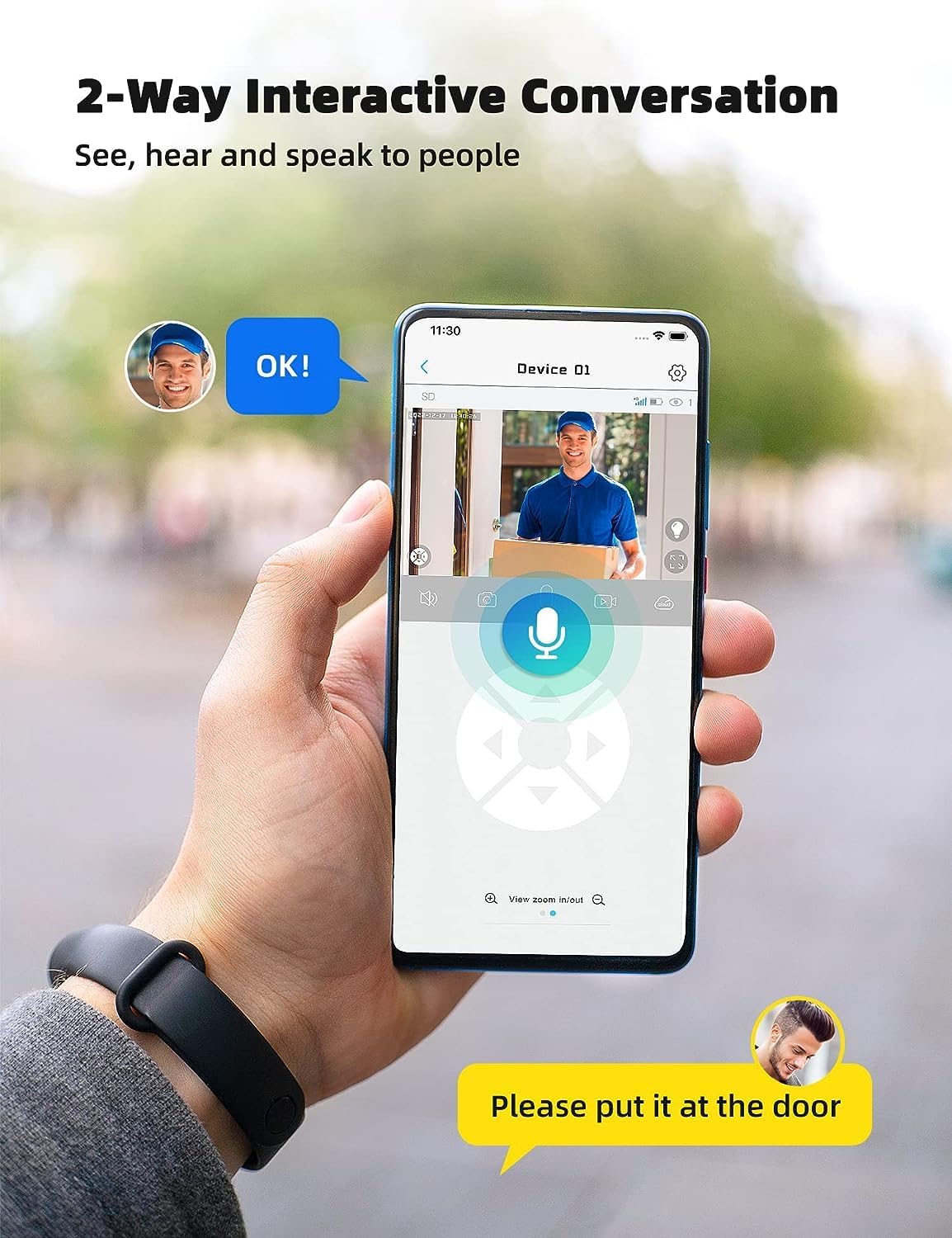
Image: A smartphone displaying the UBox app interface for two-way communication, showing a person speaking through the camera to a delivery person.

Image: A user communicating in real-time with a delivery person via the camera's two-way audio feature, instructing them to place a package by the door.
5.4 Įrašymas ir atkūrimas
The camera supports both Micro SD card storage and cloud storage (subscription may be required).
- Motion-triggered events are automatically recorded.
- Į view recordings, navigate to the "Playback" section in the UBox app.
- Pasirinkite datą ir laiką, kada norite pakartotiview įrašytas footage.
- If the Micro SD card is full, older recordings will be overwritten by new ones.
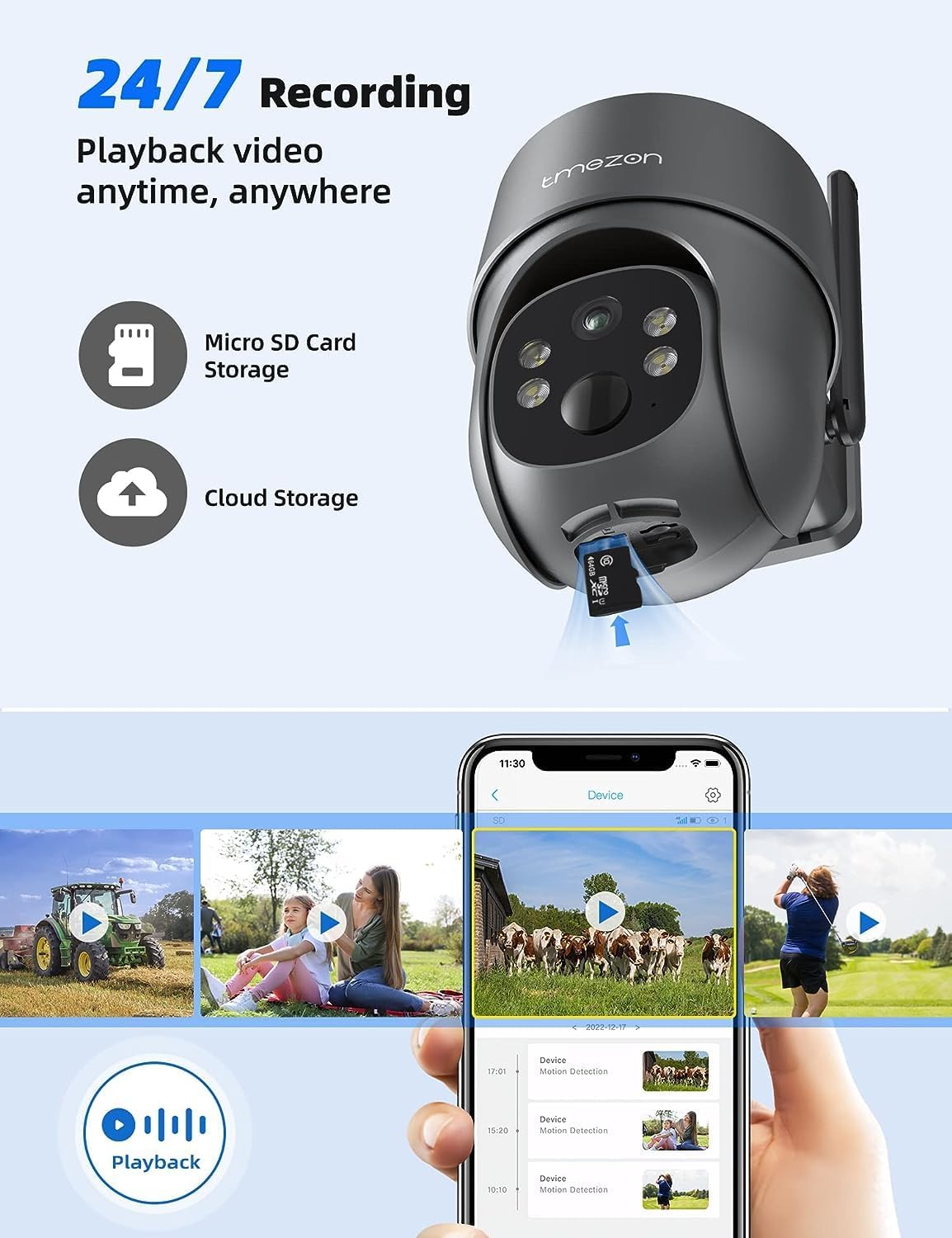
Image: A smartphone displaying the UBox app's playback interface, showing a timeline of recorded events and various video clips.
5.5 Naktinio matymo režimai
Kamera turi du naktinio matymo režimus:
- Infraraudonųjų spindulių (IR) naktinis matymas: Provides clear black and white video in low-light conditions.
- Spalvotas naktinis matymas: Activates the camera's spotlights to provide full-color video even in darkness. This mode can be enabled in the app settings.
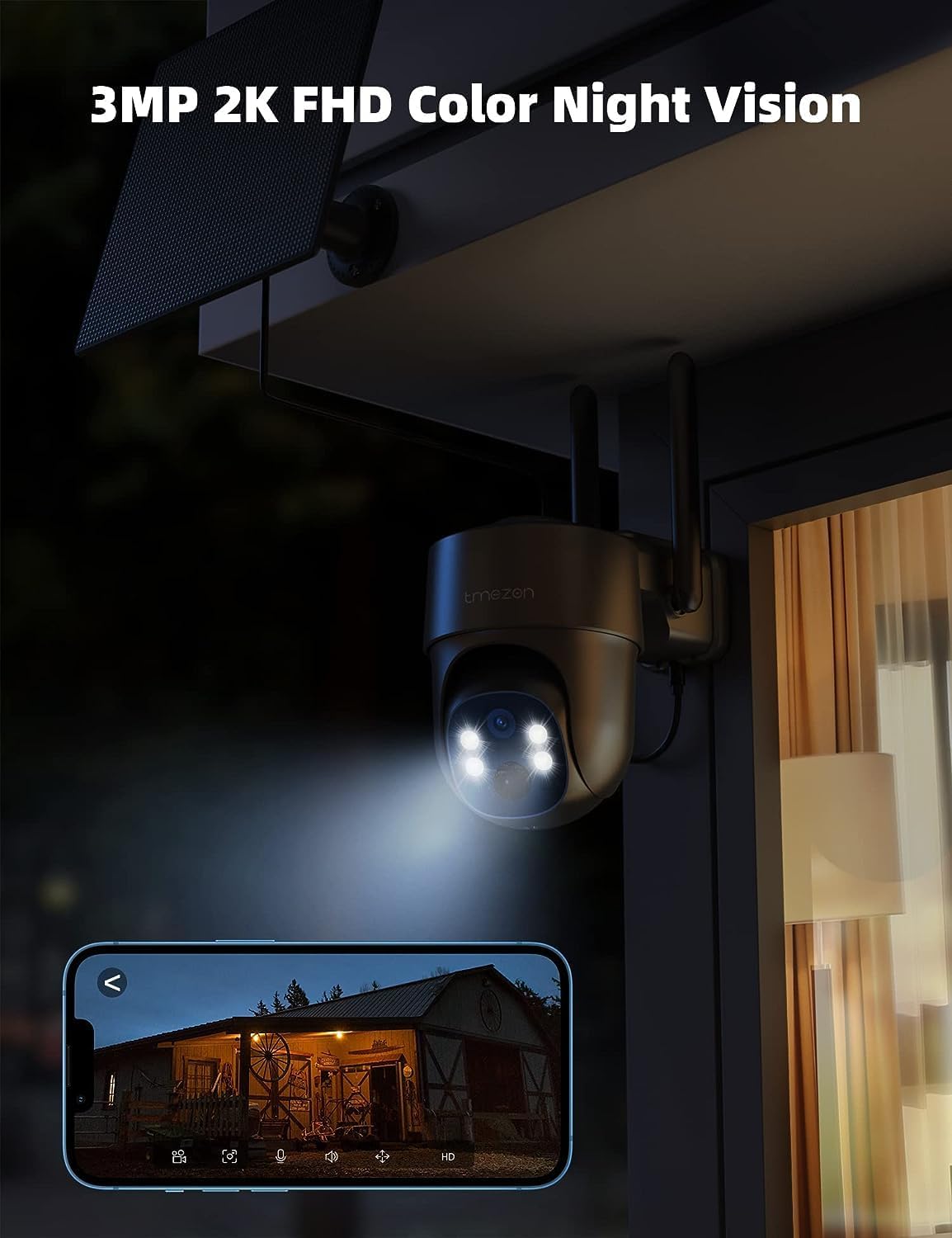
Image: The TMEZON camera operating at night with its spotlights on, providing clear 2K color night vision of the surrounding area.

Image: A split image demonstrating the difference between night vision with spotlights off (monochrome) and spotlights on (color), showcasing the camera's 2K color night vision capability.
6. Priežiūra
6.1 Battery & Solar Panel Care
- Regularly check the battery level in the UBox app.
- Ensure the solar panel is clean and free from dust, dirt, or obstructions (e.g., leaves, snow) to ensure efficient charging.
- Saulės bateriją pastatykite taip, kad ji visą dieną gautų kuo daugiau tiesioginių saulės spindulių.
- If the camera's battery level is consistently low due to insufficient sunlight, consider manually charging it via the USB port.
6.2 Valymas
- Naudokite minkštą, damp cloth to clean the camera lens and body.
- Nenaudokite stiprių cheminių medžiagų ar abrazyvinių valiklių, nes jie gali pažeisti fotoaparato apdailą ar objektyvą.
- Ensure the rubber covers for the card slots and charging port are securely closed after any maintenance to maintain waterproofing.
7. Problemų sprendimas
7.1 Camera Not Connecting to 4G Network
- Įsitikinkite, kad SIM kortelė tinkamai įdėta ir aktyvuota.
- Check if the SIM card has an active data plan.
- Verify 4G signal strength at the camera's location. Move the camera to an area with better signal if necessary.
- Restart the camera by pressing the reset button or power cycling it.
7.2 Dažni atjungimai
- Poor 4G signal strength can cause disconnections. Relocate the camera or consider a 4G signal booster.
- Ensure the camera's battery is sufficiently charged.
7.3 Judesio aptikimas neveikia arba per daug klaidingų aliarmų
- Check motion detection settings in the UBox app. Ensure it is enabled.
- Adjust PIR sensitivity levels. Lower sensitivity for fewer false alarms, higher for more sensitive detection.
- Ensure there are no objects (e.g., tree branches, reflective surfaces) that might trigger false alarms in the detection zone.
7.4 Cannot View Įrašai
- Ensure a Micro SD card is inserted correctly and formatted (if applicable) in the app.
- Check if cloud storage is active and your subscription is valid.
- Verify that motion detection recording is enabled in the app settings.
7.5 Kamera neįkraunama naudojant saulės bateriją
- Įsitikinkite, kad saulės baterijos elementas yra švarus ir be jokių kliūčių.
- Patikrinkite, ar saulės baterijos laidas tvirtai prijungtas prie kameros.
- Check if the solar panel is receiving direct sunlight for several hours daily.
- Ilgai debesuotu oru gali tekti įkrauti rankiniu būdu per USB.
8. Specifikacijos
| Funkcija | Detalė |
|---|---|
| Modelio numeris | MZ-C8-4G-EU |
| Ryšio technologija | Wireless (4G LTE) |
| Rezoliucija | 2K (2000 Pixels effective capture) |
| „Pan“ kampas | 355 laipsnių |
| Pakreipimo kampas | 90 laipsnių |
| Naktinis matymas | Spalvotas naktinis matymas |
| Ypatingos savybės | Motion Detector, Two-Way Audio |
| Maitinimo šaltinis | Solar Powered (with 9,600 mAh rechargeable battery) |
| Baterijos tipas | 2 ličio jonų (į komplektą įeina) |
| ttage | 5 voltų |
| Vattage | 5 vatvalandės |
| IP reitingas | IP65 (atsparus vandeniui) |
| Sandėliavimas | Micro SD Card (up to 128GB, not included), Cloud Storage (subscription optional) |
| Valdiklio tipas | Android (UBox App) |
| Montavimo tipas | Sieninis laikiklis |
9. Garantija ir palaikymas
9.1 Informacija apie garantiją
TMEZON products typically come with a standard manufacturer's warranty. Please refer to the warranty card included in your package or visit the official TMEZON webIšsamias garantijos sąlygas ir nuostatas rasite svetainėje. Išsaugokite pirkimo kvitą kaip pirkimo įrodymą garantijos pretenzijoms.
9.2 Pagalba klientams
If you encounter any issues or have questions regarding your TMEZON 4G LTE Solar Wireless Outdoor Security Camera, please contact TMEZON customer support. Contact information can usually be found on the official websvetainėje arba produkto pakuotėje.
- Palaikymas internetu: Visit the TMEZON official webDUK, trikčių šalinimo vadovų ir kontaktinių formų svetainė.
- Pagalba el. paštu: Klientų aptarnavimo el. pašto adresą rasite savo produkto dokumentacijoje.