
Įvadas
This manual provides detailed instructions for the installation, operation, and maintenance of your EZoneTronics PCD001 Portable Wireless Car Stereo. Please read this manual thoroughly before using the device to ensure proper functionality and to prevent damage.
Produktas baigtasview
Pagrindinės savybės
- 7-Inch Touchscreen Display: Provides a clear and responsive interface for navigation and media control.
- Belaidis „Apple CarPlay“ ir „Android Auto“ ryšys: Seamlessly integrates with Apple and Android smartphones for navigation, music, and communication.
- FM siųstuvas: Connects to your vehicle's original radio system via AUX Out or FM Out for audio output.
- „Plug and Play“ diegimas: Designed for easy setup without modifying existing car equipment.
- Įvairios montavimo parinktys: Can be mounted on the dashboard or windshield using a suction cup holder.
- Papildomos funkcijos: Supports Bluetooth connectivity, hands-free calling, voice control (Siri/Google Assistant), video playback, and music streaming.
- Medijos suderinamumas: Supports SD card and USB devices for media playback.
Kas yra dėžutėje
Išpakuodami patikrinkite, ar yra visi komponentai:
- 1 x EZoneTronics PCD001 Portable Wireless Car Stereo Unit
- 1 x Mounting Bracket (for dash or windshield)
- 1 x Car Charger (power adapter)
- 1 x Driving Recorder (if included in your package)
- 1 x SD Card (if included in your package)
- 1 x Webcam (if included in your package)
Note: The inclusion of the Driving Recorder, SD Card, and Webcam may vary by package.
Sąranka ir diegimas
Prietaiso montavimas
The device can be mounted on your car's dashboard or windshield. Choose a location that does not obstruct your view arba trukdyti automobilio valdymui.
- Nuvalykite paviršių: Ensure the chosen mounting surface (dashboard or windshield) is clean and dry.
- Pritvirtinkite siurbimo taurę: Press the suction cup firmly onto the surface and engage the locking mechanism to secure it.
- Sureguliuokite kampą: Use the adjustable arm and swivel joint to position the screen for optimal viewing. The mount allows for 360-degree rotation and 180-degree angle adjustment.
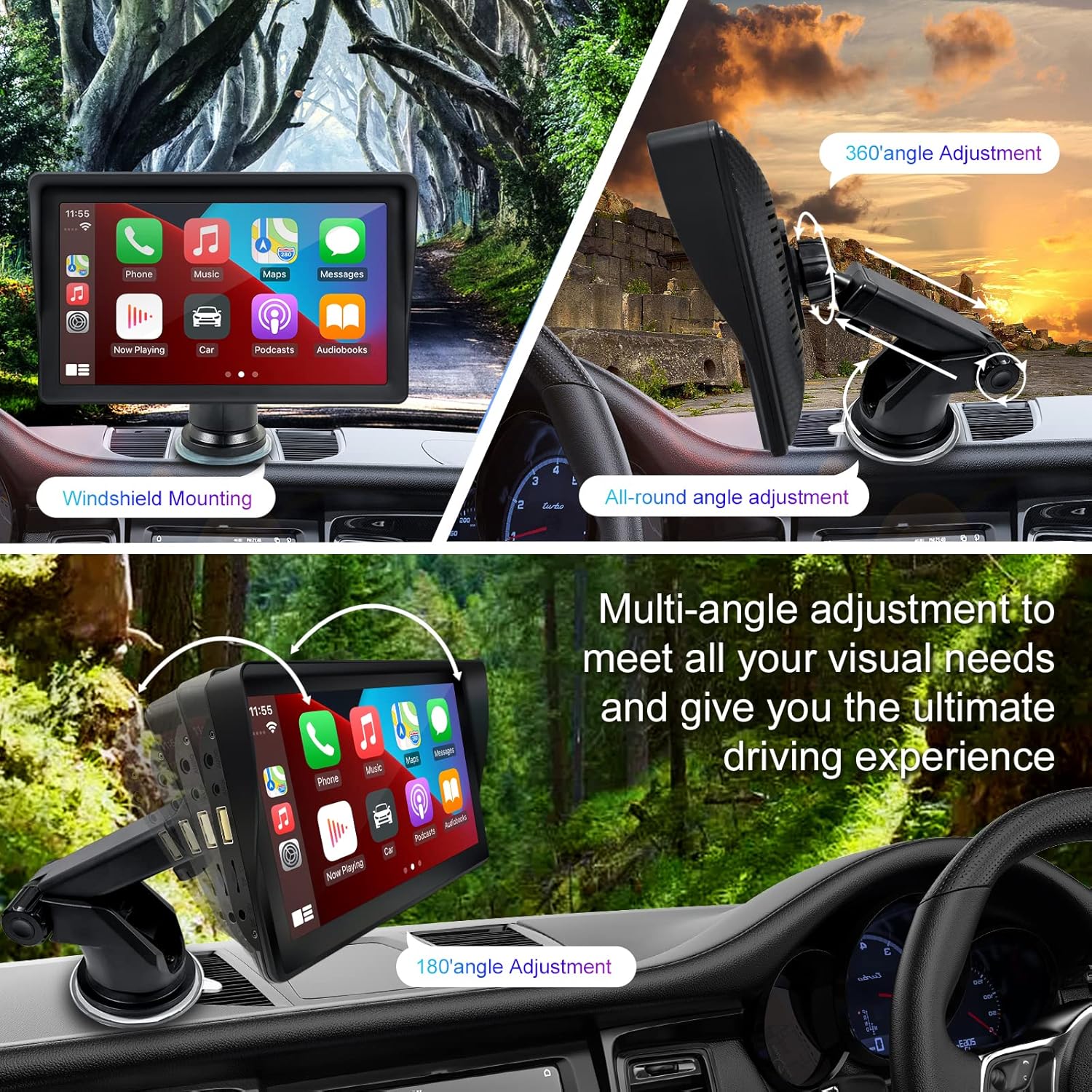
Figure 1: Mounting options and angle adjustments for the portable car stereo.
Maitinimo prijungimas
Connect the provided car charger to the device's power input port and then into your vehicle's 12V power outlet (cigarette lighter socket). The device supports 12-24V power input.
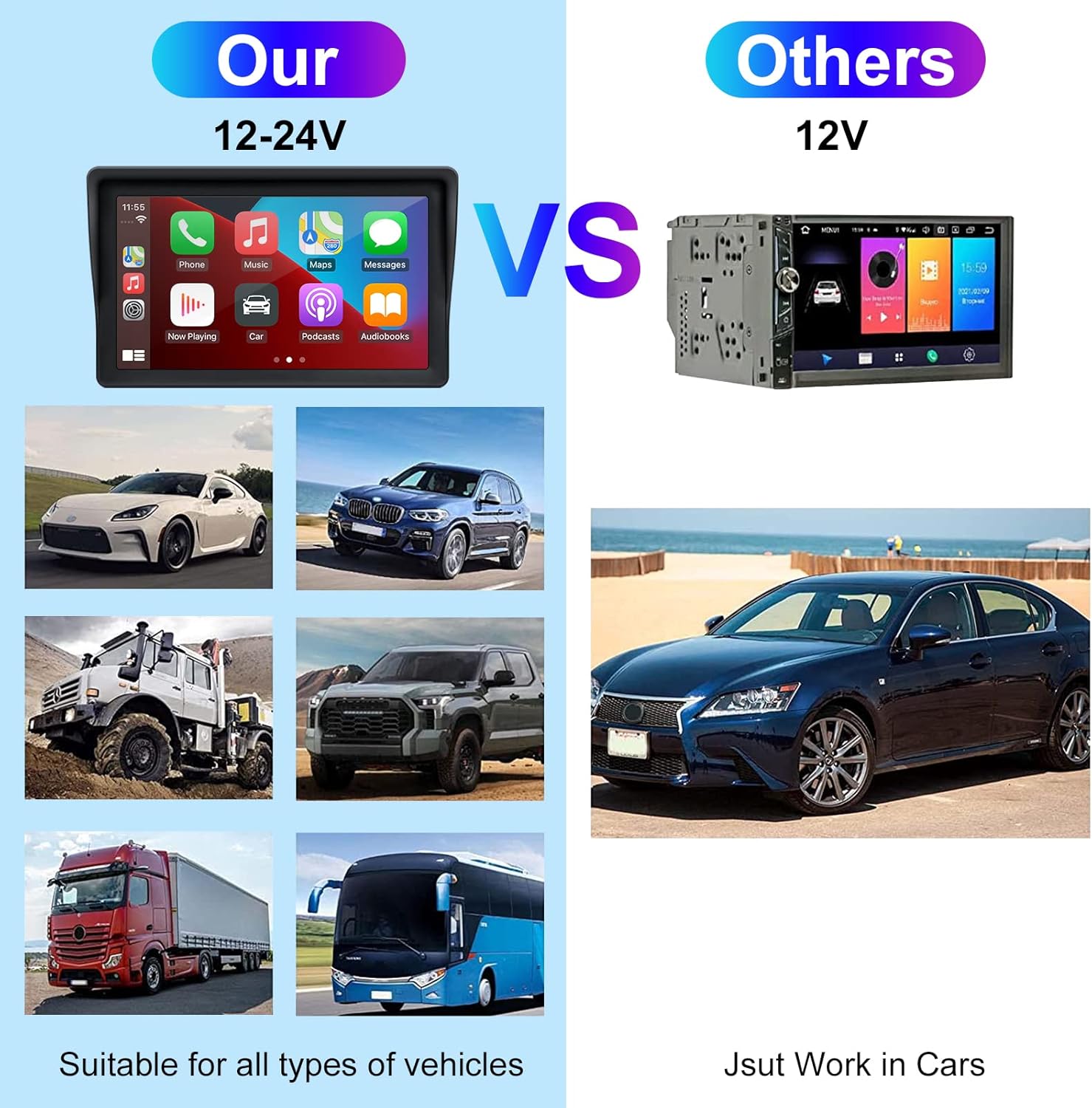
Figure 2: The EZoneTronics unit is compatible with 12-24V vehicle power systems.
Naudojimo instrukcijos
Initial Power On and Interface
Once powered, the device will boot up and display the main interface. This interface provides access to Apple CarPlay, Android Auto, and other functions.

Figure 3: Main interface displaying Apple CarPlay.
Connecting to Apple CarPlay or Android Auto
The device supports wireless connection for both Apple CarPlay and Android Auto.
- Įjunkite „Bluetooth“ ir „Wi-Fi“: Išmaniajame telefone įsitikinkite, kad įjungti „Bluetooth“ ir „Wi-Fi“.
- Suporuoti įrenginį: On the car stereo, navigate to the Bluetooth settings and pair with your smartphone.
- Automatinis prisijungimas: Once paired, the device should automatically prompt you to connect to Apple CarPlay or Android Auto. Follow the on-screen instructions on both the car stereo and your phone to complete the setup.
- Veidrodinė nuoroda: For devices not supporting CarPlay or Android Auto, or if you prefer, you can use the Mirror Link function to display your phone's screen on the unit.

Figure 4: Wireless connection for Apple CarPlay and Android Auto.
Audio Output (FM Transmitter / AUX Out)
To output audio from the car stereo to your vehicle's sound system, you have two primary options:
- FM siųstuvas:
- On the EZoneTronics unit, select the FM Transmitter function.
- Choose an unused FM frequency.
- Tune your vehicle's FM radio to the same frequency. Audio from the portable stereo will now play through your car's speakers.
- AUX išvestis:
- Connect an AUX cable from the AUX Out port on the EZoneTronics unit to your vehicle's AUX In port.
- Select AUX input on your vehicle's audio system.


Figure 5: FM Transmitter and other core functions.
Balso valdymas („Siri“ / „Google“ asistentas)
Once connected to Apple CarPlay or Android Auto, you can activate your smartphone's voice assistant (Siri or Google Assistant) for hands-free control. This allows you to make calls, send messages, get directions, and play music using voice commands.
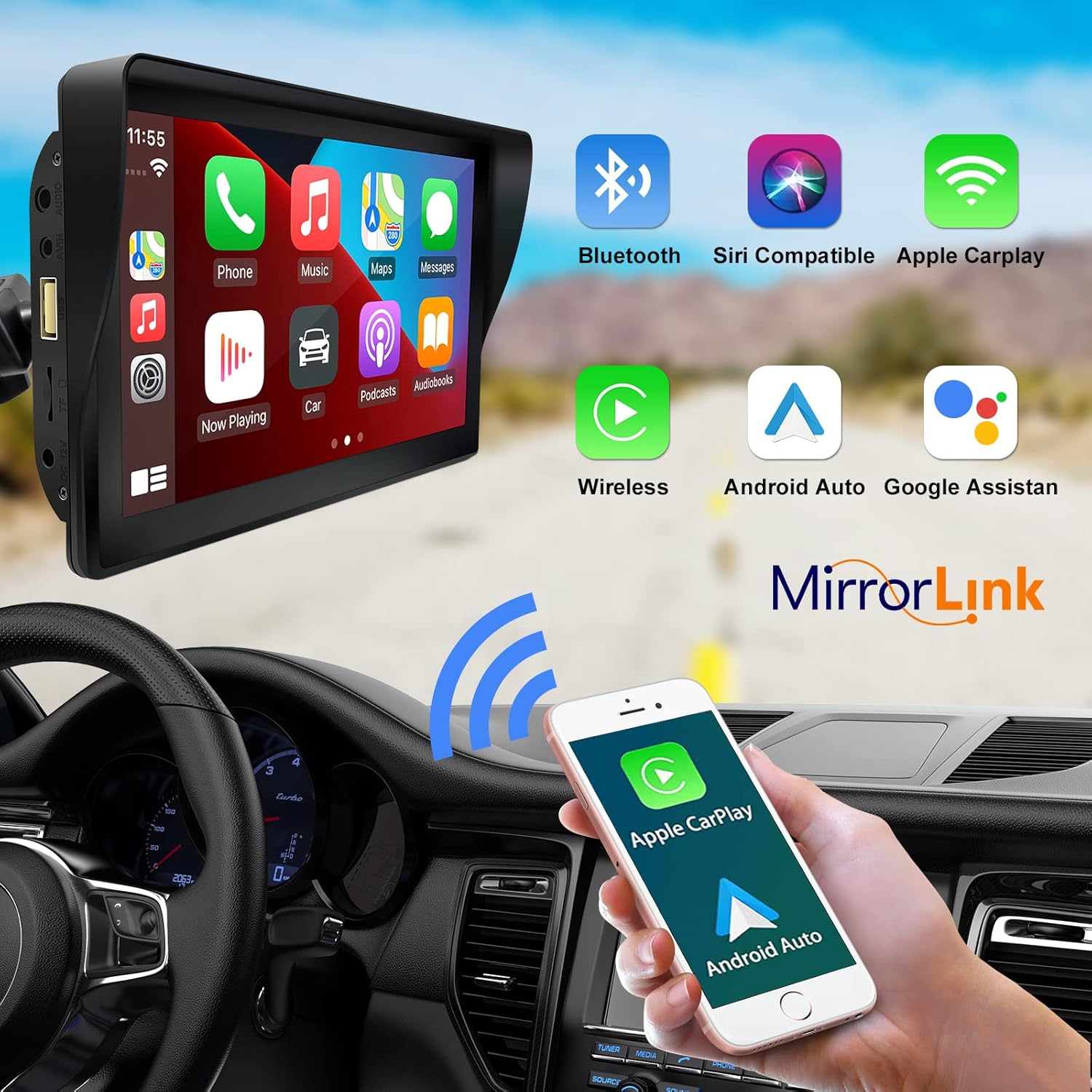
Figure 6: Voice control and connectivity features.
Media Playback (SD Card / USB)
The unit supports media playback from SD cards and USB devices.
- Insert an SD card into the designated slot or a USB drive into the USB port.
- Navigate to the media player application on the car stereo.
- Pasirinkite norimą garso arba vaizdo įrašą files atkūrimui.


Figure 7: USB and SD card media playback options.
Trikčių šalinimas
If you encounter issues with your EZoneTronics PCD001, refer to the following common problems and solutions:
| Problema | Galima priežastis / sprendimas |
|---|---|
| Įrenginys neįsijungia. |
|
| Cannot connect to Apple CarPlay / Android Auto wirelessly. |
|
| No audio output from car speakers. |
|
| Jutiklinis ekranas nereaguoja. |
|
| GPS navigacija yra netiksli arba neveikia. |
|
Specifikacijos
| Funkcija | Detalė |
|---|---|
| Modelio pavadinimas | PCD 001 |
| Prekės ženklas | EZoneTronics |
| Ekrano dydis | 7 colių |
| Ekrano tipas | IPS |
| Jutiklinio ekrano tipas | Talpinis |
| Operacinė sistema | Android (Internal OS for unit functions, supports CarPlay/Android Auto) |
| Ryšio technologija | Wireless CarPlay, Wireless Android Auto, Bluetooth, FM Transmitter, AUX Out |
| Garso išvesties režimas | AUX, Stereo |
| Palaikoma palydovinė navigacijos sistema | GPS (via connected smartphone) |
| Montavimo tipas | Prietaisų skydelio laikiklis, priekinio stiklo laikiklis |
| Suderinami įrenginiai | Smartphones (Apple iOS and Android) |
| Transporto priemonės paslaugos tipas | Car (Universal 12-24V compatibility) |
Priežiūra
Proper maintenance ensures the longevity and optimal performance of your EZoneTronics PCD001.
- Ekrano valymas: Švelniai nuvalykite ekraną minkštu, nepūkuotu audiniu. Jei dėmės sunkiai įveikiamos, šiek tiek pamirkykite.ampNuvalykite šluostę vandeniu arba ekranui saugiu valikliu. Venkite stiprių cheminių medžiagų ar abrazyvinių medžiagų.
- Kabelių valdymas: Ensure all cables are neatly routed and secured to prevent entanglement or damage.
- Temperatūra: Venkite ilgą laiką laikyti prietaisą itin aukštoje ar žemoje temperatūroje.
- Programinės įrangos atnaujinimai: Periodiškai tikrinkite gamintojo website or device settings for any available software updates to improve performance and add features.
Garantija ir palaikymas
Informacija apie garantiją
The EZoneTronics PCD001 Portable Wireless Car Stereo comes with a vienerių metų garantija nuo įsigijimo datos. Ši garantija taikoma gamybos defektams ir gedimams įprasto naudojimo metu. Ji netaikoma žalai, atsiradusiai dėl netinkamo naudojimo, nelaimingų atsitikimų, neleistinų modifikacijų ar netinkamo įrengimo.
Išsaugokite pirkimo įrodymą, kad galėtumėte kreiptis dėl garantijos.
Pagalba klientams
For technical assistance, warranty claims, or further inquiries, please contact EZoneTronics customer support:
- Websvetainė: www.ezonetronics.com
- El. paštas: support@ezonetronics.com
When contacting support, please provide your product model (PCD001) and a detailed description of the issue.