
1. Įvadas
The SIIG Thunderbolt 4 Docking Station (Model: JU-DK0U11-S1) is designed to expand the connectivity of your laptop, providing a comprehensive workstation solution. This docking station offers 15 ports, enabling connections for multiple displays, peripherals, network, and power through a single Thunderbolt 4 cable. It supports high-speed data transfer and versatile display configurations for both Mac and Windows systems.

Image 1.1: SIIG Thunderbolt 4 Docking Station (JU-DK0U11-S1) overview.
2. Pakuotės turinys
Patikrinkite, ar pakuotėje yra visi reikalingi daiktai:
- SIIG Thunderbolt 4 Docking Station (JU-DK0U11-S1)
- 150 W galios adapteris
- Thunderbolt 4 kabelis
- Vartotojo vadovas

Image 2.1: Contents included in the SIIG Thunderbolt 4 Docking Station package.
3. Produktas baigtasview
3.1 Priekinio skydelio prievadai
- 3.5mm Stereo Out: Ausinėms arba išoriniams garsiakalbiams.
- SD 3.0 Card Slot: Supports SD 3.0 UHS-1 memory cards up to 2TB.
- USB-A 3.2 Gen 1 (5Gbps) Ports (x2): For connecting USB-A peripherals, supporting 5V/0.9A charging.
- „Thunderbolt 4“ prievadas: For connecting Thunderbolt 4 devices or displays.
- Maitinimo mygtukas: Įjungti arba išjungti įkrovimo stotelę.

3.1 pav.: Išsamus view of the front panel ports.
3.2 Galinio skydelio prievadai
- DC Power Jack (20V/7.5A): Jungiamas prie pridedamo 150 W maitinimo adapterio.
- Thunderbolt 4 Port (Host PD 60W): Connects to your laptop via the Thunderbolt 4 cable, providing up to 60W power delivery.
- 3.5 mm mikrofono įvestis: Išoriniam mikrofonui prijungti.
- Micro SD (TF) 3.0 Card Slot: Supports Micro SD (TF) 3.0 UHS-1 memory cards up to 2TB.
- USB-A 2.0 (480Mbps) Ports (x2): For connecting USB-A peripherals, supporting 5V/1.5A charging.
- Gigabito eterneto prievadas: Laidinio tinklo ryšiui.
- DisplayPort Out: Skirta išoriniam ekranui prijungti.
- HDMI išėjimas: Skirta išoriniam ekranui prijungti.
- Thunderbolt 4 Ports (x2): For connecting additional Thunderbolt 4 devices or displays, providing 45W power delivery.

3.2 pav.: Išsamus view of the rear panel ports.
4. Sąrankos instrukcijos
- Prijunkite maitinimą: Plug the included 150W power adapter into the DC Power Jack on the rear of the docking station, then connect it to a power outlet.
- Prijungimas prie pagrindinio nešiojamojo kompiuterio: Use the provided Thunderbolt 4 cable to connect the Thunderbolt 4 Host port (60W PD) on the rear of the docking station to your laptop's Thunderbolt 4 or USB-C port.
- Maitinimas: Press the power button on the front panel of the docking station. The power indicator LED should illuminate.
- Prijungti ekranus: Connect your monitors to the available DisplayPort, HDMI, and Thunderbolt 4 output ports on the docking station. Refer to the 'Display Configuration' section for supported setups.
- Prijunkite išorinius įrenginius: Connect your USB devices, Ethernet cable, and audio devices to the corresponding ports on the docking station.
5. Naudojimo instrukcijos
5.1 Ekrano konfigūracija
The docking station supports various display setups, including single 8K or quad 4K displays, utilizing Thunderbolt 4 and DisplayLink technology. Ensure DisplayLink drivers are installed for optimal performance, especially for additional displays beyond native Thunderbolt outputs.
- Single Display Output: Supports up to 8K resolution.
- Dual Display Output: Supports up to 2x 4K resolution via two Thunderbolt 4 ports.
- Quad Display Output: Achieved by combining two Thunderbolt 4 ports with the DisplayPort and HDMI ports, enabling four 4K displays.

5.1 pav.: pvz.ample of a quad display setup using the docking station.

Image 5.2: Display compatibility and resolution matrix for Windows and Mac M1/M2 systems.
5.2 Maitinimo tiekimas
The docking station provides power to your connected devices:
- Nešiojamojo kompiuterio įkrovimas: Up to 60W Power Delivery (PD) to the host laptop via the Thunderbolt 4 host port.
- „Thunderbolt 4“ prievadai: Each of the three downstream Thunderbolt 4 ports provides up to 45W of power.
- USB-A Fast Charging: Two USB-A 5Gbps ports support 5V/0.9A charging, and two USB-A 2.0 ports support 5V/1.5A charging.

Image 5.3: Power delivery capabilities of the docking station.
5.3 Duomenų perdavimas
Experience high-speed data transfer for efficient workflow:
- „Thunderbolt 4“: Up to 40Gbps data transfer speed, 8 times faster than USB 3.0.
- USB-A 3.2 Gen 1: Up to 5Gbps data transfer speed.
- Atminties kortelių skaitytuvas: Supports SD 3.0 UHS-1 and Micro SD (TF) 3.0 UHS-1 with data transfer rates up to 104MB/s.
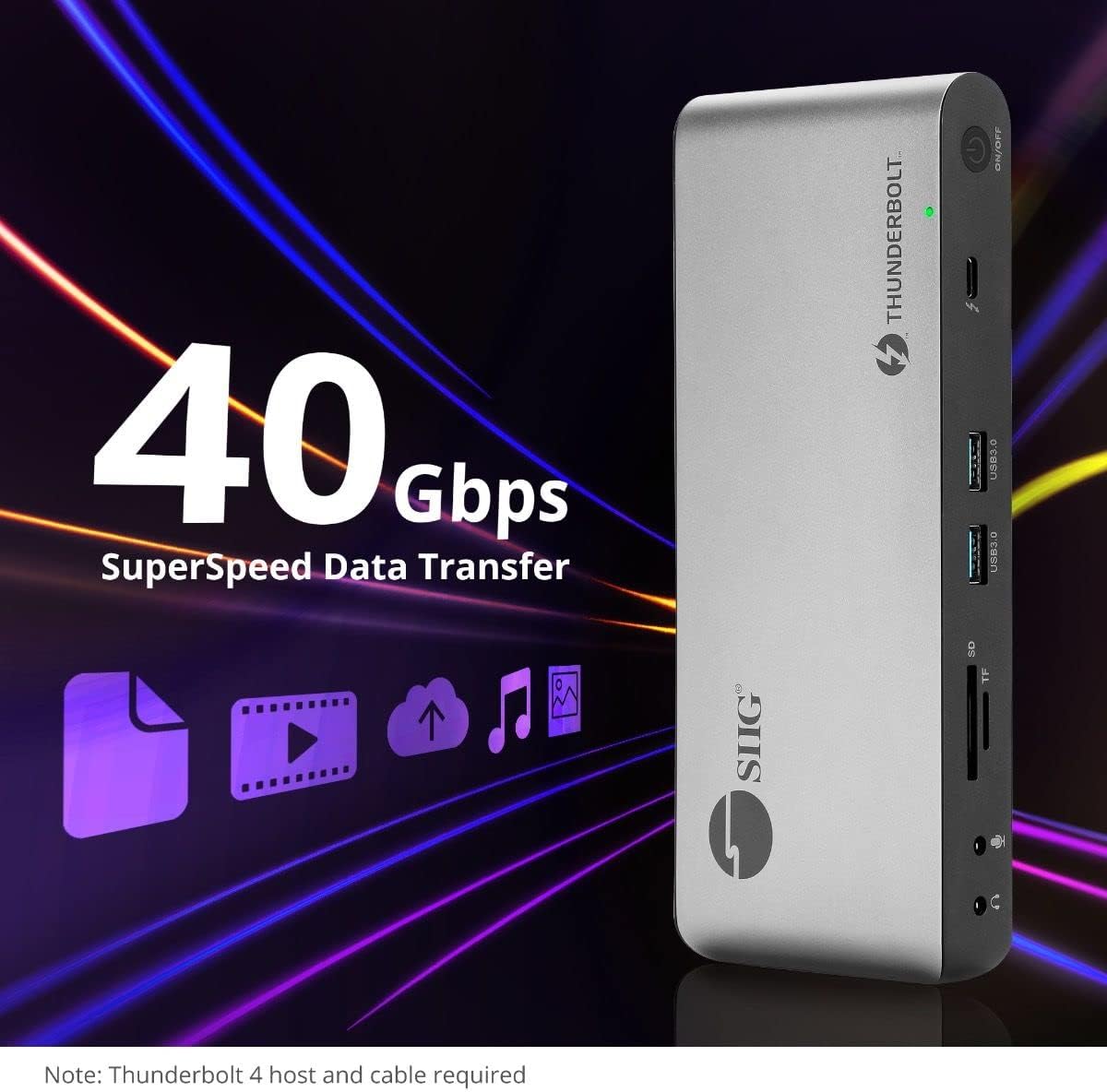
Image 5.4: High-speed data transfer capabilities.
6. Suderinamumas
The SIIG Thunderbolt 4 Docking Station is broadly compatible with various systems:
- Operacinės sistemos: Mac M1/M2/M3 Pro & Max, Intel chip Macs, Windows PCs (Intel/AMD/Snapdragon), and Chromebooks.
- Atgalinis suderinamumas: Fully compatible with Thunderbolt 3, USB4, and USB-C equipped computers.
7. Priežiūra
Norėdami užtikrinti įkrovimo stotelės ilgaamžiškumą ir optimalų veikimą, laikykitės šių priežiūros gairių:
- Valymas: Use a soft, dry cloth to clean the exterior of the device. Avoid liquid cleaners or solvents.
- Vėdinimas: Įsitikinkite, kad įkrovimo stotelė yra gerai vėdinamoje vietoje, kad neperkaistų. Neužblokuokite jokių ventiliacijos angų.
- Saugykla: Laikykite prietaisą vėsioje, sausoje vietoje, apsaugotoje nuo tiesioginių saulės spindulių ir ekstremalių temperatūrų.
- Tvarkymas: Stenkitės, kad prietaisas nenumestų ar nepatirtų stipraus smūgio.
8. Problemų sprendimas
If you encounter issues with your SIIG Thunderbolt 4 Docking Station, refer to the following common problems and solutions:
- Nėra galios:
- Įsitikinkite, kad maitinimo adapteris yra tvirtai prijungtas tiek prie įkrovimo stotelės, tiek prie veikiančio maitinimo lizdo.
- Verify the power button on the docking station is pressed and the power indicator LED is on.
- Display Issues (No Signal/Incorrect Resolution):
- Check all display cables (HDMI, DisplayPort, Thunderbolt) are securely connected to both the docking station and the monitors.
- Ensure your laptop's display settings are configured correctly to detect and extend/mirror displays.
- For multi-display setups, especially beyond two monitors, ensure DisplayLink drivers are installed and up to date on your operating system.
- Verify your monitors support the selected resolution and refresh rate.
- Neaptikti periferiniai įrenginiai:
- Ensure USB devices are properly connected to the docking station's USB ports.
- Try connecting the peripheral directly to your laptop to confirm it is functional.
- Paleiskite doką ir nešiojamąjį kompiuterį iš naujo.
- Perkaitimas:
- Ensure the docking station is placed in an area with adequate airflow and not covered.
- Reduce the number of high-power devices connected if possible, or consider using a cooling pad if persistent.
- Lėtas duomenų perdavimas:
- Ensure you are using Thunderbolt 4 certified cables for Thunderbolt connections.
- Verify the connected device supports the expected transfer speeds.
9. Specifikacijos
| Funkcija | Detalė |
|---|---|
| Modelio numeris | JU-DK0U11-S1 |
| Gaminio matmenys | 3.27 x 7.8 x 1.14 colio |
| Prekės svoris | 15.4 uncijos (0.96 svaro) |
| Iš viso uostų | 15 (including 7 USB ports) |
| Pagrindinio kompiuterio ryšys | „Thunderbolt 4“ (USB-C) |
| Vaizdo išvestys | 1x HDMI, 1x DisplayPort, 3x Thunderbolt 4 (USB-C) |
| Maksimali ekrano raiška | Single 8K@30Hz, Quad 4K@60Hz |
| Maitinimo tiekimas (pagrindinis kompiuteris) | Iki 60W |
| Power Delivery (Downstream TB4) | Iki 45 W vienam prievadui |
| Duomenų perdavimo greitis | Thunderbolt 4: 40Gbps, USB-A 5Gbps: 5Gbps |
| Ethernet | Gigabit Ethernet |
| Kortelių skaitytuvas | SD 3.0 UHS-1, Micro SD (TF) 3.0 UHS-1 (up to 2TB) |
| Garso prievadai | 3.5mm Stereo Out, 3.5mm Mic In |
| Suderinama OS | Mac M1/M2/M3 Pro & Max, Intel Macs, Windows, Chromebooks |
| Spalva | Juoda |
| UPC | 662774045689 |
10. Garantija ir palaikymas
SIIG products are designed for reliability and performance. For warranty information and technical support, please refer to the documentation included with your product or visit the official SIIG websvetainę. Išsaugokite pirkimo čekį garantiniams reikalavimams.