
Įvadas
This manual provides essential information for the safe and effective use of your ProForm Treadmill t8.5. Please read all instructions carefully before assembly and operation. Keep this manual for future reference.
Svarbi saugos informacija
Before using this equipment, ensure you understand all safety precautions. Consult a physician before beginning any exercise program. Always use the safety key during operation.
- Darbo metu laikykite vaikus ir naminius gyvūnus toliau nuo bėgimo takelio.
- Pastatykite bėgimo takelį ant lygaus paviršiaus, palikdami pakankamai vietos aplink jį.
- Nenaudokite bėgimo takelio, jei jis pažeistas arba veikia netinkamai.
- Dėvėkite tinkamus sportinius drabužius ir sportinę avalynę.
- Paleidžiant arba stabdant bėgimo takelį, visada laikykite už turėklų.
Sąranka ir surinkimas
Išpakavimas
Carefully remove all components from the packaging. Place the packaging materials aside for potential future transport or disposal. Ensure all parts listed in the assembly guide (not included in this manual) are present.
Įdėjimas
Position the treadmill on a flat, stable surface. Ensure there is at least 2 meters (6.5 feet) of clear space behind the treadmill and 0.5 meters (1.6 feet) on each side for safe operation and access.
Maitinimo prijungimas
Connect the power cord to a grounded electrical outlet. Do not use extension cords unless absolutely necessary and ensure they are rated for the treadmill's power requirements.

Image: The ProForm Treadmill t8.5 fully assembled, showcasing its design and console.
Sulankstomas ir išskleidžiamas
The ProForm Treadmill t8.5 features a SpaceSaver design for convenient storage. To fold, lift the running deck until it locks into an upright position. To unfold, gently push the release mechanism and lower the deck to the floor.
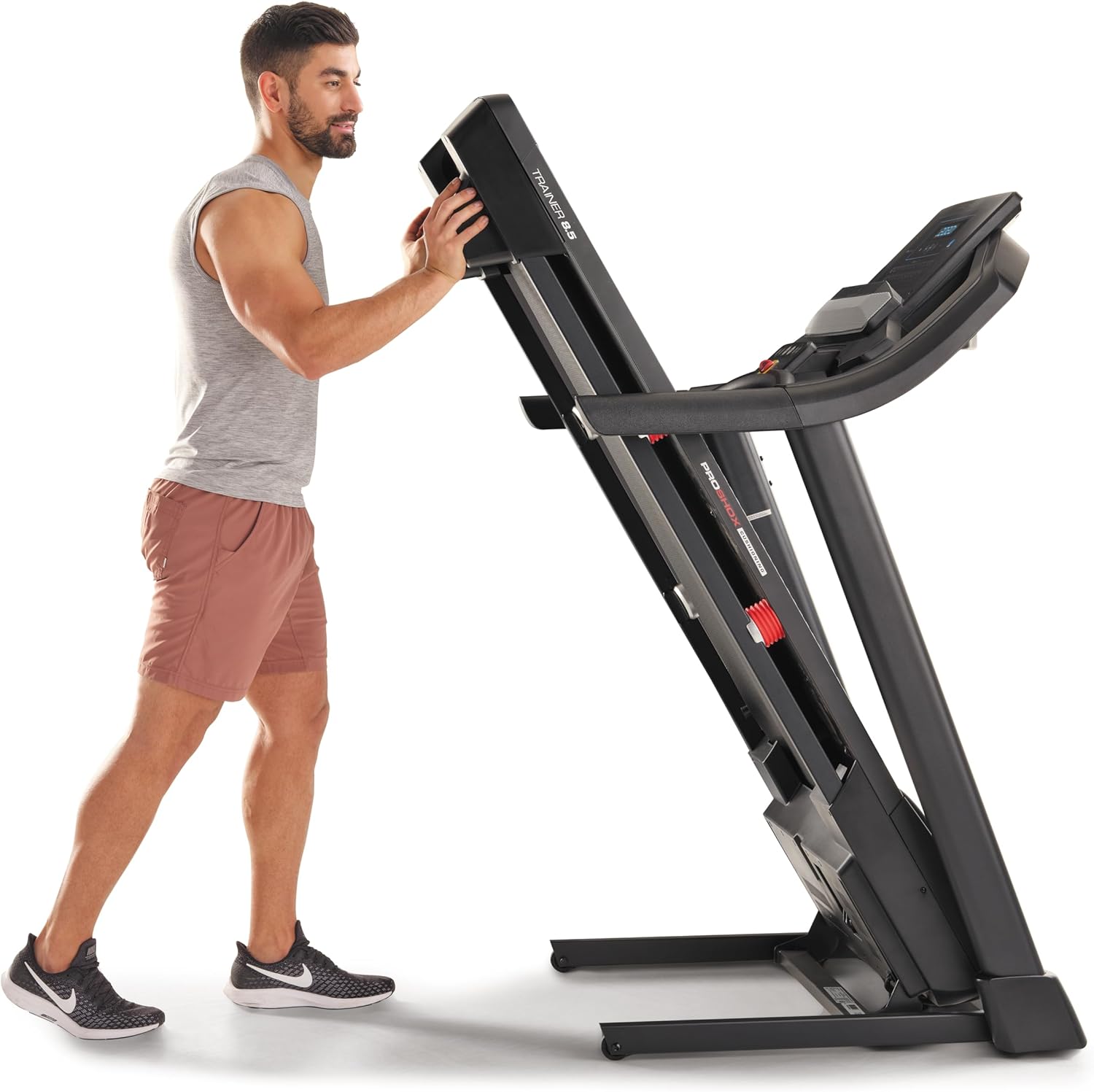
Image: A user demonstrating the folding mechanism of the treadmill for storage.

Image: A user demonstrating the unfolding process of the treadmill, preparing it for use.
Naudojimo instrukcijos
Konsolė baigtaview
The console features a display for workout metrics, digital quick speed and incline controls, and dual 2-inch speakers. Familiarize yourself with the button layout before starting your workout.

Vaizdas: Išsamus view of the treadmill's console, highlighting the display and control panel.
Pradedant treniruotę
- Attach the Safety Key: Clip the safety key to your clothing and insert the other end into the console's designated slot. The treadmill will not operate without the safety key.
- Rankinis režimas: Press the 'Start' button to begin a manual workout. The belt will start moving at a low speed.
- Programos režimas: Select a pre-set workout program from the console. Follow the on-screen prompts to begin.
Greičio ir nuolydžio reguliavimas
- Greitis: Use the 'QuickSpeed' buttons or the '+' and '-' buttons to adjust the belt speed from 0 to 16 kph.
- Pakreipimas: Use the 'Quick Incline' buttons or the '+' and '-' buttons to adjust the incline from 0% to 10%.

Image: A user actively running on the treadmill, illustrating its operational use.
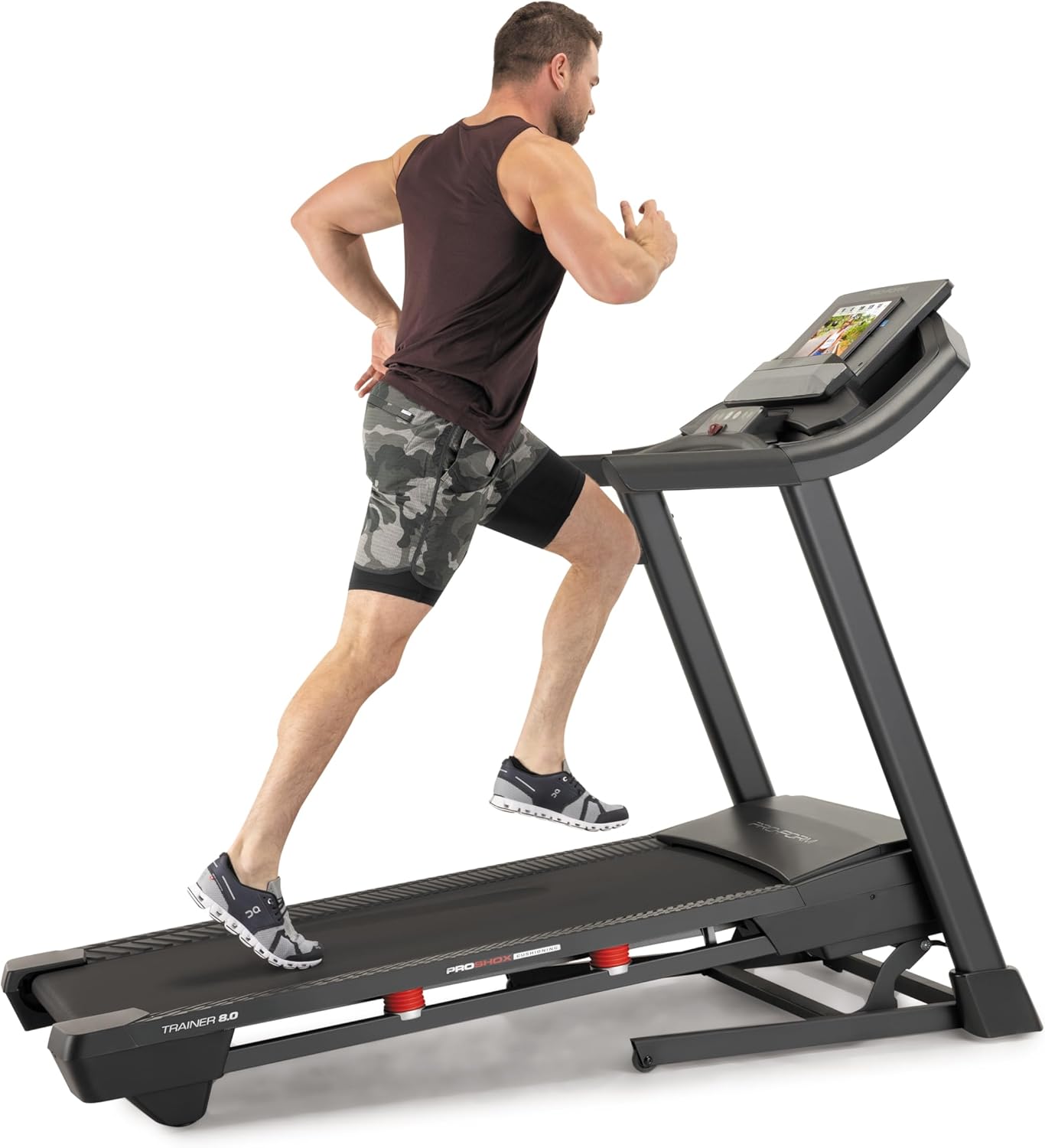
Image: Another perspective of a user running on the treadmill, highlighting the running surface.
Bėgimo takelio sustabdymas
To stop the treadmill, press the 'Stop' button on the console. For an emergency stop, pull the safety key from the console. The treadmill will immediately cease operation.
Priežiūra
Reguliarus bėgimo takelio remontas užtikrina jo ilgaamžiškumą ir optimalų veikimą.
Valymas
- Konsolė: Wipe the console with a damp šluoste. Venkite abrazyvinių valiklių ir per didelės drėgmės.
- Running Deck and Belt: Periodically clean the running deck and belt with a damp šluoste dulkėms ir šiukšlėms pašalinti.
Diržo tepimas
The running belt may require lubrication after extended use. Refer to the specific lubrication instructions provided with your treadmill or contact customer service for guidance. Use only approved treadmill lubricant.
Diržo įtempimas ir išlyginimas
If the running belt slips or drifts to one side, it may need adjustment. Consult the detailed assembly guide or contact customer service for instructions on how to properly tension and align the belt. Incorrect adjustment can damage the treadmill.
Trikčių šalinimas
This section addresses common issues you might encounter with your ProForm Treadmill t8.5.
| Problema | Galima priežastis | Sprendimas |
|---|---|---|
| Bėgimo takelis neįsijungia | Neįjungtas maitinimo laidas; neįdėtas saugos raktas; suveikė grandinės pertraukiklis. | Įsitikinkite, kad maitinimo laidas yra tvirtai prijungtas; Įkiškite saugos raktą iki galo; Patikrinkite buitinį elektros grandinės jungiklį. |
| Bėgimo diržas slysta | Diržo įtempimas per laisvas. | Adjust belt tension (refer to maintenance section or assembly guide). |
| Console display is blank | Power issue; Console cable disconnected. | Check power connection; Ensure all console cables are securely connected (refer to assembly guide). |
| Neįprastas triukšmas veikimo metu | Atsilaisvinusios dalys; Diržo trintis; Variklio problema. | Inspect for loose bolts and tighten; Lubricate belt if needed; If noise persists, contact customer service. |
Specifikacijos
Key technical specifications and features of the ProForm Treadmill t8.5:
| Funkcija | Detalė |
|---|---|
| Modelis | t8.5 |
| Prekės ženklas | ProForm |
| Digital Quick Incline Control | 0 % – 10 % |
| Digital QuickSpeed Control | 0 – 16 kph (0 – 11.2 Miles per Hour) |
| Tread Belt Dimensions | 51 x 140 cm |
| Maksimali svorio talpa | 135 kg |
| Garsiakalbiai | Dual 2” Speakers |
| Prekės svoris | 81 kilogramo |
| Medžiaga | Aliuminis |
| Ypatingos savybės | Portable (SpaceSaver Design) |
| Tikslinė auditorija | Suaugusieji, jaunimas |
| Didžiausia arklio galia | 2.6 arklio galių |
Garantija ir palaikymas
For detailed warranty information, please refer to the warranty card included with your product or visit the official ProForm websvetainėje. Garantijos sąlygos ir nuostatos gali skirtis priklausomai nuo regiono.
Klientų aptarnavimas
If you have questions, require technical assistance, or need to order replacement parts, please contact ProForm customer service. Contact details can typically be found on the ProForm websvetainėje arba savo produkto pakuotėje.