
TRIFO Emma-S
TRIFO Ollie roboto dulkių siurblio naudotojo vadovas
Model: Emma-S
Brand: TRIFO
1. Įvadas
The TRIFO Ollie Robot Vacuum Cleaner is designed to provide efficient and automated cleaning for your home. Featuring 3D SLAM visual navigation, powerful suction, and smart app control, it simplifies your cleaning routine. This manual provides essential information for setting up, operating, and maintaining your robot vacuum cleaner.
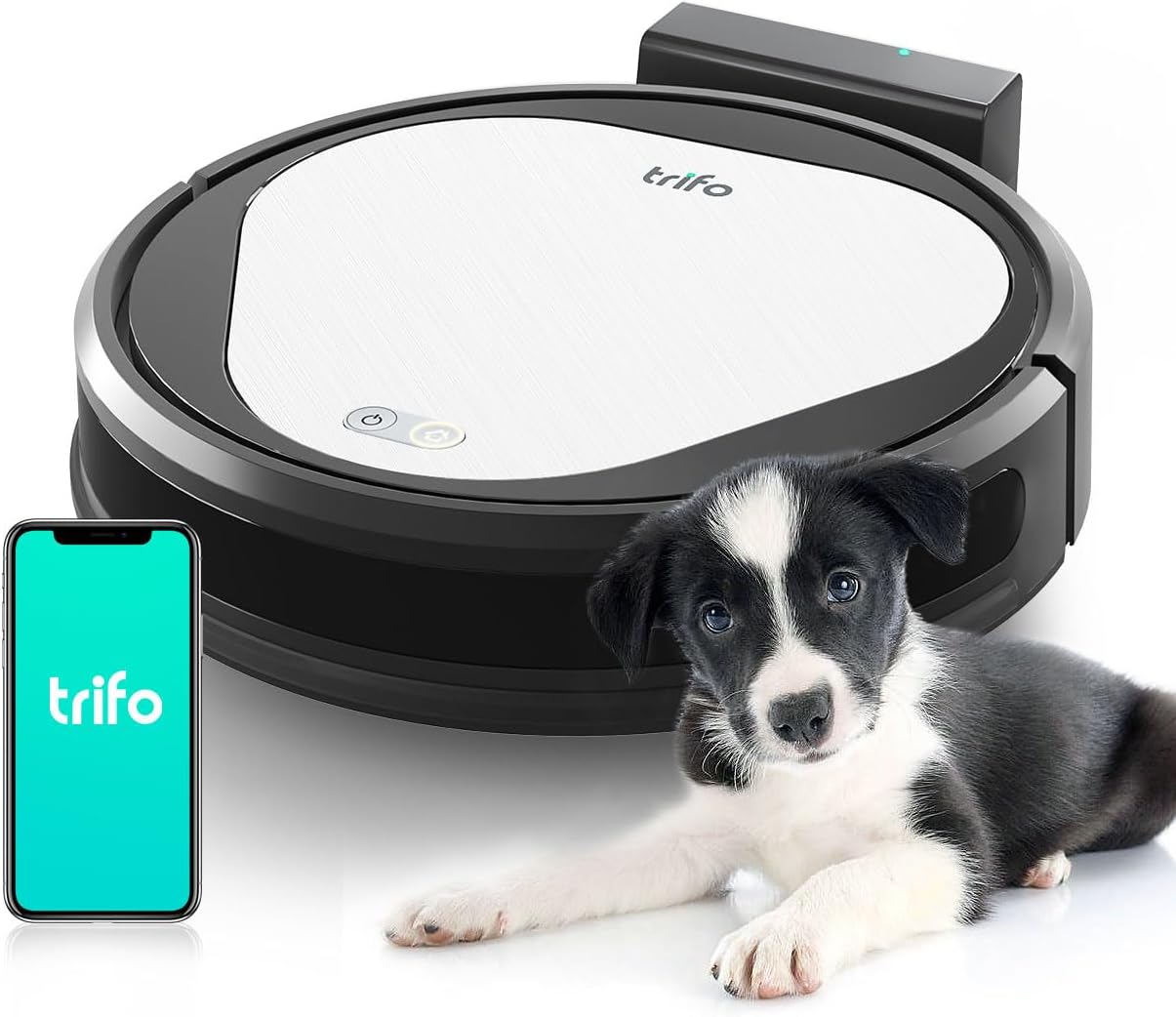
Figure 1.1: The TRIFO Ollie Robot Vacuum Cleaner, showcasing its compact design, accompanied by a puppy and a smartphone illustrating the companion application.
2. Saugos instrukcijos
Please read these safety instructions carefully before using your TRIFO Ollie Robot Vacuum Cleaner and keep them for future reference. Failure to follow these instructions may result in electric shock, fire, or serious injury.
- Do not use the robot vacuum cleaner outdoors or on wet surfaces.
- Do not allow children or pets to operate the robot vacuum cleaner. Supervise children when the device is in use.
- Use only the original charging dock and power adapter provided by TRIFO.
- Įsitikinkite, kad įkrovimo stotelė pastatyta ant lygaus paviršiaus prie sienos, o aplink ją yra pakankamai laisvos vietos.
- Do not handle the robot vacuum cleaner or its charger with wet hands.
- Plaukus, laisvus drabužius, pirštus ir visas kūno dalis laikykite toliau nuo angų ir judančių dalių.
- Nerinkite degių ar sprogių medžiagų, tokių kaip benzinas, ir nenaudokite tose vietose, kur jų gali būti.
- Neimkite nieko, kas dega ar rūko, pavyzdžiui, cigarečių, degtukų ar karštų pelenų.
- Check the dustbin and filter regularly and clean them to maintain optimal performance.
- Jei maitinimo laidas pažeistas, jį turi pakeisti gamintojas, jo techninės priežiūros atstovas arba panašios kvalifikacijos asmenys, kad būtų išvengta pavojaus.
3. Pakuotės turinys
Išpakuodami patikrinkite, ar visi daiktai yra ir yra geros būklės:
- TRIFO Ollie Robot Vacuum Cleaner
- Įkrovimo dokas
- Maitinimo adapteris
- Šoniniai šepečiai (2 vnt.)
- Pagrindinis šepetys (iš anksto sumontuotas)
- Šiukšlių dėžė (iš anksto sumontuota)
- Didelio efektyvumo filtras (iš anksto įdiegtas)
- Valymo įrankis
- Vartotojo vadovas
4. Produkto ypatybės
The TRIFO Ollie Robot Vacuum Cleaner is equipped with advanced features for superior cleaning performance:
4.1 Galingas siurbimas
Offers an impressive suction power of up to 3000 Pa, ensuring thorough cleaning of dust, hair, and debris on various floor types, including carpet, wood, and tile.

Figure 4.1: The underside of the robot vacuum cleaner demonstrating its powerful 3000Pa suction capability, effectively lifting dirt and debris from the floor.
4.2 Efektyvus valymo kelias
Features a 21 cm main brush and a U-shaped cleaning path to significantly reduce cleaning time. The 600ml dustbin allows for extended cleaning sessions without frequent emptying.
4.3 Kompaktiškas dizainas sunkiai pasiekiamoms vietoms
With a height of only 8.4 cm and an elongated side brush, the robot vacuum cleaner can effectively reach and clean under sofas, beds, and cupboards. Ensure a minimum clearance of 2 cm between the furniture and the floor for optimal movement.

Figure 4.2: The compact design of the TRIFO Ollie allows it to easily navigate and clean under low-clearance furniture such as sofas, ensuring comprehensive coverage.
4.4 Pet Hair Friendly
Designed to effectively pick up pet hair, making it an ideal cleaning solution for households with pets.

Figure 4.3: The TRIFO Ollie is specifically engineered to handle pet hair, making it a valuable tool for pet owners to maintain a clean home environment.
4.5 Intelligent Protection and Navigation
Equipped with sensors on the bottom to prevent falls from stairs and other elevated surfaces. Side sensors assist the robot in navigating precisely along walls and avoiding collisions with furniture.
4.6 App and Alexa Control
Control your robot vacuum cleaner conveniently via the dedicated smartphone app or using Alexa voice commands. The app allows for cleaning scheduling, setting times, and manually selecting cleaning areas. Note: Connection requires a 2.4 GHz wireless network.
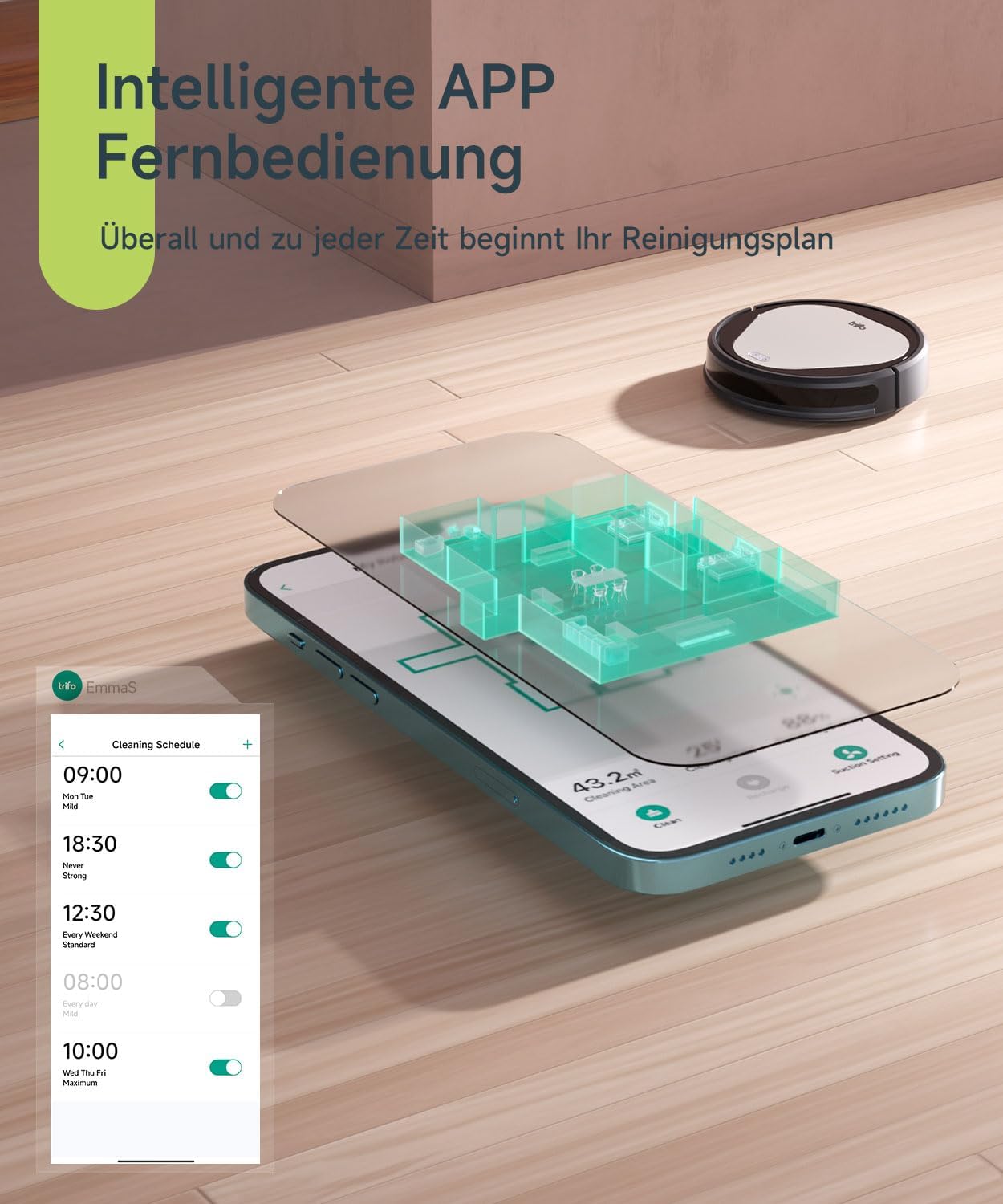
Figure 4.4: The TRIFO companion app provides comprehensive control, allowing users to schedule cleaning, view room maps, and manage cleaning areas directly from their smartphone.
4.7 Automatinis įkrovimas
The robot automatically returns to its charging station when cleaning is complete or when the battery level is low, ensuring it is always ready for the next cleaning cycle.

Figure 4.5: The robot vacuum cleaner automatically navigates back to its charging dock when its battery is low or after completing a cleaning task, ensuring continuous operation.
5. Sąrankos vadovas
5.1 Išpakavimas ir pradinis pastatymas
- Atsargiai išimkite robotą dulkių siurblį ir visus priedus iš pakuotės.
- Remove any protective films or packing materials from the robot and charging dock.
- Place the charging dock against a wall on a hard, level surface. Ensure there is at least 0.5 meters (1.6 feet) of clear space on both sides and 1.5 meters (4.9 feet) in front of the charging dock.
- Connect the power adapter to the charging dock and plug the other end into a wall outlet. Ensure the power indicator on the charging dock illuminates.
5.2 Pradinis įkrovimas
Place the robot vacuum cleaner onto the charging dock, ensuring the charging contacts on the robot align with those on the dock. The robot will begin charging automatically. For first-time use, fully charge the robot before operation (approximately 4-5 hours).
5.3 Programėlių atsisiuntimas ir Wi-Fi ryšys
- Download the "TRIFO Home" app from the App Store (iOS) or Google Play Store (Android).
- Atidarykite programą ir susikurkite paskyrą.
- Follow the in-app instructions to add your TRIFO Ollie device. Ensure your smartphone is connected to a 2.4 GHz Wi-Fi network during the pairing process. The robot vacuum cleaner only supports 2.4 GHz Wi-Fi.
- Prijungę galite valdyti robotą, view cleaning maps, set schedules, and access various features through the app.
6. Naudojimo instrukcijos
6.1 Valymo ciklo pradžia
- Per roboto mygtuką: Norėdami pradėti automatinį valymo ciklą, vieną kartą paspauskite roboto maitinimo mygtuką. Norėdami pristabdyti, paspauskite dar kartą.
- Via TRIFO Home App: Open the app and tap the "Start Cleaning" button. You can also select specific cleaning modes or areas.
- Via Voice Command (Alexa): If integrated with Alexa, say "Alexa, ask [Robot Name] to start cleaning."
6.2 Pristabdymas ir tęsimas
During a cleaning cycle, you can pause the robot by pressing the power button on the robot or through the app. To resume, press the button again or use the app.
6.3 Grįžimas į įkrovimo stotelę
The robot will automatically return to its charging dock when the battery is low or when a cleaning cycle is completed. You can also manually send it back to the dock via the app or by pressing the home button on the robot (if available).
6.4 Valymo planavimas
Use the TRIFO Home app to set up daily or weekly cleaning schedules. This allows the robot to clean automatically at your preferred times.
7. Priežiūra
Regular maintenance is crucial for optimal performance and longevity of your TRIFO Ollie Robot Vacuum Cleaner. Perform these tasks regularly:
7.1 Šiukšlių dėžės ištuštinimas
- Paspauskite dulkių surinktuvo atlaisvinimo mygtuką ir ištraukite dulkių surinktuvą.
- Atidarykite šiukšliadėžės dangtį ir išpilkite jos turinį į šiukšliadėžę.
- Rinse the dustbin with water if necessary (ensure it is completely dry before re-inserting).
7.2 Filtro valymas
- Išimkite filtrą iš dulkių surinktuvo.
- Tap the filter gently to remove dust and debris. Do not wash the high-efficiency filter with water.
- Filtrą keiskite kas 3–6 mėnesius, priklausomai nuo naudojimo intensyvumo.
7.3 Pagrindinio šepečio valymas
- Apverskite robotą ir nuimkite pagrindinio šepečio dangtelį.
- Iškelkite pagrindinį šepetį.
- Naudokite pateiktą valymo įrankį, kad pašalintumėte aplink šepetėlį susivėlusius plaukus ir šiukšles.
- Vėl uždėkite pagrindinį šepetį ir dangtelį.
7.4 Šoninių šepečių valymas
- Check the side brushes for tangled hair or debris.
- If necessary, remove the side brushes (they may be screwed in) and clean them.
- Reattach or replace if worn.
7.5 Jutiklių ir įkrovimo kontaktų valymas
- Wipe all sensors (cliff sensors on the bottom, wall sensors on the side) and charging contacts on both the robot and the charging dock with a clean, dry cloth.
- Įsitikinkite, kad jutikliai neužstoja dulkių ar šiukšlių.
8. Problemų sprendimas
Dažniausiai pasitaikančias problemas ir jų sprendimus rasite šiame skyriuje:
| Problema | Galima priežastis | Sprendimas |
|---|---|---|
| Robotas neįsijungia ir neįkraunamas. | Akumuliatorius išsikrovęs; įkrovimo kontaktai nešvarūs; maitinimo adapteris neprijungtas. | Place robot on charging dock; clean charging contacts; ensure power adapter is securely plugged in. |
| Robotas dažnai užstringa. | Obstacles (cables, rugs); low clearance furniture. | Clear obstacles from cleaning path; ensure sufficient clearance under furniture (min. 2 cm). |
| Prastas valymo našumas. | Dustbin full; filter clogged; main/side brushes tangled. | Ištuštinkite dulkių konteinerį; išvalykite / pakeiskite filtrą; išvalykite pagrindinį ir šoninius šepečius. |
| Nepavyksta prisijungti prie „Wi-Fi“ / programėlės. | Incorrect Wi-Fi password; not 2.4 GHz network; robot too far from router. | Verify Wi-Fi password; ensure connection to 2.4 GHz network; move robot closer to router. |
| Robotas nukrenta nuo laiptų. | Skaldos jutikliai nešvarūs arba užblokuoti. | Clean cliff sensors on the bottom of the robot. |
9. Specifikacijos
| Funkcija | Detalė |
|---|---|
| Modelis | Emma-S (Ollie) |
| Prekės ženklas | TRIFO |
| Prekės svoris | 5.16 kilogramo |
| Formos faktorius | Nešiojami |
| Reikalingos baterijos | Taip |
| Įtraukti komponentai | Battery, Side Brush (and others as per package contents) |
| ASIN | B0BQ74NLPW |
| Pasiekiama pirmoji data | 23 m. gruodžio 2022 d |
| Paviršiaus rekomendacija | Visų tipų grindys |
| Ypatingos savybės | Logical Navigation, Pet Hair Pick Up |
| Valdiklio tipas | Amazon Alexa, Mobile App |
| Siurbimo galia | Iki 3000 Pa |
| Šiukšlių dėžės talpa | 600 ml |
| Roboto aukštis | 8.4 cm (3.34 coliai) |
10. Garantija ir palaikymas
TRIFO products are manufactured to high-quality standards. For information regarding warranty coverage, please refer to the warranty card included in your product packaging or visit the official TRIFO websvetainę.
For technical support, troubleshooting assistance, or inquiries about replacement parts, please contact TRIFO Customer Service. Contact details can typically be found on the TRIFO website or within the TRIFO Home app.
Palaikymas internetu: Visit the official TRIFO website for FAQs, video tutorials, and support contact information.
Programos palaikymas: Access support resources directly through the TRIFO Home app.