
Įvadas
The Datalogic QuickScan QD2590 is a high-performance, handheld 2D barcode imager designed for various point-of-sale (POS) and general-purpose applications. This device offers fast and reliable scanning of 1D and 2D barcodes, ensuring efficient data capture. Its durable design and flexible connectivity options (USB, RS-232) make it suitable for diverse environments. This manual provides essential information for setting up, operating, maintaining, and troubleshooting your QD2590 scanner.
Sąranka
1. Unpacking the Scanner
Atsargiai išimkite visus komponentus iš pakuotės. Patikrinkite, ar yra visi skyriuje „Kas yra dėžutėje“ išvardyti elementai.
- QuickScan QD2590 Portable 1D/2D Barcode Reader (Black)
2. Skaitytuvo prijungimas
The QD2590 scanner supports USB and RS-232 connectivity. Connect the appropriate cable to the scanner's interface port and then to your host device (computer, POS system).
USB prijungimui: Plug the USB cable into an available USB port on your computer. The scanner will typically be recognized automatically, and necessary drivers will be installed by the operating system.
For RS-232 Connection: Connect the RS-232 cable to a serial port on your host device. Ensure proper configuration of the serial port settings on your host system to match the scanner's default settings (e.g., baud rate, data bits, parity, stop bits).
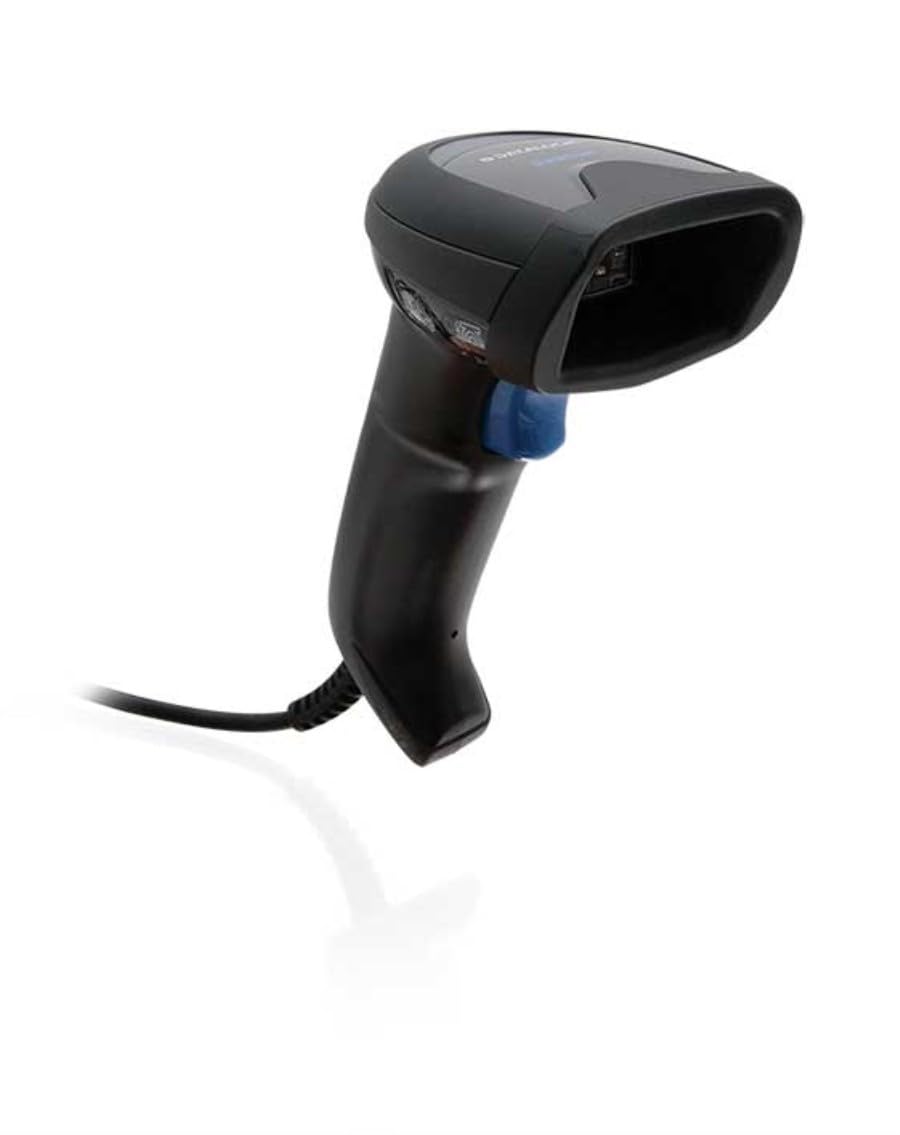
Image: The Datalogic QuickScan QD2590 scanner showing its wired connection.
Skaitytuvo valdymas
1. Pagrindinė skenavimo procedūra
- Ensure the scanner is properly connected and powered on.
- Nukreipkite skaitytuvo langelį į brūkšninį kodą, kurį norite nuskaityti.
- Paspauskite ir palaikykite nuspaudę gaiduko mygtuką. Atsiras raudonas taikymo spindulys.
- Center the aiming beam over the entire barcode.
- Once the barcode is successfully read, the scanner will emit an audible beep and/or the LED indicator will change color (typically green).
- Release the trigger button. The scanned data will be transmitted to your host device.
2. Skenavimo atsiliepimai
- Good Read Indicator: A successful scan is typically indicated by a green LED and a configurable beep sound.
- Tikslinis spindulys: The red aiming beam helps position the scanner correctly over the barcode.

Vaizdas: priekis view of the Datalogic QuickScan QD2590, highlighting the scanning area.
Priežiūra
1. Skaitytuvo valymas
To ensure optimal performance, keep the scanner's window clean. Use a soft, lint-free cloth dampened with water or a mild, non-abrasive cleaner. Do not use harsh chemicals, solvents, or abrasive materials, as these can damage the scanning window or casing.
2. Sandėliavimas
When not in use, store the scanner in a clean, dry environment, away from extreme temperatures, direct sunlight, and corrosive materials. Avoid dropping or subjecting the scanner to excessive impact.
Trikčių šalinimas
| Problema | Galima priežastis | Sprendimas |
|---|---|---|
| Skaitytuvas neįsijungia. | Cable not connected properly; host device not powered on. | Check cable connections. Ensure host device is powered on. |
| Skaitytuvas neskaito brūkšninių kodų. | Barcode damaged or poorly printed; incorrect symbology enabled; scanning window dirty; scanner not configured correctly. | Try scanning a different barcode. Clean the scanning window. Refer to the full product manual for symbology enablement and advanced configuration. |
| Nuskaityti duomenys yra neteisingi arba nepilni. | Incorrect data formatting; partial scan. | Ensure the aiming beam covers the entire barcode. Check host application settings for data formatting. |
| No audible beep on good read. | Beeper disabled in configuration. | Refer to the full product manual to enable the beeper. |
For more detailed troubleshooting and advanced configuration, please refer to the complete Datalogic QuickScan QD2590 product manual available on the Datalogic websvetainę.
Techninės specifikacijos
| Funkcija | Detalė |
|---|---|
| Modelio numeris | W126053080 |
| Skaitytuvo tipas | Handheld 2D Imager |
| Skenavimo elemento tipas | 2D Imager - Red LED Sensor |
| Jutiklio skyra | 1280 x 800 pikselių |
| Nuskaitymo greitis | 60 kadrų per sekundę (fps) |
| Minimum Bar Symbol Width | 3 mln |
| Ryšio technologija | Wired (USB, RS-232) |
| Maitinimo šaltinis | DC 5V (via cable) |
| Matmenys (P x G x A) | 6.8 cm x 12.6 cm x 14.8 cm |
| Svoris | 145 g |
| Spalva | Juoda |
| Suderinami įrenginiai | Smartphone, laptop, desktop, tablet |
| Tikras View Kampas | 40 laipsnių |
Garantija ir palaikymas
Informacija apie garantiją
The Datalogic QuickScan QD2590 barcode scanner comes with a 2 metų gamintojo garantijaŠi garantija taikoma medžiagų ir gamybos defektams, atsiradusiems įprasto naudojimo sąlygomis. Išsaugokite pirkimo įrodymą, jei galėtumėte pateikti pretenzijas dėl garantijos.
Pagalba klientams
For technical assistance, product inquiries, or warranty service, please contact Datalogic customer support. Visit the official Datalogic websvetainėje, kurioje rasite kontaktinę informaciją, DUK ir papildomus išteklius.
Datalogic Official Websvetainė: www.datalogic.com