
1. Saugos informacija
Please read this manual carefully before using the camera to ensure safe and proper operation. Keep this manual for future reference.
- Saugokite fotoaparatą nuo vandens ar drėgmės.
- Venkite fotoaparato numetimo ir stiprių smūgių.
- Do not attempt to disassemble or modify the camera. Repairs should only be performed by qualified personnel.
- Laikykite fotoaparatą atokiau nuo tiesioginių saulės spindulių ir aukštos temperatūros.
- Use only the specified battery type and charging cable.
- Tinkamai išmeskite baterijas laikydamiesi vietinių taisyklių.
- Clean the camera lens and screen with a soft, dry cloth.
2. Pakuotės turinys
Patikrinkite, ar pakuotėje yra visi toliau išvardyti daiktai:
- Andoer Digital Camera Body
- Lithium Battery (3.7V 550mAh)
- USB įkrovimo laidas
- Maišelis
- Vartotojo vadovas (šis dokumentas)

Image: Contents of the Andoer Digital Camera package, showing the camera, wrist strap, USB charging cable, carry bag, and user manual.
3. Produktas baigtasview
3.1 Priekis View

Vaizdas: priekis view of the Andoer Digital Camera, displaying the lens, built-in flash, and indicating 2.7" TFT screen and 18 Megapixels.
3.2 Galinis View (Ekranas ir valdikliai)
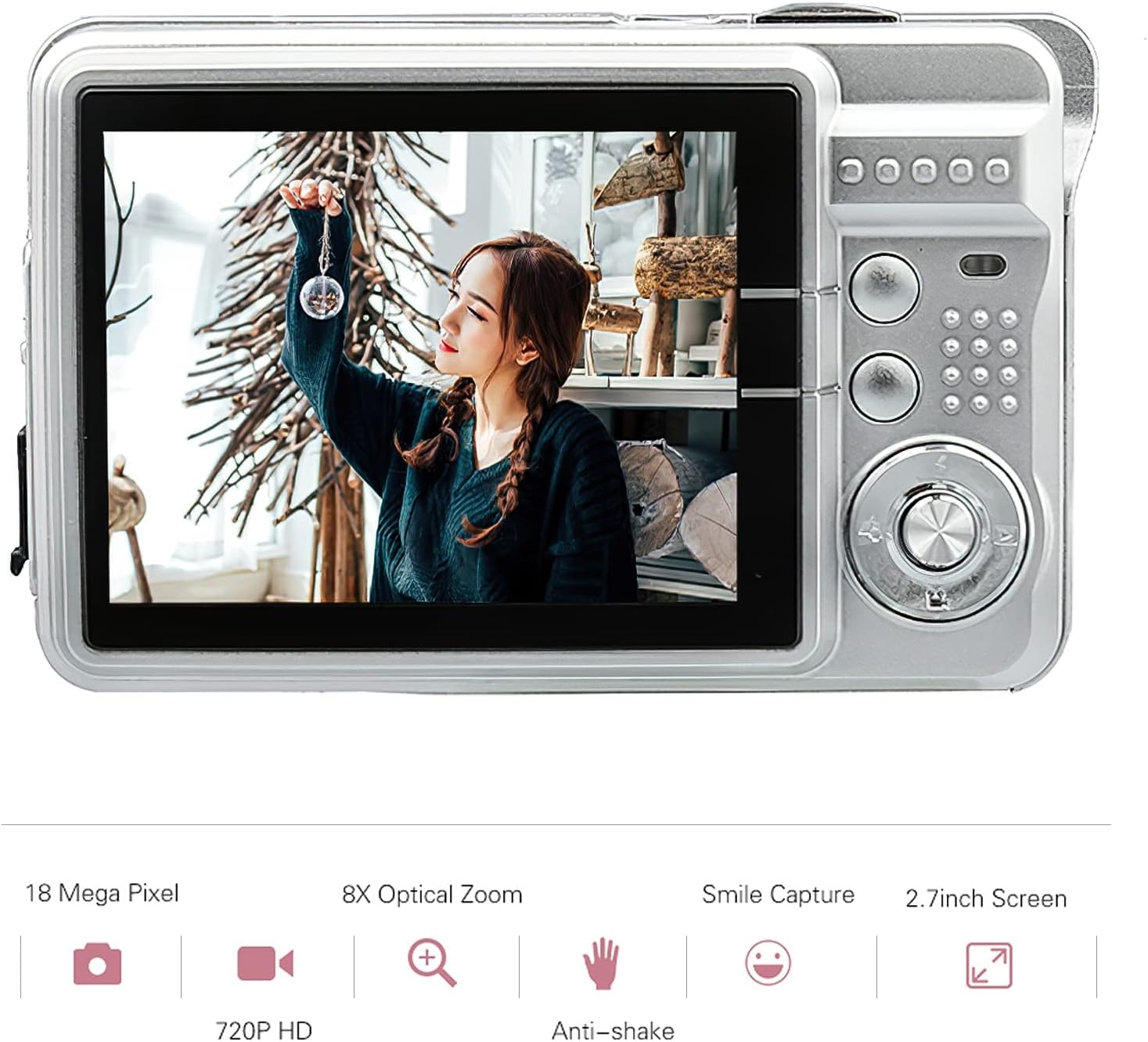
Vaizdas: Galinis view of the Andoer Digital Camera, featuring the 2.7-inch TFT display and various control buttons on the right side.
The camera features a 2.7-inch TFT display for viewing photos and videos, along with intuitive controls for navigation and settings adjustment.
4. Sąranka
4.1 Akumuliatoriaus įkrovimas
- Atidarykite baterijų skyriaus dangtelį, esantį fotoaparato šone.
- Insert the provided Lithium battery (3.7V 550mAh) into the compartment, ensuring correct polarity.
- Saugiai uždarykite akumuliatoriaus skyriaus dangtelį.
- Connect the camera to a USB power source (e.g., computer, USB wall adapter) using the supplied USB charging cable.
- The charging indicator light will illuminate. Charging is complete when the light turns off or changes color (refer to camera display for battery status).
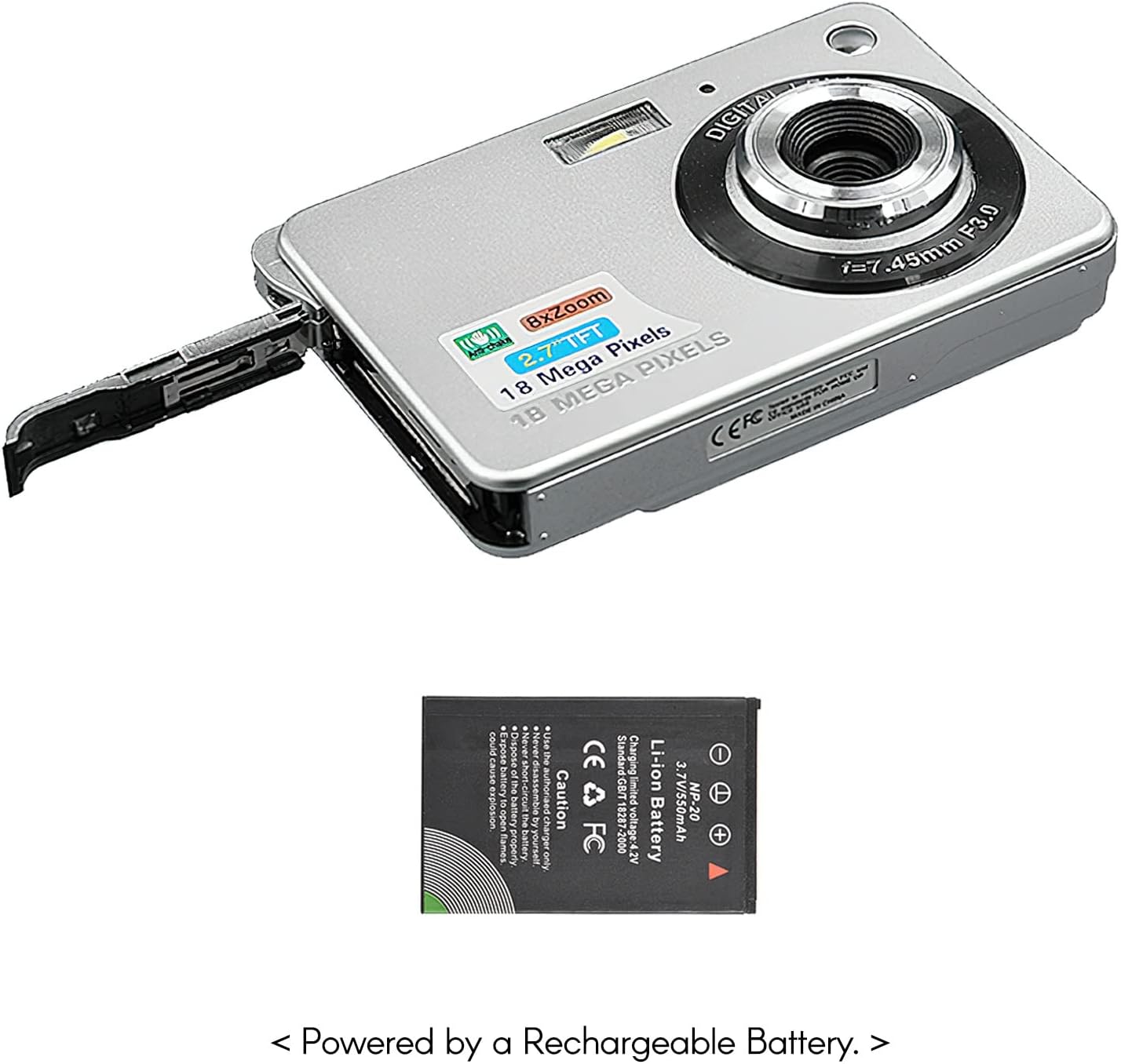
Vaizdas: Šoninė view of the camera with the battery compartment open, illustrating how to insert the rechargeable lithium battery.
4.2 Inserting a Memory Card (Not Included)
This camera supports SD memory cards up to 32GB. A memory card is required to save photos and videos.
- Raskite atminties kortelės lizdą, paprastai šalia akumuliatoriaus skyriaus.
- Įdėkite SD kortelę metaliniais kontaktais žemyn (arba kaip nurodyta šalia angos esančioje diagramoje), kol ji spragtelės ir užsifiksuos.
- Norėdami išimti, švelniai stumkite kortelę, kol ji iššoks.
5. Naudojimo instrukcijos
5.1 Įjungimas / išjungimas
Press and hold the Power button (usually located on the top or side) to turn the camera on or off.
5.2 Fotografavimas
- Įjunkite fotoaparatą.
- Frame your shot using the 2.7-inch TFT display.
- Press the Shutter button (typically on top) halfway down to focus, then press fully to capture the image.

Image: The camera's screen showing a captured image, demonstrating the 18 Megapixel photo capability.
5.3 Vaizdo įrašų įrašymas
- Įjunkite fotoaparatą.
- Switch to video recording mode (usually via a mode button or menu option).
- Press the Record button (often marked with a red dot) to start recording. Press again to stop.

Image: The camera's screen displaying a video playback, illustrating its 720P high-definition video recording function.
5.4 Skaitmeninis mastelis
The camera features 8X digital zoom. Use the zoom buttons (often labeled 'W' for Wide and 'T' for Telephoto) to adjust the zoom level.

Image: A visual representation of the 8x digital zoom capability, showing a scene at 1x magnification and then zoomed in at 8x.
5.5 Meniu naršymas
Press the 'Menu' button to access camera settings. Use the directional buttons to navigate and the 'OK' or 'Set' button to confirm selections. Available settings include:
- Laikmatis: Off/ 2 sec/ 5 sec/ 10 sec
- Poveikis: EV-3 to EV+3
- Baltos spalvos balansas: Auto/ Daylight/ Cloudy/ Incandescent/ Fluorescent
- Scenos režimai: Auto/ Night Portrait/ Night Scenery/ Portrait/ Scenery/ Sport/ Party/ Beach/ High sensitivity
- Kitos funkcijos: Anti-Shake, Face Detect, Smile Capture
6. Priežiūra
6.1 Kameros valymas
- Fotoaparato korpusą valykite minkštu, nepūkuotu audiniu.
- Objektyvui ir ekranui valyti naudokite specializuotą objektyvo valymo šluostę ir, jei reikia, tirpalą. Venkite abrazyvinių medžiagų.
- Do not use organic solvents to clean the camera.
6.2 Akumuliatoriaus priežiūra
- Prieš pradėdami naudoti akumuliatorių, visiškai jį įkraukite.
- Jei fotoaparatas ilgą laiką nebus naudojamas, išimkite bateriją.
- Baterijas laikykite vėsioje, sausoje vietoje.
7. Problemų sprendimas
| Problema | Galima priežastis | Sprendimas |
|---|---|---|
| Kamera neįsijungia. | Baterija išsikrovusi arba netinkamai įdėta. | Įkraukite bateriją. Įsitikinkite, kad baterija įdėta teisingu poliškumu. |
| Negalima fotografuoti / įrašyti vaizdo įrašų. | No memory card inserted or card is full/corrupted. | Įdėkite suderinamą SD kortelę. Ištrinkite nereikalingus filearba formatuokite kortelę (tai ištrins visus duomenis). |
| Vaizdai neryškūs. | Lens is dirty, insufficient light, or camera shake. | Clean the lens. Use the flash in low light. Hold the camera steady or use anti-shake feature. |
| Kamera užstringa arba nereaguoja. | Laikinas programinės įrangos triktis. | Išimkite ir vėl įdėkite bateriją, kad iš naujo nustatytumėte fotoaparato gamyklinius nustatymus. |
8. Specifikacijos
| Funkcija | Detalė |
|---|---|
| Modelis | IAT4319650447530BC |
| Vaizdo jutiklis | CMOS jutiklis |
| Ekranas | 2.7 colio TFT LCD |
| Nuotraukų raiška | Iki 18 megapikselių |
| Vaizdo raiška | 1280x720 (720P), 720x480, 640x480 (VGA), 320x240 (QVGA) |
| Skaitmeninis priartinimas | 8X |
| Vaizdo stabilizavimas | Skaitmeninis anti-shake |
| Ekspozicijos kompensavimas | EV-3 to EV+3 |
| Baltos spalvos balansas | Auto/ Daylight/ Cloudy/ Incandescent/ Fluorescent |
| File Formatas | JPEG (Photo), AVI (Video) |
| Saugojimo laikmena | SD kortelė (iki 32 GB, nepridedama) |
| Maitinimo šaltinis | 1 * Lithium battery (3.7V 550mAh) |
| Palaikoma sistema | Windows XP, VISTA, WIN7, MAC |
| Prekės dydis | 9 * 6 * 2 cm / 3.5 * 2.4 * 0.8 col. |
| Prekės svoris | 90 g / 3.2 uncijos |
9. Garantija ir palaikymas
Andoer products are designed and manufactured to the highest quality standards. For warranty information and customer support, please refer to the documentation provided at the time of purchase or visit the official Andoer websvetainę.
If you encounter any issues not covered in this manual, please contact Andoer customer service for assistance.
Pastaba: specifikacijos gali būti keičiamos be išankstinio įspėjimo.