
ŽALIOJI 15598
UGREEN Revodok 6-in-1 USB C Hub Gigabit Ethernet Adapter Instruction Manual
Modelis: 15598 | Prekės ženklas: UGREEN
Produktas baigtasview
The UGREEN Revodok 6-in-1 USB C Hub is a versatile multiport adapter designed to expand the connectivity of your USB-C enabled devices. It transforms a single USB-C port into multiple essential ports, enhancing productivity and convenience for laptops, tablets, and smartphones.
Pagrindinės funkcijos:
- 6 viename jungiamumas: Integrates 4K@30Hz HDMI, Gigabit Ethernet, 100W Power Delivery (PD) charging, and three USB-A 3.0 data ports.
- 4K HD Visuals: Supports video output up to 4K at 30Hz via the HDMI port for clear display mirroring or extension. (Note: Does not support HDR/3D).
- Stabilus gigabito eternetas: Provides a reliable 1000Mbps wired network connection for faster and more stable internet access compared to Wi-Fi.
- 100 W galios tiekimas: Offers up to 85W pass-through charging for your laptop via the Type-C port, with 15W reserved for hub operations. (Note: USB-C port supports charging only, no data or video).
- Greitas duomenų perdavimas: Three USB-A 3.0 ports allow data transfer speeds up to 5Gbps, ideal for connecting peripherals like external hard drives, USB flash drives, mice, and keyboards.
- Visuotinis suderinamumas: Compatible with a wide range of devices including MacBook Neo/Pro/Air M1, M2, M3, M4, M5, iPad, iPhone 16 Pro/Pro Max, Steam Deck, and various laptops, smartphones, and tablets running macOS, Windows, Chrome OS, and iPadOS.
- Patvarus dizainas: Features a metallic finish and aluminum alloy construction for efficient heat dissipation and enhanced durability.
Pakuotės turinys
- UGREEN Revodok 6-in-1 USB C Hub (Model: 15598)
- Vartotojo vadovas
Sąrankos instrukcijos
- Prijunkite koncentratorių prie savo įrenginio:
Plug the integrated USB-C cable of the UGREEN Revodok hub into an available USB-C port on your laptop, tablet, or smartphone. Ensure the connection is secure.

Image: The UGREEN Revodok 6-in-1 USB C Hub connected to a laptop, showcasindėl kompaktiško dizaino ir kelių prievadų.
- Maitinimo tiekimas (neprivaloma):
If your device requires charging or if you are connecting power-intensive peripherals, connect your original USB-C power adapter to the PD 100W USB-C port on the hub. This will provide pass-through charging to your host device.

Image: A laptop connected to the UGREEN Revodok hub, which is then connected to a 100W power adapter for fast charging.
- Prijunkite išorinį ekraną (neprivaloma):
For video output, connect an HDMI cable from your monitor or TV to the 4K@30Hz HDMI port on the hub. Your device should automatically detect the external display. Adjust display settings (mirror or extend) as needed in your operating system settings.
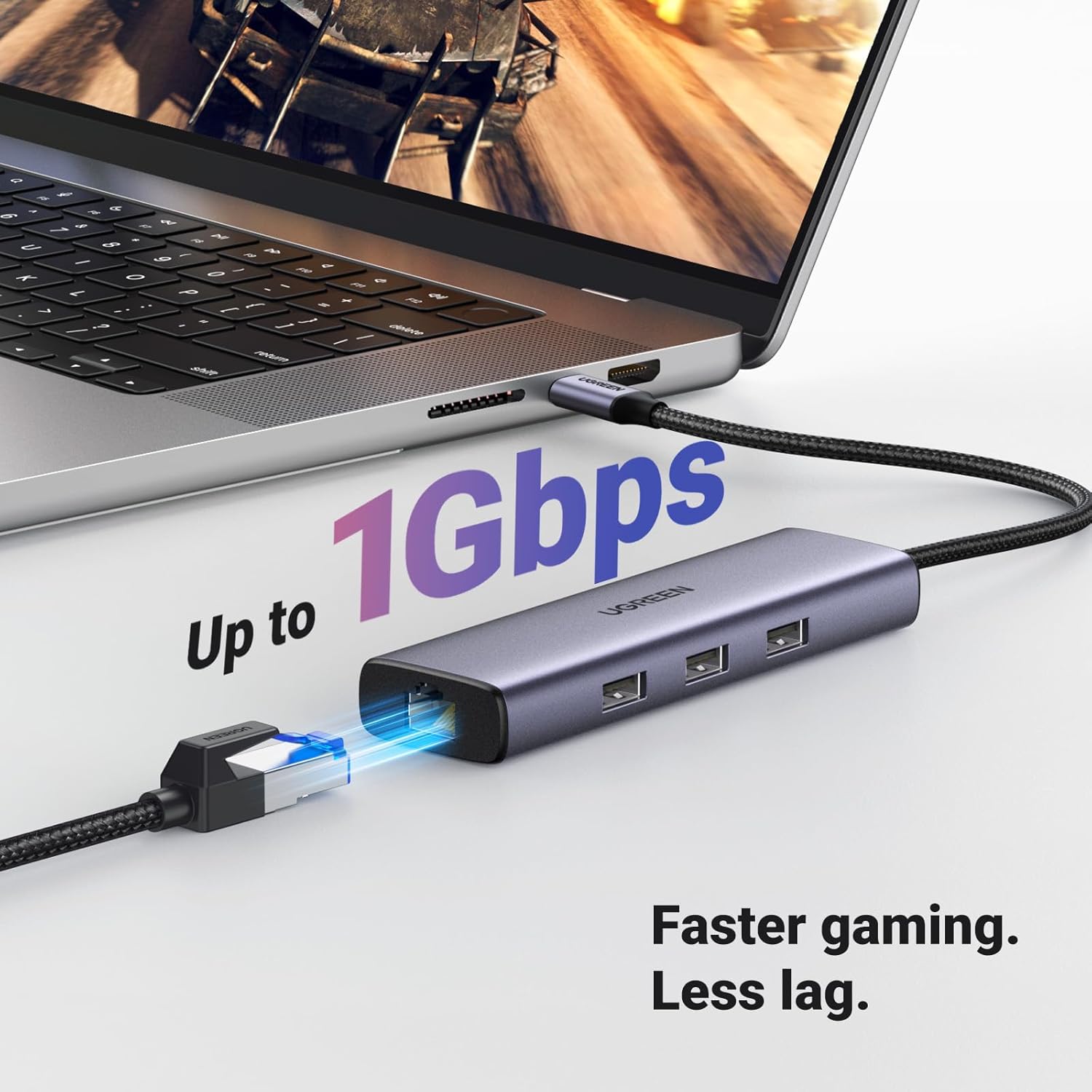
Image: A laptop connected to the UGREEN Revodok hub, which is displaying content on an external 4K monitor via HDMI.
- Prijunkite Ethernet kabelį (neprivaloma):
For a wired network connection, plug an Ethernet cable into the Gigabit Ethernet (RJ45) port on the hub. Connect the other end of the Ethernet cable to your router or modem. The connection should be established automatically.

Image: The UGREEN Revodok hub connected to a laptop, with an Ethernet cable plugged into its RJ45 port, indicating a stable network connection.
- Prijunkite USB periferinius įrenginius (nebūtina):
Plug your USB-A devices (e.g., mouse, keyboard, USB flash drive, external hard drive) into the three USB-A 3.0 ports on the hub.

Image: A laptop connected to the UGREEN Revodok hub, with various USB devices like a flash drive and external hard drive plugged into its USB-A ports.
Naudojimo instrukcijos
The UGREEN Revodok 6-in-1 USB C Hub is designed for plug-and-play functionality, requiring no additional drivers for most operating systems.
- Automatinis aptikimas:
Once connected, your operating system (macOS, Windows, Chrome OS, iPadOS) should automatically detect the hub and its connected peripherals. You can verify this in your device's system settings or device manager.
- Using HDMI Output:
After connecting an HDMI display, navigate to your device's display settings to configure the external monitor. Options typically include "Mirror Displays" (duplicate your primary screen) or "Extend Displays" (use the external monitor as an additional workspace).
- Utilizing Ethernet:
When the Ethernet cable is connected, your device should prioritize the wired connection over Wi-Fi for internet access. Check your network settings to confirm the Gigabit Ethernet connection is active.
- USB duomenų perdavimas:
Files can be transferred to and from connected USB-A devices at speeds up to 5Gbps. Ensure your connected devices and cables support USB 3.0 for optimal performance.
- Įrenginio maitinimas:
The 100W PD port allows you to charge your host device while using the hub. Connect your original power adapter to the hub's PD port. The hub will draw power for its own operation and pass the remaining power to your device.
Priežiūra
- Valymas: Stebulės valymui naudokite minkštą, sausą šluostę. Venkite skystų valiklių ar aerozolių.
- Saugykla: Laikykite stebulę vėsioje, sausoje vietoje, apsaugotoje nuo tiesioginių saulės spindulių ir ekstremalių temperatūrų.
- Tvarkymas: Avoid dropping the device or subjecting it to strong impacts. Do not attempt to disassemble the hub.
- Kabelio priežiūra: Do not bend or twist the integrated USB-C cable excessively to prevent damage.
Trikčių šalinimas
| Problema | Sprendimas |
|---|---|
| Išoriniame monitoriuje nėra vaizdo. |
|
| Ethernet connection is unstable or not working. |
|
| USB įrenginiai neatpažįstami. |
|
| Device is not charging via PD port. |
|
| Naudojimo metu stebulė jaučiasi šilta. |
|
Specifikacijos
| Funkcija | Detalė |
|---|---|
| Prekės ženklas | ŽALIA |
| Modelio numeris | 15598 |
| Spalva | Pilka |
| Techninės įrangos sąsaja | Ethernet, HDMI, USB, USB Type C |
| Ypatingos savybės | Fast Data Transfer, Heat Resistant, Lightweight, Plug and Play, Portable |
| Suderinami įrenginiai | Laptops, MacBook Neo, Macbook M5/M4/M3/M2/M1, Smartphones, Tablets |
| Iš viso USB prievadų | 3 (USB-A 3.0) |
| Duomenų perdavimo sparta | 5 gigabitas per sekundę |
| Prievadų skaičius | 6 |
| HDMI išvestis | 4K@30Hz |
| Ethernet prievadas | Gigabit (1000Mbps) RJ45 |
| Maitinimo tiekimas (PD) | 100W (85W to host, 15W for hub) |
| Minimali reikalinga operacinė sistema | Windows 7 |
| Operacinės sistemos suderinamumas | Mac OS 9, Windows 10, Windows 7, Chrome OS, iPadOS |
| Korpuso medžiaga | Plastic (with Aluminum Alloy for heat dissipation) |
| Prekės svoris | 140 gramų |
Garantija ir palaikymas
Garantija: Šiam gaminiui suteikiama 24 mėnesių garantija nuo pirkimo datos.
Klientų aptarnavimas: For technical assistance, troubleshooting, or warranty claims, please contact UGREEN customer support through their official websvetainėje arba mažmenininke, iš kurio įsigijote gaminį. Turėkite paruoštą modelio numerį (15598) ir pirkimo įrodymą.
Produktų vaizdo įrašai
UGREEN USB C Adapter Overview
Video: A seller-created overview of the UGREEN USB C Adapter, highlighting its various ports and functionalities. This video demonstrates the adapter's use with a tablet, showing how multiple USB devices and charging can be managed simultaneously.
UGREEN Revodok 6-in-1 USB C Hub Features
Video: An official seller video showcasing the UGREEN Revodok 6-in-1 USB C Hub. It details the product's design, port types (HDMI, USB-A, USB-C PD, Ethernet), and its compatibility with various devices, emphasizing its utility for expanding connectivity.
Ask a question about this manual
Ask about setup, troubleshooting, compatibility, parts, safety, or missing instructions. Manuals+ will review the question and use this page’s manual context to help answer it.