
Rebluum RB-3PT1-5
Rebluum Wireless Outdoor Solar Security Camera User Manual
Model: RB-3PT1-5
Produktas baigtasview
The Rebluum RB-3PT1-5 is a state-of-the-art wireless outdoor security camera designed for comprehensive home surveillance. It features solar power capabilities, a high-capacity built-in battery, and advanced motion detection, ensuring continuous operation and reliable security.
Key features include 2K Full HD resolution, 360-degree pan-tilt-zoom (PTZ) functionality, full-color night vision, two-way audio communication, and smart alarm systems with integrated spotlight and siren. Its robust IP66 waterproof design makes it suitable for various outdoor conditions.

Figure 1: Rebluum Wireless Outdoor Solar Security Camera with included solar panel and a smartphone displaying live feed.
Pakuotės turinys
Įsitikinkite, kad pakuotėje yra visi komponentai:
- 1 x Rebluum 3 MP PTZ Solar Camera
- 1 x saulės skydelis
- 1 x Vartotojo vadovas
- 1 x įspėjamasis lipdukas
- 2 x Mounting Brackets (1 for camera, 1 for solar panel)
Sąranka ir diegimas
1. Kameros ir saulės baterijos montavimas
The camera and solar panel are designed for wall-mount installation using the provided screw-in brackets. Choose a location that offers an unobstructed view of the area you wish to monitor and ensures the solar panel receives maximum direct sunlight throughout the day for optimal charging.

Figure 2: The camera and solar panel mounted, highlighting the continuous solar power feature.
2. App Installation and Connectivity
To operate your Rebluum camera, download the "CloudEdge" application from your smartphone's app store. Follow the in-app instructions to connect the camera to your 2.4GHz Wi-Fi network. The camera features dual high-gain antennas for a stable and strong wireless connection, even through walls.

Figure 3: The camera's dual high-gain antennas for enhanced Wi-Fi connectivity.
Naudojimo instrukcijos
1. Remote PTZ Control
Utilize the CloudEdge app to remotely control the camera's pan, tilt, and zoom functions. The camera offers a 355° horizontal pan and a 90° vertical tilt, along with 4X digital zoom, allowing you to cover a wide area and focus on specific details.
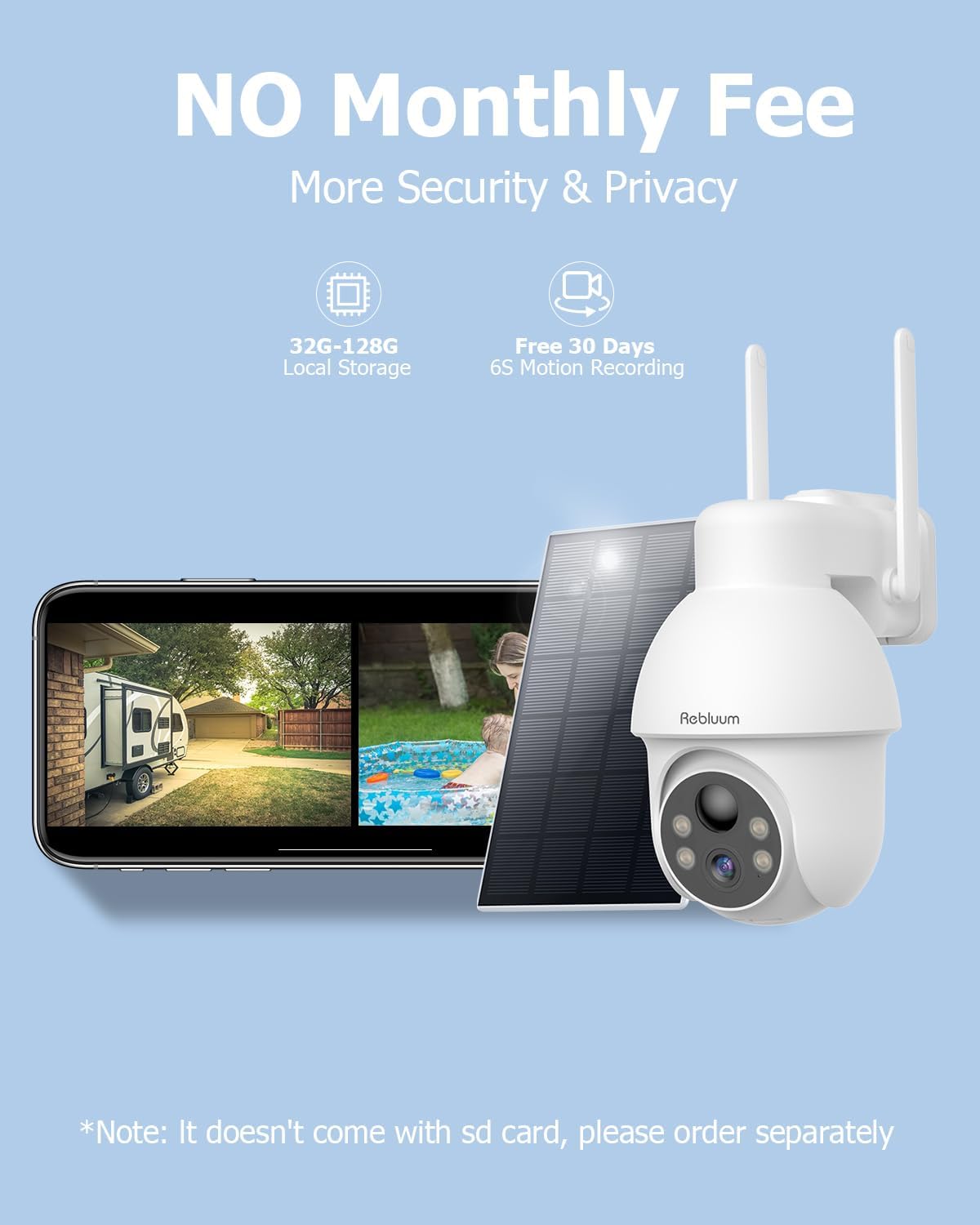
Figure 4: Remote PTZ control via the CloudEdge application.
2. Judesio aptikimas ir išmanieji įspėjimai
The camera features advanced AI-powered human motion detection to minimize false alarms. You can customize motion detection zones and schedules within the app. Upon detection, the camera can trigger smart alarms, including an audible warning, a white light spotlight, or a combination of both with a strobe light, to deter intruders.

Figure 5: Smart alarms with spotlight and siren in action.
3. Dvipusis garso ryšys
With the built-in microphone and speaker, you can listen to what's happening around your camera and speak directly through the camera from your smartphone, enabling real-time two-way communication with visitors or to deter unwanted guests.

6 pav.: Dvipusio garso ryšio funkcija.
4. Night Vision Capabilities
The camera provides 3MP full-color night vision, allowing for clear and detailed images even in low-light conditions. The night vision range extends up to 33 feet, ensuring comprehensive coverage after dark.

Figure 7: 3MP Full-Color Night Vision in operation.
5. Vaizdo įrašų saugojimo parinktys
Recordings can be stored locally on a Micro SD card (up to 128GB, not included) or via the optional cloud storage service. A 7-day free trial for cloud storage is typically available upon initial setup.

Figure 8: Available video storage options.
Priežiūra
The Rebluum camera is built with an IP66 waterproof rating, ensuring durability against various weather conditions, including sun, rain, and snow. To maintain optimal performance:
- Regularly check the solar panel for dirt or debris and clean it gently with a soft, damp cloth to ensure efficient charging.
- Periodically inspect the camera lens for smudges or dust and clean it carefully to maintain clear image quality.
- Ensure all mounting screws remain tight to prevent movement or dislodgement due to wind or other environmental factors.

Figure 9: The camera's IP66 waterproof design.
Trikčių šalinimas
If you encounter issues with your Rebluum security camera, consider the following common troubleshooting steps:
- Nėra maitinimo / įkrovimo problemų: Ensure the solar panel is clean and receiving direct sunlight. Check the connection cable between the solar panel and the camera.
- „Wi-Fi“ ryšio problemos: Verify your Wi-Fi network is 2.4GHz. Ensure the camera is within range of your router. Restart your router and the camera.
- Prasta vaizdo kokybė: Clean the camera lens. Check for any obstructions in the camera's field of viewUžtikrinkite pakankamą apšvietimą optimaliam matymui naktį.
- Judesio aptikimas neveikia: Check motion detection settings in the CloudEdge app. Ensure motion zones are correctly configured and sensitivity is appropriate.
- Programos problemos: Ensure your CloudEdge app is updated to the latest version. Try restarting the app or your smartphone.
For more detailed troubleshooting or persistent issues, please refer to the support section.
Specifikacijos
| Funkcija | Detalė |
|---|---|
| Modelio numeris | RB-3PT1-5 |
| Rezoliucija | 2K FHD (3.0 MP Effective Video Resolution) |
| Panardinimo / pakreipimo diapazonas | 355° horizontalus pasukimas, 90° vertikalus pakreipimas |
| Skaitmeninis priartinimas | 4X |
| Baterijos talpa | 9700 mAh (Integrated Lithium-ion) |
| Maitinimo šaltinis | Solar-powered and Battery |
| Belaidis ryšys | „Wi-Fi“ (2.4 GHz) |
| Naktinio matymo diapazonas | 33 pėdų |
| Kadrų dažnis | 15 kadrų per sekundę |
| Atsparumas vandeniui | IP66 (atsparus vandeniui) |
| Medžiaga | ABS (akrilonitrilo butadieno stirenas) |
| Matmenys (I x P x A) | 17.78 x 12.7 x 20.32 cm (7 x 5 x 8 colio) |
| Svoris | 962 gramai (2.12 svaro) |
| Suderinami įrenginiai | Computer, Laptop, Smartphone, Tablet |
| Rekomenduojamas naudojimas | Front Door Security, Home Security, Outdoor Security |
Garantija ir palaikymas
Rebluum offers a 360 dienų garantija for your security camera, along with a 60-day no-reason refund policy. For any technical assistance or inquiries, lifetime technical support is available, including local phone service.
Išsaugokite pirkimo įrodymą, kad galėtumėte kreiptis dėl garantijos.
Susiję dokumentai - RB-3PT1-5
 |
Rebluum RB-3PT1 Solar Battery Wireless Security Camera Quick Start Guide This guide provides instructions for setting up and using the Rebluum RB-3PT1 Solar Battery Wireless Security Camera. It covers unboxing, product overview, app installation, camera mounting, solar panel setup, Wi-Fi configuration, account registration, advanced features like humanoid detection and audio alerts, device sharing, FAQs, FCC compliance, and warranty information. |
 |
Rebluum RB-3PT1 Solar Battery Wireless Security Camera Quick Start Guide A quick start guide for the Rebluum RB-3PT1 Solar Battery Wireless Security Camera, covering what's included, product overview, app installation, mounting, Wi-Fi setup, and troubleshooting. |
 |
REMAX RB-500HB Bluetooth Headphones User Manual User manual for REMAX Bluetooth headphones including models RB-500HB, RB-195HB, RB-200HB, and others. Covers pairing, operation, and FCC compliance. |
 |
Cast Cement Outdoor Fountain Assembly, Care & Use Instructions Comprehensive assembly, care, maintenance, and troubleshooting guide for the Cast Cement Outdoor Fountain. Includes safety warnings, parts list, and warranty information. |
Ask a question about this manual
Ask about setup, troubleshooting, compatibility, parts, safety, or missing instructions. Manuals+ will review the question and use this page’s manual context to help answer it.