
Įvadas
Thank you for choosing the AWEI T61 Wireless Bluetooth Earbuds. This manual provides detailed instructions on how to set up, operate, and maintain your earbuds to ensure optimal performance and longevity. Please read this manual thoroughly before using the product.
Pakuotės turinys
Įsitikinkite, kad pakuotėje yra visi daiktai:
- AWEI T61 belaidės „Bluetooth“ ausinės (kairė ir dešinė)
- Belaidžio įkrovimo dėklas
- USB įkrovimo laidas
- Earbud Covers (S/M/L sizes)
- Vartotojo vadovas
Produktas baigtasview
The AWEI T61 earbuds are designed for a comfortable and secure fit, offering high-fidelity audio and reliable wireless connectivity.

Image: AWEI T61 Wireless Bluetooth Earbuds shown inside their open charging case. The earbuds are black with a sleek design, and the charging case is also black with a circular indicator light.
Pagrindinės funkcijos:
- "Bluetooth 5.3": Provides stable and low-latency wireless connection.
- ENC Smart Noise Cancellation: Pagerina skambučių aiškumą.
- 13 mm dinaminės tvarkyklės: Delivers high-fidelity stereo sound.
- „IPX6“ atsparus vandeniui: Resistant to heavy rain and sweat.
- Žaidimo / muzikos dvigubas režimas: Optimized audio profiles for gaming and music.
- Ilgas baterijos veikimo laikas: Up to 8 hours playback per charge, 48 hours with charging case.
Sąranka
1. Ausinių ir dėklo įkrovimas
Prieš pirmą kartą naudodami, visiškai įkraukite ausines ir įkrovimo dėklą.
- Prijunkite USB įkrovimo laidą prie dėklo įkrovimo prievado ir prie maitinimo šaltinio.
- Įkrovimo dėklo indikatoriaus lemputė rodys įkrovimo būseną.
- Įdėkite ausines į įkrovimo dėklą. Jos pradės krautis automatiškai.
- A full charge provides approximately 6-8 hours of music playback for the earbuds, and the charging case offers multiple recharges for a total of up to 48 hours of use.

Image: Diagram illustrating the battery life of the AWEI T61 earbuds, showing 6 hours play time, 5 hours talk time, 300 hours standby time, and 300mAh battery capacity for the case.
2. Susiejimas su jūsų įrenginiu
The AWEI T61 earbuds feature a Hall Switch for quick pairing.
- Pradinis poravimas:
- Atidarykite įkrovimo dėklą. Ausinės automatiškai įsijungs ir pradės veikti susiejimo režimu.
- Savo įrenginyje (išmaniajame telefone, planšetiniame kompiuteryje ir kt.) įjunkite „Bluetooth“.
- Ieškokite „AWEI T61“ galimų „Bluetooth“ įrenginių sąraše ir pasirinkite jį, kad prisijungtumėte.
- Prijungus išgirsite patvirtinimo toną ir gali pasikeisti ausinių indikatoriaus lemputė.
- Automatinis pakartotinis prisijungimas: After the first successful pairing, the earbuds will automatically connect to the last paired device when you open the charging case.

Image: A visual representation of the AWEI T61 earbud highlighting its internal components and the Bluetooth 5.3 technology, emphasizing a smooth and stable connection.
Naudojimo instrukcijos
1. Ausinių dėvėjimas
Choose the earbud covers (S/M/L) that provide the most comfortable and secure fit for your ears. Insert the earbuds gently into your ear canal and rotate them slightly until they feel snug and stable.
2. Palieskite Valdikliai
The AWEI T61 earbuds feature intuitive touch controls on each earbud. Specific functions may vary slightly by device, but common controls include:
- Leisti / pristabdyti: Vieną kartą bakstelėkite bet kurią ausinę.
- Kitas takelis: Dukart palieskite dešinįjį ausinės antgalį.
- Ankstesnis takelis: Dukart palieskite kairįjį ausinės antgalį.
- Atsiliepti / Baigti skambutį: Vieną kartą bakstelėkite bet kurią ausinę.
- Atmesti skambutį: Paspauskite ir 2 sekundes palaikykite bet kurią ausinę.
- Suaktyvinti „Voice Assistant“: Tris kartus palieskite bet kurią ausinę.
- Garsumo valdymas: (Specific gesture may vary, refer to device settings or experiment with long presses if not covered by single/double/triple tap).
3. Žaidimo / muzikos dvigubas režimas
The earbuds offer a dual mode for optimized audio experience. Switch between modes to enhance your listening for either gaming or music.
- Perjungimo režimai: (Specific gesture not provided in feature bullets, typically a long press or specific tap sequence. User may need to refer to quick start guide or experiment.)
- Žaidimo režimas: Enhances sound details like footsteps and gunfire for an immersive gaming experience.
- Muzikos režimas: Užtikrina subalansuotą profesionalų garsąfile bendram muzikos klausymui.

Paveikslėlis: sprogęs view diagram of an AWEI T61 earbud, showcasing its internal 13mm dynamic driver components responsible for delivering high-fidelity and surging stereo sound.
Priežiūra
1. Valymas
- Reguliariai valykite ausines ir įkrovimo dėklą minkštu, sausu, nepūkuotu skudurėliu.
- Remove earbud covers and clean them with mild soap and water, then dry thoroughly before reattaching.
- Nenaudokite abrazyvinių valiklių ar tirpiklių.
2. Atsparumas vandeniui (IPX6)
The AWEI T61 earbuds are rated IPX6 waterproof, meaning they are protected against powerful water jets. This makes them suitable for use during strenuous exercise and in rainy conditions.
- Nenardinkite ausinių į vandenį.
- Prieš įkraudami įsitikinkite, kad įkrovimo prievadas yra sausas.
- Įkrovimo dėklas nėra atsparus vandeniui.

Image: A pair of AWEI T61 earbuds shown with water droplets, illustrating their IPX6 waterproof and anti-sweat nano coating, indicating resistance to rain and sweat.
Trikčių šalinimas
| problema | Galimas sprendimas |
|---|---|
| Ausinės nesusijungia / nesusijungia. |
|
| Nėra garso arba garsas per mažas. |
|
| Viena ausinė neveikia. |
|
| Įkrovimo dėklas neįkraunamas. |
|
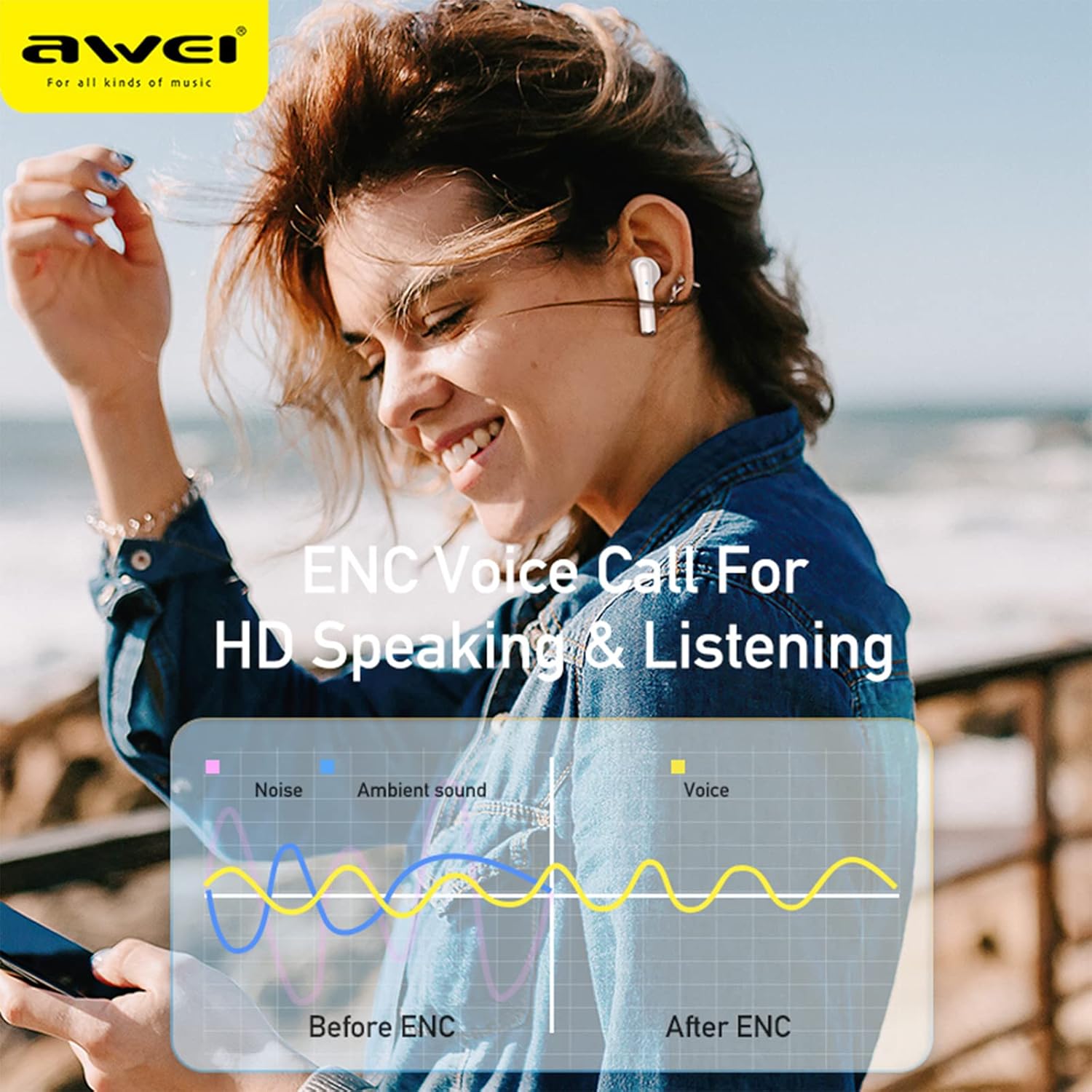
Image: A graphic illustrating the effect of ENC (Environmental Noise Cancellation) on voice calls, showing how noise and ambient sound are reduced to provide clearer voice transmission before and after ENC processing.
Specifikacijos
| Modelio pavadinimas | AWEI T61 |
| Bluetooth versija | 5.3 |
| Palaikomi protokolai | HSP, HFP, A2DP, AVRCP |
| Vairuotojo dydis | 13 mm dinaminis |
| Triukšmo valdymas | ENC Smart Noise Cancellation (for calls) |
| Atsparumo vandeniui įvertinimas | IPX6 |
| Ausinių grojimo laikas | 6–8 valandos (vienas įkrovimas) |
| Bendras grojimo laikas (su dėklu) | Iki 48 valandų |
| Įkrovimo dėklas Akumuliatorius | 300 mAh |
| Gaminio matmenys | 10 x 10 x 4 cm |
| Svoris | 180 g |
| Baterijos | 1 ličio jonų baterija (pridedama) |
Garantija ir palaikymas
AWEI products are designed and manufactured to the highest quality standards. For information regarding warranty coverage, technical support, or customer service, please refer to the warranty card included in your package or visit the official AWEI websvetainę.
Išsaugokite pirkimo įrodymą, kad galėtumėte kreiptis dėl garantijos.