
1. Įvadas
Thank you for choosing the Lecoo DS102 Wireless Bluetooth + AUX 6W Stereo Soundbar Portable Speaker. This device is designed to provide a high-quality audio experience with versatile connectivity options. Please read this manual carefully before use to ensure proper operation and to maximize the lifespan of your speaker.

1 vaizdas: priekis view of the Lecoo DS102 Soundbar Speaker.
2. Pakuotės turinys
The package for your Lecoo DS102 speaker includes the following items:
- 1x Lecoo DS102 Wireless Bluetooth AUX Soundbar Speaker
- 1x vartotojo vadovas
Video 1: Unboxing the Lecoo DS102 Soundbar Speaker, showing the speaker and included manual.
3. Sąranka
The Lecoo DS102 speaker is designed for easy setup. It receives power via a USB connection and offers both AUX and Bluetooth for audio input.
3.1 Maitinimo jungtis
- Connect the USB cable from the speaker to a powered USB port (e.g., computer, USB wall adapter).
- The speaker will power on automatically.
3.2 Garso prijungimo parinktys
The DS102 offers two primary ways to connect for audio playback:
Bluetooth ryšys
- Įsitikinkite, kad garsiakalbis įjungtas.
- Savo įrenginyje (išmaniajame telefone, planšetiniame kompiuteryje, kompiuteryje) įjunkite „Bluetooth“ ir ieškokite galimų įrenginių.
- Select "Lecoo DS102" from the list to pair. A confirmation sound will indicate successful pairing.
AUX jungtis
- Prijunkite vieną 3.5 mm garso kabelio (nepridedamas) galą prie garsiakalbio AUX įvesties prievado.
- Prijunkite kitą 3.5 mm garso kabelio galą prie savo įrenginio garso išvesties lizdo.
- Garsiakalbis automatiškai persijungs į AUX režimą, kai aptiks laidą.

Image 2: The Lecoo DS102 speaker showing Bluetooth and wired AUX connectivity.
Video 2: Demonstration of connecting the Lecoo DS102 speaker via USB for power and AUX for audio input.
4. Naudojimo instrukcijos
4.1 Garsumo valdymas
The Lecoo DS102 features a rotary control knob for easy volume adjustment. Rotate the knob clockwise to increase the volume and counter-clockwise to decrease it.

Image 3: Close-up of the rotary volume control knob.
Video 3: A hand adjusting the rotary volume control knob on the Lecoo DS102 speaker.
4.2 Garso atkūrimas
Once connected via Bluetooth or AUX, simply start playing audio from your connected device. The soundbar will output the audio.
Video 4: The Lecoo DS102 speaker playing music, demonstrating its audio output.
5. Savybės
- Išskirtinis garso našumas: The Lecoo DS102 Bluetooth + Wired V5.0 Stereo 6W Soundbar Portable Speaker delivers a high-quality audio experience with 6W output power, filling your room with sound. Bluetooth 5.0 technology ensures seamless connectivity within 10 to 30 meters, allowing you to enjoy wireless music sharing.
- Įvairios ryšio parinktys: In addition to Bluetooth, the Lecoo DS102 is equipped with AUX and USB connections. This allows for easy connection to various devices, including wired connections. The rotary control knob provides convenient volume adjustment.
- Kompaktiškas ir elegantiškas dizainas: With its stylish and compact dimensions (380mm x 75mm x 60mm), the Lecoo speaker seamlessly fits into any environment. Enjoy excellent sound quality whether at home or during outdoor activities.
- Durable and Environmentally Adaptable: A wide operating temperature range of -20°C to +45°C makes the Lecoo DS102 suitable for use in various environments, from indoor spaces to outdoor events. Its durable construction ensures long-lasting use.
- Ideal for Home and Outdoor Use: The Lecoo DS102 is an excellent choice for those looking to create a home theater system or a high-quality audio system. It offers a rich sound experience with various audio outputs, ensuring impressive sound quality at all times.
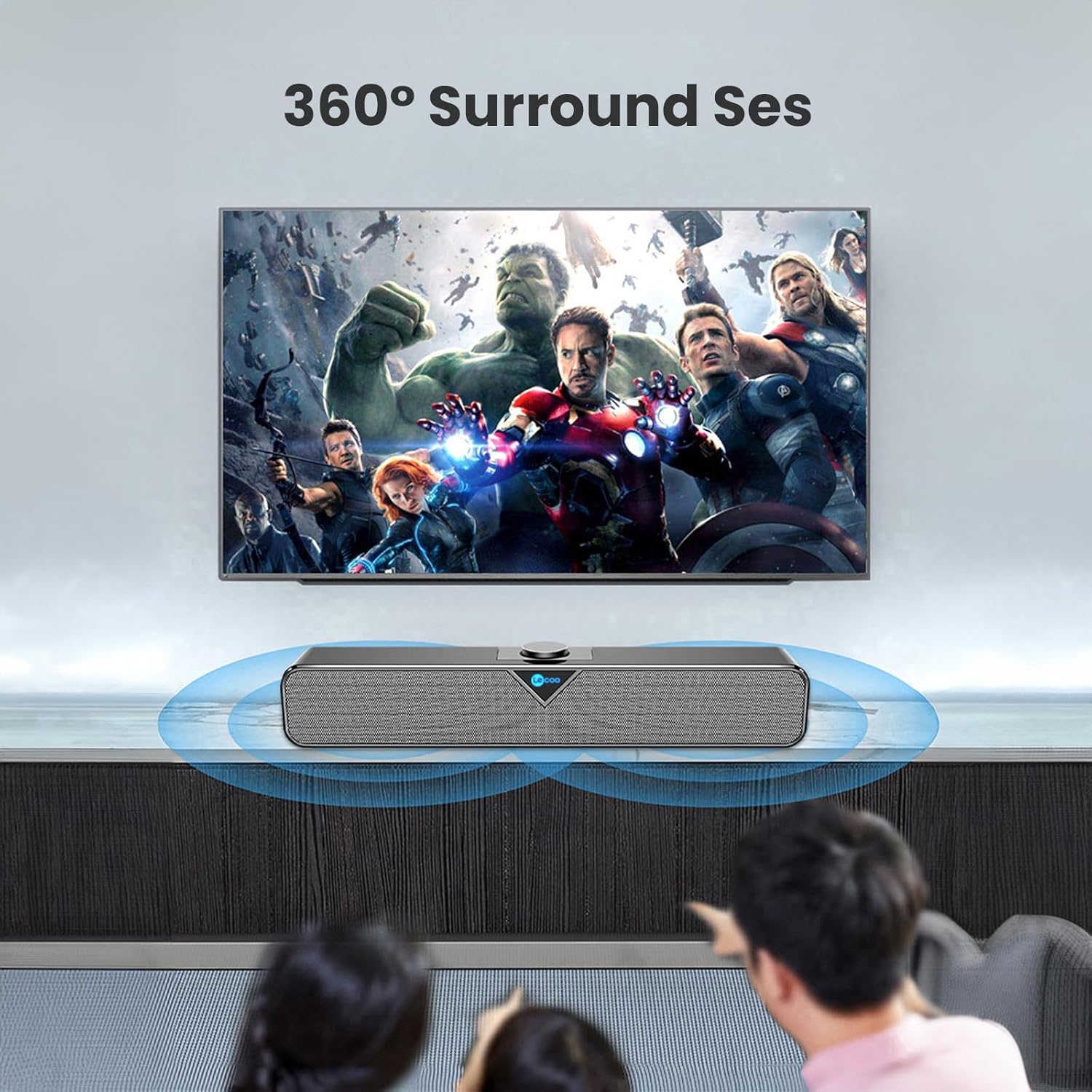
Image 4: The Lecoo DS102 speaker illustrating its sound projection.

Image 5: The Lecoo DS102 speaker integrated into a home entertainment setup.

Image 6: Internal diagram highlighting the dual speaker design.
6. Specifikacijos
| Specifikacija | Vertė |
|---|---|
| Modelio pavadinimas | DS102 |
| Garsiakalbio tipas | Garso juosta |
| Pagrindinės savybės | Bass Boost, Shock Resistant, Lightweight, High-Resolution Audio |
| Rekomenduojami naudojimo būdai | Smartphones or Tablets, Computers, DVD Players, Music Players, Gaming Consoles, Surround Sound Systems, Televisions |
| Suderinami įrenginiai | Monster, Samsung, Vestel, Xiaomi, iPhone |
| Spalva | Juoda |
| Įtraukti komponentai | 1x User Manual, 1x Lecoo DS102 Wireless Bluetooth AUX Soundbar Speaker |
| Gaminio matmenys (D x P x A) | 6 cm gylio x 38 cm pločio x 7.5 cm aukščio |
| Produkto svoris | 1200 gramų |
| Varža | 4 omų |
| Atsparus vandeniui | Nr |
| Garantijos tipas | Official Distributor Warranty |
| Maksimalus diapazonas („Bluetooth“) | 10 metro (393.7 colių) |
| Kiekis | 1 |
| Kontrolės metodas | Rotacinė rankenėlė |
| Belaidžio ryšio technologija | Bluetooth |
| Maitinimo šaltinis | Laidinis elektrinis (USB) |
| Gamintojas | Lecoo |
| Pirmoji laisva data | 1 m. kovo 2023 d |
| Didžiausia garsiakalbio išėjimo galia | 6 vatų |
| Ryšio technologija | Bluetooth+Wired (AUX) |
| Garso išvesties režimas | Mono |
| Montavimo tipas | Stalinio kompiuterio laikiklis |
7. Priežiūra
To ensure the longevity and optimal performance of your Lecoo DS102 speaker, follow these maintenance guidelines:
- Valymas: Garsiakalbio paviršių valykite minkštu, sausu skudurėliu. Nenaudokite skystų valiklių ar abrazyvinių medžiagų.
- Saugykla: Garsiakalbį laikykite vėsioje, sausoje vietoje, toliau nuo tiesioginių saulės spindulių ir ekstremalių temperatūrų.
- Tvarkymas: Venkite garsiakalbio numetimo ir stiprių smūgių.
- Vandens ekspozicija: Šis gaminys nėra atsparus vandeniui. Venkite sąlyčio su vandeniu ar didele drėgme.
8. Problemų sprendimas
If you encounter any issues with your Lecoo DS102 speaker, please refer to the following common problems and solutions:
- Nėra garso:
- Ensure the speaker is powered on and the USB cable is securely connected.
- Patikrinkite garsumo lygį tiek garsiakalbyje, tiek prijungtame įrenginyje.
- If using Bluetooth, ensure the speaker is paired correctly and within range. Try re-pairing.
- If using AUX, ensure the 3.5mm audio cable is fully inserted into both the speaker and your device.
- Patikrinkite, ar šaltinio įrenginyje pasirinkta tinkama garso išvestis.
- „Bluetooth“ ryšio problemos:
- Ensure the speaker is not already connected to another device.
- Move your device closer to the speaker to ensure it is within the 10-30 meter range.
- Išjunkite ir įjunkite „Bluetooth“ savo įrenginyje, tada bandykite susieti dar kartą.
- Some users have noted that the Bluetooth feature is always active. Ensure no unintended devices are connected.
- Garso iškraipymas esant dideliam garsumui:
- Reduce the volume level on both the speaker and your source device.
- For optimal sound quality, it is recommended to use the speaker at around 80% of its maximum volume.
- No Power On/Off Button:
- The Lecoo DS102 does not feature a dedicated power on/off button. To power off the device, disconnect the USB power cable.
9. Garantija ir palaikymas
The Lecoo DS102 speaker comes with an Official Distributor Warranty in Turkey. For warranty claims, technical support, or further assistance, please contact your local Lecoo distributor or authorized service center.
Prašome išsaugoti pirkimo įrodymą garantijos tikslais.