
1. Įvadas
Thank you for choosing the Headwolf HPad3 Ultra 11-inch Android Tablet. This manual provides essential information for setting up, operating, maintaining, and troubleshooting your device. Please read this manual thoroughly before using your tablet to ensure optimal performance and longevity.

Vaizdas: priekis view of the Headwolf HPad3 Ultra tablet.
2. Pakuotės turinys
Pažymėkite langelį prie šių elementų:
- Headwolf HPad3 Ultra Tablet
- 30W įkrovimo adapteris
- C tipo įkrovimo laidas
- Japanese Instruction Manual (for detailed local information)
- SIM kortelės PIN kodas

Image: All items included in the package: tablet, charger, cable, manual, and SIM pin.
3. Produktas baigtasview
Familiarize yourself with the physical features and ports of your Headwolf HPad3 Ultra tablet.
3.1 Fizinės savybės
- Ekranas: 11-inch 2K FHD IPS In-cell display with blue light protection.
- Kameros: 8MP AI front camera, 20MP telephoto + 5MP wide-angle dual rear cameras.
- Korpusas: Thin (7.3mm) and light (470g) aluminum alloy metal body.
3.2 Prievadai ir mygtukai
The tablet features various ports and buttons for connectivity and control:
- Maitinimo mygtukas: Naudojamas įrenginiui įjungti / išjungti arba ekranui pažadinti / užmigdyti.
- Garsumo mygtukai: Sureguliuokite garso garsumą.
- C tipo įkrovimo prievadas: Skirta įrenginiui įkrauti ir duomenims perduoti.
- Kortelės lizdas: Supports dual SIM cards and microSD card expansion up to 2TB.
- Atkūrimo mygtukas: A small pinhole button for resetting the device if unresponsive.
- 3.5 mm garso lizdas: Ausinėms prijungti.

Vaizdas: Šoninė view of the tablet highlighting the power button, volume buttons, and Type-C port.
Paveikslėlis: Nugara view of the tablet, showing the dual camera setup.
4. Sąranka
4.1 Pradinis įjungimas
- Before first use, ensure the tablet is fully charged using the provided 30W charging adapter and Type-C cable.
- Press and hold the Power Button until the Headwolf logo appears on the screen.
- Vykdykite ekrane pateikiamus nurodymus, kad atliktumėte pradinę sąranką, įskaitant kalbos pasirinkimą, „Wi-Fi“ ryšį ir „Google“ paskyros nustatymą.
4.2 SIM ir „MicroSD“ kortelių įdėjimas
The tablet supports dual SIM cards and a microSD card for expanded storage.
- Raskite kortelės angą planšetinio kompiuterio šone.
- Use the provided SIM card pin to gently push into the small hole next to the card slot to eject the tray.
- Place your SIM card(s) and/or microSD card into the designated slots on the tray. Ensure they are correctly oriented.
- Atsargiai įstatykite dėklą atgal į planšetinį kompiuterį.
4.3 Memory Expansion Activation
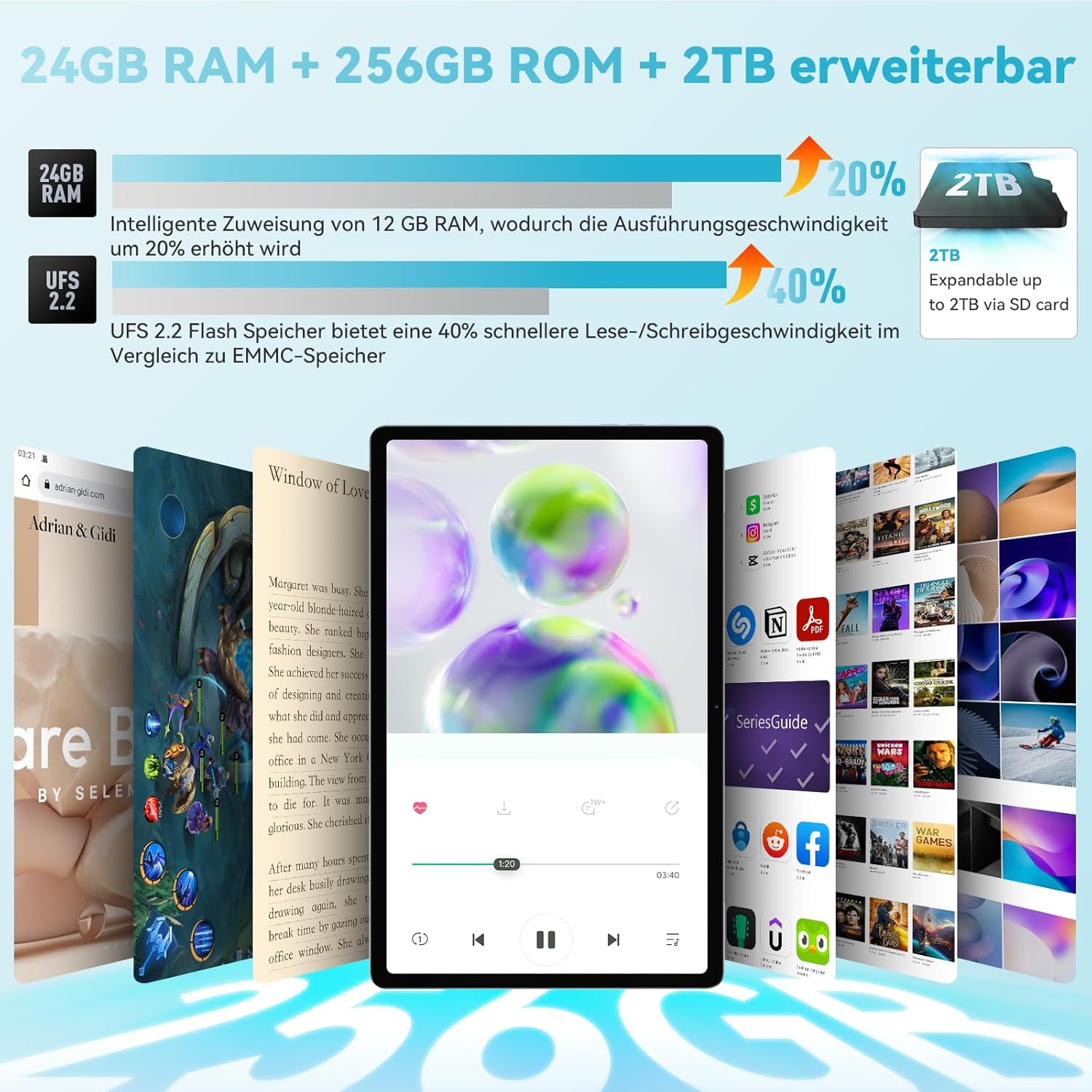
The tablet features intelligent memory expansion, allowing you to allocate 12GB from storage to RAM for improved performance.
- Eikite į Nustatymai.
- Eikite į Atminties išplėtimas.
- Įgalinti Atminties išplėtimas.
- Pasirinkite norimą Memory expansion size (e.g., 12GB).
- Restart the tablet for the changes to take effect.

Image: Visual representation of RAM and ROM expansion capabilities.
5. Naudojimo instrukcijos
5.1 Ekrano funkcijos
The 11-inch 2K FHD IPS display offers a vibrant visual experience with eye protection features.
- Rezoliucija: 2000 x 1200 pikselių raiška aiškiems ir ryškiems vaizdams.
- Blue Light Protection: TÜV certified to filter blue light, reducing eye strain.
- Ryškumas: 360 Nits for good visibility in various lighting conditions.
- In-cell Full Fit Technology: Enhances touch response and display clarity.
- Kraštinių santykis: 16:10 golden display ratio for an immersive viewpatirtį.
- Viewpakreipimo kampas: 178° pločio viewing kampas.

Image: Features of the 2K FHD 11-inch display, including blue light protection.

Image: TÜV Rheinland certification for eye protection, demonstrating blue light filtering.
5.2 Našumas
The HPad3 Ultra is powered by a robust processor and ample memory for smooth operation.
- Procesorius: MTK G99 Octa-Core CPU (2x A76 large cores + 6x A55 small cores) with a main frequency up to 2.2GHz.
- Operacinė sistema: Android 12, offering enhanced privacy, security, and user interface.
- RAM: 12GB physical RAM, expandable to 24GB (12GB + 12GB virtual RAM).
- Saugykla: 256GB UFS 2.2 flash memory, expandable up to 2TB via microSD card.

Image: Details on the MTK G99 CPU and Android 12 operating system.
5.3 Cameras and Face Recognition
Capture moments with the tablet's versatile camera system and unlock securely with face recognition.
- Galinės kameros: 20MP telephoto lens + 5MP wide-angle lens, supporting 13 shooting modes (e.g., portrait, landscape, night, snow).
- Priekinė kamera: 8MP AI selfie camera.
- Veido atpažinimas: Supports facial recognition for convenient and secure device unlocking.

Vaizdas: Viršview of the tablet's 8MP front and 20MP+5MP rear AI cameras.

Image: Illustration of the face recognition function for enhanced security.
5.4 Ryšys
Stay connected with various wireless and cellular options.
- 4G LTE: Supports stable call and SMS communication, ideal for travel and business trips.
- „Wi-Fi“: Dual-band 2.4G/5G Wi-Fi (802.11ac) for fast internet access.
- Bluetooth: „Bluetooth 5.0“, skirtas belaidžiams priedams prijungti.

Image: Connectivity options including 4G LTE, dual-band WiFi, and Bluetooth 5.0.
5.5 Navigacija (GPS)
The tablet includes a comprehensive navigation system.
- 4 viename navigacija: Integrated GPS, GLONASS, Beidou, and Galileo systems provide accurate positioning, allowing the tablet to be used as an in-car navigation system.

Image: Tablet displaying a map, illustrating its GPS navigation capabilities.
5.6 Google Kids Space
For families, the tablet offers Google Kids Space with parental controls.
- Mokomasis turinys: Provides rich educational materials for children, supporting automatic language switching and real-time updates across multiple fields.
- Tėvų kontrolė: Parents can control the time children spend using the tablet to prevent excessive use.

Image: Google Kids Space interface on the tablet, highlighting educational apps and parental controls.
5.7 Belaidė projekcija
Mirror your tablet's screen to a larger display.
- Ekrano dubliavimas: Wirelessly project the tablet's screen to a TV or other compatible display for a more impactful visual experience.

Image: Tablet screen being wirelessly projected onto a television.
5.8 Screen Splitting
Enhance productivity with the screen splitting feature.
- Daugiafunkcinis darbas: Supports displaying two applications simultaneously without switching, making operation more convenient.

Image: Tablet screen split into two, showing different applications running side-by-side.
6. Įkrovimas ir akumuliatorius
The Headwolf HPad3 Ultra is equipped with a high-capacity battery and fast charging capabilities.
- Baterijos talpa: 8500mAh cobalt acid lithium battery, offering long usage times.
- Greitas įkrovimas: Supports 30W PD/PE dual high-speed charging protocol via USB Type-C. Achieves 80% charge in approximately 1 hour.
- Naudojimo trukmė: Up to 45 hours of music playback, 12 hours of local video playback, or 7 hours of gaming.

Image: Information on the 8500mAh battery, 30W fast charging, and estimated usage times.
7. Priežiūra
To ensure the longevity and optimal performance of your tablet, follow these maintenance guidelines:
- Keep the tablet away from extreme temperatures, direct sunlight, and high humidity.
- Venkite planšetinio kompiuterio numetimo ir stiprių smūgių.
- Ekraną valykite minkštu, nepūkuotu skudurėliu. Nenaudokite stiprių cheminių medžiagų.
- Reguliariai kurkite duomenų atsargines kopijas, kad išvengtumėte nuostolių.
- Keep the software updated to the latest version for security and performance improvements.
8. Problemų sprendimas
Jei kyla problemų dėl planšetinio kompiuterio, žr. šiuos dažniausiai pasitaikančius sprendimus:
8.1 Planšetinis kompiuteris neįsijungia
- Ensure the tablet is sufficiently charged. Connect the original 30W charger and cable, and charge for at least 3 hours before attempting to power on.
- If unresponsive, try pressing and holding the power button for 10-15 seconds to force a restart.
8.2 SD Card Not Readable
- If the SD card is not recognized, try formatting it on a computer. Recommended formats are exFAT or FAT32.
- Ensure the SD card is correctly inserted into the card slot.
8.3 Kiti klausimai
For other issues, please refer to the warranty and support section for contact information.

Image: Customer support illustration with common troubleshooting advice.
9. Specifikacijos
Detailed technical specifications for the Headwolf HPad3 Ultra tablet:
| Funkcija | Specifikacija |
|---|---|
| Prekės ženklas | Galvos vilkas |
| Modelio pavadinimas | HPad3 Ultra |
| Atminties talpa | 256 GB |
| Ekrano dydis | 11 colių |
| Display Max Resolution | 1200*2000 |
| Release Year / Model Year | 2023 |
| Garantinis turinys | 12 mėnesiai |
| Produkto naudojimas | Pramogos |
| Baterijos talpa | 8500 mAh |
| Baterijos elemento tipas | Ličio jonas |
| Computer CPU Speed | 2.2 GHz |
| Procesoriaus aprašymas | G99 |
| OS | Android 12 |
| Produkto svoris | 0.47 Grams (470g) |
| Prekės matmenys (I x P x A) | 25.8 x 16.2 x 0.7 cm |
| Touchscreen, Voice Recognition, Other Features | Jutiklinis ekranas |
| Grafikos aprašymas | Malis-G57 |
| Ekrano tipas | IPS incell |
| Gimtoji raiška | 2000 x 1200 pikselių |
| Krašto santykis | 16:10 |
| Vidinės atminties talpa | 12 GB |
| Techninės įrangos sąsaja | 3.5mm Audio, 802.11 ac/b/g/n, Bluetooth |
| Belaidis tipas | Wi-Fi |
| Mobile Phone Technology | 4G |
| USB prievadų skaičius | 1 |
| Communication & Connectivity Interface | „Bluetooth“, USB, „Wi-Fi“ |
| Belaidžio ryšio standartas | 802.11ac |
| Kameros aprašymas | Galinis |
| Nuotraukų jutiklio skiriamoji geba | 8 MP (priekinis) |
10. Garantija ir palaikymas
Your Headwolf HPad3 Ultra tablet comes with comprehensive support and warranty.
- Garantija: A 12-month quality warranty is provided from the date of purchase. In case of product defects, free repair or exchange services are available.
- Grąžinimai: A 30-day return and refund policy is in effect.
- Dedicated Repair Center: Headwolf operates a dedicated repair center in Tokyo for prompt after-sales service.
- Susisiekite su palaikymo komanda: If you have any questions or issues, please contact us through one of the following methods:
- On the product page, click on the store name "Headwolf official store" and then click "Ask a question" to send an email.
- Via your Amazon account: Go to "Your Orders" -> Select the relevant order -> Click "Contact Seller."