
Produktas baigtasview
The Delton S12 Ergonomic Vertical Wireless Mouse is designed for comfort and efficiency, promoting a natural hand and wrist posture. It features a 2.4GHz wireless connection, six buttons, and three adjustable DPI levels for precise control. This manual provides instructions for setup, operation, maintenance, and troubleshooting.

Image: The Delton S12 Ergonomic Vertical Wireless Mouse, showcasing jo vertikalus dizainas.
Sąranka
1. Išpakavimas
Carefully remove the mouse and its accessories from the packaging. Ensure all components are present: the Delton S12 Vertical Wireless Mouse and the USB dongle.
2. Akumuliatoriaus įdėjimas
The Delton S12 mouse requires two (2) AAA batteries (not included). Follow these steps to install them:
- Raskite akumuliatoriaus skyrių pelės apačioje.
- Švelniai pastumkite atidarykite baterijų skyriaus dangtelį.
- Įdėkite dvi AAA tipo baterijas, užtikrindami teisingą poliškumą (+/-).
- Uždarykite baterijų skyriaus dangtelį, kol jis spragtelėdamas tvirtai užsifiksuos vietoje.
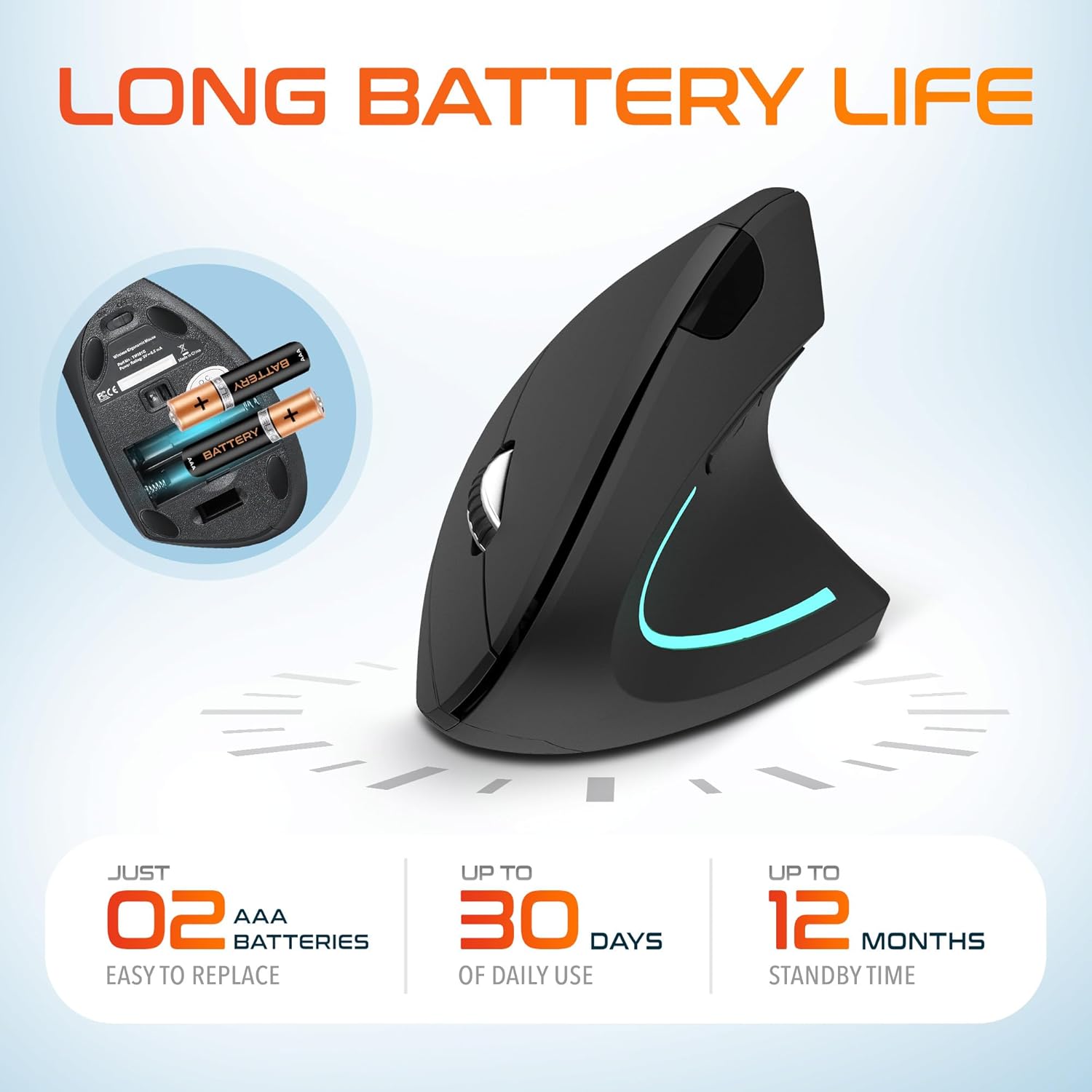
Image: The underside of the Delton S12 mouse with the battery compartment open, showing the correct placement for two AAA batteries.
3. Connecting the USB Dongle
The mouse connects wirelessly via a 2.4GHz USB dongle. No drivers are typically required for most operating systems.
- Remove the USB dongle from its storage slot, usually located near the battery compartment.
- Plug the USB dongle into an available USB port on your computer (PC, Laptop, Mac, Chromebook, etc.).
- The computer should automatically detect and install the necessary drivers. The mouse is ready for use once detected.

Image: The Delton S12 mouse positioned next to its USB dongle, ready for connection to a computer.
Pelės valdymas
The Delton S12 mouse features six buttons and a scroll wheel for enhanced functionality.
1. Mygtukų funkcijos
- Kairysis spustelėjimas: Primary selection and activation button.
- Dešiniuoju pelės mygtuku spustelėkite: Pasiekia kontekstinius meniu.
- Slinkties ratukas: Vertikaliai slenka per dokumentus ir web puslapiai. Taip pat galima spustelėti, kad būtų įjungta vidurinio pelės mygtuko paspaudimo funkcija.
- DPI perjungimo mygtukas: Reguliuoja žymeklio jautrumą (DPI).
- Pirmyn mygtukas: Naviguoja pirmyn web naršyklės arba file tyrinėtojai.
- Mygtukas atgal: Naviguoja atgal web naršyklės arba file tyrinėtojai.

Image: Diagram illustrating the location and function of the six buttons on the Delton S12 Ergonomic Vertical Wireless Mouse.
2. DPI reguliavimas
The mouse offers three adjustable DPI levels (800, 1200, 2400) to suit different tasks and preferences. Press the DPI Switch Button (located behind the scroll wheel) to cycle through the settings. An indicator LED will change color to show the current DPI level:
- Mėlynas šviesos diodas: 800 DPI (Lower sensitivity, suitable for precise work)
- Raudonas šviesos diodas: 1200 DPI (Medium sensitivity, standard use)
- Žalias šviesos diodas: 2400 DPI (Higher sensitivity, suitable for faster cursor movement)

Image: Close-up of the Delton S12 mouse showing the DPI indicator LED changing colors (blue, red, green) for different sensitivity settings.
Priežiūra
1. Valymas
Norėdami palaikyti optimalų veikimą, reguliariai valykite pelę. Paviršiui nuvalyti naudokite minkštą, sausą šluostę. Įsisenėjusiam purvui šiek tiek nuvalykite.amp Galima naudoti šluostę, tačiau įsitikinkite, kad į vidinius komponentus nepatenka drėgmės. Venkite stiprių cheminių medžiagų ar abrazyvinių valiklių.
2. Baterijos keitimas
When the mouse performance degrades or it stops responding, it's time to replace the batteries. Follow the battery installation steps outlined in the Setup section. Dispose of used batteries responsibly according to local regulations.
Trikčių šalinimas
Pelė nereaguoja:
- Įsitikinkite, kad pelė įjungta.
- Patikrinkite, ar baterijos tinkamai įdėtos ir ar jos pakankamai įkrautos. Jei reikia, pakeiskite.
- Verify the USB dongle is securely plugged into a working USB port on your computer. Try a different USB port.
- Move the mouse closer to the USB dongle to ensure it's within the 30-foot operating range.
- Iš naujo paleiskite kompiuterį.
Nereguliarus žymeklio judėjimas:
- Nuvalykite optinį jutiklį pelės apačioje minkštu, sausu skudurėliu.
- Įsitikinkite, kad pelę naudojate ant tinkamo paviršiaus. Venkite labai atspindinčių ar skaidrių paviršių. Rekomenduojama naudoti pelės kilimėlį.
- Patikrinkite, ar netrukdo kiti belaidžiai įrenginiai.
DPI Indicator Light Not Changing:
- Press the DPI switch button firmly. If the issue persists, ensure batteries are fresh.
Specifikacijos
| Prekės ženklas | Deltonas |
| Modelio numeris | S12 |
| Ryšio technologija | 2.4 GHz belaidis ryšys (USB adapteris) |
| Judesio aptikimo technologija | Optinis |
| DPI lygiai | 800, 1200, 2400 |
| Mygtukų skaičius | 6 |
| Rankų orientacija | Teisingai |
| Maitinimo šaltinis | Maitinamas baterijomis (reikalingos 2 x AAA baterijos) |
| Vidutinis akumuliatoriaus veikimo laikas | Up to 30 days (daily use) |
| belaidis diapazonas | Iki 30 pėdų |
| Suderinami įrenginiai | PC, Laptop, Mac, Chromebook, iOS devices |
| Operacinė sistema | Windows 11/10/9/8/7/XP, Mac OS 9/8/7, Linux, Chrome OS |
| Medžiaga | Plastikiniai |
Garantija ir palaikymas
Informacija apie garantiją:
This Delton S12 Ergonomic Vertical Wireless Mouse comes with a 1-Year Manufacturer Warranty. This warranty covers defects in materials and workmanship under normal use. For warranty claims, please retain your proof of purchase.
Klientų aptarnavimas:
For technical assistance, troubleshooting, or any questions regarding your Delton S12 mouse, please contact Delton customer support. Refer to the product packaging or the official Delton websvetainę, kurioje rasite naujausią kontaktinę informaciją.