
1. Įvadas
Thank you for choosing the Delton Ergonomic Vertical Rechargeable Wireless Mouse S12. This manual provides detailed instructions for setting up, operating, and maintaining your new mouse. Designed for comfort and efficiency, this vertical mouse promotes a more natural hand and wrist posture, reducing strain during extended computer use.
Please read this manual thoroughly before use to ensure optimal performance and longevity of your device.
2. Pakuotės turinys
Patikrinkite, ar pakuotėje yra visi reikalingi daiktai:
- Delton Ergonomic Vertical Wireless Mouse
- USB Dongle (2.4GHz receiver)
- USB įkrovimo laidas
- Vartotojo vadovas (šis dokumentas)
3. Produktas baigtasview
The Delton S12 mouse features an ergonomic vertical design, six programmable buttons, and adjustable DPI settings for precise control. It connects wirelessly via a 2.4GHz USB dongle and is powered by a rechargeable battery.

Image: The Delton S12 Ergonomic Vertical Wireless Mouse, shown with its accompanying USB dongle.
3.1 Ergonomiškas dizainas
The vertical orientation of the mouse is designed to align your hand and wrist in a natural handshake position, which can help reduce muscle strain and discomfort often associated with traditional mice.

Image: A hand comfortably gripping the Delton vertical mouse, demonstrating the natural, ergonomic wrist position it promotes.
3.2 Belaidis ryšys
The mouse connects wirelessly to your device via a 2.4GHz USB dongle, offering a stable connection up to 30 feet (10 meters). This provides flexibility and reduces cable clutter.

Image: The Delton vertical mouse wirelessly connected to a laptop, with the USB dongle inserted into the laptop's port.
Įkraunama 3.3 baterija
Equipped with a built-in rechargeable Lithium-Ion battery, the mouse offers up to 30 days of daily use and 12 months of standby time on a single charge. It can also be used while charging.

Image: The Delton vertical mouse being charged via a USB cable, illustrating its rechargeable feature.
3.4 Six Buttons Functionality
The mouse features six responsive buttons for enhanced productivity:
- Kairiuoju pelės mygtuku spustelėkite
- Dešiniuoju pelės mygtuku spustelėkite
- Scroll Wheel (with click function)
- DPI jungiklio mygtukas
- Pirmyn mygtukas
- Mygtukas Atgal

Image: A detailed diagram highlighting the location and function of the six buttons on the Delton vertical mouse.
3.5 Customizable DPI Levels
Adjust the mouse sensitivity with three DPI settings: 800, 1200, and 2400. An indicator light changes color to show the current DPI level.
- Mėlyna: 800 DPI
- Raudona: 1200 DPI
- Žalia: 2400 DPI
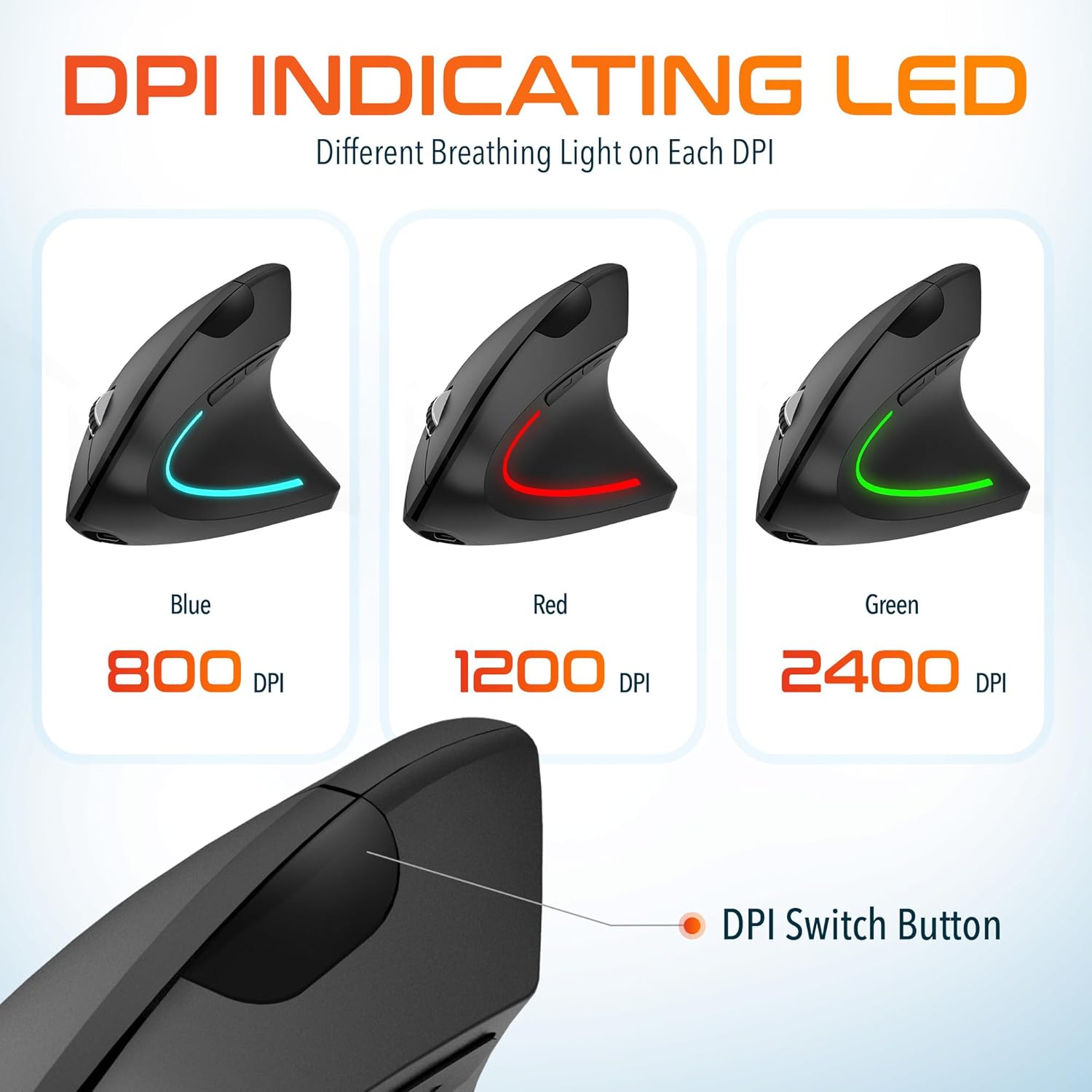
Image: The Delton vertical mouse displaying its LED indicator in blue (800 DPI), red (1200 DPI), and green (2400 DPI) to show current sensitivity settings.
4. Sąrankos instrukcijos
4.1 Pelės įkrovimas
- Connect the provided USB charging cable to the charging port on the front of the mouse.
- Plug the other end of the USB cable into a USB power source (e.g., computer USB port, wall adapter, power bank).
- The LED indicator will illuminate during charging and turn off when fully charged. A full charge typically takes approximately 1 hour.
4.2 Connecting the USB Dongle
- Locate the USB dongle, usually stored in a compartment on the underside of the mouse.
- Insert the USB dongle into an available USB port on your computer (PC, Laptop, Mac, Chromebook).
- Sistema automatiškai aptiks ir įdiegs reikiamas tvarkykles. Šis procesas gali užtrukti kelias akimirkas.
4.3 Įjungimas / išjungimas
Locate the power switch on the underside of the mouse. Slide the switch to the 'ON' position to power on the mouse. Slide it to 'OFF' when not in use to conserve battery life.
5. Naudojimo instrukcijos
5.1 DPI reguliavimas
To change the mouse sensitivity (DPI), press the DPI switch button located on the top of the mouse, behind the scroll wheel. Each press cycles through the available DPI settings (800, 1200, 2400), indicated by the changing color of the LED light.
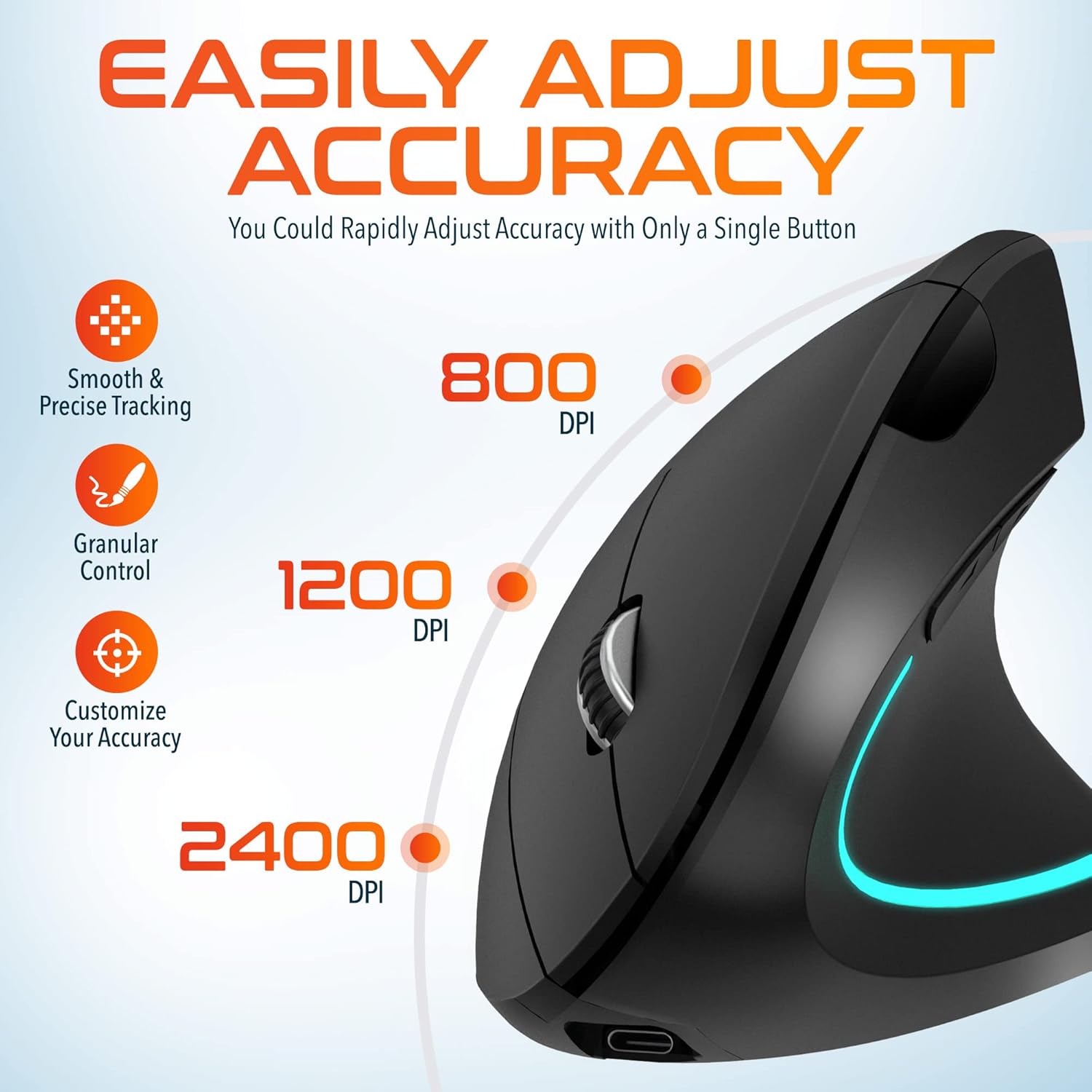
Image: A visual representation of the three adjustable DPI settings (800, 1200, 2400) and their corresponding cursor precision levels.
5.2 Mygtukų funkcijos
- Kairysis spustelėjimas: Standartinė pagrindinio paspaudimo funkcija.
- Dešiniuoju pelės mygtuku spustelėkite: Standartinė antrinio paspaudimo funkcija.
- Slinkties ratukas: Slinkite aukštyn arba žemyn per dokumentus ir web pages. Pressing the scroll wheel acts as a middle click.
- Pirmyn mygtukas: Naviguoja pirmyn web naršyklės arba file tyrinėtojai.
- Mygtukas atgal: Naviguoja atgal web naršyklės arba file tyrinėtojai.

Vaizdas: Stambus planas view of the mouse's scroll wheel and the conveniently placed forward and backward shortcut keys.
6. Priežiūra
- Valymas: Pelę valykite minkšta, sausa šluoste. Jei nešvarumai sunkiai įveikiami, šiek tiek nuvalykite.ampNuvalykite šluostę vandeniu. Venkite naudoti stiprias chemines medžiagas ar abrazyvines medžiagas.
- Saugykla: When not in use for extended periods, store the mouse in a cool, dry place. Ensure the power switch is in the 'OFF' position to preserve battery life.
- Akumuliatoriaus priežiūra: Avoid fully discharging the battery frequently. Charge the mouse regularly to maintain battery health.
7. Problemų sprendimas
| Problema | Galima priežastis | Sprendimas |
|---|---|---|
| Pelė nereaguoja | Low battery; USB dongle not connected; Mouse not powered on; Driver issue | Charge the mouse; Ensure dongle is securely plugged in; Turn on the mouse; Try a different USB port; Restart computer |
| Pertraukiamas ryšys | Interference; Dongle too far from mouse; Low battery | Move mouse closer to dongle; Remove obstacles; Charge the mouse; Avoid using near other 2.4GHz devices |
| DPI nesikeičia | DPI button not pressed correctly; Mouse unresponsive | Press the DPI button firmly; Check battery and connection |
| Pelės žymeklis netvarkingai veikia | Dirty optical sensor; Uneven surface | Clean the optical sensor with a soft cloth; Use on a clean, flat mouse pad or surface |
8. Specifikacijos
| Funkcija | Detalė |
|---|---|
| Modelio numeris | S12 |
| Ryšys | 2.4 GHz belaidis ryšys (USB adapteris) |
| DPI lygiai | 800-1200-2400 |
| Mygtukai | 6 (kairėn, dešinėn, slinkties ratukas, DPI, pirmyn, atgal) |
| Baterijos tipas | Įkraunamas ličio jonų akumuliatorius (pridedamas) |
| belaidis diapazonas | Iki 30 pėdų (10 metrų) |
| Gaminio matmenys | 5 x 2.6 x 3.25 colio |
| Prekės svoris | 4.9 uncijos |
| Suderinamumas | PC, Laptop, Mac, Chromebook (Windows, macOS, iOS) |
9. Garantija ir palaikymas
Delton products are designed for reliability and performance. For warranty information or technical support, please refer to the contact details provided with your purchase or visit the official Delton websvetainėje. Išsaugokite pirkimo kvitą kaip pirkimo įrodymą garantiniams reikalavimams.