
VIGORWORK B300C
VIGORWORK 7-Inch HD Screen Car Stereo User Manual
Modelis: B300C
1. Įvadas
Thank you for choosing the VIGORWORK 7-Inch HD Screen Car Stereo. This portable car MP5 player is designed to enhance your in-car entertainment and connectivity experience. It features compatibility with Apple CarPlay and Android Auto, Mirror Link functionality, Bluetooth hands-free calling, FM signal transmission, and support for a backup camera. This manual provides detailed instructions for installation, operation, and maintenance to ensure optimal performance and user satisfaction.
2. Produktas baigtasview ir komponentai
The VIGORWORK 7-Inch HD Screen Car Stereo (Model B300C) is a versatile car entertainment system. It includes the main unit, a cigarette lighter power cable, and an AV input cable.

2.1 paveikslas: Main unit of the VIGORWORK 7-Inch HD Screen Car Stereo and its accompanying accessories, including the power cable and AV input cable.
3. Sąranka ir diegimas
The VIGORWORK car stereo is designed for easy plug-and-play installation, primarily using the cigarette lighter power supply.
3.1 Maitinimo jungtis
The device is powered directly via your vehicle's cigarette lighter socket. This method avoids complex wiring and does not damage the original vehicle's central control system.

3.1 paveikslas: Illustration of connecting the car stereo to the vehicle's cigarette lighter socket for power. This provides a 12-24V voltage supply, suitable for most cars and trucks.
3.2 Montavimo aspektai
The unit's compact design ensures it does not obstruct the driver's view. Ensure the mounting location allows for clear visibility of the screen and easy access to controls.
- Montavimo dydis: 120 mm x 67 mm
- Faceplate Size: 190 mm x 110 mm
- Mainframe Depth: 25 mm
4. Naudojimo instrukcijos
This section details the primary functions and how to operate your VIGORWORK car stereo.
4.1 Apple CarPlay
Connect your iPhone to access CarPlay features, including navigation, calls, messages, and music, displayed directly on the car stereo screen. Supports both wireless and wired connections.

4.1 paveikslas: The Apple CarPlay interface shown on the 7-inch HD screen, demonstrating access to phone, music, maps, and messages. Supports wireless and wired connections.
4.2 Android Auto
Connect your Android phone to use Android Auto for navigation, calls, and entertainment. Supports both wireless and wired connections. Requires Android 6.0 or higher and an active data cable connection for wired use.
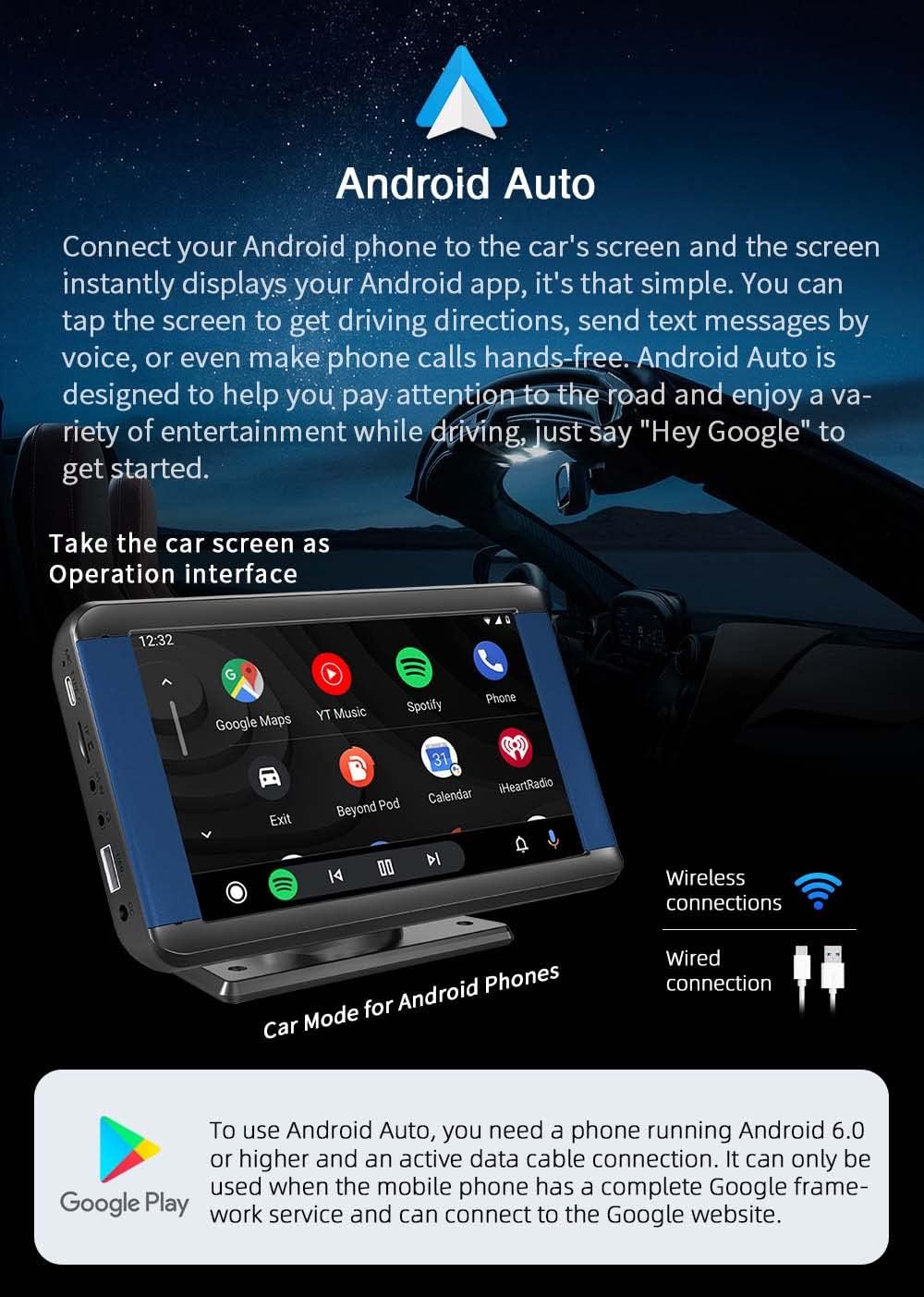
4.2 paveikslas: The Android Auto interface on the car stereo screen, showing applications like Google Maps, YouTube Music, and Spotify. Supports wireless and wired connections for Android phones.
4.3 Veidrodinio susiejimo funkcija
Mirror Link allows you to display your smartphone's screen content directly onto the car stereo. Compatible with both Android and iOS systems.
- iPhone: Connect the iPhone via USB cable for screen mirroring.
- Android: Install the required APP software and connect for screen mirroring.
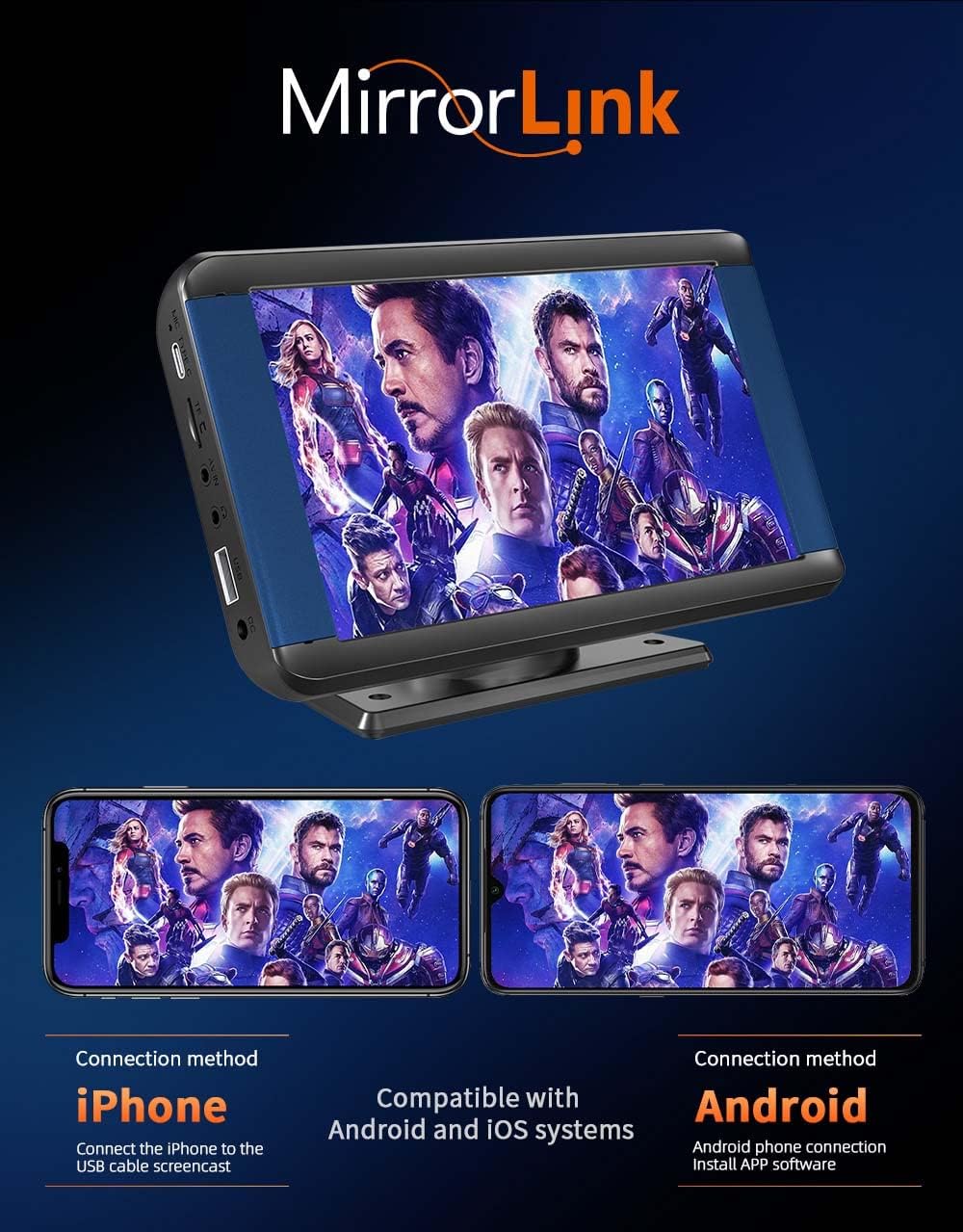
4.3 paveikslas: Demonstration of the Mirror Link function, where content from an iPhone or Android phone is displayed on the car stereo screen.
4.4 „Bluetooth“ 5.0 Ryšys
The built-in Bluetooth 5.0 chip ensures stable and fast wireless connections for hands-free calls and audio streaming.
- Skambučiai be rankų: Saugiai skambinkite ir atsiliepkite į skambučius vairuodami.
- Muzikos atkūrimas: Stream audio from your Bluetooth-enabled device.
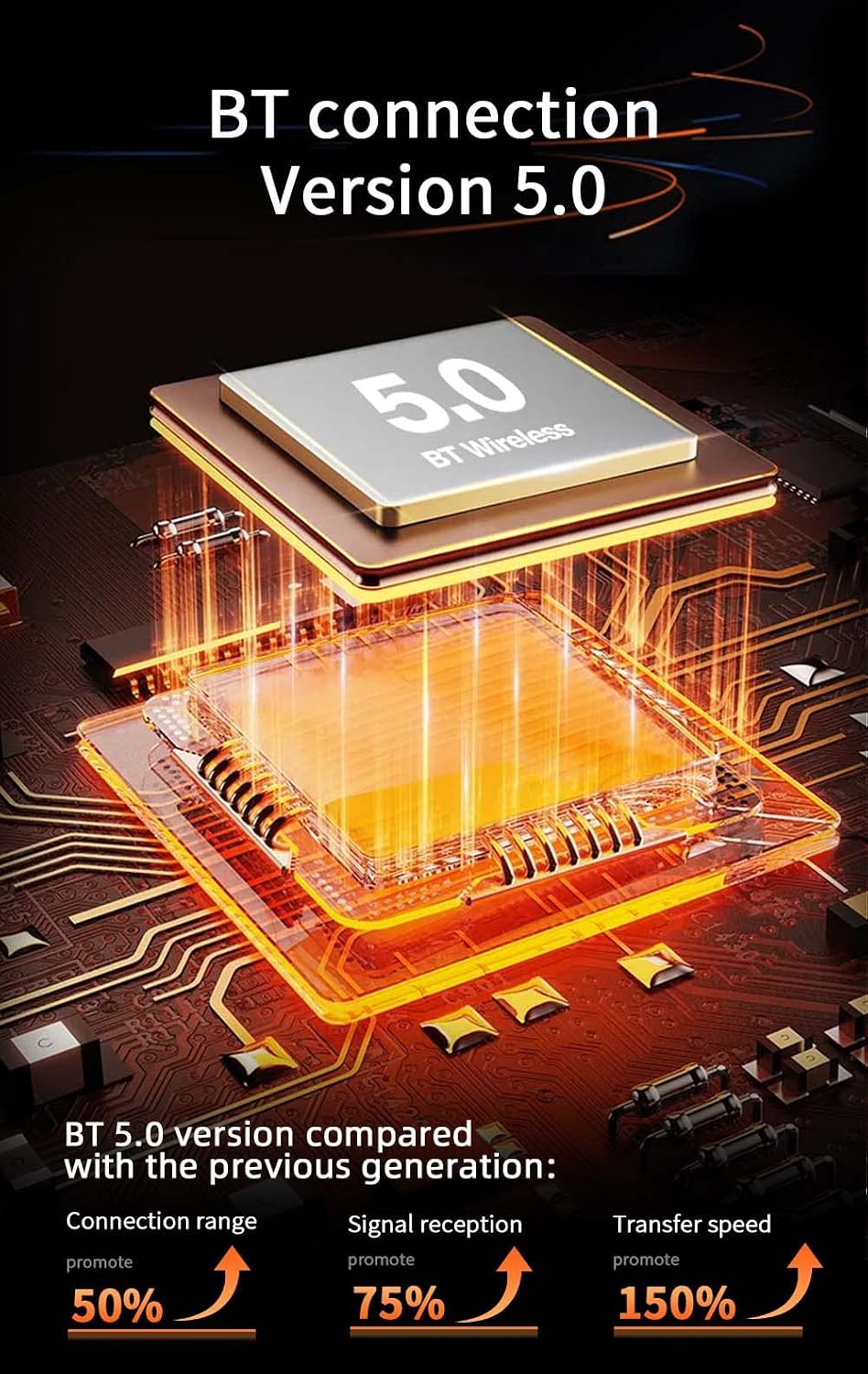
4.4 paveikslas: Visual representation of the Bluetooth 5.0 chip, indicating improvements in connection range (50%), signal reception (75%), and transfer speed (150%) compared to previous versions.
4.5 FM signalo perdavimas
Transmit audio from the MP5 player to your original car radio via FM signal. This allows the car's speakers to play the audio from the MP5 player.
- Dažnių diapazonas: FM 87.5MHz ~ 108.0MHz.
FM Transmission Operation Method:
- Adjust the original car radio to an empty channel (e.g., 92.3MHz) to avoid interference.
- Set the FM transmission frequency on the portable MP5 player to the same frequency as the car radio (e.g., 92.3MHz).
- The audio from the portable MP5 player will now be transmitted and played through the original car speakers.
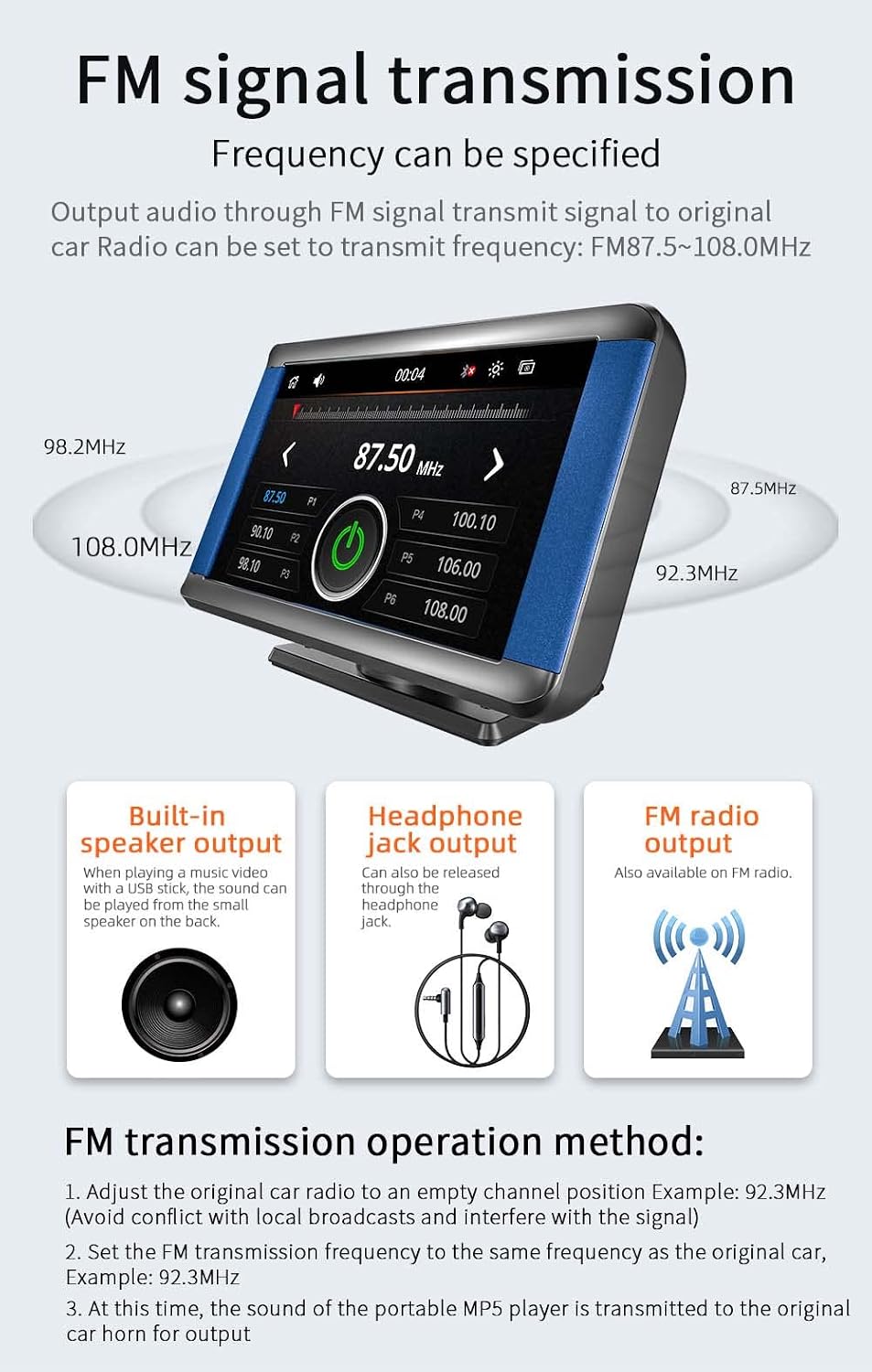
4.5 paveikslas: The FM signal transmission interface on the car stereo, showing frequency selection. Also highlights built-in speaker output, headphone jack output, and FM radio output options.
4.6 Multimedijos atkūrimas
Įrenginys palaiko įvairias multimedijos atkūrimo parinktis:
- USB sąsaja: USB 2.0 port for connecting USB drives.
- TF kortelės lizdas: Supports TF (microSD) cards for media playback.
- AUX įvestis: Skirtas prijungti išorinius garso įrenginius.
Supported formats include RM/RMVB/AVI/MP4/MKV/3GP for video, and MP3/WMA/FLAC/APE for audio. It also supports JPG/PNG for pictures.

4.6 paveikslas: Baigėsiview of multimedia playback capabilities, illustrating the use of TF cards, USB drives, and AUX cables for audio, video, and picture playback. The unit also features a built-in speaker.
4.7 Atbulinės eigos kameros palaikymas
The unit supports a wide-angle reversing assist video input. When a signal is detected from a connected backup camera (optional, not included), the screen automatically switches to the reverse video display.
- Customizable Guidelines: The reversing assist lines can be customized for precise parking.

4.7 paveikslas: The car stereo screen displaying a wide-angle reversing assist video, complete with customizable parking guidelines, activated automatically when a backup camera signal is received.
4.8 Bendrieji valdikliai
- Nuotolinio valdymo pultas: The unit comes with a remote control for convenient operation.
- Atkūrimo mygtukas: A reset button is available for system restarts if needed.
5. Priežiūra
To ensure the longevity and optimal performance of your VIGORWORK car stereo, follow these general maintenance guidelines:
- Valymas: Ekraną ir išorę valykite minkšta, sausa šluoste. Venkite abrazyvinių valiklių ar tirpiklių.
- Temperatūra: Nelaikykite įrenginio ilgą laiką tiesioginiuose saulės spinduliuose ar ekstremaliose temperatūrose.
- Drėgmė: Keep the device dry. Avoid contact with water or other liquids.
- Jungtys: Periodiškai patikrinkite visus kabelių sujungimus, kad įsitikintumėte, jog jie tvirtai pritvirtinti.
6. Problemų sprendimas
Jei kyla problemų dėl automobilio garso sistemos, žr. šias dažniausiai pasitaikančias problemas ir sprendimus:
- Nėra galios:
- Ensure the cigarette lighter plug is fully inserted and the vehicle's power outlet is functional.
- Patikrinkite automobilio cigarečių degiklio lizdo saugiklį.
- Nėra garso:
- Verify the volume level on both the car stereo and your connected device.
- If using FM transmission, ensure the car stereo and the car radio are tuned to the same empty FM frequency.
- Check audio cable connections (AUX, USB).
- „CarPlay“ / „Android Auto“ neprisijungia:
- Ensure your phone's Bluetooth and Wi-Fi are enabled for wireless connection.
- If using a wired connection, try a different USB cable, preferably the original cable that came with your phone.
- Iš naujo paleiskite automobilio stereo sistemą ir išmanųjį telefoną.
- For Android Auto, ensure your phone runs Android 6.0 or higher and has Google Play services updated.
- Mirror Link Issues:
- Ensure the correct app is installed on your Android device for Mirror Link.
- For iPhone, ensure a stable USB connection.
- Backup Camera Image Not Displaying:
- Ensure the backup camera is properly connected to the AV input.
- Verify the camera is receiving power.
- Įrenginys neatsako:
- Press the reset button on the unit.
- Atjunkite ir vėl prijunkite maitinimo šaltinį.
7. Specifikacijos
| Funkcija | Detalė |
|---|---|
| Modelis | B300C (Item No.: AF1313) |
| Ekrano dydis | 7 colių |
| Ekrano tipas | LCD, 260,000 color screen |
| Maitinimo šaltinis | External power supply (Cigarette Lighter, 12-24V) |
| Ryšio technologija | Bluetooth 5.0, USB, AUX, TF Card |
| Palaikomos funkcijos | Apple CarPlay, Android Auto, Mirror Link, Backup Camera Support, FM Signal Transmission |
| USB sąsaja | USB 2.0 |
| TF kortelių palaikymas | Yes (miniSD card type) |
| Palaikomi vaizdo formatai | RM/RMVB/AVI/MP4/MKV/3GP |
| Palaikomi garso formatai | MP3/WMA/FLAC/APE |
| Signalo ir triukšmo santykis | 90dbA |
| Transmitting Distance (FM) | 5m and below |
| Integruoti garsiakalbiai | Palaikoma |
| Nuotolinio valdymo pultas | Taip |
| Montavimo matmenys | 120 mm x 67 mm |
| Priekinio skydelio matmenys | 190 mm x 110 mm |
| Mainframe Depth | 25 mm |
8. Garantija ir palaikymas
VIGORWORK provides after-sales service for this product. For any technical assistance, warranty claims, or support inquiries, please refer to the 'shop three package' information provided with your purchase or contact your retailer. Please retain your proof of purchase for warranty purposes.
Ask a question about this manual
Ask about setup, troubleshooting, compatibility, parts, safety, or missing instructions. Manuals+ will review the question and use this page’s manual context to help answer it.