1. Produktas baigtasview
This instruction manual provides guidance for the proper installation, use, and maintenance of your Generic Phone Case designed specifically for the Vodafone Mobiwire Smart N12. This case offers robust protection and enhanced functionality for your device.
Pagrindinės funkcijos:
- Dual-Layer Protection: Features a hard PC backplane combined with a soft silicone frame for comprehensive shock absorption.
- 360° Rotatable Ring Holder: Provides a secure grip and functions as a kickstand for hands-free viewing.
- Magnetic Car Mount Compatibility: Includes an integrated metal plate for direct adsorption to magnetic car mounts (car mount not included).
- Tikslūs išpjovimai: Ensures full access to all ports, buttons, and speakers of your Vodafone Mobiwire Smart N12.
2. Sąranka ir diegimas
Follow these steps to properly install your phone into the protective case:
- Ensure your Vodafone Mobiwire Smart N12 phone is clean and free of dust or debris.
- Gently align the phone with the soft silicone frame of the case, starting with one side.
- Press the phone firmly into the case, ensuring all corners are securely seated within the silicone frame. The precision cutouts should align perfectly with your phone's ports and buttons.
- Verify that the case fits snugly around your phone and that there are no gaps.
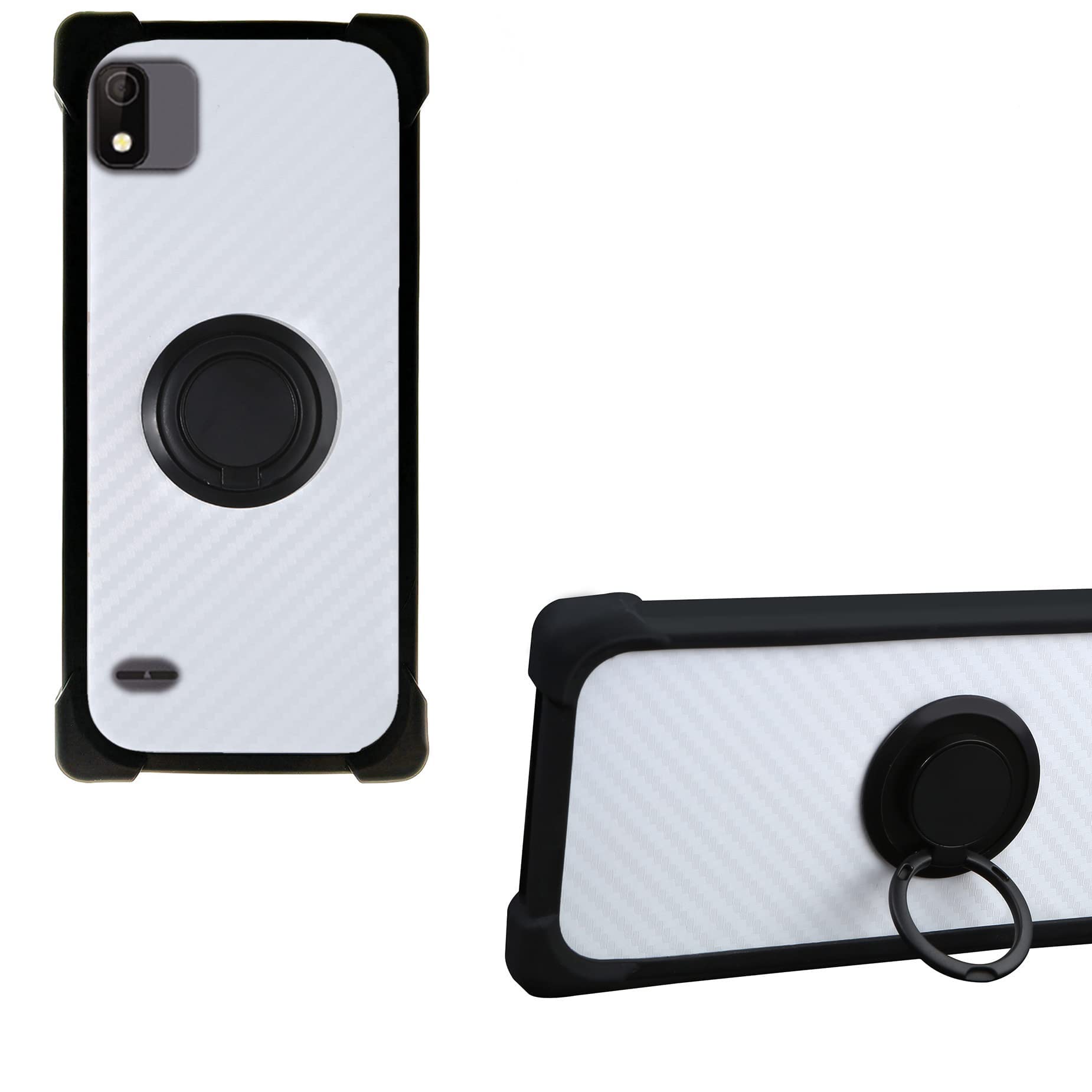
Image: The phone case providing comprehensive protection for the device.
3. Naudojimo instrukcijos
3.1. Using the 360° Rotatable Ring Holder
The integrated ring holder provides multiple functionalities:
- Saugi rankena: Insert your finger through the ring for a more secure hold on your phone, reducing the risk of accidental drops.
- Kickstand Function: Rotate the ring to your desired angle (up to 360°) and prop your phone up on a flat surface for hands-free viewing of videos or video calls. The ring can also be adjusted to provide a comfortable angle for one-hand operation, allowing easier access to all areas of the screen.

Image: Demonstrates how the rotatable ring holder facilitates one-hand operation and provides a secure grip.

Vaizdas: Stambus planas view of the 360-degree rotatable ring holder on the back of the phone case.
3.2. Magnetic Car Mount Function
The case features an integrated metal plate on the back, allowing it to be directly adsorbed onto compatible magnetic car mounts. This enables convenient use of GPS navigation or music playback while driving.
- Simply place the back of your cased phone onto a magnetic car mount. The integrated metal plate will securely attach to the magnet.
- No additional metal plates or patches are required on your phone or case.
- Pastaba: A magnetic car mount is not included with this product. Wireless charging may not be supported while the case is attached to a magnetic mount or if the metal plate interferes with the charging coil.

Image: Illustrates the phone case being used with a magnetic car mount, highlighting its compatibility.
4. Priežiūra
To keep your phone case in optimal condition:
- Valymas: Reguliariai valykite korpusą minkšta,amp cloth to remove dust, dirt, and fingerprints. For stubborn stains, a mild soap solution can be used, followed by wiping with a clean, damp šluoste ir džiovinkite natūraliai. Venkite stiprių cheminių medžiagų ar abrazyvinių valiklių.
- Venkite ekstremalių sąlygų: Do not expose the case to extreme temperatures, direct sunlight for prolonged periods, or corrosive liquids, as this may affect its material integrity and appearance.
- Ring Holder Care: Ensure the ring holder mechanism remains free of debris to maintain its smooth rotation.
5. Problemų sprendimas
If you encounter any issues with your phone case, consider the following:
- Dėklas netinka: Ensure you have the correct model case for your phone. This case is designed exclusively for the Vodafone Mobiwire Smart N12. If the phone model is correct, try re-installing the phone, ensuring it is properly aligned and seated.
- Magnetic Car Mount Not Holding: Verify that your magnetic car mount is strong enough and compatible with the integrated metal plate in the case. Some magnetic mounts may have weaker magnets or different designs that do not provide sufficient hold.
- Ekrano apsauga: While the case offers raised edges to protect the screen when laid flat, it does not include a built-in screen protector. For comprehensive screen protection, it is recommended to use a separate screen protector in conjunction with this case.
- Ring Holder Stiffness/Looseness: The ring holder is designed to provide a balance of stiffness for kickstand functionality and ease of rotation. If it becomes too stiff or loose over time, ensure no foreign objects are obstructing its mechanism.
6. Specifikacijos
| Funkcija | Aprašymas |
|---|---|
| Suderinamas telefono modelis | Vodafone Mobiwire Smart N12 |
| Medžiaga | PC backplane, Silicone Soft Frame, TPU |
| Spalva | CSKB-HEI |
| Ypatingos savybės | 360° Rotatable Ring Holder, Magnetic Car Mount Compatibility, Shockproof Design, Precision Cutouts |
| Apsaugos tipas | Back and Side Protection, Raised Edges for Screen and Camera |

Image: Highlights the shockproof design of the case, featuring a soft silicone frame, hard PC backplane, thickened four corners, and a silicone buffer layer for enhanced protection.
7. Garantija ir palaikymas
For warranty information and customer support, please refer to the seller or manufacturer from whom you purchased this product. Keep your proof of purchase for any warranty claims.
If you have further questions or require assistance, please contact the retailer or the manufacturer's customer service department.


