
1. Įvadas
Welcome to the user manual for your new IQUNIX ZX75 Dark Side RS 75% RGB Mechanical Keyboard. This manual provides detailed instructions on setting up, operating, and maintaining your keyboard to ensure optimal performance and longevity. Please read this manual thoroughly before using the product.
2. Produktas baigtasview
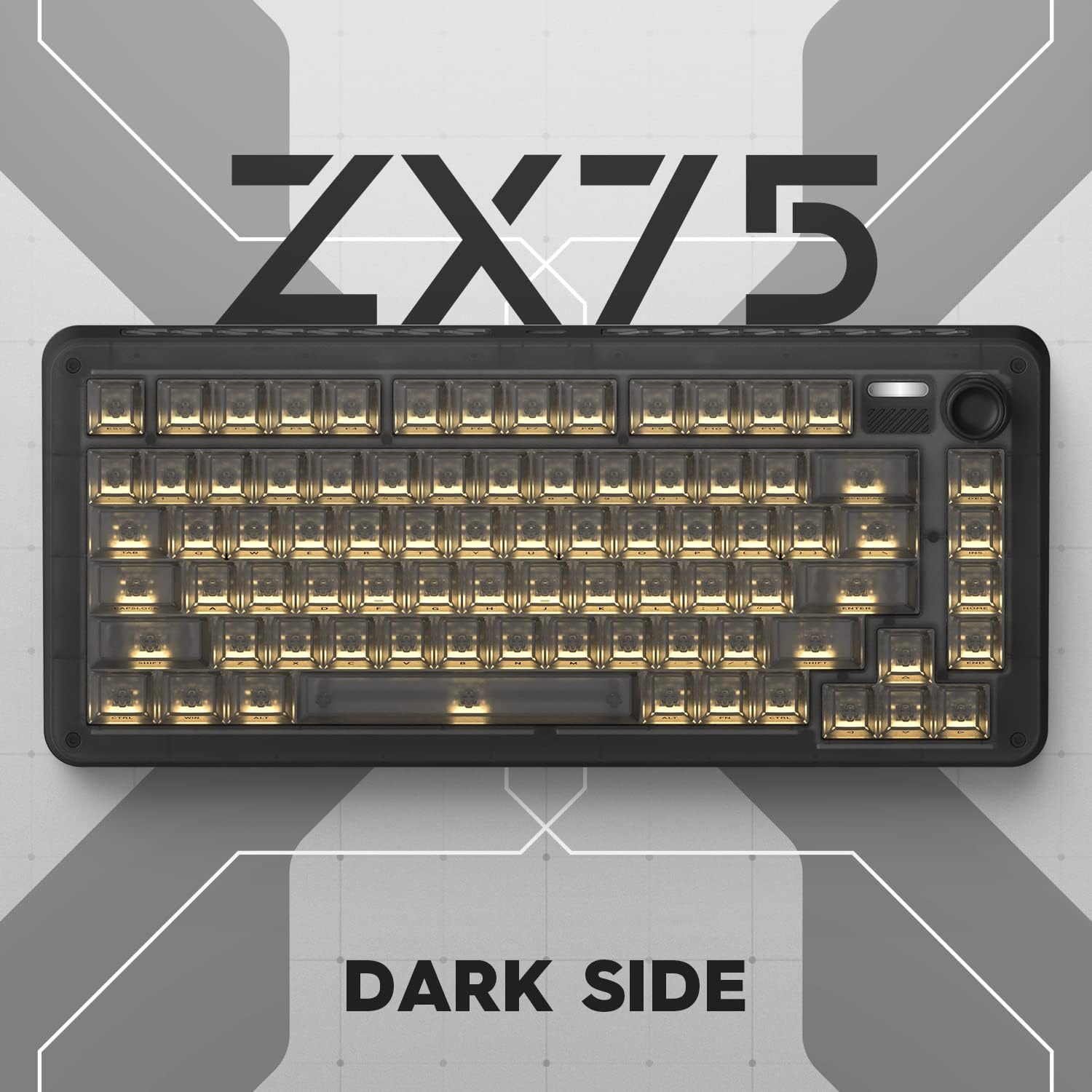
The IQUNIX ZX75 Dark Side RS is a compact 75% layout mechanical keyboard featuring 81 keys, designed for both aesthetics and functionality. It offers versatile connectivity options and customizable RGB lighting.
Pagrindinės funkcijos:
- Kompaktiškas 75 % išdėstymas: Streamlined 81-key design while retaining essential functions.
- TTC Speedsilver Switches: Durable switches with a long lifespan (up to 100 million hits) for fast and reliable input.
- Multimedia Knob: Conveniently located knob for volume control and playback/pause functions.
- Detachable Magnetic Feet: Adjustable feet for ergonomic typing comfort.
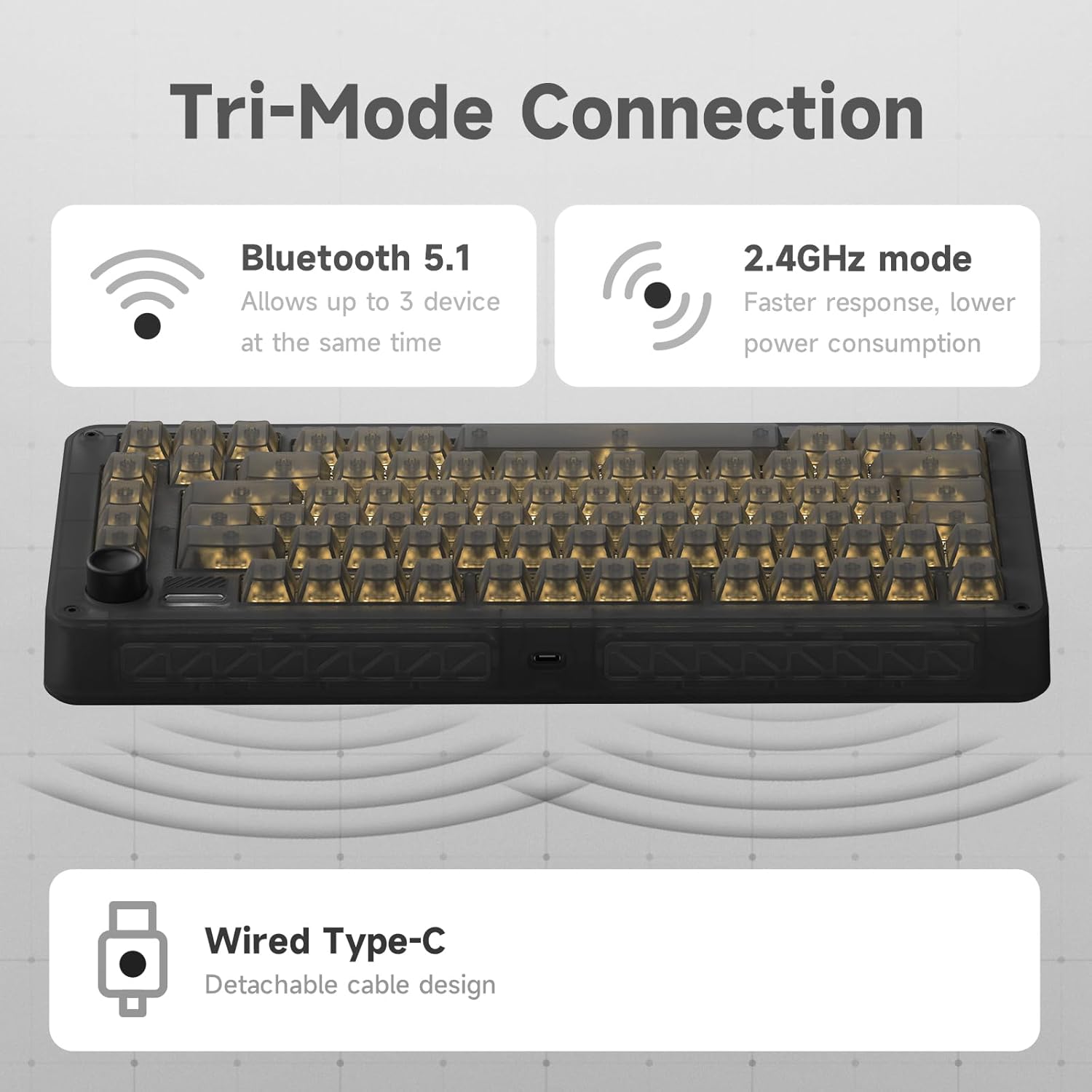
- Trijų režimų ryšys: Supports 2.4GHz wireless, Bluetooth 5.1, and USB-C wired connections.
- Kelių įrenginių palaikymas: Connect up to 3 devices simultaneously via Bluetooth with easy switching.
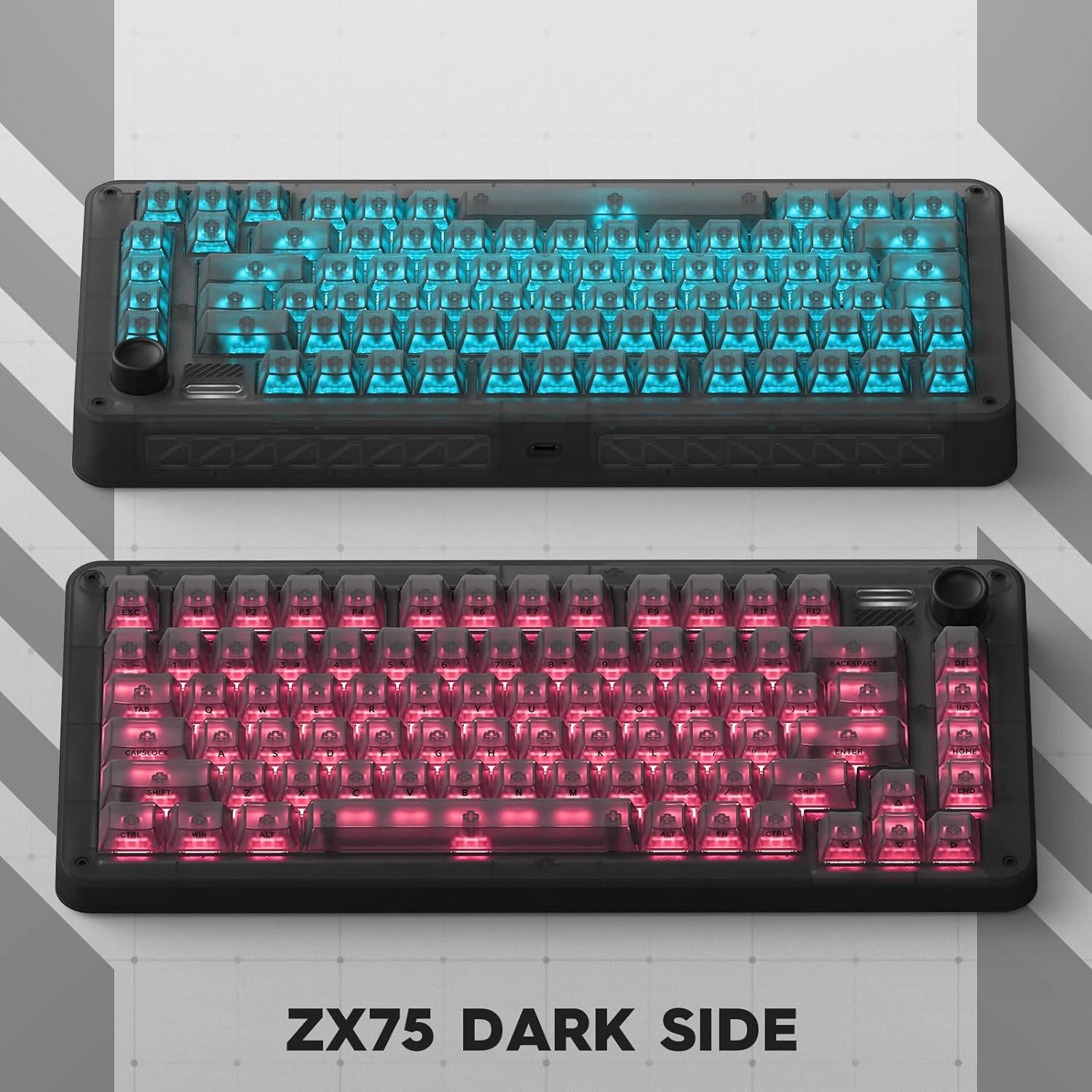
- Personalized RGB Backlit: Dynamic South-facing RGB effects with 7 modes and 16 million customizable colors.
- Ilgas baterijos veikimo laikas: Rechargeable 6000 mAh battery offering extended usage.
- Suderinamumas su keliomis platformomis: Works with Mac and Windows operating systems, including additional MAC supplementary keycaps.
- Karštas keitimas: Allows for easy switch replacement without soldering.
Produkto vizualizacijos:





Produkto vaizdo įrašai:
3. Sąranka
3.1 Paketo turinys:
Prieš pradėdami, įsitikinkite, kad pakuotėje yra visi reikalingi daiktai:
- IQUNIX ZX75 Dark Side RS Mechanical Keyboard
- USB-C kabelis
- Klaviatūros traukiklis
- Jungiklio traukiklis
- Additional MAC supplementary keycaps
- Vartotojo vadovas (šis dokumentas)
3.2 Connecting Your Keyboard:
The IQUNIX ZX75 supports three connection modes:
- Laidinis režimas (USB-C):
- Prijunkite pateiktą USB-C laidą prie klaviatūros USB-C prievado.
- Kitą laido galą prijunkite prie laisvo kompiuterio USB prievado.
- Klaviatūra bus automatiškai atpažinta ir paruošta naudoti.
- 2.4 GHz belaidis režimas:
- Locate the 2.4GHz USB receiver (dongle) usually stored in a compartment on the keyboard.
- Prijunkite USB imtuvą prie laisvo kompiuterio USB prievado.
- Ensure the keyboard's mode switch (usually on the back or side) is set to 2.4G.
- Klaviatūra turėtų automatiškai prisijungti.
- „Bluetooth 5.1“ režimas:
- Ensure the keyboard's mode switch is set to BT (Bluetooth).
- Kompiuteryje arba įrenginyje atidarykite „Bluetooth“ nustatymus.
- The keyboard can store up to 3 Bluetooth devices. Press and hold FN + 1, FN + 2, or FN + 3 to enter pairing mode for the respective slot (the indicator light will flash).
- Select "IQUNIX ZX75" from the list of available Bluetooth devices on your computer/device to pair.
- Once paired, you can switch between connected Bluetooth devices by pressing FN + 1/2/3.
3.3 Operating System Switching:
The keyboard is compatible with both Windows and macOS. To switch between operating system modes, hold FN + TAB for 5 seconds. The keyboard will adjust its key mappings accordingly. For macOS users, four additional MAC supplementary keycaps are included in the box to replace specific keys for a native Mac layout.
3.4 Akumuliatoriaus įkrovimas:
The keyboard is equipped with a 6000 mAh rechargeable battery. When the battery is low, the indicator light will signal. Connect the keyboard via USB-C cable to a power source (computer USB port or USB wall adapter) to charge. A full charge provides up to 300 days of use via Bluetooth with backlighting off, or approximately 5 hours of daily use with backlighting.
4. Naudojimo instrukcijos
4.1 Multimedia Knob Functions:
The multimedia rotation button located in the upper right corner of the keyboard provides quick control over audio and media playback:
- Sukti pagal laikrodžio rodyklę: Padidinti garsumą.
- Sukti prieš laikrodžio rodyklę: Sumažinti garsumą.
- Press Vertically: Leisti / pristabdyti mediją.
4.2 RGB Backlighting Control:
The keyboard features dynamic South-facing RGB backlighting with 7 preset modes and 16 million customizable colors. Use the dedicated software (available from the IQUNIX website) to personalize lighting effects, create custom profiles, and adjust brightness. Specific key combinations on the keyboard may also cycle through preset effects or adjust brightness (refer to the quick start guide or software manual for exact key combinations).
4.3 Hot-Swappable Switches:
The IQUNIX ZX75 keyboard supports hot-swappable switches, allowing you to change the mechanical switches without soldering. This enables customization of typing feel and sound. To replace a switch:
- Švelniai nuimkite klavišo dangtelį naudodami pridedamą klavišo dangtelio ištraukiklį.
- Use the switch puller to carefully grip the switch from its top and bottom clips.
- Patraukite jungiklį tiesiai į viršų, kad jį nuimtumėte nuo PCB.
- Suderinkite naujo jungiklio kaiščius su PCB skylėmis.
- Tvirtai įspauskite naują jungiklį į vietą, kol pasigirs spragtelėjimas. Įsitikinkite, kad kaiščiai nėra sulenkti.
- Uždėkite klavišo dangtelį.
5. Priežiūra
Regular maintenance helps preserve the performance and appearance of your IQUNIX ZX75 keyboard.
5.1 Valymas:
- Bendras valymas: Šiek tiek naudokite minkštą, be pūkelių šluostę dampKlaviatūros paviršių nuvalykite vandeniu arba švelniu valymo tirpalu. Venkite stiprių cheminių medžiagų.
- Klaviatūros dangtelių valymas: For deeper cleaning, remove keycaps using the keycap puller and wash them with mild soap and water. Ensure they are completely dry before reattaching.
- Dulkių šalinimas: Use compressed air to blow away dust and debris from between the keycaps and switches.
5.2 Saugykla:
When not in use for extended periods, store the keyboard in a cool, dry place away from direct sunlight and extreme temperatures. If storing for a long time, ensure the battery is partially charged (around 50%) to prolong its lifespan.
6. Problemų sprendimas
If you encounter issues with your IQUNIX ZX75 keyboard, refer to the following common troubleshooting steps:
- Klaviatūra nereaguoja (laidinė):
- Įsitikinkite, kad USB-C laidas yra tvirtai prijungtas prie klaviatūros ir kompiuterio.
- Išbandykite kitą kompiuterio USB prievadą.
- Jei yra, išbandykite su kitu USB-C laidu.
- Keyboard Not Connecting (2.4GHz/Bluetooth):
- Ensure the keyboard's mode switch is set to the correct wireless mode (2.4G or BT).
- For 2.4GHz, ensure the USB receiver is properly plugged in and try a different USB port.
- For Bluetooth, ensure Bluetooth is enabled on your device and try re-pairing the keyboard (FN + 1/2/3 for pairing mode).
- Patikrinkite klaviatūros akumuliatoriaus lygį ir, jei reikia, įkraukite.
- Raktai neregistruojami arba įvedami du kartus:
- Tai gali rodyti sugedusį jungiklį. Kadangi klaviatūra yra karštai keičiama, pabandykite pakeisti probleminį jungiklį atsarginiu arba rečiau naudojamo klavišo (pvz., „Scroll Lock“) jungikliu.
- Įsitikinkite, kad jungiklis yra visiškai įstatytas į spausdintinę plokštę.
- RGB apšvietimo problemos:
- Ensure the backlighting is enabled (check keyboard shortcuts or software).
- Update the keyboard firmware and software from the IQUNIX websvetainę.
- Multimedia Knob Not Working:
- Ensure the keyboard is properly connected and recognized by your system.
- Check if any software conflicts are present (e.g., other media control applications).
If the issue persists after trying these steps, please contact IQUNIX customer support for further assistance.
7. Specifikacijos
| Funkcija | Aprašymas |
|---|---|
| Modelis | ZX75-DS-SpeedsilverRGB |
| Klaviatūros tipas | Mechaninė klaviatūra |
| Išdėstymas | 75 % išdėstymas, 81 klavišai |
| Jungikliai | TTC Speedsilver Switches |
| Perjungimo trukmė | Iki 100 milijonų klavišų paspaudimų |
| Greitai keičiamas | Taip |
| Ryšys | 2.4GHz Wireless, Bluetooth 5.1, USB Type-C Wired |
| Baterijos talpa | 6000 mAh ličio jonų |
| Foninis apšvietimas | RGB (South-facing, 7 modes, 16 million colors) |
| Suderinama OS | Windows, macOS, iOS, Android |
| Gaminio matmenys | 13.62 x 5.94 x 1.73 colio (34.6 x 15.1 x 4.4 cm) |
| Prekės svoris | 4.31 svaro (1.95 kg) |
| Medžiaga | Akrilnitrilo butadieno stirenas (ABS) |
8. Garantija ir palaikymas
For warranty information and customer support, please refer to the official IQUNIX websvetainėje arba susisiekite tiesiogiai su jų klientų aptarnavimo tarnyba. Išsaugokite pirkimo kvitą kaip pirkimo įrodymą.
You can also find additional resources and a downloadable PDF user manual at: IQUNIX ZX75 User Manual (PDF)