
Rraycom BW4N
Rraycom BW4N Wireless Security Camera User Manual
Model: BW4N-B-4pack
1. Įvadas
Thank you for choosing the Rraycom BW4N Wireless Home/Outdoor Security Camera system. This manual provides comprehensive instructions for setting up, operating, and maintaining your security cameras to ensure optimal performance and peace of mind. The Rraycom BW4N offers 5MP resolution, AI motion detection, color night vision, two-way talk, and flexible storage options, designed for both indoor and outdoor surveillance.

Image 1.1: Four Rraycom BW4N wireless security cameras included in the pack.
2. Produktas baigtasview
2.1 Pagrindinės savybės
- 5MP 2.7K raiška: Pateikiamas aiškus ir išsamus vaizdo įrašastage.
- Dirbtinio intelekto judesio aptikimas: Utilizes infrared sensor technology and cloud image analysis for real-time motion detection and alerts, with customizable detection zones.
- Spalvotas naktinis matymas: Offers full-color night vision and infrared night vision modes with a visible range of up to 33ft.
- Dvipusis pokalbis: Įgalina ryšį realiuoju laiku per kamerą.
- Wireless & Battery Powered: Equipped with a 5200mAh rechargeable battery, offering 1 to 6 months of operation on a full charge depending on usage.
- IP66 atsparus vandeniui: Designed for outdoor use, resistant to harsh weather conditions.
- Lankstus saugojimas: Supports free 3-day rolling cloud storage and local storage via Micro SD card (up to 256GB, not included).
- Dirba su Alexa: Compatible with Amazon Alexa for voice control and live view.

2.1 vaizdas: Baigtaview of Rraycom BW4N camera features.
2.2 Pakuotės turinys
The Rraycom BW4N-B-4pack includes:
- 4 x Rraycom BW4N Wireless Security Cameras
- 4 x tvirtinimo laikikliai
- Tvirtinimo varžtai ir sieniniai kaiščiai
- USB įkrovimo laidas
- Vartotojo vadovas
3. Sąranka
3.1 Kameros įkrovimas
Before initial use, fully charge the camera's 5200mAh battery. Connect the camera to a 5V/2A USB power adapter (not included) using the provided USB charging cable. The charging indicator light will show the charging status. A full charge can take several hours.
Note: Battery life varies based on device settings, actual usage, and environmental factors.
3.2 Programėlės diegimas ir paskyros nustatymas
- Atsisiųskite [O-KAM] APP iš „App Store“ („iOS“) arba „Google Play“ parduotuvės („Android“).
- Open the O-KAM app and follow the on-screen instructions to create a new account or log in if you already have one.

Image 3.1: Download the O-KAM app from your device's app store.
3.3 Kameros pridėjimas prie programėlės
- In the O-KAM app, tap the "+" icon to add a new device.
- Select your camera model (BW4N) from the list.
- Vykdykite instrukcijas programoje, kad prijungtumėte fotoaparatą prie savo 2.4 GHz „Wi-Fi“ tinklas. (5GHz WiFi is not supported).
- Nuskaitykite telefono ekrane rodomą QR kodą kameros objektyvu.
- Prijungę, pavadinkite kamerą ir užbaikite sąrankos procesą.
3.4 Camera Placement and Installation
The Rraycom BW4N camera can be installed almost anywhere, including shops, offices, homes, garages, yards, and both outdoor and indoor locations. It is designed for easy setup, typically taking about 5 minutes.
- Pasirinkite vietą, kuri suteikia norimą viewing angle and is within range of your 2.4GHz WiFi network.
- Use the included mounting bracket and screws to securely attach the camera to a wall or other suitable surface.
- Ensure the camera is positioned to capture the area of interest, considering the 120-degree viewing kampas.

3.2 pav.: pvz.ample of camera placement on a home exterior.
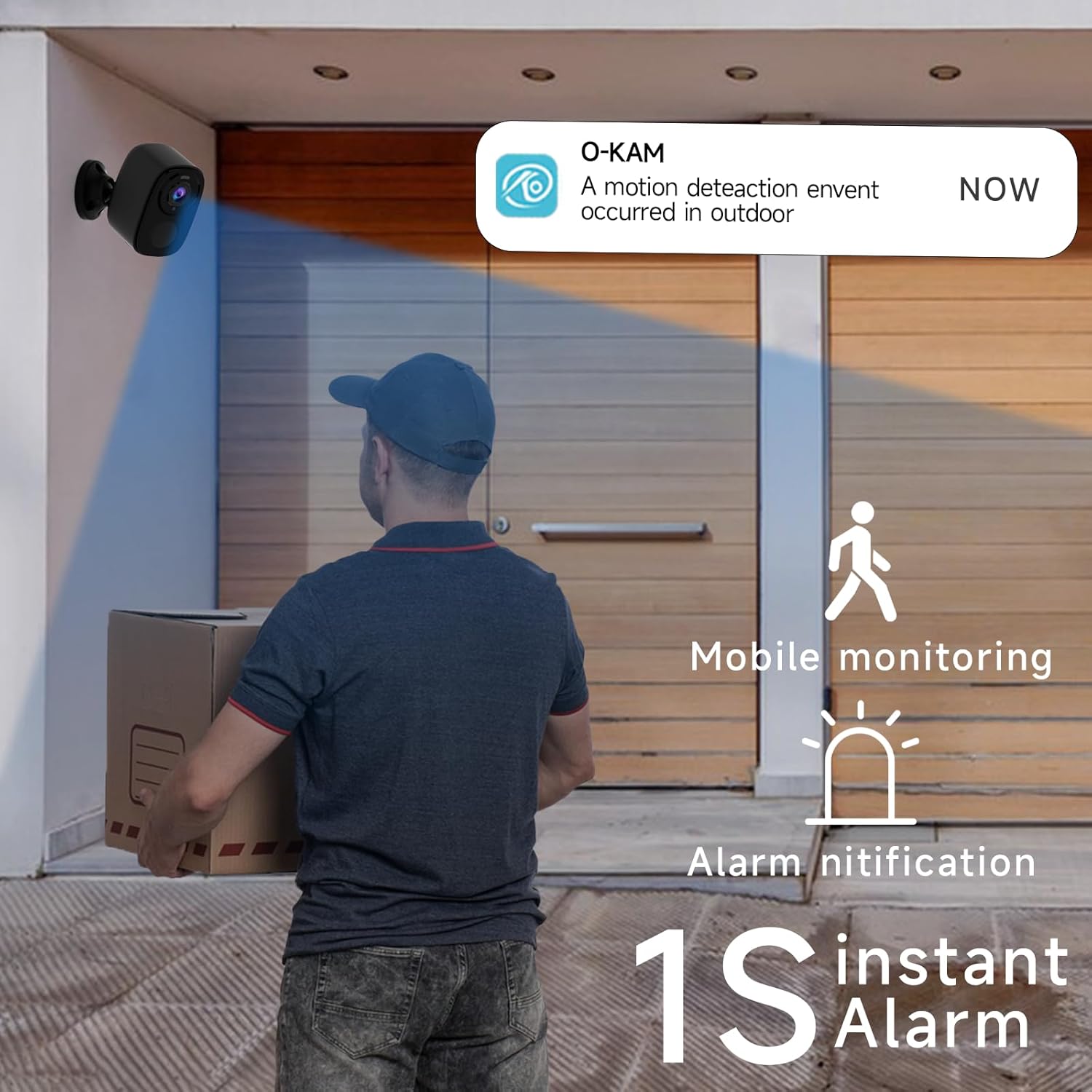
Image 3.3: The camera provides mobile monitoring and instant alarm notifications upon motion detection.
4. Fotoaparato valdymas
4.1 Tiesiogiai View ir Įrašymas
Access live video streams from your camera anytime through the O-KAM app. You can view real-time monitoring from every corner of your property.

Image 4.1: House security overview in the O-KAM app, allowing real-time monitoring from various locations.
4.2 Judesio aptikimas ir dirbtinio intelekto atpažinimas
The camera uses advanced PIR motion detection and AI recognition to differentiate between people and objects, reducing false alarms. You will receive instant alerts to your smartphone when motion is detected.
- Pritaikomos aptikimo zonos: Nustatykite konkrečias sritis kameros viduje view where you want motion to be detected, ensuring you only receive notifications for relevant events.
- Human Filtering: The AI system helps filter out non-human movements, focusing on important activity.

Image 4.2: AI Motion Detection identifies human activity.

Image 4.3: Customize monitoring areas to reduce false alerts.
4.3 Dvipusis garsas
The built-in microphone and speaker allow for two-way communication. You can speak to visitors or deter intruders directly through the camera using the O-KAM app.
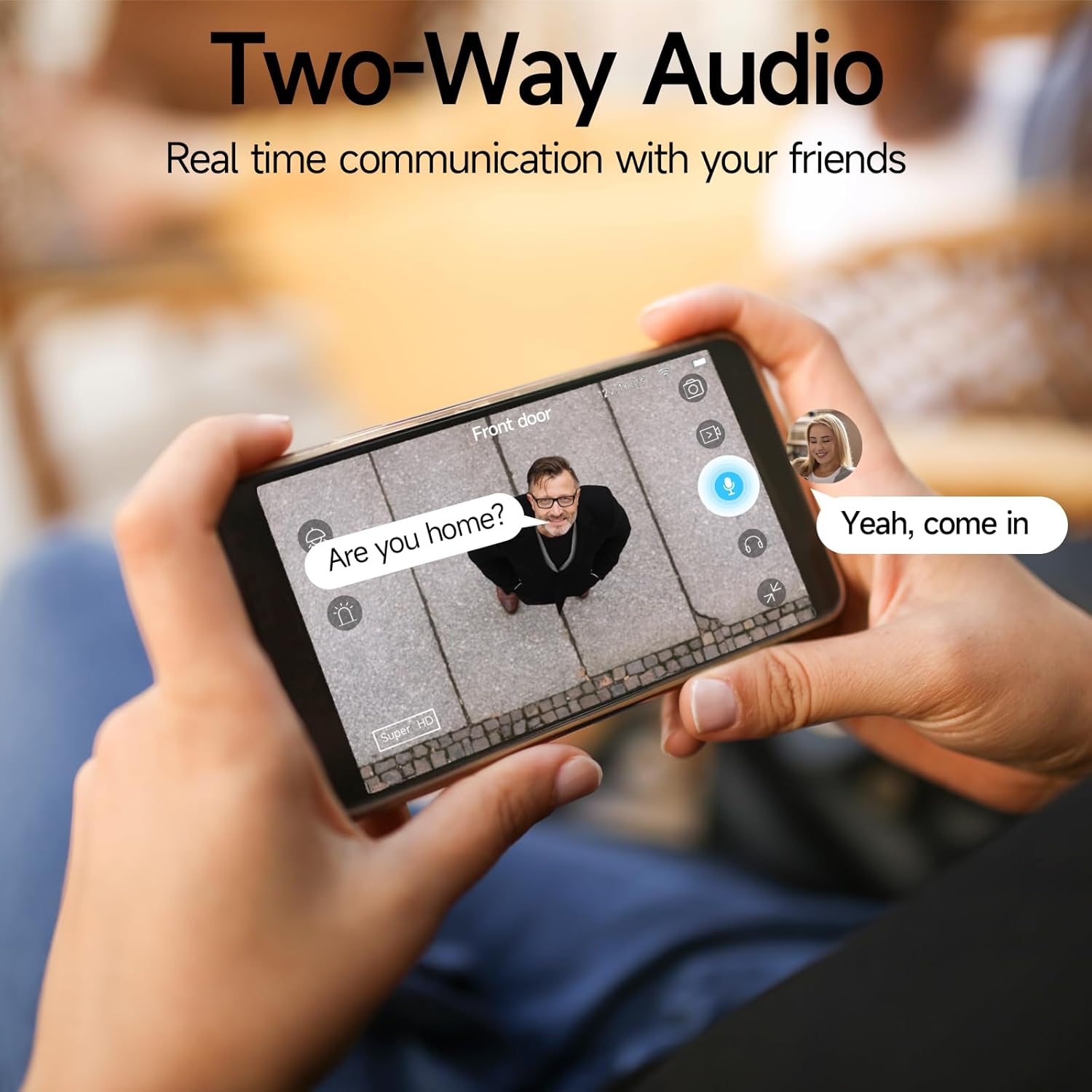
Image 4.4: Engage in real-time communication with two-way audio.

Image 4.5: Multiple users can share and watch the camera feed simultaneously, enabling interactive communication.
4.4 Naktinio matymo režimai
The camera offers two night vision modes to ensure clear visibility in low light conditions:
- Spalvotas naktinis matymas: Provides vivid, color images even in the dark, utilizing the camera's spotlight.
- Infraraudonųjų spindulių nakties vizija: Offers clear black-and-white footage visiškoje tamsoje.

Image 4.6: Compare 5MP Color Night Vision and Infrared Night Vision for optimal nighttime surveillance.

Image 4.7: The camera supports motion detection, color night vision, and infrared night vision.
4.5 Siren Alarm and Spotlight Warning
The camera features a built-in siren and spotlight that can be activated manually or automatically upon motion detection to deter unwanted visitors.

Image 4.8: Deter intruders with siren and spotlight warnings.
4.6 Saugojimo parinktys
Your Rraycom camera offers versatile storage solutions:
- Nemokama debesies saugykla: Enjoy free 3-day rolling cloud storage for life, with no subscription needed.
- „Micro SD“ kortelės saugykla: Insert a Micro SD card (up to 256GB, not included) for local video storage.

Image 4.9: Save important moments to cloud or SD card.

Image 4.10: Cloud and local storage options for your recordings.
4.7 „Alexa“ integracija
The Rraycom BW4N camera is compatible with Amazon Alexa, allowing you to view live feeds using voice commands on compatible Alexa-enabled devices.
- Link your O-KAM account with your Alexa account through the Alexa app.
- Use commands like "Alexa, show me the front door camera" or "Alexa, show me the backyard camera" to view gyvi pašarai.

Image 4.11: Seamless integration with Amazon Alexa for convenient monitoring.

4.12 vaizdas: View jūsų kameros vaizdo transliaciją įrenginiuose, kuriuose veikia „Alexa“.
4.8 Vaizdo demonstracija
Video 4.1: A demonstration of the Rraycom BW4N wire-free camera's features, including its 5MP resolution, waterproof design, ease of mounting, night vision capabilities, activity zone setup, two-way audio, multi-user sharing, human filtering, Alexa compatibility, and cloud/local storage options.
5. Priežiūra
5.1 Akumuliatoriaus valdymas
- Monitor battery levels regularly through the O-KAM app.
- Recharge the camera promptly when the battery is low to ensure continuous operation.
- For optimal battery life, avoid extreme temperatures during charging and operation.
5.2 Kameros valymas
- Gently wipe the camera lens and body with a soft, dry cloth to remove dust and smudges.
- Do not use liquid cleaners or abrasive materials, as they may damage the camera.
5.3 Firmware atnaujinimai
Periodically check the O-KAM app for available firmware updates. Keeping your camera's firmware up-to-date ensures you have the latest features and security enhancements.
6. Problemų sprendimas
| Problema | Galima priežastis | Sprendimas |
|---|---|---|
| Kamera neprisijungia prie „Wi-Fi“. | Neteisingas „Wi-Fi“ slaptažodis; kamera per toli nuo maršrutizatoriaus; galimas tik 5 GHz „Wi-Fi“. | Ensure correct password. Move camera closer to router. Confirm your Wi-Fi is 2.4GHz. |
| Dažni klaidingi aliarmai | Detection zone too wide; Environmental factors (e.g., moving branches, shadows). | Adjust detection zones in the app. Enable human filtering if available. |
| Prasta naktinio matymo kokybė | Obstructions in front of lens; Insufficient ambient light for color night vision. | Clear any obstructions. Ensure adequate lighting for color night vision or switch to infrared mode. |
| Dvipusio garso problemos | Microphone/speaker blocked; App volume too low; Network latency. | Check for obstructions. Adjust volume settings in app. Ensure stable network connection. |
| Baterija greitai išsikrauna | Frequent motion detection; Live view usage; Extreme temperatures. | Reduce motion detection sensitivity/frequency. Limit live view. Operate within recommended temperature range. |
7. Specifikacijos
| Funkcija | Detalė |
|---|---|
| Modelio pavadinimas | BW4N |
| Vaizdo įrašymo raiška | 5 MP (2560*1920P) |
| Ryšio technologija | Belaidis (tik 2.4 GHz „Wi-Fi“) |
| Maitinimo šaltinis | Maitinamas baterija (5200 mAh įkraunama baterija) |
| Naudojimas viduje / lauke | Lauke, Viduje |
| Atsparumo vandeniui įvertinimas | IP66 |
| Viewing kampas | 120 laipsnių |
| Naktinio matymo diapazonas | Iki 33 pėdų |
| Saugojimo parinktys | Micro SD Card (up to 256GB, not included), Free 3-day Cloud Storage |
| Suderinami įrenginiai | Android & iOS (O-KAM App), Amazon Alexa |
| Medžiaga | Akrilnitrilo butadieno stirenas (ABS) |
| Prekės svoris | 2.68 svaro (4 vnt. pakuotė) |
| Pakuotės matmenys | 10.47 x 9.17 x 2.95 colio |
8. Garantija ir palaikymas
8.1 Informacija apie garantiją
Rraycom products come with a standard manufacturer's warranty. Please refer to the warranty card included in your package or visit the official Rraycom websvetainėje, kurioje pateikiamos išsamios garantijos sąlygos.
8.2 Klientų aptarnavimas
If you have any questions, encounter issues, or require technical assistance with your Rraycom BW4N security camera, please contact our customer service team:
- El. paštas: aftersale@rraycom.com
- You can also find contact information and FAQs on the Rraycom brand store on Amazon or the official websvetainę.

Image 8.1: Contact Rraycom customer service for assistance.
Ask a question about this manual
Ask about setup, troubleshooting, compatibility, parts, safety, or missing instructions. Manuals+ will review the question and use this page’s manual context to help answer it.