
Ctronics B0C5CVK54R
Ctronics 2.5K 4MP Solar Security Camera Wireless Outdoor User Manual
Model: B0C5CVK54R
1. Įvadas
This manual provides detailed instructions for the installation, operation, and maintenance of your Ctronics 2.5K 4MP Solar Security Camera. This wireless outdoor camera system offers advanced surveillance features including 2.5K 4MP Super HD resolution, PTZ control, color night vision, PIR human detection, and two-way audio, all powered by a rechargeable battery and solar panel for continuous operation.
2. Pakuotės turinys
Įsitikinkite, kad pakuotėje yra visi komponentai:
- Ctronics 2.5K 4MP Solar Security Camera (quantity as per pack)
- Solar Panel (one per camera)
- Mounting Bracket
- Tvirtinimo varžtai ir sieniniai kaiščiai
- USB įkrovimo laidas
- Vartotojo vadovas (šis dokumentas)
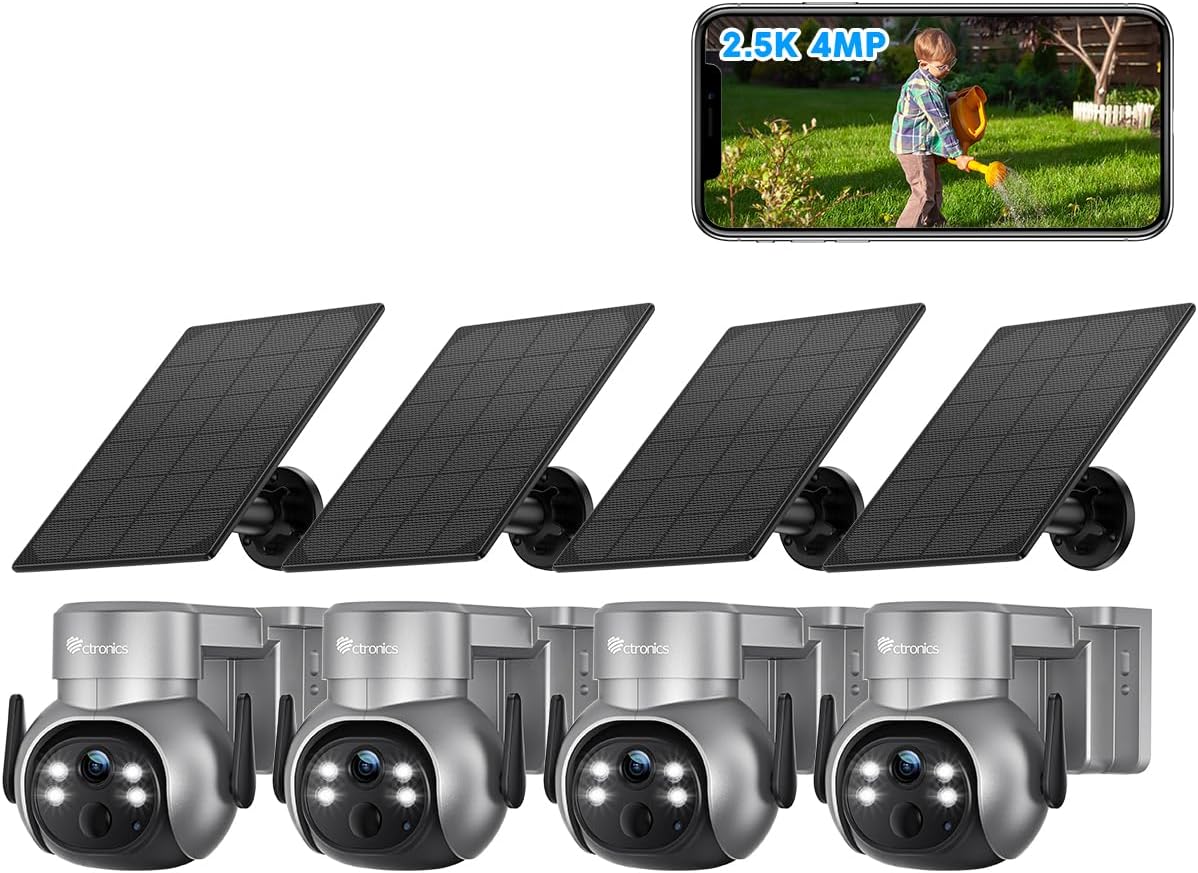
2.1 pav. Baigtaview of the Ctronics 2.5K 4MP Solar Security Camera 4-pack.
3. Sąranka ir diegimas
Before installation, ensure the camera battery is fully charged using the provided USB cable. The solar panel will maintain the charge after installation.
3.1 Kameros įkrovimas
Connect the camera to a 5V/2A USB power adapter using the included USB charging cable. The charging indicator light will show the charging status. A full charge is recommended before initial setup.
3.2 Programėlės atsisiuntimas ir paskyros registravimas
Download the "Ctronics Pro" app from your mobile device's app store (iOS App Store or Google Play Store). Follow the in-app instructions to register an account and add your camera device.
3.3 Kameros ir saulės baterijos montavimas
The camera and solar panel can be mounted on a wall or ceiling. Choose a location that provides optimal sunlight exposure for the solar panel and a clear view for the camera. Ensure the mounting surface is sturdy enough to support the camera's weight.
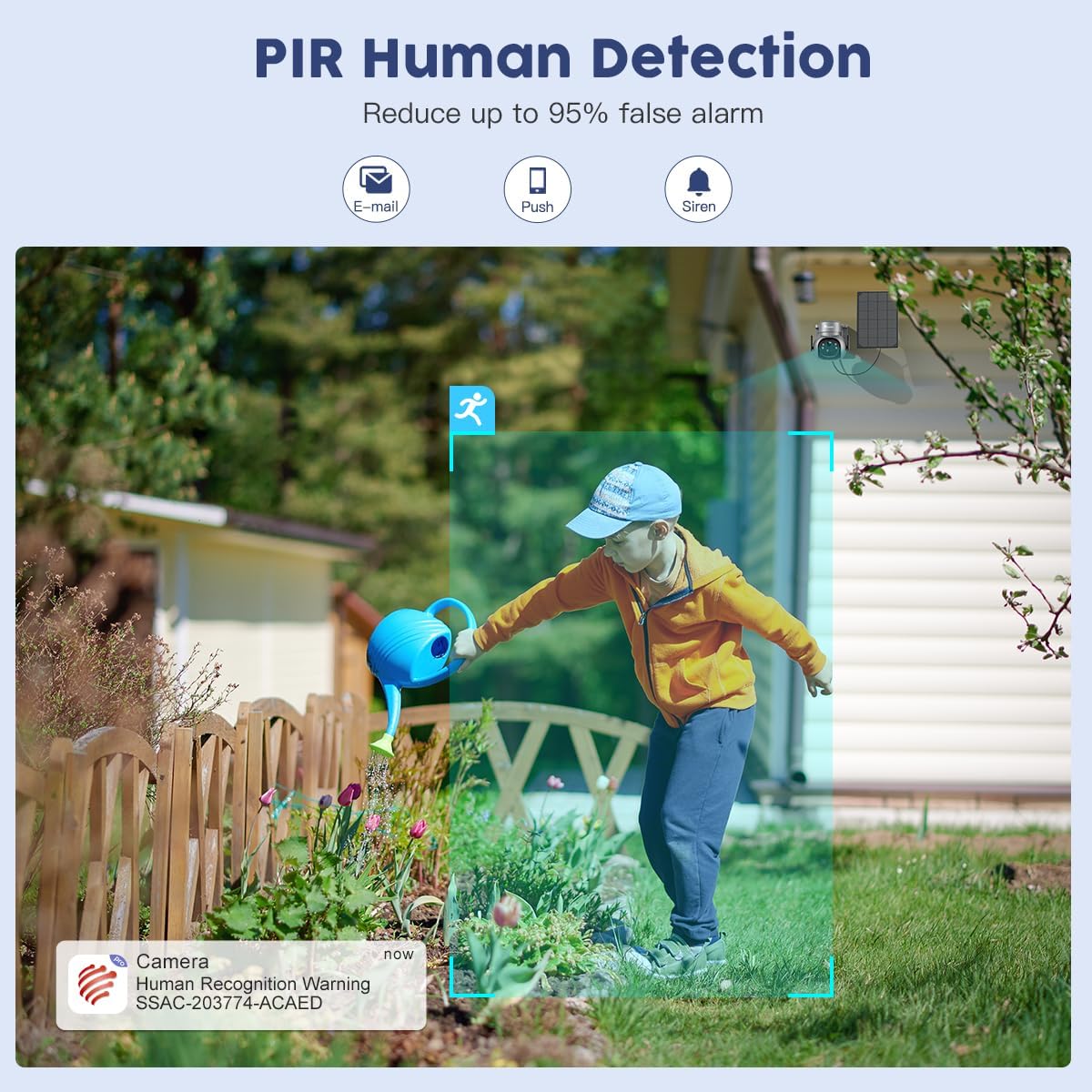
Figure 3.1: Wall and Ceiling Installation options for the Ctronics camera and solar panel.

Figure 3.2: Proper installation of the camera on an exterior wall.
Use the provided screws and wall plugs to securely fasten the mounting bracket. Attach the camera to the bracket and adjust its angle as needed. Connect the solar panel cable to the camera.

Figure 3.3: Revolutionary Charging System with dual solar panel connection. Note: Only one solar panel is included per camera; additional panels must be purchased separately.
4. Naudojimo instrukcijos
4.1 Tiesiogiai View ir rezoliucija
Access the live feed from your camera via the "Ctronics Pro" app. The camera provides 2.5K 4MP (2560*1440P) Super HD resolution, ensuring clear and detailed video monitoring.

Figure 4.1: Day and Night Super HD Resolution (2.5K 4MP).
Video 4.1: Demonstration of Ctronics 2.5K 4MP Wireless Security Camera features, including resolution and wire-free operation.
4.2 Pakreipimo ir pasukimo valdymas
The camera features 355° Pan and 95° Tilt capabilities, allowing you to remotely adjust the viewing angle to cover every angle of your property. Use the directional controls within the "Ctronics Pro" app to move the camera lens.
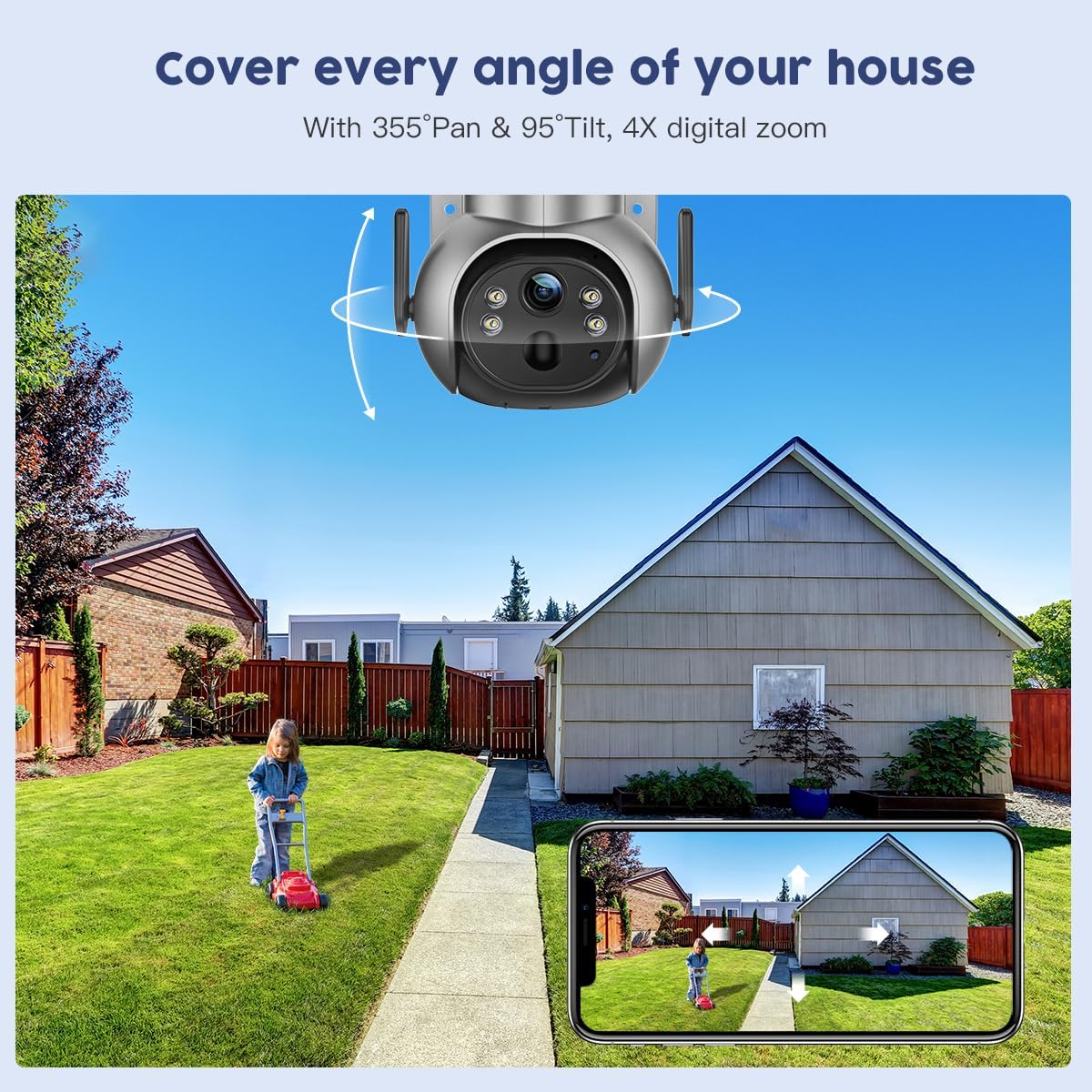
Figure 4.2: 355° Pan & 95° Tilt control via the Ctronics Pro app.
4.3 Spalvotas naktinis matymas
The camera is equipped with color night vision, providing clear, full-color images even in low-light conditions or complete darkness. This enhances visibility and detail compared to traditional black and white infrared night vision.

Figure 4.3: 2.5K 4MP Color Night Vision in action.
4.4 PIR žmonių aptikimas
The Passive Infrared (PIR) human detection feature intelligently identifies human shapes, significantly reducing false alarms caused by pets, vehicles, or swaying branches. When human motion is detected, you will receive instant notifications (email, push, siren) on your connected device.
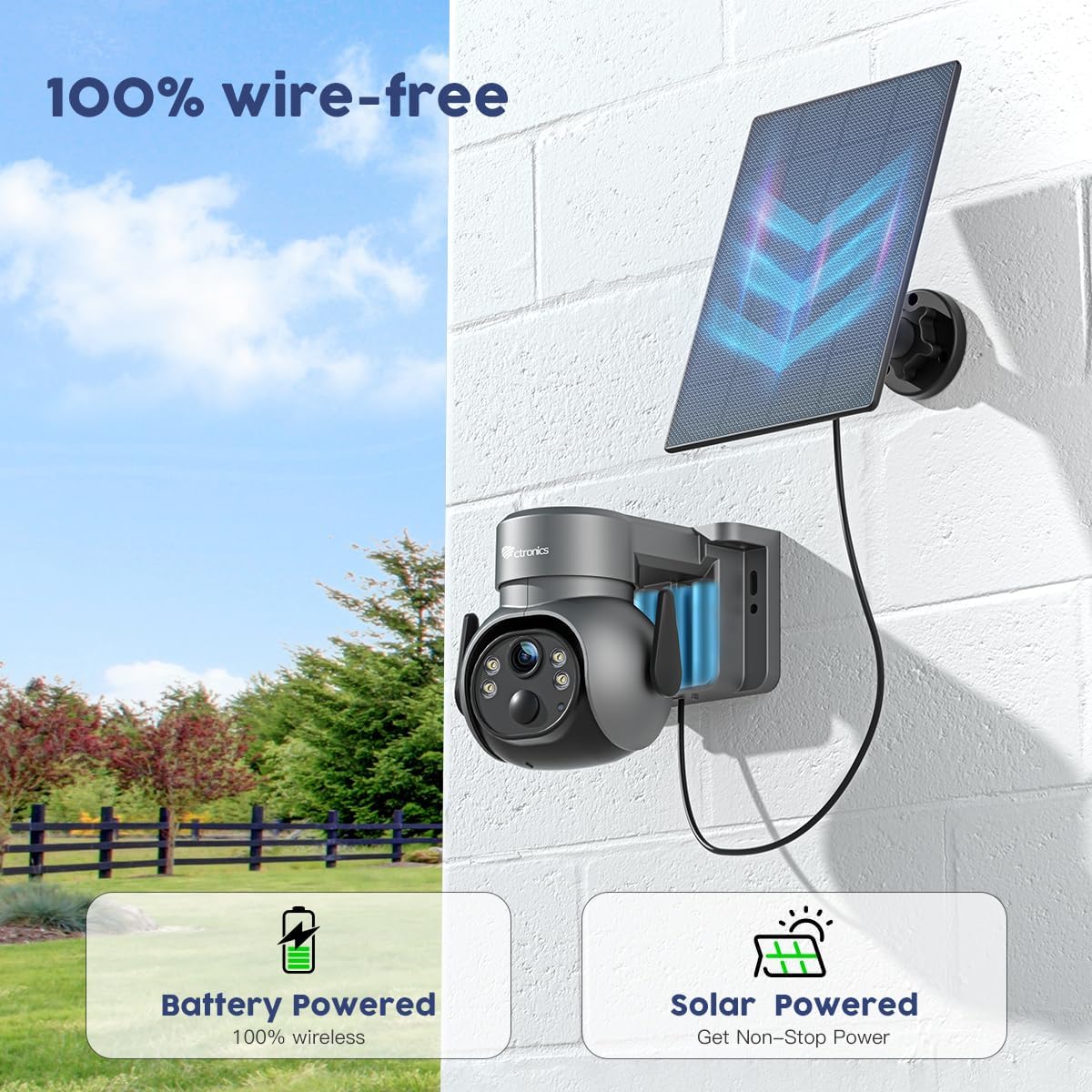
Figure 4.4: PIR Human Detection reducing false alarms.
4.5 Dvipusis garsas
Utilize the built-in microphone and speaker for real-time two-way communication. This allows you to speak to visitors or deter intruders directly through the camera via the app.

Figure 4.5: Two-way audio communication via the app.
4.6 Saugojimo parinktys
The camera supports local storage via a TF (microSD) card up to 128GB (not included). Cloud storage options may also be available; please check the Ctronics Pro app for details and ensure your camera firmware is up to date for cloud functionality.

Figure 4.6: TF Card slot for local storage (up to 128GB).

Figure 4.7: Ctronics Cloud storage and playback interface.
5. Priežiūra
To ensure optimal performance and longevity of your Ctronics security camera, follow these maintenance guidelines:
- Reguliarus valymas: Periodiškai nuvalykite kameros objektyvą ir saulės bateriją minkšta,amp šluoste, kad pašalintumėte dulkes, nešvarumus ar šiukšles, kurios gali užkimšti view or reduce charging efficiency.
- Firmware atnaujinimai: Check the "Ctronics Pro" app regularly for available firmware updates. Keeping your camera's firmware updated ensures access to the latest features, security enhancements, and bug fixes.
- Baterijos būklė: While solar-powered, occasional manual charging via USB may be necessary during prolonged periods of low sunlight. Monitor battery levels through the app.
- Aplinkos apsauga: The camera is IP66 waterproof, designed to withstand various weather conditions. However, avoid direct high-pressure water jets or submerging the device.

Figure 5.1: IP66 Waterproof rating, demonstrating resilience to weather.
6. Problemų sprendimas
If you encounter issues with your Ctronics camera, please refer to the following common problems and solutions:
| Problema | Galima priežastis | Sprendimas |
|---|---|---|
| Fotoaparatas neprisijungęs | Weak Wi-Fi signal, low battery, power outage. | Check Wi-Fi signal strength, recharge battery, verify power supply. Restart camera and router. |
| Nėra judesio aptikimo įspėjimų | PIR sensitivity too low, detection zone not set, app notifications disabled. | Adjust PIR sensitivity in app, configure detection zones, enable app notifications. |
| Prasta vaizdo kokybė | Dirty lens, weak Wi-Fi, low light conditions (without color night vision enabled). | Clean the lens, improve Wi-Fi signal, ensure color night vision is active or sufficient ambient light is present. |
| Neveikia dvipusis garsas | Microphone/speaker muted in app, network latency. | Check audio settings in the app, ensure microphone and speaker are unmuted. Verify stable network connection. |
| Baterija neįkraunama per saulės bateriją | Insufficient sunlight, dirty solar panel, faulty connection. | Relocate solar panel to an area with more direct sunlight, clean the panel, check cable connections. |
For further assistance, please contact Ctronics customer support.
7. Specifikacijos
| Funkcija | Detalė |
|---|---|
| Prekės ženklas | Ctronics |
| Modelis | B0C5CVK54R |
| Vaizdo įrašymo raiška | 4 MP (2.5K) |
| Ryšio technologija | Belaidis ryšys (Wi-Fi) |
| Maitinimo šaltinis | Maitinamas baterijomis, maitinamas saulės energija |
| Panardinimo / pakreipimo diapazonas | 355° Pan, 95° pakreipimas |
| Naktinis matymas | Color Night Vision, Infrared |
| Žmogaus aptikimas | PIR žmogaus aptikimas |
| Garsas | Dvipusis garsas |
| Atsparumo vandeniui įvertinimas | IP66 |
| Sandėliavimas | Supports up to 128GB TF Card (not included), Cloud Storage (check app for availability) |
| Baterijos talpa | 5000 milijonųampprieš valandą (mAh) |
| Matmenys | 5 x 6.99 x 6 colio |
| Prekės svoris | 8.12 svaro |
8. Garantija ir palaikymas
Ctronics products typically come with a manufacturer's warranty. Please refer to the warranty card included in your product packaging or visit the official Ctronics websvetainėje, kur rasite išsamią garantijos informaciją ir sąlygas.
For technical support, product inquiries, or warranty claims, please contact Ctronics customer service through their official website or the contact information provided in the product packaging. Ensure you have your product model number and purchase details ready when contacting support.
Ctronics Official Websvetainė: www.ctronics.com (Pastaba: tai yra vietos žymeklis URL. Please refer to your product packaging for the exact official websvetainę.)
Ask a question about this manual
Ask about setup, troubleshooting, compatibility, parts, safety, or missing instructions. Manuals+ will review the question and use this page’s manual context to help answer it.