
Įvadas
The Hama C-Rotate Pro is a versatile and robust flash drive designed for convenient data storage and transfer. Featuring both USB-C 3.0 and USB 3.0/3.1 (Gen. 1) Type-A connectors, it offers broad compatibility with various devices. Its rotating mechanism protects the connectors, making it ideal for on-the-go use. This manual provides essential information for setting up, operating, maintaining, and troubleshooting your device.
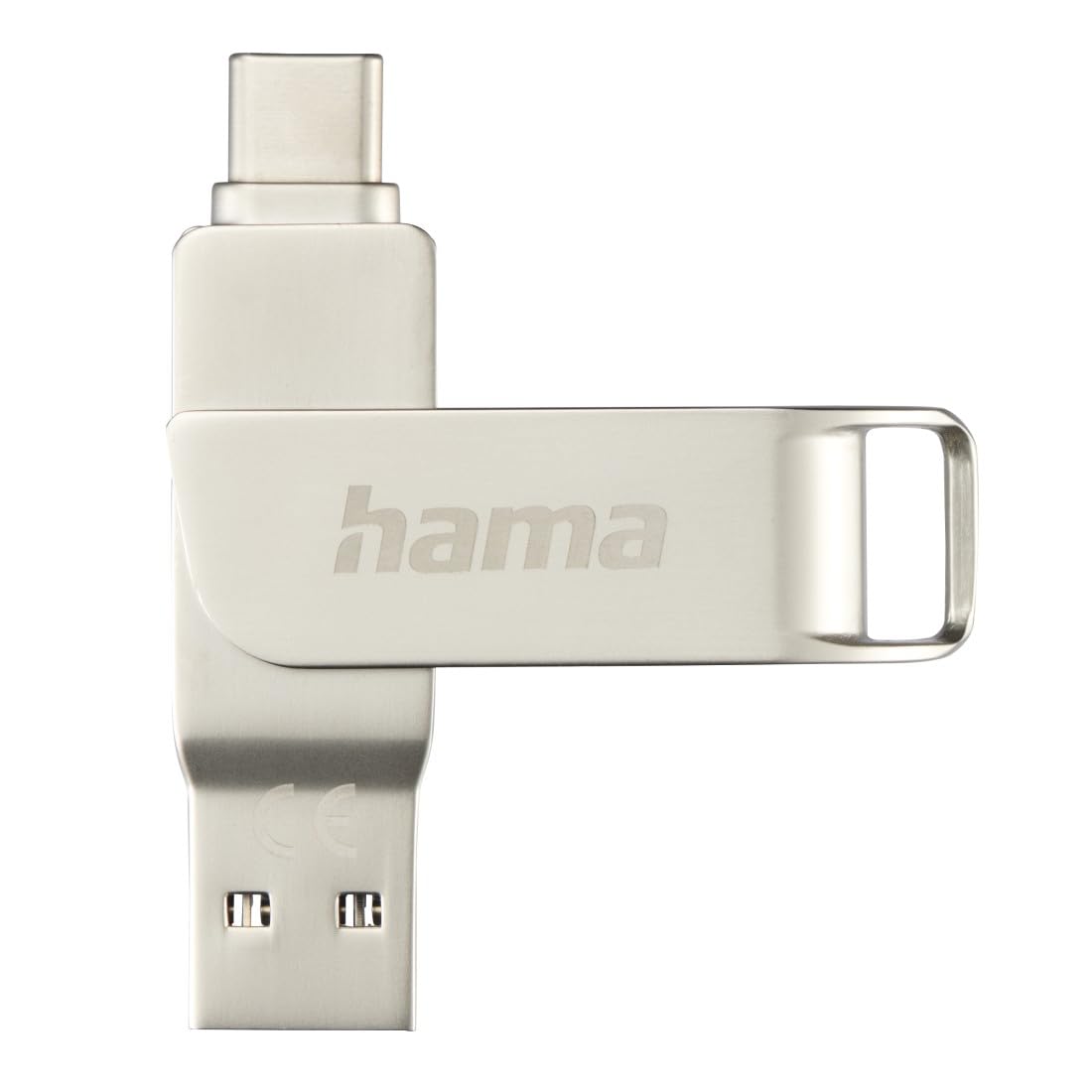
Image: The Hama C-Rotate Pro flash drive, showcasing its dual USB-A and USB-C connectors and the protective rotating metal casing.
Sąranka
The Hama C-Rotate Pro flash drive is designed for plug-and-play functionality, requiring no special driver installation for most operating systems.
- Nustatykite tinkamą prievadą: Determine whether your device has a USB-C port or a standard USB-A port.
- Rotate the connector: Gently rotate the metal casing to expose either the USB-C or the USB-A connector.
- Insert the flash drive: Plug the appropriate connector into the corresponding port on your computer, smartphone, or other compatible device.
- Device recognition: Your operating system (Windows 10/8/7, MacOS 9.x or higher) should automatically recognize the flash drive as a removable storage device.
Important Note: Never attempt to use both the USB-C and USB-A connectors simultaneously. Only one connector should be exposed and connected at a time.
Naudojimo instrukcijos
Once connected, the Hama C-Rotate Pro functions like any standard removable storage device.
- Prieiga Files: Atidarykite savo kompiuterį file explorer (Windows) or Finder (macOS) and locate the drive, typically labeled as a removable disk.
- Perkeliama Files: Vilkite ir numeskite files to and from the flash drive. For optimal speed, ensure you are using a USB 3.0/3.1 (Gen. 1) or USB-C 3.0 port.
- Full HD Video Playback/Recording: The drive supports direct recording and playback of Full HD videos, provided your device and software support this functionality.
- Saugus pašalinimas: Always safely eject the flash drive from your operating system before physically removing it to prevent data corruption.

Image: The Hama C-Rotate Pro with its USB-C connector ready for use.

Image: The Hama C-Rotate Pro with its USB-A connector ready for use.
Priežiūra
The Hama C-Rotate Pro is designed with a robust metal casing for durability. Minimal maintenance is required.
- Valymas: Use a soft, dry cloth to wipe the exterior of the flash drive. Avoid liquid cleaners or abrasive materials.
- Saugykla: When not in use, rotate the casing to protect both connectors from dust and physical damage. Store in a cool, dry place.
- Tvarkymas: Avoid dropping the device or subjecting it to excessive force.
Trikčių šalinimas
- Issue: Flash drive not recognized by the device.
- Sprendimas:
- Ensure the flash drive is fully inserted into the USB port.
- Išbandykite kitą įrenginio USB prievadą.
- Ensure only one connector (USB-C or USB-A) is exposed and connected at a time.
- Paleiskite kompiuterį arba įrenginį iš naujo.
- Check if your operating system is compatible (Windows 10/8/7, MacOS 9.x or higher).
- Problema: Mažas duomenų perdavimo greitis.
- Sprendimas:
- Ensure you are connecting the flash drive to a USB 3.0/3.1 (Gen. 1) or USB-C 3.0 port on your device. Connecting to a USB 2.0 port will result in significantly slower speeds.
- Patikrinkite, ar files being transferred are not excessively fragmented or corrupted.
- Close other applications that might be using system resources or performing disk operations.
- Issue: Data corruption or loss.
- Sprendimas:
- Always use the "Safely Remove Hardware" or "Eject" option in your operating system before physically disconnecting the flash drive.
- Aktyvaus duomenų perdavimo metu venkite atjungti diską.
Specifikacijos
| Modelio pavadinimas | C-Rotate Pro |
| Modelio numeris | ham_n17_00182490 |
| Sandėliavimo talpa | 64 GB |
| Sąsaja | USB-C 3.0, USB 3.0/3.1 (Gen. 1) Type-A |
| Skaitymo greitis | Up to 70 MB/s (with USB 3.0/3.1 Gen. 1 or USB-C 3.0 interface) |
| Medžiaga | Metalas |
| Matmenys (I x P x A) | 62.2 mm x 14 mm x 8.9 mm |
| Svoris | 16.34 gramų |
| Operacinės sistemos suderinamumas | Windows 10/8/7, MacOS 9.x or higher |
| Ypatingos savybės | Rotating mechanism, OTG (On-The-Go) functionality |
Pagalbos informacija
For further assistance or to access the official product page and additional resources, please visit the Hama websvetainę.
- Internetinis vadovas: The user manual for the Hama C-Rotate Pro USB stick can be found on www.hama.com under item number 00182490.
- Gamintojas Websvetainė: For general product information and support, visit www.hama.com.
Informacija apie garantiją paprastai pateikiama kartu su gaminio pakuote arba oficialioje gamintojo svetainėje. website. Please refer to those resources for details regarding your product's warranty.