
Įvadas
Thank you for choosing the ieGeek 2K Wireless Outdoor Wi-Fi Camera with Solar Panel. This manual provides detailed instructions for setting up, operating, and maintaining your security camera. Please read this manual carefully before use and keep it for future reference.
This camera offers advanced features including 2K resolution, 360° Pan-Tilt-Zoom (PTZ) functionality, efficient solar charging, clear color night vision, accurate PIR motion detection, two-way audio communication, and an integrated siren, all within an IP65 weather-resistant design.
Kas yra dėžutėje
Įsitikinkite, kad pakuotėje yra visi komponentai:
- 1 × PTZ Battery Camera
- 1 × 0.5m USB Cable
- 2 × Dome Screws
- 2 × Dome Nuts
- 1 × Camera User Manual
- 1 × Solar Panel with 3m Power Cable
- 1 × Solar Panel Instruction Manual
- 1 × Solar Panel Bracket
- 3 × Solar Panel Screws
- 3 × Solar Panel Nuts

Produktas baigtasview
Familiarize yourself with the main parts of your ieGeek camera:

- „Wi-Fi“ antena: Belaidžio tinklo ryšiui.
- PIR jutiklis: Detects human and animal motion.
- Darbinės būsenos lemputė: Rodo kameros būseną.
- Strobe Light and IR: Provides illumination for color night vision and infrared for standard night vision.
- Objektyvas: Užfiksuoja vaizdo įrašą footage.
- Mikrofonas: Garso įvesties ir dvipusio ryšio palaikymui.
- Charging Port (Type-C 5V/2A): For connecting the solar panel or USB power adapter.
Sąrankos vadovas
1. Fotoaparato įkrovimas
Before initial use, fully charge the camera battery using the provided USB cable and a 5V/2A power adapter (not included). Alternatively, connect the solar panel to the camera for continuous charging.
2. Programėlės diegimas ir paskyros sukūrimas
Download the "ieGeek Cam" app from the Google Play Store or Apple App Store. Register for an account and log in.

3. Prisijungimas prie Wi-Fi
- Open the ieGeek Cam app and follow the on-screen instructions to add a new device.
- Ensure your camera is powered on and in pairing mode (indicated by a flashing light).
- Pasirinkite savo 2.4 GHz Wi-Fi tinklą ir įveskite slaptažodį. Note: The camera only supports 2.4 GHz Wi-Fi.
- Nuskaitykite telefono ekrane rodomą QR kodą kameros objektyvu.
- Prijungus, kamera patvirtins sėkmingą susiejimą.

4. Kameros ir saulės baterijos montavimas
Choose a suitable outdoor location for optimal solar charging and camera coverage. Use the provided bracket and screws for secure wall mounting. Ensure the solar panel is positioned to receive maximum direct sunlight.

Naudojimo instrukcijos
1. Gyvai View ir Atkūrimas
Access live video streams and recorded footage through the ieGeek Cam app. You can view real-time events and review past recordings stored on the SD card (up to 128GB, not included) or cloud storage (subscription may be required).

2. Pasukimo, pakreipimo ir priartinimo (PTZ) valdymas
Use the app to remotely control the camera's horizontal rotation (355°) and vertical tilt (120°). The 4X digital zoom allows for closer inspection of details.

3. Judesio aptikimas ir įspėjimai
The camera features advanced PIR motion detection with AI algorithms to accurately identify human shapes, vehicles, and pets, reducing false alarms. When motion is detected, you will receive real-time notifications on your smartphone. The camera can also activate a siren and strobe lights to deter intruders.
- Sureguliuokite jautrumą: Customize motion detection sensitivity (10 levels) in the app.
- Aptikimo zonos: Nustatykite konkrečias judesio aptikimo sritis, kad būtų sutelktas dėmesys į kritines zonas.
- Siren and Strobe: Configure automatic siren and strobe light activation upon detection, especially at night.

4. Dvipusis garsas
Utilize the built-in microphone and speaker for real-time two-way communication. Speak to visitors or deter unwanted guests directly through the app.

5. Naktinis matymas
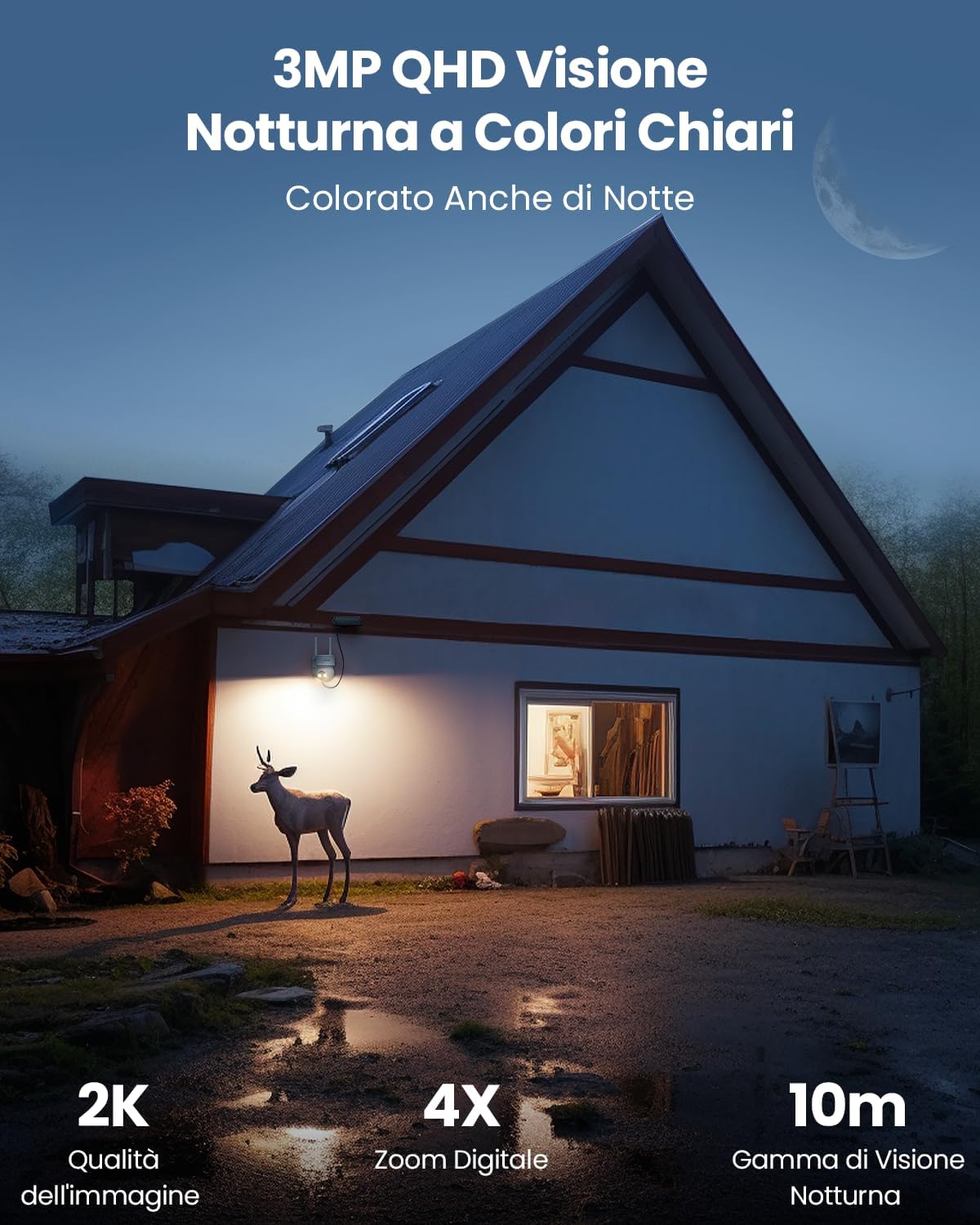
The camera supports both infrared night vision and full-color night vision. When motion is detected at night, the integrated spotlights can automatically activate to provide clear color images up to 10 meters. Spotlights can be manually turned off via the app.

6. Išmaniųjų namų integracija
The ieGeek camera is compatible with Amazon Alexa. Use voice commands to view jūsų kameros vaizdo transliaciją suderinamuose išmaniuosiuose ekranuose.
Example command: "Alexa, show me the Garage."

Priežiūra
1. Valymas
Reguliariai valykite kameros objektyvą ir saulės bateriją minkšta,amp cloth to ensure optimal performance. Avoid abrasive cleaners or solvents.
2. Baterijos valdymas
The camera is designed for continuous power with the solar panel. In areas with limited sunlight, monitor the battery level via the app and recharge using the USB cable if necessary.
3. Firmware atnaujinimai
Check the ieGeek Cam app periodically for firmware updates. Keeping your camera's firmware up-to-date ensures optimal performance and access to new features.
4. Atsparumas oro sąlygoms
The camera has an IP65 rating, making it resistant to dust and water jets. While designed for outdoor use, extreme weather conditions may temporarily affect performance. Ensure proper installation to prevent water ingress.

Trikčių šalinimas
| Problema | Galima priežastis | Sprendimas |
|---|---|---|
| Kamera neprisijungia prie „Wi-Fi“. | Incorrect Wi-Fi password, 5GHz network, weak signal, camera too far from router. |
|
| Prasta vaizdo kokybė | Dirty lens, low light conditions, weak Wi-Fi signal. |
|
| Judesio aptikimas neveikia arba per daug klaidingų aliarmų | Incorrect sensitivity settings, objects outside detection zone, environmental factors (e.g., swaying branches). |
|
| Baterija neįkraunama per saulės bateriją | Insufficient sunlight, dirty solar panel, faulty connection. |
|
Specifikacijos
| Prekės ženklas | ieGeek |
| Modelio numeris | DQ201 |
| Ryšio technologija | Belaidis ryšys (2.4 GHz „Wi-Fi“) |
| Rekomenduojami naudojimo būdai | Lauko apsauga, Vidaus apsauga |
| Naudojimas viduje / lauke | Lauke |
| Ypatingos savybės | WiFi, PTZ (Pan-Tilt-Zoom), Color Night Vision, PIR Motion Detection, Two-Way Audio, Siren |
| Suderinami įrenginiai | Smartphones (iOS/Android), Amazon Alexa |
| Montavimo tipas | Sieninis laikiklis |
| Spalva | Kremas |
| Formos faktorius | Kupolas |
| Medžiagos | Plastikiniai |
| Signalo tipas | Garsas ir šviesa |
| Šviesos šaltinio tipas | LED and Infrared |
| Efektyvi nejudančių vaizdų raiška | 3 MP (2K) |
| Tarptautinis apsaugos įvertinimas | IP65 |
| Maitinimo šaltinis | Saulės energija ir baterijos |
| Vattage | 10 vatų |
| Vaizdo įrašymo formatas | MP4 |
| Naktinio matymo diapazonas | 15 metrai |
| Naktinio matymo tipas | Spalvų naktis |
| Prekės matmenys | 14 x 10 x 12.5 cm |
| Vaizdo įrašymo raiška | 3 MP |
| Kadrų dažnis | 15 FPS |
| Viewing kampas | 130 laipsnių |
| Laukas View | 360 laipsnių (PTZ) |
| Priartinimo tipas | Skaitmeninis priartinimas |
| Mastelio santykis | 4X |
| Optinių jutiklių technologija | CMOS |
Garantija ir palaikymas
„ieGeek“ siūlo 1 metų garantija for this product. For any technical assistance, product inquiries, or warranty claims, please contact ieGeek customer support. They provide 24-hour online service (during business days).
You can find more information and contact details on the official ieGeek website or through the ieGeek Cam app.

Kontaktinė informacija: Refer to your product packaging or the ieGeek Cam app for the most up-to-date support contact methods.