
CORN AD-004
CORN suspausto oro šluostė ir mini klaviatūros dulkių siurblys 3 viename (modelis AD-004) Naudotojo vadovas
Your versatile cleaning solution for electronics, vehicles, and more.
1. Įvadas
The CORN Compressed Air Duster & Mini Vacuum Keyboard Cleaner 3-in-1, Model AD-004, is a portable and rechargeable device designed for comprehensive cleaning. It combines the functions of an air duster, a mini vacuum, and a hand pump, making it suitable for a wide range of applications from delicate electronics to car interiors and household items. This manual provides detailed instructions to ensure optimal performance and longevity of your device.

Figure 1: The CORN 3-in-1 cleaning device with its versatile attachments.

2 pav. Pvzamples of daily cleaning needs met by the device.
2. Kas įskaičiuota
Your CORN 3-in-1 cleaning kit comes with the following components:
- Main Device (Air Duster/Vacuum Body)
- Dust Collect Bin
- Ilgas plokščias siurbimo antgalis
- Mini šepetėlis
- Air Exhaust Nozzle
- Air Blowing Nozzle
- Įkrovimo linija (USB-C)
- Vartotojo vadovas
- HEPA Filter (2 included: one pre-installed, one spare)

3 pav.: Visi pakuotėje esantys komponentai.
3. Sąranka
3.1 Pradinis įkrovimas
Before first use, fully charge the device. Connect the provided USB-C charging cable to the charging port on the device and to a compatible USB power source. The device features a 4000 mAh lithium battery with a 10W fast-charging system, typically reaching full charge in approximately 3 hours.
3.2 Purkštukų pritvirtinimas
The device is designed for easy attachment and detachment of accessories. Depending on the desired function (blowing, vacuuming, or pumping), select the appropriate nozzle and attach it to the corresponding end of the device. For vacuuming, ensure the dust collect bin is securely attached to the intake side.

Figure 4: The main device and its various attachments for different cleaning tasks.
4. Naudojimo instrukcijos
4.1 Power On/Off & Speed Adjustment
- Norėdami įjungti: paspauskite ir 2 sekundes palaikykite nuspaudę maitinimo mygtuką.
- To adjust speed: Tap the power button to cycle through 3 different speed settings.
- To power off: Tap the power button after the highest speed setting, or press and hold the power button for 2 seconds.
4.2 Air Duster Mode
Attach the air blowing nozzle or the brush nozzle to the exhaust end of the device. Use this mode to effectively blow away dust, crumbs, and debris from surfaces like keyboards, computer components, car vents, and other hard-to-reach areas.

Figure 5: Utilizing the air duster function for various surfaces.
4.3 Mini Vacuum Mode
Attach the dust collect bin and your preferred vacuum nozzle (e.g., long flat suction nozzle, mini brush) to the intake side of the device. This mode is ideal for picking up small particles, dust, and hair from car seats, crevices, and other surfaces.
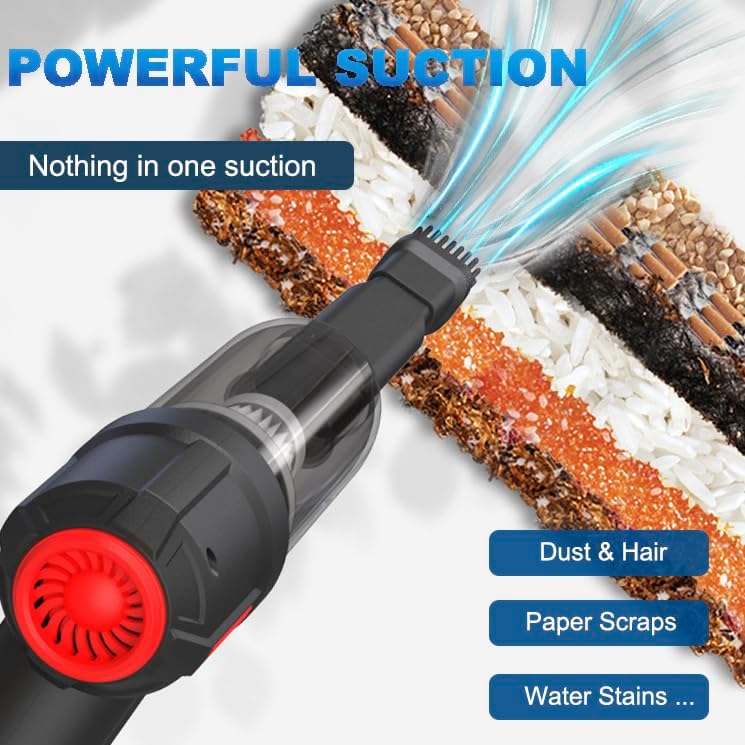
Figure 6: Demonstrating the powerful suction of the mini vacuum.
4.4 Hand Pump Mode
When connected to the vacuum slot, the device can function as a hand pump. This is useful for creating an air-tight seal in vacuum storage bags, making it convenient for travel or compact storage of items.
4.5 Usage Scenarios Video
Video 1: Official seller demonstration of the compressed air duster in various cleaning scenarios.
5. Priežiūra
5.1 HEPA filtro valymas
The device includes a reusable and washable HEPA filter. Regular cleaning is essential to maintain optimal suction effectiveness. To clean the filter:
- Detach the dust collect bin from the device.
- Remove the HEPA filter from the dust collect bin.
- Nuplaukite filtrą po tekančiu vandeniu, kol jis bus švarus.
- Allow the filter to air dry completely before reinserting it into the dust collect bin. Ensure it is fully dry to prevent damage to the device.
- Reattach the dust collect bin with the clean, dry filter to the device.

Figure 7: Cleaning the washable and reusable HEPA filter.
5.2 Emptying the Dust Collect Bin
Empty the dust collect bin regularly to prevent clogging and maintain suction power. Simply detach the bin and dispose of the collected debris.
6. Problemų sprendimas
- Įrenginys neįsijungia: Ensure the device is fully charged. Press and hold the power button for 2 seconds to activate.
- Low suction/blowing power:
- Patikrinkite akumuliatoriaus lygį; jei reikia, įkraukite.
- Clean the HEPA filter and empty the dust collect bin.
- Ensure all nozzles and the dust collect bin are securely attached.
- Verify the device is operating at the desired speed setting.
- Įrenginys neįkraunamas: Check the USB-C cable and power adapter for damage. Ensure the cable is properly inserted into both the device and the power source.
7. Specifikacijos
| Funkcija | Detalė |
|---|---|
| Prekės ženklas | KURŪZAI |
| Modelio pavadinimas | AD-004 |
| Ypatinga funkcija | Kompaktiškas, HEPA, lengvas, nešiojamas |
| Filtro tipas | HEPA filtras |
| Ar belaidis? | Taip |
| Vattage | 120 vatų |
| Variklio arklio galia | 120 vatų |
| Baterijos tipas | 2 built-in 2000 mAh lithium batteries (4000mAh total) |
| Įkrovimo laikas | 3 valandų |
| Baterijos veikimo laikas | Up to 30 minutes (at highest output) |
| Triukšmo lygis | 60 decibelų |
| Gaminio matmenys | 7.24 colio ilgio x 6.3 colių pločio x 2.36 colio aukščio |
| Prekės svoris | 15.8 uncijos |
| Siurbimo galia | 5.3Kpa |
| RPM | 38000 rp |
| Ryšio technologija | USB |
| Galios lygių skaičius | 3 |

Figure 8: Key performance specifications of the device.

Figure 9: Internal components and performance metrics.
8. Garantija ir palaikymas
For warranty information, technical support, or any inquiries regarding your CORN Compressed Air Duster & Mini Vacuum Keyboard Cleaner 3-in-1, please refer to the contact details provided on the product packaging or visit the official CORN websvetainę. Išsaugokite pirkimo čekį garantiniams reikalavimams.
Ask a question about this manual
Ask about setup, troubleshooting, compatibility, parts, safety, or missing instructions. Manuals+ will review the question and use this page’s manual context to help answer it.