
1. Įvadas
This manual provides detailed instructions for the operation and maintenance of your fojep K9 Pro Bone Conduction Headphones. Please read this manual thoroughly before using the product to ensure proper function and longevity.
The fojep K9 Pro is a versatile audio device featuring bone conduction technology, IP68 waterproofing, Bluetooth connectivity, and an integrated 32GB MP3 player. It is designed for various activities including swimming, running, cycling, and general fitness.
2. Produktas baigtasview
The fojep K9 Pro headphones utilize bone conduction to deliver sound, keeping your ears open to ambient sounds. They are designed for comfort and durability in various environments.

Image 2.1: fojep K9 Pro Bone Conduction Headphones. This image shows the headphones partially submerged in water, highlighting their waterproof design. The control buttons are visible on the left side.
2.1 Pagrindinės savybės
- Kaulų laidumo technologija: Delivers sound through cheekbones, leaving ear canals open.
- IP68 atsparumo vandeniui įvertinimas: Suitable for swimming and submersion up to two meters for two hours.
- Built-in 32GB MP3 Player: Store music directly on the device for use without a phone, especially useful for swimming.
- Bluetooth ryšys: Belaidis garso transliavimas iš suderinamų įrenginių.
- 7 valandų žaidimo laikas: Prailgintas baterijos veikimo laikas ilgesniam naudojimui.
- ENC Noise Canceling Microphone: Enhances call clarity by reducing ambient noise.
- Lengvas ir patogus dizainas: Ergonomic fit for extended wear during physical activities.
3. Sąranka ir pirmasis naudojimas
3.1 Pakuotės turinys
Patikrinkite, ar pakuotėje yra visi reikalingi daiktai:
- fojep K9 Pro Bone Conduction Headphones
- Įkrovimo kabelis
- Vartotojo vadovas (šis dokumentas)
- Ear Plugs (for use in noisy environments)
3.2 Ausinių įkrovimas
- Prijunkite įkrovimo laidą prie ausinių įkrovimo prievado.
- Kitą laido galą prijunkite prie USB maitinimo adapterio (nepridedamas) arba kompiuterio USB prievado.
- LED indikatorius rodys įkrovimo būseną. Visiškas įkrovimas paprastai trunka maždaug 2 valandos.
- Visiškai įkrovę atjunkite įkrovimo kabelį.
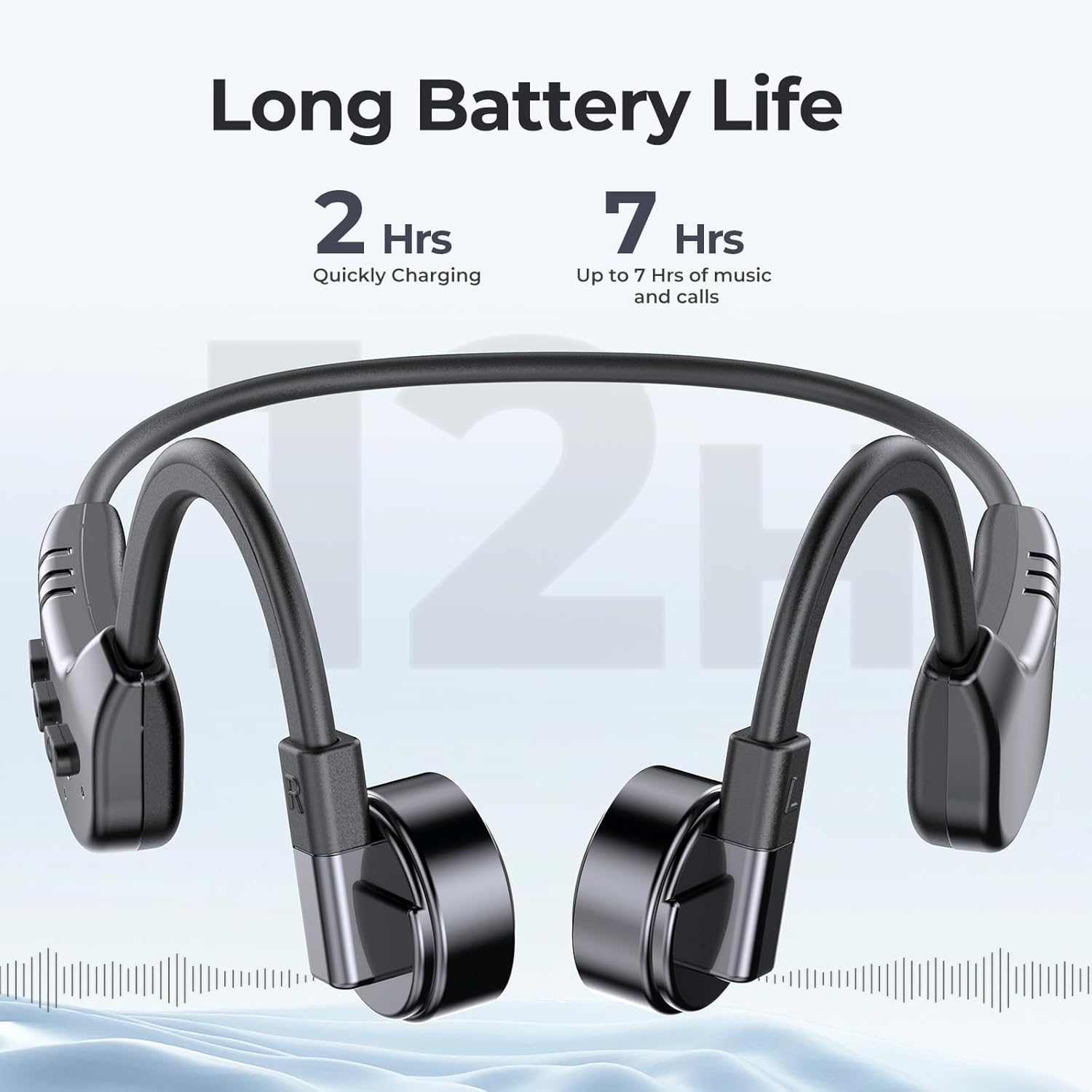
Image 3.1: fojep K9 Pro headphones with battery life indication. This image illustrates the headphones and highlights their quick charging time (2 hours) and extended playtime (7 hours).
3.3 Įjungimas / išjungimas
- Maitinimas: Paspauskite ir palaikykite maitinimo mygtuką, kol užsidegs LED indikatorius.
- Išjungti: Paspauskite ir palaikykite maitinimo mygtuką, kol užges LED indikatorius.
4. Naudojimo instrukcijos
4.1 Ausinių dėvėjimas
Place the headphones with the transducers resting on your cheekbones, just in front of your ears. The band should wrap around the back of your head.
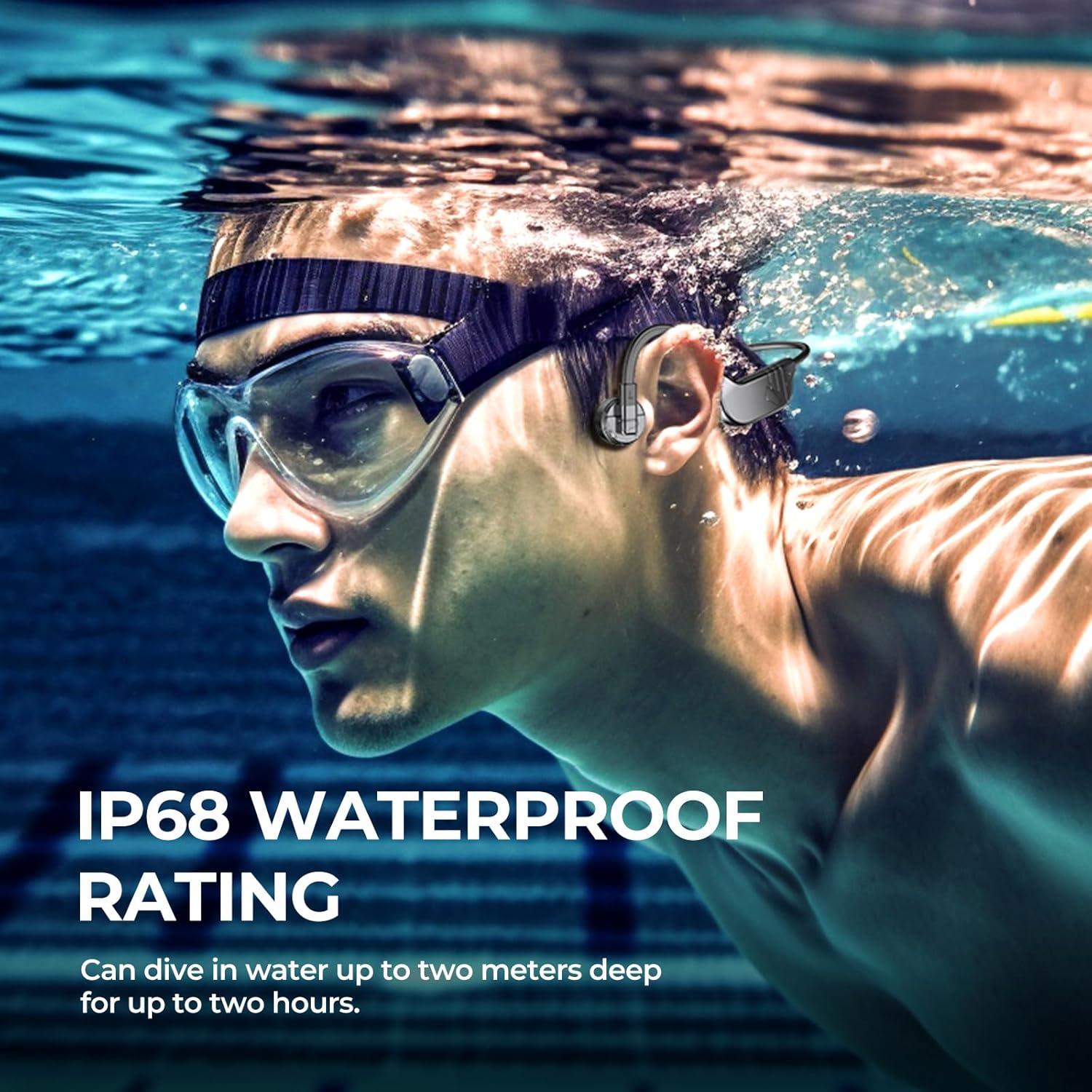
Image 4.1: User wearing fojep K9 Pro headphones during swimming. This image demonstrates the proper placement of the headphones on the head, with the transducers resting on the cheekbones, and highlights the IP68 waterproof rating.
4.2 „Bluetooth“ režimas
- Poravimas: With the headphones powered off, press and hold the Power button for approximately 5-7 seconds until the LED indicator flashes red and blue, indicating pairing mode.
- On your device (smartphone, tablet, etc.), enable Bluetooth and search for "fojep K9 Pro" (or similar name).
- Pasirinkite ausines, kurias norite prijungti. Prijungus, LED indikatorius ims šviesti mėlynai.
- Pastaba: Bluetooth signals may be affected underwater. For swimming, use MP3 mode.
4.3 MP3 Player Mode (Built-in 32GB Memory)
The headphones have a built-in 32GB memory for storing audio files, ideal for activities where Bluetooth connectivity is limited, such as swimming.
- Perkeliama Files: Connect the headphones to a computer using the charging cable. The headphones will appear as a removable drive.
- Nuvilkite garso įrašą files (e.g., MP3 format) into the headphones' storage folder.
- Safely eject the headphones from your computer.
- Perjungimo režimai: Refer to the control buttons section for switching between Bluetooth and MP3 modes.

Image 4.2: User enjoying music with fojep K9 Pro headphones, highlighting the 32GB internal storage. This image shows a woman wearing the headphones, emphasizing the convenience of storing music directly on the device.
4.4 Valdymo mygtukai
The headphones feature intuitive control buttons for managing playback, volume, and calls.
- Maitinimo mygtukas: Įjungimas / išjungimas, susiejimo režimo įjungimas.
- Garsumo padidinimas (+): Padidinti garsumą, kitas takelis (ilgas paspaudimas).
- Sumažinti garsumą (-): Sumažinti garsumą, ankstesnis takelis (ilgas paspaudimas).
- Multi-function Button (often integrated with Power or a dedicated button): Play/Pause, Answer/End Call, Switch between Bluetooth/MP3 mode (specific press sequence may vary, refer to quick start guide if provided separately).

Image 4.3: Close-up of fojep K9 Pro headphone control buttons. This image details the physical buttons on the headphone unit, including power, volume, and potentially a multi-function button.
4.5 Skambinimas ir skambučių priėmimas
Prijungus prie išmaniojo telefono per „Bluetooth“:
- Atsiliepti į skambutį: Vieną kartą paspauskite daugiafunkcį mygtuką.
- Baigti skambutį: Skambučio metu vieną kartą paspauskite daugiafunkcį mygtuką.
- Atmesti skambutį: Paspauskite ir 2 sekundes palaikykite daugiafunkcį mygtuką.
- Padėjėjas balsu: Double-press the Multi-function button (if supported by your device).
5. Priežiūra ir priežiūra
- Valymas: Nuvalykite ausines minkšta, damp audinys. Nenaudokite stiprių cheminių medžiagų ar abrazyvinių valiklių.
- Saugykla: Ausines laikykite vėsioje, sausoje vietoje, toliau nuo tiesioginių saulės spindulių ir ekstremalių temperatūrų.
- Vandens ekspozicija: While IP68 rated, it is recommended to rinse the headphones with fresh water after use in chlorinated or saltwater and allow them to dry completely before charging.
- Įkrovimo prievadas: Prieš prijungdami įkrovimo laidą, įsitikinkite, kad įkrovimo prievadas yra sausas, kad nepažeistumėte.
6. Problemų sprendimas
| Problema | Galimas sprendimas |
|---|---|
| Ausinės neįsijungia. | Įsitikinkite, kad ausinės yra visiškai įkrautos. Prijunkite prie maitinimo šaltinio ir patikrinkite įkrovimo indikatorių. |
| Nepavyksta susieti per „Bluetooth“. |
|
| Nėra garso arba garsas per mažas. |
|
| Bluetooth signal drops underwater. | This is expected behavior. Use the built-in MP3 player mode for underwater listening. |
| Cannot transfer MP3 files. |
|
7. Specifikacijos
| Funkcija | Detalė |
|---|---|
| Modelio pavadinimas | K9 Pro |
| Prekės ženklas | fojep |
| Ryšio technologija | Belaidis ryšys („Bluetooth“) |
| Belaidžio ryšio technologija | Bluetooth |
| Atsparumo vandeniui lygis | IP68 Atsparus vandeniui |
| Integruota atmintis | 32GB MP3 grotuvas |
| Baterijos veikimo laikas | Iki 7 valandų |
| Įkrovimo laikas | Maždaug 2 valandos |
| Kontrolės metodas | Palieskite, valdykite balsu |
| Mikrofono formatas | Built-In with ENC Noise Canceling |
| Ausų išdėstymas | Atidarykite ausį |
| Prekės svoris | 200 g |
| Medžiaga | Plastikiniai |
8. Garantija ir palaikymas
For warranty information and customer support, please refer to the product packaging or contact fojep customer service through their official websvetainėje arba mažmenininke, iš kurio įsigijote produktą. Išsaugokite pirkimo įrodymą, jei prireiktų pateikti garantinį prašymą.
Internetiniai ištekliai: For additional support, FAQs, and product updates, visit the official fojep websvetainę.
9. Saugos informacija
- Nebandykite ardyti ar modifikuoti ausinių.
- Avoid exposing the headphones to extreme temperatures or direct flame.
- Laikyti vaikams nepasiekiamoje vietoje.
- Naudokite tik patvirtintus įkrovimo laidus ir adapterius.
- Be aware of your surroundings when using the headphones, especially during outdoor activities, due to the open-ear design.