
USHINING T3105
USHINING 4G Senior Flip Phone User Manual
Modelis: T3105
Įvadas
Thank you for choosing the USHINING 4G Senior Flip Phone. This device is specifically designed for ease of use, featuring large buttons, clear sound, and a simple operating system, making it ideal for seniors. This manual provides comprehensive instructions to help you set up, operate, and maintain your new phone.
Pakuotės turinys
Pažymėkite langelį prie šių elementų:
- USHINING 4G Senior Cell Phone
- Įkrovimo dokas
- Long Lasting Battery (1000mAh)
- Vartotojo vadovas
- Charging Cord (Power Adapter)
- Speedtalk SIM Card (Included with some packages)
- Telefono dėklas
- SIM dėklo išstūmiklis
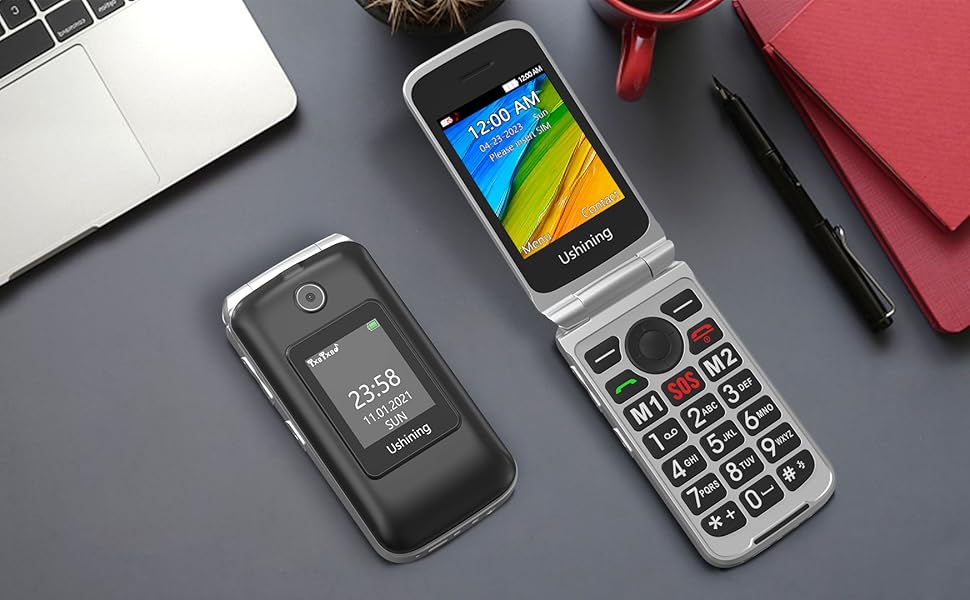
Image: All items included in the USHINING 4G Senior Flip Phone package.
Produktas baigtasview
The USHINING 4G Senior Flip Phone features a user-friendly design with essential functions for clear communication.

Vaizdas: priekis view of the USHINING 4G Senior Flip Phone, both open and in its charging dock.
Pagrindinės funkcijos:
- Dideli mygtukai: Easy to press and navigate.
- Aiškus garsas: High-definition loudspeakers for clear calls.
- Dvigubi ekranai: 2.8-inch inner screen and 1.77-inch external screen.
- SOS mygtukas: For emergency calls.
- Greitasis rinkimas: Quick access to important contacts.
- Žibintuvėlis: Built-in 30M powerful flashlight.
- FM radijas: External FM radio.
- Įkrovimo dokas: Convenient and easy charging.
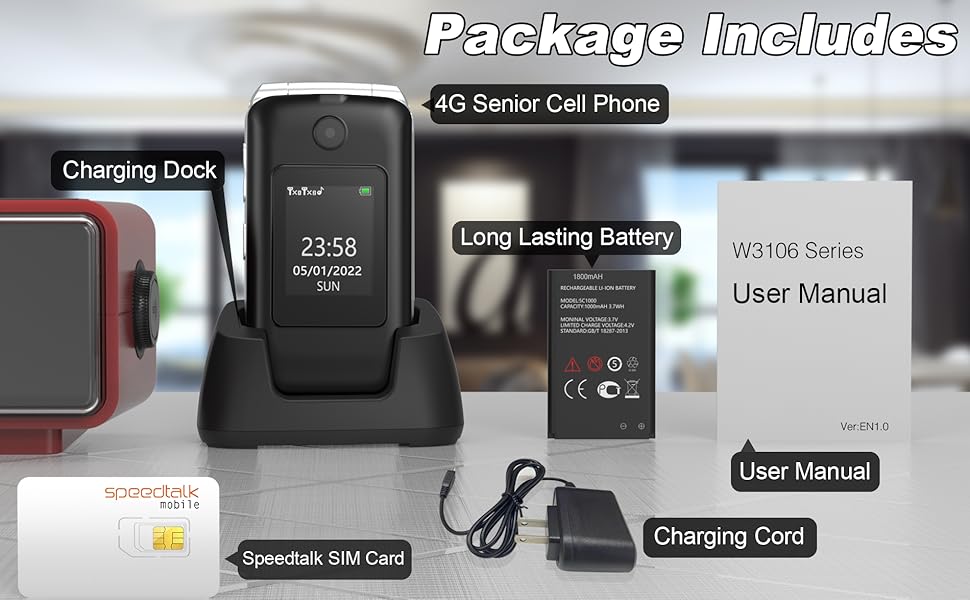
Image: Visual representation of the phone's main features.
Sąrankos vadovas
1. SIM kortelės ir baterijos įdėjimas
- Nuimkite galinį dangtelį: Švelniai atidarykite telefono galinį dangtelį.
- Įdėkite SIM kortelę (-es): Locate the SIM card slots. This phone supports dual SIM cards. Insert your 4G compatible SIM card(s) into the designated slots with the gold contacts facing down. Ensure the SIM card is correctly oriented as indicated by the diagram near the slot.
- Įdėkite bateriją: Įdėkite bateriją į baterijos skyrių, sulygiuodami auksinius baterijos kontaktus su telefono kontaktais.
- Pakeiskite galinį dangtelį: Securely snap the back cover into place.

Vaizdas: vidinis view of the phone showing SIM card and battery placement. IMEI numbers: 359031100341173, 359031100351057.
2. Telefono įkrovimas
Before first use, fully charge the phone battery. The phone can be charged using the included charging dock or directly via the charging cable.
- Įkrovimo stotelės naudojimas: Connect the charging cord to the charging dock and plug the adapter into a power outlet. Place the phone into the charging dock, ensuring it sits securely. The phone will indicate charging.
- Tiesioginis įkrovimas: Connect the charging cord directly to the phone's charging port and plug the adapter into a power outlet.
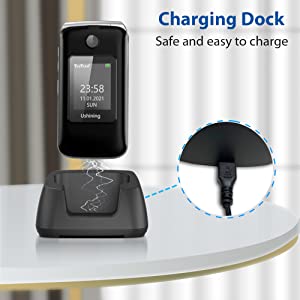
Image: Illustration of the phone being charged using the convenient charging dock.
Naudojimo instrukcijos
Maitinimo įjungimas/išjungimas
- Maitinimas: Paspauskite ir palaikykite maitinimo / skambučio baigimo mygtuką (raudoną mygtuką), kol ekranas užsidegs.
- Išjungti: Paspauskite ir palaikykite maitinimo / skambučio baigimo mygtuką, kol pasirodys išjungimo parinktys, tada pasirinkite „Išjungti“.
Skambinimas ir skambučių priėmimas
- Skambinimas: Surinkite numerį naudodami klaviatūrą ir paspauskite skambinimo mygtuką (žalias mygtukas).
- Skambučio priėmimas: When the phone rings, press the Call button (green button) to answer. To end a call, press the Power/End Call button (red button).
SOS avarinis mygtukas
The SOS button on the rear cover is designed for emergencies. You can preset up to 5 emergency contacts.
- SOS kontaktų nustatymas: Navigate to the SOS settings in the phone's menu to add or edit emergency numbers.
- SOS aktyvinimas: In an emergency, press and hold the SOS button for a few seconds. The phone will automatically dial the preset emergency contacts one by one until a connection is made. It will also send an emergency SMS message to these contacts.
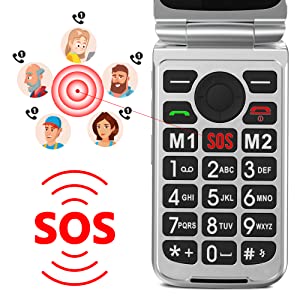
Image: Illustration of the SOS emergency call function and its reach to pre-set contacts.
Greitasis rinkimas
Assign frequently called numbers to speed dial keys (2-9) for quick access.
- Greitojo rinkimo nustatymas: Go to Phonebook or Settings, find Speed Dial options, and assign contacts to numbers 2-9.
- Naudojant greitąjį rinkimą: Press and hold the assigned number key to dial the contact.
Žibintuvėlis
To activate the built-in flashlight, locate the dedicated flashlight button on the side of the phone or access it through the menu.
FM radijas
The phone features an external FM radio. Access it through the main menu. Headphones may be required for optimal reception.
Tinklo suderinamumas
This USHINING 4G Senior Flip Phone is designed to work with specific 4G LTE networks. Please ensure your carrier is compatible before use.
- Compatible Carriers (using T-Mobile service): T-Mobile (Prepaid Plan), MetroPCS, Tello Mobile, Ultra Mobile, SpeedTalk, Simple Mobile, Mint Mobile, Red Pocket (GSMT).
- NESUDERINAMAS su: CDMA Carriers (Verizon, Sprint, Boost, PagePlus) or AT&T.
Image: Visual guide to compatible and incompatible network carriers.
Priežiūra
Akumuliatoriaus priežiūra
- Venkite itin aukštos ar žemos temperatūros, nes tai gali sutrumpinti akumuliatoriaus veikimo laiką.
- Nepalikite telefono ilgą laiką neįkrauto.
- Use only the original or certified compatible charger and battery.
Valymas
- Wipe the phone with a soft, dry cloth.
- Nenaudokite stiprių chemikalų ar abrazyvinių valiklių.
- Laikykite įkrovimo prievadą švarų nuo dulkių ir šiukšlių.
Trikčių šalinimas
| Problema | Galima priežastis | Sprendimas |
|---|---|---|
| Telefonas neįsijungia. | Baterija išsikrovusi arba netinkamai įdėta. | Charge the phone for at least 30 minutes. Ensure the battery is properly seated. |
| No network signal / "Emergency calls only". | SIM card not inserted correctly, incompatible carrier, or incorrect APN settings. |
|
| Negirdžiu skambinančiojo / Skambinantysis negirdi manęs. | Per mažas garsumas, užblokuotas mikrofonas arba tinklo problema. | Adjust call volume. Ensure microphone is not covered. Try moving to an area with better network coverage. |
| Telefonas užstringa arba nereaguoja. | Laikinas programinės įrangos triktis. | Išimkite ir vėl įdėkite bateriją, kad atliktumėte griežtą atstatymą. |
Specifikacijos
| Modelio pavadinimas | USHINING 4G Senior Flip Phone |
| Prekės modelio numeris | T3105 |
| Gaminio matmenys | 4.09 x 2.11 x 0.83 colio |
| Prekės svoris | 9.1 uncijos |
| Baterijos talpa | 1000 mAh ličio jonų akumuliatorius (pridedamas) |
| Pokalbių laikas | 5-6 valandas |
| Budėjimo laikas | Over 100 hours (4 days) |
| Vidinis ekrano dydis | 2.8 colių |
| Išorinio ekrano dydis | 1.77 colių |
| Rezoliucija | 240 x 320 |
| RAM | 64 MB |
| Atminties talpa | 128 MB |
| Korinio ryšio technologija | 4G LTE |
| Belaidis ryšys | „Bluetooth“, mobilusis ryšys |
| Garso lizdas | 3.5 mm |
| Formos faktorius | Apversti |
| Spalva | Juoda |
| Gamintojas | USHINING |
Garantija ir palaikymas
For warranty information and technical support, please refer to the warranty card included in your package or contact USHINING customer service. Keep your purchase receipt as proof of purchase.
For further assistance, please visit the official USHINING website or contact their support channels as provided in your product documentation.
Ask a question about this manual
Ask about setup, troubleshooting, compatibility, parts, safety, or missing instructions. Manuals+ will review the question and use this page’s manual context to help answer it.