
Įvadas
This manual provides detailed instructions for the Septpenta 8-in-1 Digital Altimeter. This device is designed for outdoor enthusiasts, offering multiple functions including altimeter, compass, thermometer, barometer, clock, and weather forecast. Please read this manual thoroughly before using the product to ensure proper operation and to maximize its utility.
Pakuotės turinys
- 1 x Digital Altimeter Unit
- 1 x dirželis
- 1 x Vartotojo vadovas
Sąranka
1. Akumuliatoriaus įdėjimas
The device requires one CR2032 button battery (not included). To install the battery:
- Locate the battery compartment on the back of the altimeter.
- Use a small coin or screwdriver to turn the battery cover counter-clockwise to unlock it.
- Insert one CR2032 battery with the positive (+) side facing upwards.
- Replace the battery cover and turn it clockwise to secure.

Vaizdas: Galinis view of the altimeter, highlighting the battery compartment. The compartment is a circular cover that can be opened with a coin.
2. Virvelės tvirtinimas
Attach the provided lanyard to the designated loop at the upper left end of the altimeter. This enhances portability during outdoor activities.
Vaizdas: The digital altimeter shown with the black lanyard attached to its upper left side, demonstrating how to carry the device.
Naudojimo instrukcijos
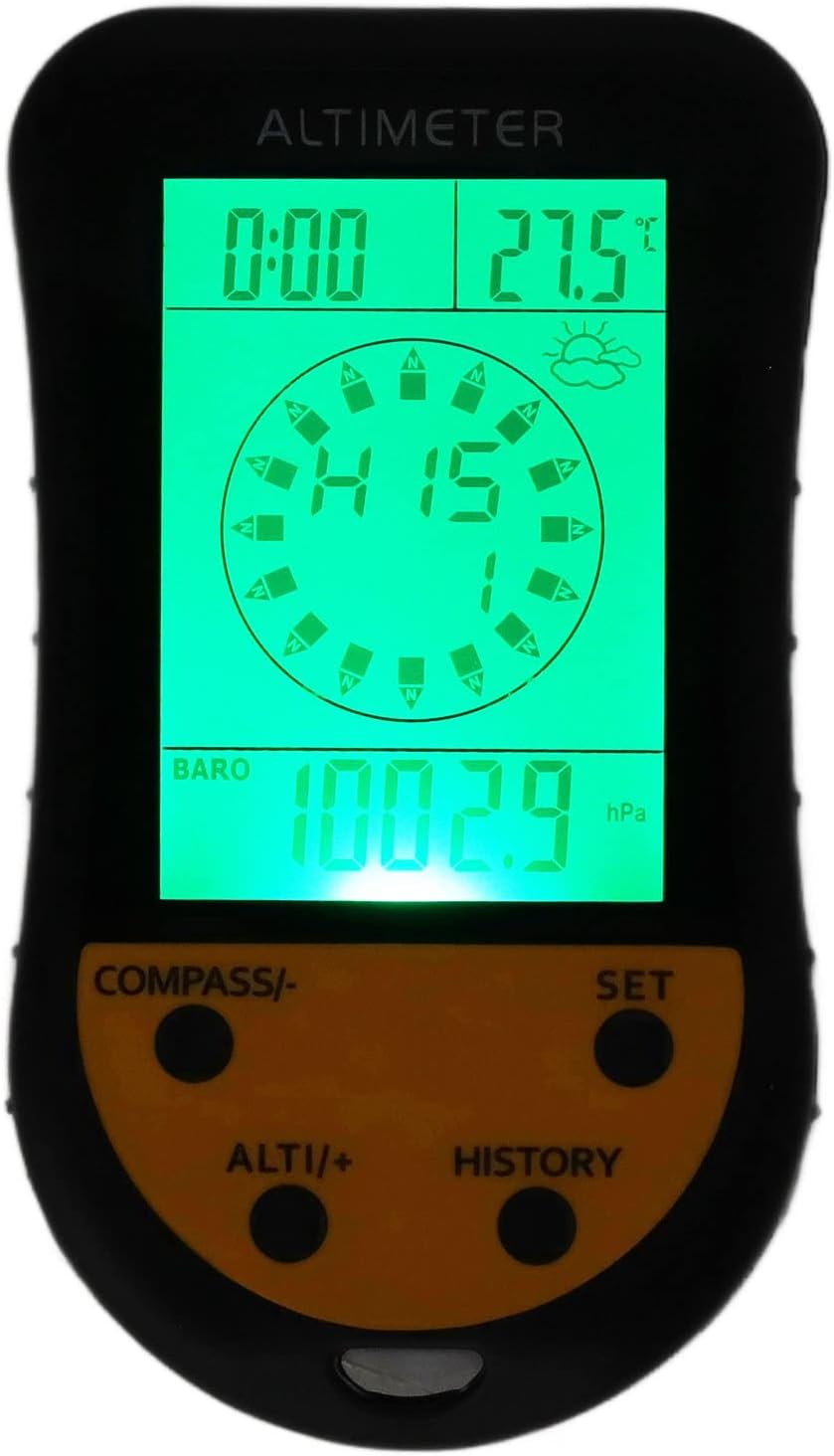
The Septpenta 8-in-1 Digital Altimeter features a clear LCD display and four control buttons:
- COMPASS/-: Activates compass mode; used to decrease values in settings.
- NUSTATYTI: Enters settings menu; confirms selections.
- ALTI/+: Activates altimeter mode; used to increase values in settings.
- ISTORIJA: Accesses historical data records.

Vaizdas: A close-up of the altimeter's front face, showing the digital display with time, temperature, compass, and barometric pressure, along with the four control buttons at the bottom.
Basic Functions and Modes
The device displays full-screen digital readings for:
- Azimuth/Direction: Indicates current heading.
- Laikrodis: Rodo dabartinį laiką.
- Temperatūra: Shows ambient temperature.
- Orų prognozė: Provides a basic weather prediction.
- Aukštis virš jūros lygio: Measures current elevation.
- Barometrinis slėgis: Displays atmospheric pressure.
To switch between different display modes or access settings, use the NUSTATYTI mygtuką. Naudokite COMPASS/- ir ALTI/+ to navigate options or adjust values within settings.
Foninio apšvietimo funkcija
The device features a super bright backlight, ensuring clear readability of the LCD display in various lighting conditions, including low light environments.

Vaizdas: The altimeter displayed against a snowy mountain backdrop with a skier, illustrating its use in outdoor sports and the visibility of its screen.

Vaizdas: The altimeter shown with a scenic outdoor view and cyclists in the background, demonstrating its application for activities like cycling and hiking.
Priežiūra
Valymas
Wipe the device with a soft, dry cloth. Do not use abrasive cleaners or solvents, as these may damage the ABS material or the display.
Baterijos keitimas
When the display dims or the device stops functioning, replace the CR2032 battery following the installation steps outlined in the Setup section.
Sandėliavimas
Store the altimeter in a cool, dry place away from direct sunlight and extreme temperatures. If storing for extended periods, it is recommended to remove the battery to prevent leakage.
Trikčių šalinimas
- Įrenginys neįsijungia:
Ensure the CR2032 battery is correctly installed with the positive (+) side up. Replace the battery if it is depleted. - Inaccurate readings (Altitude/Temperature/Pressure):
Environmental factors can affect sensor readings. Ensure the device is not exposed to direct heat sources or extreme cold when taking temperature readings. For altitude, calibrate the altimeter if possible (refer to advanced settings if available). Barometric pressure changes with weather, affecting altitude readings. - Ekranas blyškus arba mirga:
Gali būti, kad baterija išsikrovė. Pakeiskite CR2032 bateriją. - Mygtukai nereaguoja:
Check for any debris obstructing the buttons. If the issue persists after a battery replacement, contact customer support.
Specifikacijos
| Prekės tipas | Skaitmeninis aukštimatis |
| Medžiaga | ABS |
| Baterija | 1 x CR2032 button battery (not included) |
| Funkcijos | Altimeter, Azimuth, Direction, Clock, Temperature, Weather Forecast, Barometer |
| Ekranas | Full screen digital display with backlight |
| Gamintojas | Septpenta |
| ASIN | B0C71CNJCB |
Garantija ir palaikymas
This product is covered by a standard manufacturer's warranty. For specific warranty details, please refer to the documentation included with your purchase or contact Septpenta customer support.
For technical support, troubleshooting assistance, or inquiries regarding your Septpenta 8-in-1 Digital Altimeter, please visit the official Septpenta store or contact their customer service department. Contact information can typically be found on the product packaging or the brand's official websvetainę.
Septpenta Store Link: Septpenta Official Store