
secucore 2K HD WiFi Outdoor Security Camera (ASIN: B0C8LRWYD1)
secucore 2K HD WiFi Outdoor Security Camera User Manual
Model: 2K HD WiFi Outdoor Security Camera (ASIN: B0C8LRWYD1)
1. Įvadas
Thank you for choosing the secucore 2K HD WiFi Outdoor Security Camera. This manual provides detailed instructions for the installation, operation, and maintenance of your new security camera. Please read this manual thoroughly before use to ensure proper functionality and to maximize the benefits of your device.
This camera is designed for both indoor and outdoor use, offering high-definition 2K resolution, motion detection, two-way audio, and various recording options to enhance your security.
2. Pagrindinės savybės
- 2K HD Resolution (4 Megapixels): Pateikiamas aiškus ir išsamus vaizdo įrašastage.
- Pakreipimo ir pasukimo funkcija: Allows horizontal and vertical movement for wide area coverage.
- 2.4 GHz WiFi Connectivity: Ensures stable wireless connection to your network.
- Judesio aptikimas: Įspėja apie aptiktą judesį kameros matymo lauke view.
- Spalvotas naktinis matymas: Equipped with IR and white LEDs for clear, full-color surveillance even in low-light conditions.
- Dvipusis garsas: Built-in microphone and speaker enable real-time communication.
- Automatic Human Tracking: The camera can automatically follow detected human figures.
- Programmed Patrols: Set specific routes for the camera to automatically monitor large areas.
- Kelios saugojimo parinktys: Supports cloud storage and local recording via Micro SD card.
- Nuotolinis stebėjimas: Prieiga gyvai view and recordings from your smartphone, tablet, or PC.
3. Pakuotės turinys
Patikrinkite pakuotę, ar joje yra šie daiktai:
- secucore 2K HD WiFi Outdoor Security Camera
- Maitinimo adapteris
- Tvirtinimo varžtai ir sieniniai kaiščiai
- Montavimo šablonas
- Vartotojo vadovas
Note: Micro SD card is not included and must be purchased separately if local storage is desired.
4. Sąrankos vadovas
4.1 Fizinis įrengimas
Pasirinkite tinkamą vietą kamerai, užtikrindami, kad ji būtų skaidri view of the area you wish to monitor and is within range of your 2.4 GHz WiFi network. The camera can be mounted on a wall or ceiling.
- Naudokite pateiktą tvirtinimo šabloną, kad pažymėtumėte gręžimo skyles norimame paviršiuje.
- Gręžkite skyles ir įkiškite sieninius kaiščius.
- Secure the camera's mounting bracket to the surface using the screws.
- Pritvirtinkite fotoaparatą prie tvirtinimo laikiklio.

Image: The secucore 2K HD WiFi Outdoor Security Camera, showing its design and mounting capabilities.
4.2 Maitinimo jungtis
Prijunkite maitinimo adapterį prie kameros maitinimo įvesties prievado, o tada įjunkite jį į standartinį elektros lizdą. Kamera įsijungs ir pradės paleidimo seką.
4.3 „Micro SD“ kortelės įdėjimas (neprivaloma)
If you plan to use local storage, insert a Class 10 or higher Micro SD card (up to 128GB, not included) into the designated slot on the camera. Ensure the camera is powered off before inserting or removing the SD card.

Image: Icons representing cloud storage and Micro SD card storage options for the camera.
4.4 App Download and Network Configuration
- Download the official secucore app from your smartphone's app store (iOS or Android).
- Registruokite naują paskyrą arba prisijunkite, jei jau turite.
- Follow the in-app instructions to add your camera. This typically involves scanning a QR code on the camera or connecting to its temporary WiFi hotspot.
- Ensure your smartphone is connected to a 2.4 GHz WiFi network during the setup process. The camera does not support 5 GHz WiFi.
5. Kameros valdymas
5.1 Tiesiogiai View ir Atkūrimas
Once connected, open the secucore app to access the live video feed from your camera. You can view realaus laiko footage and playback recorded events from your Micro SD card or cloud storage.

Image: Demonstrates remote monitoring of multiple camera feeds via laptop and smartphone applications.
5.2 Dvipusis garsas
The camera features a built-in microphone and speaker, allowing you to listen to the camera's surroundings and speak through the camera using the app. This is useful for communicating with visitors or deterring intruders.

Image: Illustrates the two-way audio feature, showing a person communicating through the camera.
5.3 Pasukimo, pakreipimo ir priartinimo (PTZ) valdymas
Norėdami nuotoliniu būdu reguliuoti kameros nustatymus, naudokite programėlės valdiklius. viewing angle. Pan (horizontal rotation) and Tilt (vertical rotation) allow you to cover a wide area. Digital zoom is also available.

Image: Shows the camera's ability to pan and tilt, indicated by red arrows.
5.4 Judesio aptikimas ir įspėjimai
Configure motion detection sensitivity and areas within the app. When motion is detected, the camera will record footage and send instant alerts to your smartphone.
5.5 Naktinio matymo režimai
The camera automatically switches to night vision in low-light conditions. It features both infrared (IR) LEDs for standard black-and-white night vision and powerful white LEDs for full-color night vision, which can also serve as a deterrent.

Image: Depicts the camera's color night vision capability, illuminating a scene at night.
5.6 Automatic Human Tracking
Enable this feature in the app, and the camera will automatically detect and follow human figures moving within its field of view, ensuring continuous surveillance of potential threats.
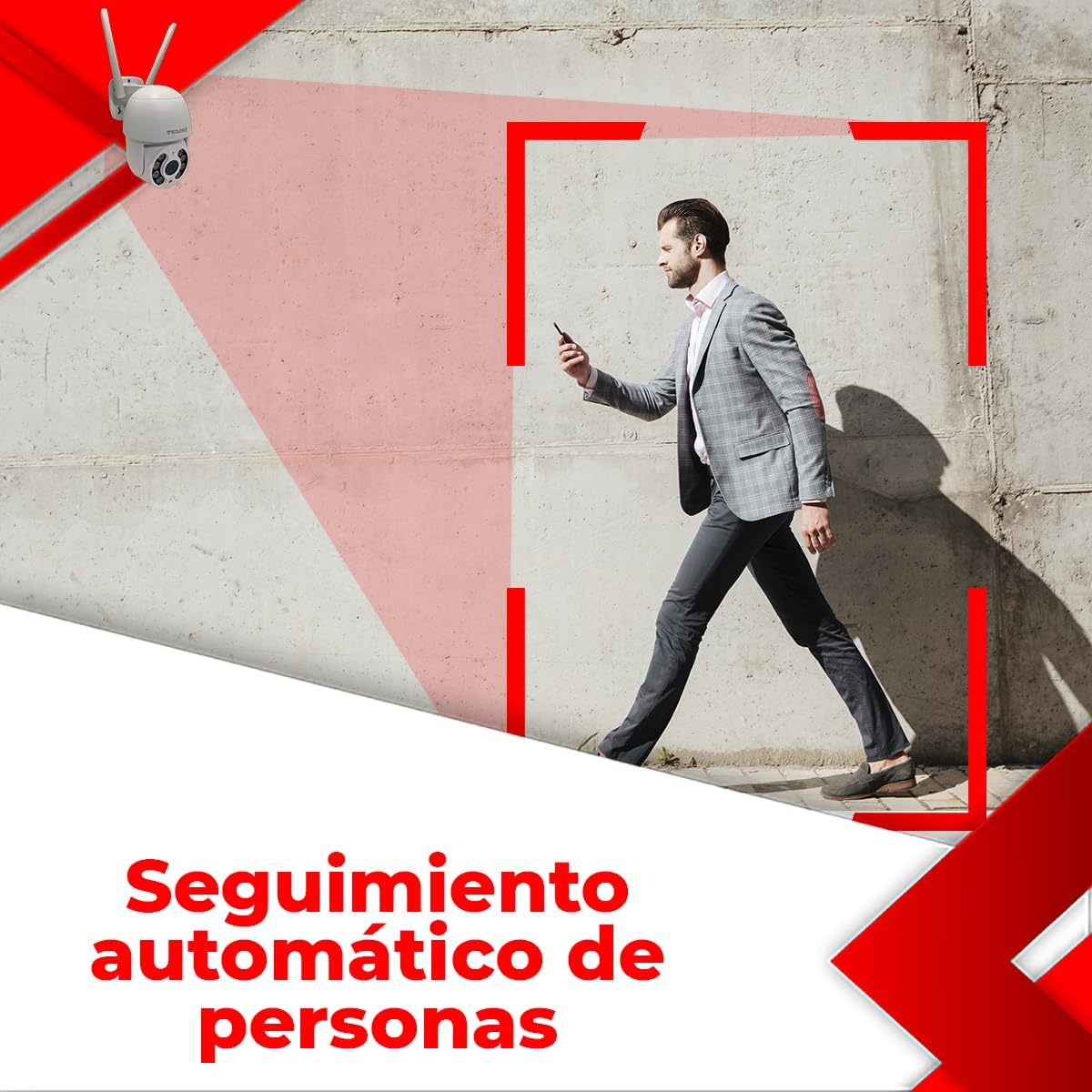
Image: Illustrates the automatic human tracking feature, showing the camera's focus on a moving person.
5.7 Programmed Patrols
Set up specific patrol routes for the camera to automatically scan predefined areas. This is ideal for monitoring large properties or multiple points of interest.

Image: Demonstrates programmed patrol routes, indicating how the camera can cover large areas automatically.
6. Priežiūra
6.1 Valymas
Reguliariai valykite kameros objektyvą minkštu, sausu skudurėliu, kad užtikrintumėte ryškią vaizdo kokybę. Nenaudokite stiprių cheminių medžiagų ar abrazyvinių medžiagų.
6.2 Firmware atnaujinimai
Periodiškai tikrinkite programėlę, ar nėra programinės įrangos atnaujinimų. Nuolat atnaujinant fotoaparato programinę įrangą užtikrinamas optimalus veikimas, saugumas ir prieiga prie naujų funkcijų.
6.3 Saugojimo valdymas
If using a Micro SD card, regularly back up important footage and format the card periodically to maintain performance. For cloud storage, manage your subscription and storage space through the app.
7. Problemų sprendimas
If you encounter issues with your camera, please refer to the following table for common problems and solutions:
| Problema | Galima priežastis | Sprendimas |
|---|---|---|
| Camera offline / Cannot connect to WiFi | Incorrect WiFi password; Camera too far from router; 5 GHz WiFi network used; Router issues. | Ensure correct 2.4 GHz WiFi password. Move camera closer to router. Restart router. Re-add camera in the app. |
| Prasta vaizdo kokybė | Nešvarus objektyvas; nepakankamas apšvietimas; tinklo pralaidumo problemos. | Clean the camera lens. Ensure adequate lighting or enable color night vision. Check network speed. |
| Recording errors / Cannot view įrašų | Faulty or incompatible Micro SD card; SD card full; Cloud storage issues. | Ensure Micro SD card is Class 10 or higher and formatted correctly. Check if SD card is full and delete old footage or replace. Verify cloud subscription status. |
| Neveikia dvipusis garsas | Microphone/speaker blocked; App permissions; Volume settings. | Ensure nothing is obstructing the microphone or speaker. Check app permissions for microphone access. Adjust volume settings in the app. |
| Judesio aptikimas nesuveikia | Sensitivity too low; Detection area not set; Environmental factors. | Increase motion detection sensitivity. Define detection zones in the app. Avoid placing camera where trees or shadows cause false alarms. |
If the problem persists after trying these solutions, please contact secucore technical support.
8. Techninės specifikacijos
| Funkcija | Specifikacija |
|---|---|
| Rezoliucija | 2 tūkst. (4 megapikselių) |
| Ryšys | 2.4 GHz „WiFi“ |
| Maitinimo šaltinis | Wired Electric Cable |
| Medžiaga | Plastikiniai |
| Matmenys (I x P x A) | 19 x 19 x 12 cm (7.5" x 7.9" x 4.8") |
| Svoris | 500 g |
| Ypatingos savybės | Two-Way Audio, Motion Detection, Color Night Vision, Automatic Tracking |
| Saugojimo parinktys | Debesijos saugykla, „Micro SD“ kortelė (iki 128 GB) |
| Naudojimo aplinka | Lauke |
| Montavimo tipas | Sieninis laikiklis |
9. Garantija ir palaikymas
This secucore product comes with a warranty and technical support provided directly by the brand in Mexico. For any warranty claims, technical assistance, or product inquiries, please contact secucore Mexico support. Refer to the product packaging or the official secucore websvetainė, kurioje rasite naujausią kontaktinę informaciją.
We are committed to providing excellent customer service and support for your secucore security camera.
Ask a question about this manual
Ask about setup, troubleshooting, compatibility, parts, safety, or missing instructions. Manuals+ will review the question and use this page’s manual context to help answer it.