
Įvadas
This manual provides comprehensive instructions for the safe operation, setup, and maintenance of your DEERC D33 Mini Drone. Please read this manual thoroughly before operating the drone to ensure proper function and to prevent damage or injury. The DEERC D33 is designed for indoor use and features ultra-bright LED lights, multiple flight modes, and user-friendly controls, making it suitable for beginners and children.
Saugos informacija
Operating the DEERC D33 Mini Drone requires adherence to safety guidelines to prevent accidents and ensure longevity of the product. Always prioritize safety during flight.
- Amžiaus rekomendacija: This drone is suitable for users aged 8 and above. Adult supervision is recommended for younger users.
- Naudoti tik patalpose: The DEERC D33 is designed for indoor environments. Avoid flying outdoors where wind or other elements can affect control.
- Švarus skrydžio maršrutas: Ensure the flight area is clear of obstacles, people, and pets. Maintain a safe distance from walls, furniture, and ceilings.
- Propelerio sauga: Keep fingers, hair, and loose clothing away from the spinning propellers. The drone features propeller guards for added safety.
- Baterijos sauga:
- Use only the provided USB charging cable and original batteries.
- Neperkraukite ir nesujunkite baterijų trumpai.
- Nelaikykite baterijų nuo ekstremalių temperatūrų arba tiesioginių saulės spindulių.
- Jei baterijos išsipučia arba atsiranda pažeidimo požymių, nedelsdami nutraukite jų naudojimą.
- Avarinis sustojimas: Familiarize yourself with the one-key emergency stop function to quickly halt the drone in case of an unexpected situation.
- Vanduo ir drėgmė: Keep the drone and remote control away from water and moisture to prevent damage to electronic components.
For detailed safety information, please refer to the "Safety Information (PDF)" document available for download from the product's Amazon page.
Kas yra dėžutėje
Upon opening the package, verify that all components listed below are present and in good condition.
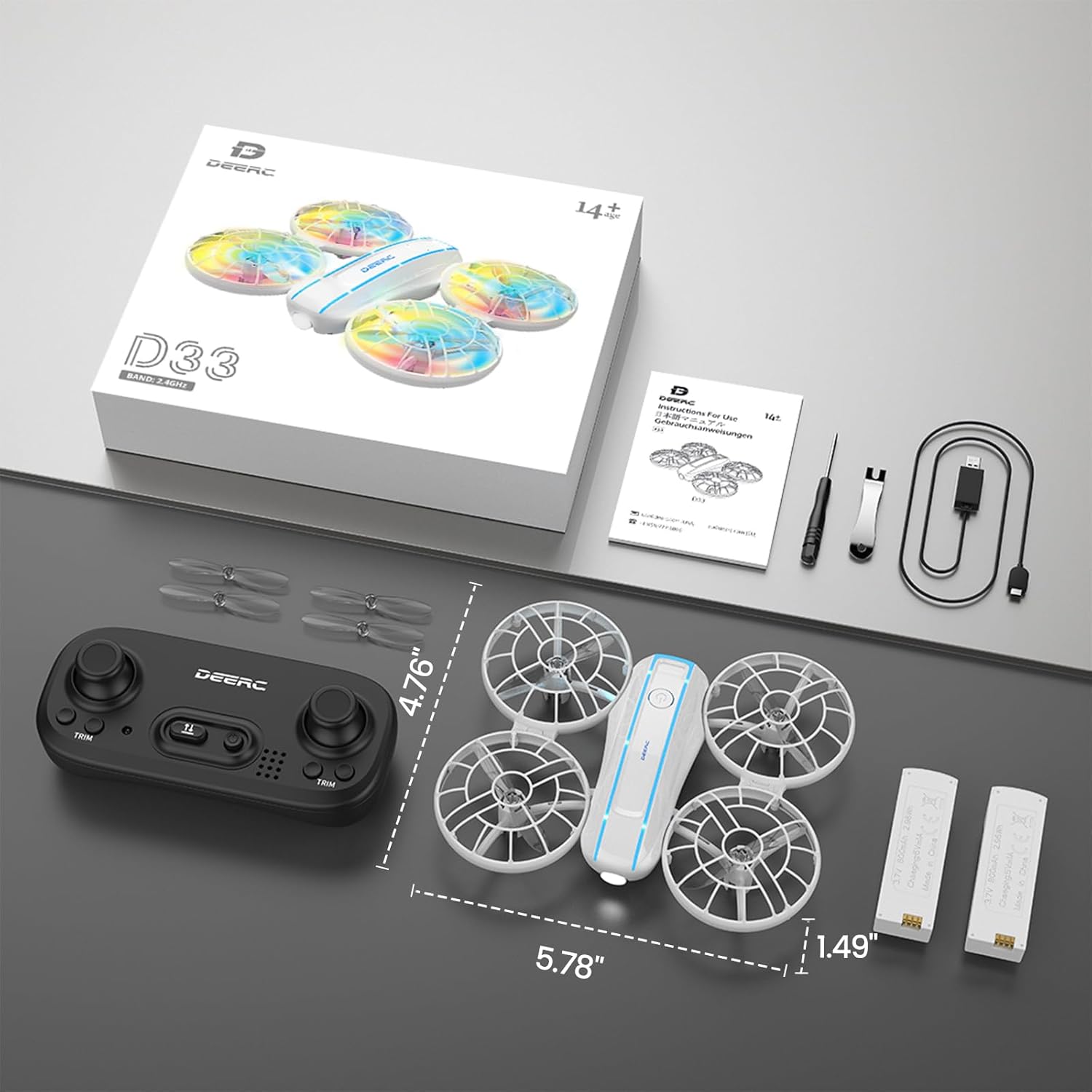
This image displays the complete contents of the DEERC D33 Mini Drone package. It includes the white DEERC D33 drone with colorful LED propellers, a black remote control, two white drone batteries, a black USB charging cable, and a set of spare propellers. The packaging box is also visible in the background, indicating the product's dimensions.
- DEERC D33 Mini Drone x 1
- Remote Control (Transmitter) x 1
- Drono baterijos x 2
- USB įkrovimo laidas x 1
- Spare Propellers x 1 set
- Vartotojo vadovas (šis dokumentas)
Sąrankos vadovas
1. Charging the Drone Batteries
Before first use, fully charge both drone batteries. Each battery provides approximately 8 minutes of flight time, for a total of up to 16 minutes with both batteries.
- Connect the USB charging cable to a USB power adapter (5V/1A recommended, not included) or a computer USB port.
- Connect the other end of the USB charging cable to the drone battery.
- The indicator light on the USB cable will turn red during charging and turn off when charging is complete.
- Įkrovimo laikas yra maždaug 60–80 minučių vienai baterijai.
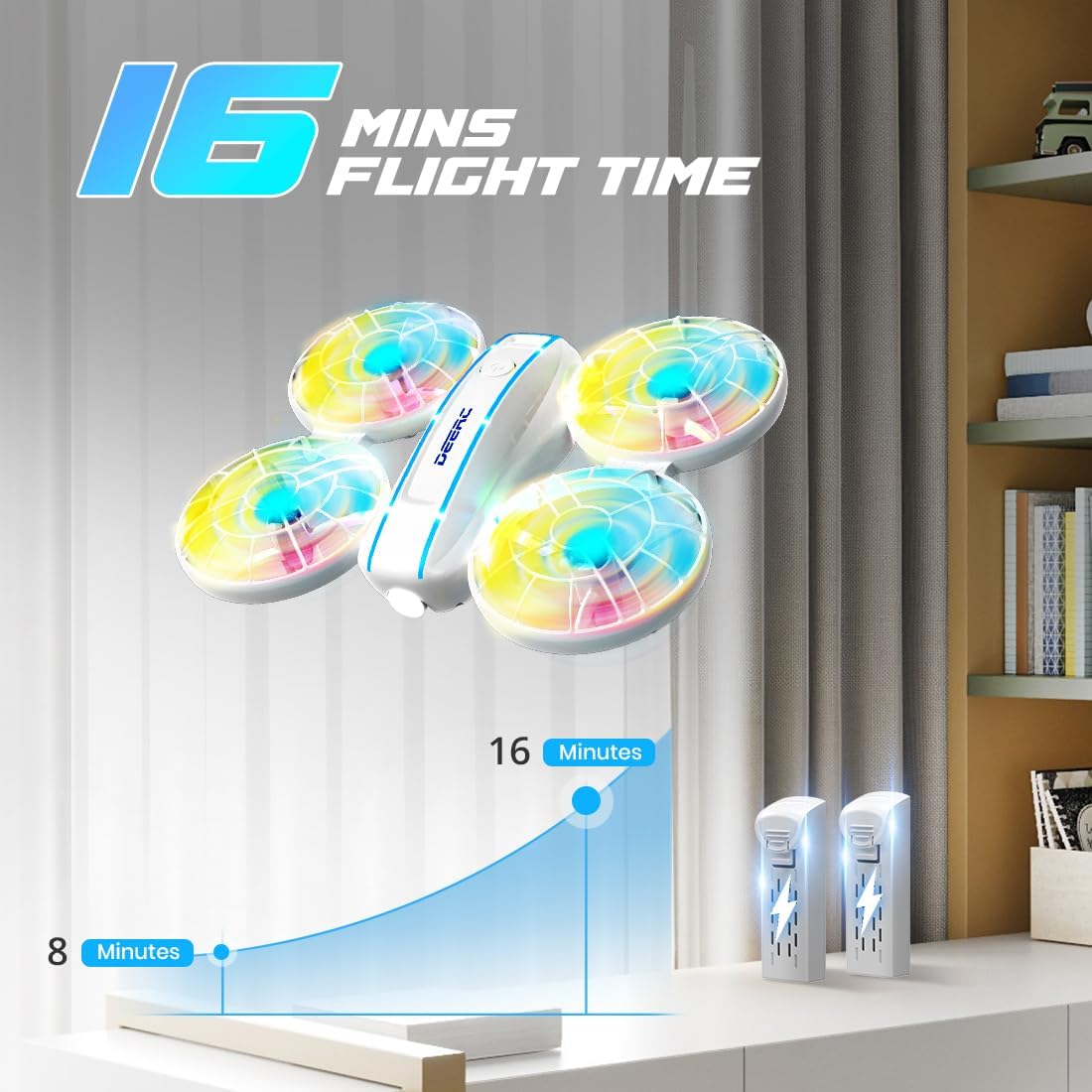
This image highlights the extended flight time capability of the DEERC D33 Mini Drone, showing the drone alongside two batteries. A graph indicates that each battery provides 8 minutes of flight, totaling 16 minutes with both. This emphasizes the convenience of having spare batteries for longer play sessions.
2. Installing Drone Batteries
- Įsitikinkite, kad dronas yra išjungtas.
- Carefully insert a charged battery into the battery compartment on the drone until it clicks into place.
- To remove, press the release tab (if present) and gently pull the battery out.
3. Nuotolinio valdymo pulto baterijų įdėjimas
Nuotolinio valdymo pultui reikalingos 3 AAA baterijos (į komplektą neįeina).
- Atidarykite baterijų skyrių, esantį nuotolinio valdymo pulto gale.
- Įdėkite 3 AAA tipo baterijas, užtikrindami teisingą poliškumą (+/-).
- Saugiai uždarykite akumuliatoriaus skyriaus dangtelį.
4. Drono ir nuotolinio valdymo pulto susiejimas
- Padėkite droną ant lygaus, lygaus paviršiaus.
- Power on the drone by pressing the power button. The drone's LED lights will flash.
- Power on the remote control. The indicator light on the remote will flash.
- Push the left joystick (throttle) all the way up, then pull it all the way down. The drone's LED lights and the remote's indicator light will stop flashing and become solid, indicating successful pairing.
Naudojimo instrukcijos
Pagrindiniai skrydžio valdikliai
| Kontrolė | Veiksmas | Funkcija |
|---|---|---|
| Left Joystick (Throttle) Up/Down | Stumti aukštyn / žemyn | Ascend/Descend (Altitude Control) |
| Left Joystick (Throttle) Left/Right | Paspauskite kairėn/dešinėn | Pasukti į kairę / į dešinę (krypti) |
| Dešinysis valdymo svirtis aukštyn/žemyn | Stumti aukštyn / žemyn | Skristi pirmyn/atgal (žingsnis) |
| Dešinysis valdymo svirtis kairėn/dešinėn | Paspauskite kairėn/dešinėn | Skristi į kairę/dešinę (ritinys) |
| One-Key Takeoff/Landing Button | Paspauskite vieną kartą | Pradeda automatinį kilimą arba nusileidimą. |
| Avarinio stabdymo mygtukas | Paspauskite vieną kartą | Immediately stops all propellers. Use in emergencies only. |
Ypatingos savybės
One-Key Takeoff/Landing & Altitude Hold
The drone is equipped with a one-key takeoff/landing function for ease of use, especially for beginners. After takeoff, the drone will automatically hover at a set altitude thanks to its altitude hold feature, providing stable flight.

This image showcases three key features designed for beginner-friendly operation: Altitude Hold, which allows the drone to maintain a stable height; Headless Mode, simplifying flight direction; and One-Key Takeoff/Landing, enabling easy initiation and conclusion of flight.
Režimas be galvos
In Headless Mode, the drone's orientation is irrelevant. The drone will move relative to the pilot's position, making it easier to control without needing to worry about the drone's front or back.
- To activate Headless Mode, press the Headless Mode button on the remote control.
- Norėdami išeiti iš begalvio režimo, dar kartą paspauskite mygtuką.
3D vartymai
Perform exciting 3D flips with a single button press. Ensure sufficient altitude (at least 2 meters) before attempting flips.
- Press the 3D Flip button on the remote control.
- Immediately push the right joystick in the desired direction (forward, backward, left, or right) to execute the flip.
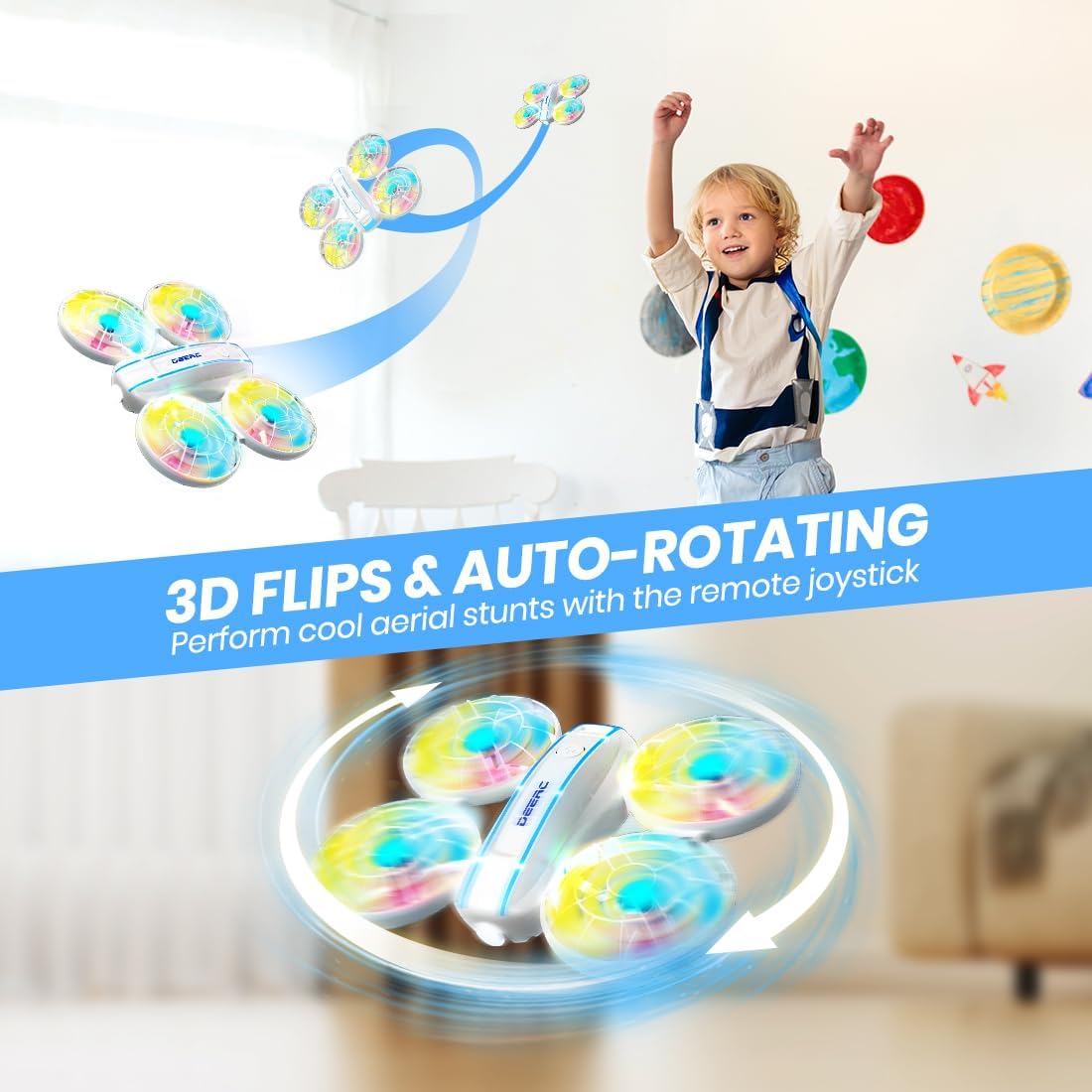
This image illustrates the DEERC D33 Mini Drone's ability to perform dynamic 3D flips and auto-rotating maneuvers. The drone is shown mid-air, executing a flip, and also rotating horizontally, demonstrating its agility and fun stunt capabilities controlled by the remote joystick.
Mesti į eiti
The "Throw to Go" feature allows for an easy and intuitive start to your flight.
- Ensure the drone is paired and calibrated.
- Gently toss the drone upwards and forward. The propellers will automatically start spinning, and the drone will begin to hover.
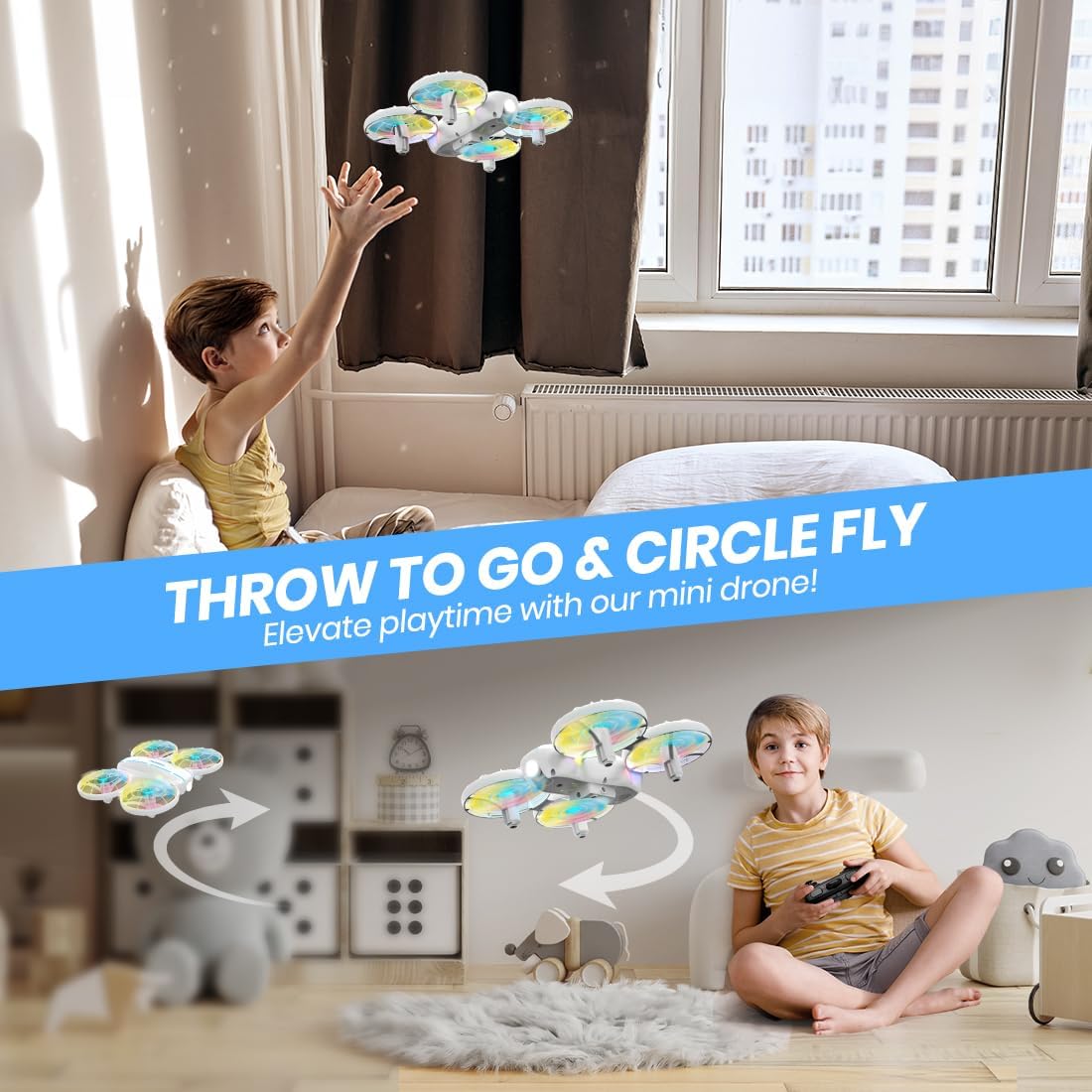
This image illustrates two dynamic flight features of the DEERC D33 Mini Drone: "Throw to Go," where a child launches the drone by hand, and "Circle Fly," showing the drone performing circular flight paths. These features enhance the interactive and engaging experience for users.
LED šviesos režimai
The DEERC D33 features ultra-bright neon-colored LED lights with 4 different light modes, enhancing visibility and fun during flight, especially in low-light conditions.
- Press the LED Light Mode button on the remote control to cycle through the different light patterns.

This image highlights the DEERC D33 Mini Drone's vibrant LED lighting system, showcasing its four colorful light modes. The drone's propellers are illuminated with bright, multi-colored lights, demonstrating how it can light up playtime both day and night.
Greičio jungiklis
Adjust the drone's speed to match your skill level or desired flight experience. The DEERC D33 offers 3 speed settings: low, medium, and high.
- Press the Speed Switch button on the remote control to cycle through the speed settings.
- A beep from the remote will indicate the current speed mode (e.g., one beep for low, two for medium, three for high).

This image illustrates the DEERC D33 Mini Drone's three-speed switch feature, allowing users to adjust the drone's speed from slow and steady for beginners to fast and exhilarating for more experienced pilots. The visual depicts the drone moving at different speeds, emphasizing its adaptability.
Priežiūra
Proper maintenance ensures the longevity and optimal performance of your DEERC D33 Mini Drone.
- Valymas: Use a soft, dry cloth to wipe down the drone and remote control. Do not use water or chemical cleaners.
- Propelerio apžiūra: Regularly check propellers for any damage (bends, cracks). Replace damaged propellers immediately using the provided spare parts.
- Variklio priežiūra: Keep motors free from dust and debris. Avoid flying in dusty or sandy environments.
- Saugykla: When not in use for extended periods, remove batteries from both the drone and the remote control. Store the drone in a cool, dry place away from direct sunlight.
- Baterijos saugykla: Store batteries at approximately 50% charge if not used for a long time to prolong their lifespan.
Trikčių šalinimas
If you encounter issues with your DEERC D33 Mini Drone, refer to the following common problems and solutions.
| Problema | Galima priežastis | Sprendimas |
|---|---|---|
| Dronas nereaguoja į nuotolinio valdymo pultą. | Not paired, low battery in remote/drone, interference. | Re-pair the drone and remote. Charge/replace batteries. Ensure no strong signal interference. |
| Dronas dreifuoja skrydžio metu. | Not calibrated, uneven surface at takeoff, air currents. | Perform gyroscope calibration (refer to full user guide for specific steps). Take off from a flat surface. Avoid drafts. |
| Propeleriai nesisuka. | Obstruction, damaged propeller/motor, low battery. | Check for obstructions. Inspect and replace damaged propellers. Charge drone battery. |
| Trumpas skrydžio laikas. | Baterija nėra pilnai įkrauta, sena. | Įsitikinkite, kad baterijos yra visiškai įkrautos. Jei veikimas labai pablogėja, apsvarstykite galimybę pakeisti senas baterijas. |
| Dronai dažnai sugenda. | Lack of experience, flying in unsuitable environment. | Practice in an open, clear indoor space. Start with low speed mode. |
If the issue persists after trying these solutions, please contact DEERC customer support.
Specifikacijos
- Prekinis ženklas: ELNIAS
- Modelio pavadinimas: DEERC-D33
- Matmenys: 5.79" ilgio x 4.76" pločio x 1.5" aukščio (apytiksliai 14.7 cm ilgio x 12.1 cm pločio x 3.8 cm aukščio)
- Prekės svoris: 3.53 uncijos (apie 100 gramų)
- Spalva: Baltas
- Medžiaga: Plastikiniai
- Valdymo tipas: Nuotolinio valdymo pultas
- Ryšio technologija: Radijo dažnis
- „Drone“ baterija: 1050 mAh Lithium Ion (x2 included)
- Skrydžio laikas: Up to 8 minutes per battery (16 minutes total)
- Įkrovimo laikas: Maždaug 60–80 minučių vienai baterijai
- Nuotolinio valdymo pulto baterija: 3 x AAA (neįtraukta)
- Ypatingos savybės: 360 Degree Flip, Extended Flight Time, High Speed Rotation, Lightweight, One Key Rotation, Auto Hovering, Headless Mode, Throw to Go, Ultra-Bright LEDs (4 modes)
- Įgūdžių lygis: Kids / Beginner
Garantija ir palaikymas
DEERC products are designed for quality and reliability. For specific warranty details and customer support, please refer to the official DEERC websvetainėje arba susisiekite tiesiogiai su jų klientų aptarnavimo tarnyba. Išsaugokite pirkimo kvitą kaip pirkimo įrodymą.
For further assistance, you may also refer to the "User Guide (PDF)" and "Instructions for Use (IFU) (PDF)" documents available on the product's Amazon listing page.
Svarbi pastaba dėl vaizdo įrašų turinio
While this product listing indicates the presence of associated videos, the necessary metadata (such as video URLs and creator information) required for embedding these videos directly into this manual was not provided in the source data. Therefore, video content cannot be displayed here. Please refer to the product's online listing for any available video demonstrations or tutorials.