
INSEETECH WF822-Set
INSEETECH 4G LTE Tuya Smart Solar Wireless Camera User Manual
Model: WF822-Set
1. Produktas baigtasview
The INSEETECH 4G LTE Tuya Smart Solar Wireless Camera is a robust outdoor surveillance solution designed for continuous monitoring without the need for Wi-Fi or constant power connections. It operates on a 4G LTE cellular network and is powered by an integrated solar panel and rechargeable battery, ensuring year-round functionality with minimal power consumption. This camera features 2K resolution, PTZ (Pan-Tilt-Zoom) capabilities, advanced motion detection, two-way audio, and versatile night vision modes.

Figure 1: INSEETECH 4G LTE Tuya Smart Solar Wireless Camera with solar panel and SIM card.
Pagrindinės funkcijos:
- Wire-Free & Solar Powered: Equipped with a 10W solar panel and rechargeable battery for continuous operation.
- PTZ Camera & Waterproof: Offers 355° horizontal pan and 90° vertical tilt. IP66 waterproof rating ensures durability in various weather conditions.
- Išmanusis judesio aptikimas: Utilizes PIR motion detection and human detection technology with instant alerts via the Tuya app.
- 4MP 98ft Full Color Night Vision: Provides clear 2K images and videos at night with both infrared and full-color night vision modes.
- Two-Way Audio & Family Share: Enables communication with visitors and supports sharing access with up to 50 users.
2. Sąrankos vadovas
Follow these steps to set up your INSEETECH 4G LTE Tuya Smart Solar Wireless Camera:
2.1 Pradinis įkrovimas
Before first use, fully charge the camera's internal battery using the provided power adapter. This ensures sufficient power for initial setup and configuration.
2.2 SIM kortelės ir atminties kortelės įdėjimas
The camera requires a 4G LTE SIM card (included with a 100MB/7-day free trial) and supports an 8-128GB memory card (not included) for local storage. Insert both into their respective slots on the camera body.

2 pav. Baigtaview diegimo proceso.
2.3 Programėlės atsisiuntimas ir prisijungimas
Download the Tuya Smart APP from your device's app store. Follow the in-app instructions to add your camera. This typically involves scanning a QR code on the camera to establish a connection.
2.4 Fotoaparato montavimas
The camera offers flexible installation options, including integrated and split installation. The solar panel can be mounted directly on top of the camera or separately using the provided bracket and cable to ensure optimal sunlight exposure.

Figure 3: Camera dimensions for mounting planning.

Figure 4: Integrated vs. Split Installation options.
Ensure the solar panel receives at least 2 hours of direct sunlight daily for optimal charging.
3. Naudojimo instrukcijos
3.1 Nuotolinis stebėjimas ir PTZ valdymas
Once connected, use the Tuya Smart APP to view gyvas kvailystage from anywhere. The app allows you to remotely control the camera's pan (355°) and tilt (90°) movements to cover a wide area.
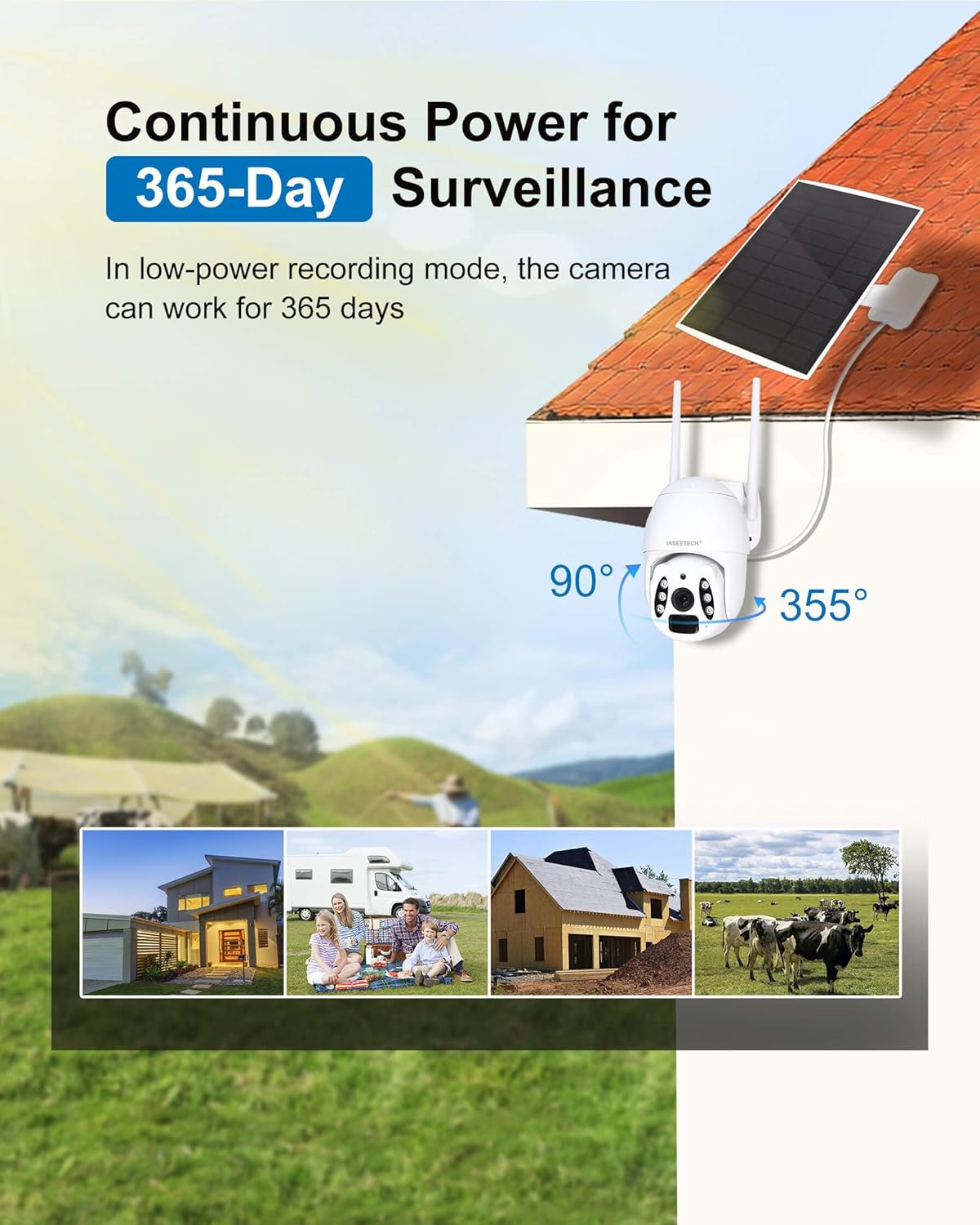
Figure 5: Camera's pan and tilt range for comprehensive coverage.
3.2 Judesio aptikimas ir įspėjimai
The camera features PIR motion detection and advanced human body filtering to reduce false alarms. When motion is detected, you will receive instant alerts on your Tuya app. In smart mode, the camera's lighting feature can also act as a floodlight.
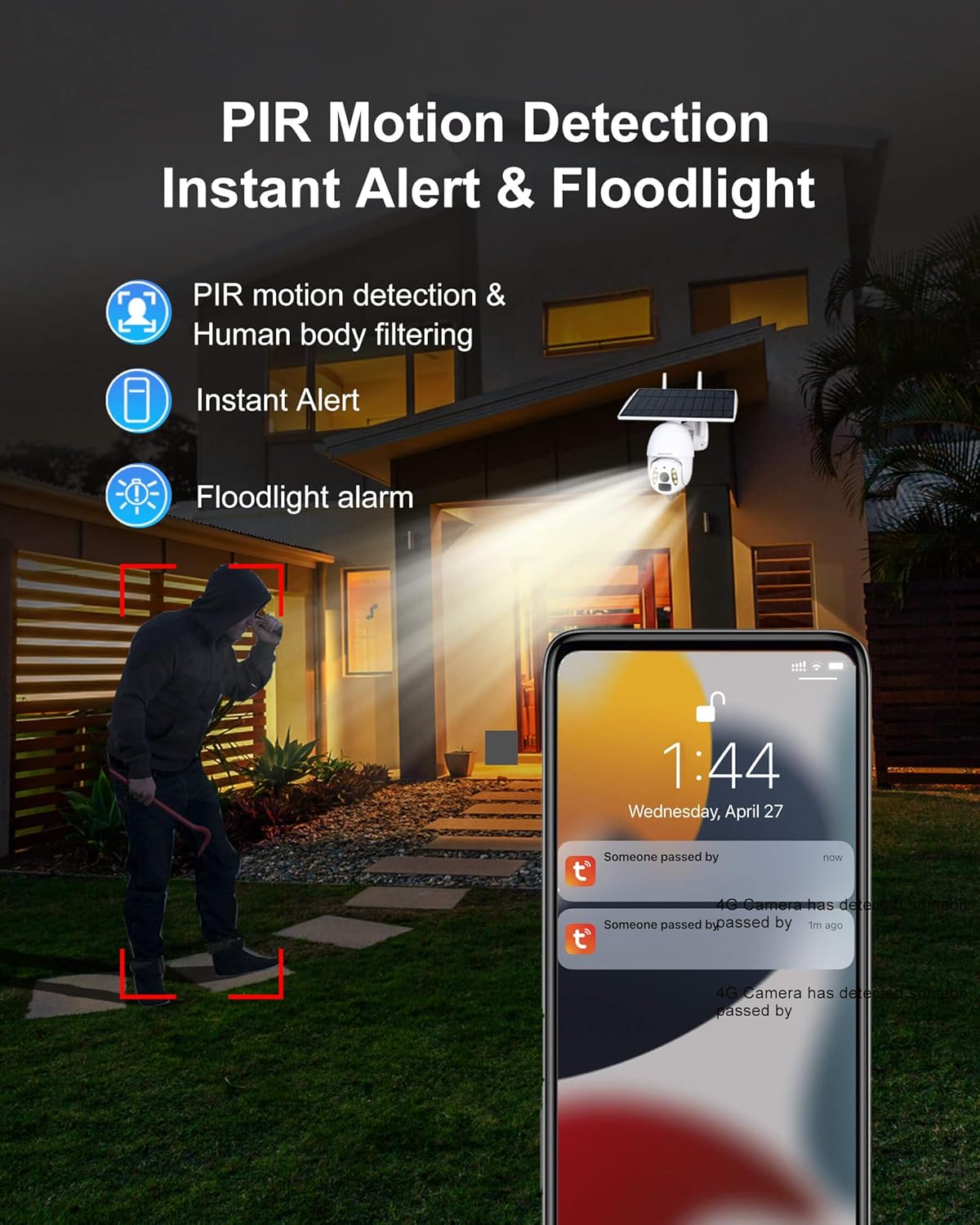
Figure 6: Motion detection and instant alert functionality.
3.3 Naktinio matymo režimai
Equipped with a 4MP HD CMOS Sensor and dual light sources (6 infrared lights and white light), the camera offers two night vision modes:
- Infraraudonųjų spindulių nakties vizija: Provides clear black and white images in low-light conditions up to 98 feet.
- Spalvotas naktinis matymas: Activates white light to capture full-color video even in pitch darkness.

Figure 7: Comparison of Infrared and Full Color Night Vision.
3.4 Dvipusis garsas
The built-in microphone and speaker enable two-way communication, allowing you to talk to visitors or deter intruders directly through the app.
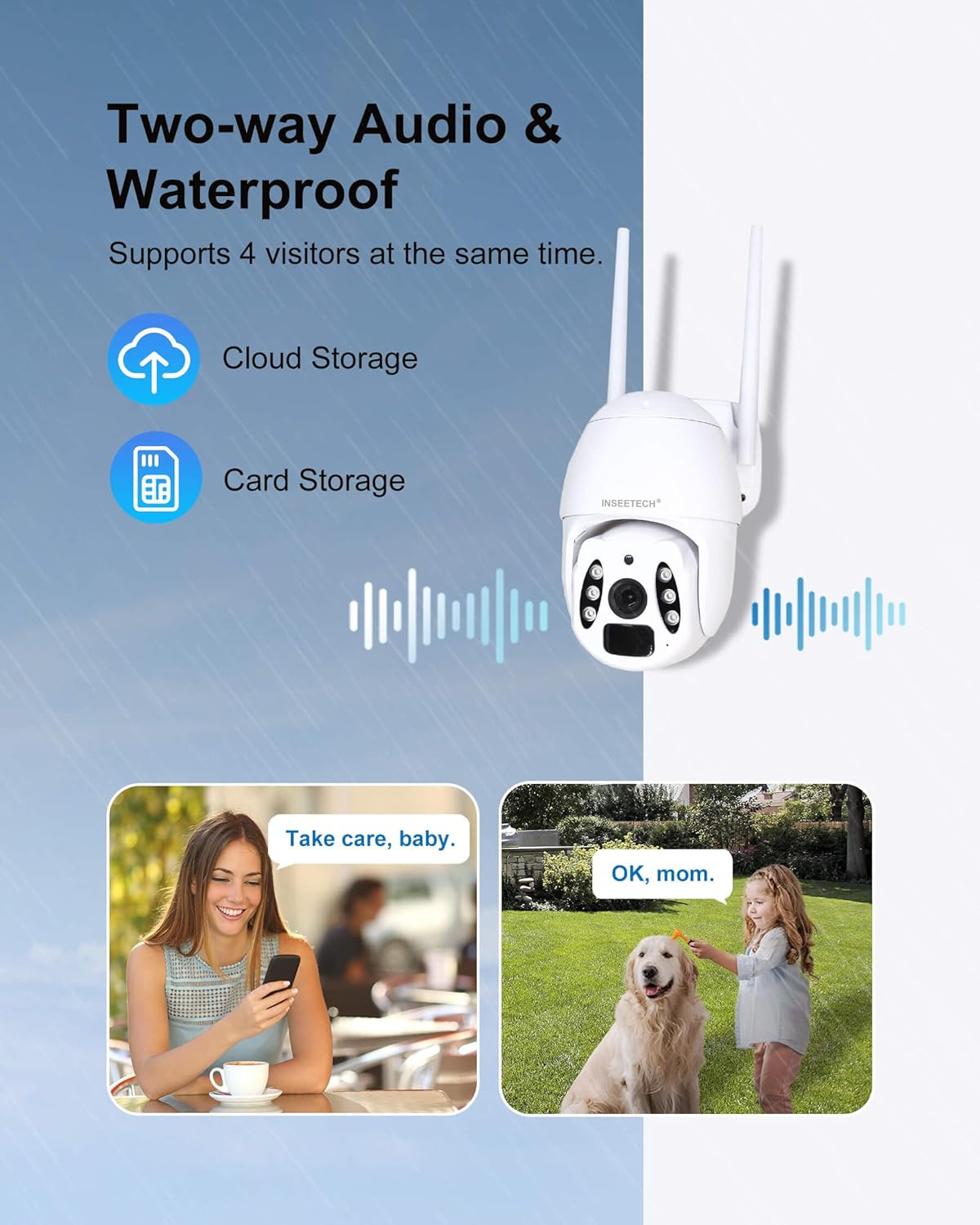
Figure 8: Two-way audio functionality.
3.5 Vaizdo įrašų saugojimas ir atkūrimas
Recordings can be stored on a local SD card (8-128GB, not included) or via optional cloud storage (subscription required). The Tuya app allows for easy playback of recorded events.
3.6 Kelių vartotojų bendrinimas
The camera supports sharing access with up to 50 users, allowing multiple family members or authorized personnel to view the live stream simultaneously while maintaining privacy settings for the main user.
3.7 Oficialūs produktų vaizdo įrašai
Video 1: Real Footage from INSEETECH 4G SIM Card Solar Camera. This video demonstrates the actual video quality and performance of the camera in a real-world outdoor setting, showcasing its clarity and field of view.
Video 2: Why choose INSEETECH 4G LTE Cellular Wireless Solar Camera? This video highlights the key benefits and unique selling points of the camera, such as its 4G LTE connectivity, solar power, and ease of installation, explaining why it's a suitable choice for various surveillance needs.
4. Priežiūra
To ensure optimal performance and longevity of your INSEETECH 4G LTE Tuya Smart Solar Wireless Camera, regular maintenance is recommended:
- Išvalykite saulės kolektorių: Periodiškai nuvalykite saulės baterijos paviršių minkšta,amp šluoste pašalinkite dulkes, nešvarumus ar šiukšles, kurios gali trukdyti įkrovimo efektyvumui.
- Patikrinkite fotoaparato objektyvą: Ensure the camera lens is clean and free from smudges or obstructions for clear image quality.
- Inspect Mount: Regularly check the mounting bracket and screws to ensure the camera is securely fastened, especially after strong winds or adverse weather.
- Programinės įrangos atnaujinimai: Keep the Tuya Smart APP updated to the latest version to benefit from new features, bug fixes, and security enhancements.
- Baterijos būklė: Monitor the battery level via the app. While solar-powered, prolonged periods of low sunlight may require manual charging.

Figure 9: The camera's IP66 waterproof rating ensures durability against elements.
5. Problemų sprendimas
If you encounter issues with your camera, refer to the following common troubleshooting tips:
- Fotoaparatas neprisijungęs:
- Check 4G LTE signal strength in the camera's location.
- Įsitikinkite, kad SIM kortelė tinkamai įdėta ir aktyvuota su galiojančiu duomenų planu.
- Patikrinkite, ar fotoaparato akumuliatorius įkrautas.
- Restart the camera by turning it off and on.
- Prasta vaizdo kokybė:
- Nuvalykite fotoaparato objektyvą.
- Užtikrinkite pakankamą apšvietimą, ypač naktiniam matymui.
- Check the camera's resolution settings in the app.
- Judesio aptikimo problemos:
- Programėlėje reguliuokite judesio aptikimo jautrumą.
- Užtikrinkite kameros matymo lauką view yra be kliūčių.
- Verify human body filtering settings if experiencing too many false alarms.
- Playback Not Working (SD Card):
- Ensure an SD card is inserted and properly formatted within the app.
- Check if the SD card is full; consider enabling loop recording or upgrading to a larger capacity card.
- Verify recording settings in the app (e.g., continuous recording, event-triggered recording).
- Dvipusio garso problemos:
- Patikrinkite mikrofono ir garsiakalbio nustatymus programėlėje.
- Įsitikinkite, kad jūsų telefono garsumas yra padidintas.
- Patikrinkite tinklo ryšį, kad galėtumėte perduoti garsą realiuoju laiku.
6. Specifikacijos
| Funkcija | Specifikacija |
|---|---|
| Modelio pavadinimas | WF822-Set |
| Naudojimas viduje / lauke | Lauke |
| Maitinimo šaltinis | Varomas saulės energija |
| Ryšio technologija | Wireless (4G LTE Cellular) |
| Vaizdo įrašymo raiška | 4 MP |
| PTZ galimybės | 355 laipsnių horizontaliai, 90 laipsnių vertikaliai |
| Naktinio matymo diapazonas | 98 pėdų |
| Atsparumo vandeniui lygis | IP66 |
| Dvipusis garsas | Taip |
| Judesio aptikimas | PIR Motion Detection, Human Body Filtering |
| Saugojimo parinktys | SD Card (8-128GB, not included), Cloud Storage (subscription) |
| Baterija | 1 ličio jonų baterija (pridedama) |
| Saulės baterijos vattage | 10 vatų |
| Matmenys (I x P x A) | 7.9 x 7.5 x 4.3 colio |
| Prekės svoris | 3.54 svaro |
| Spalva | Baltas |
| Medžiaga | Akrilnitrilo butadieno stirenas (ABS) |
7. Garantija ir palaikymas
For warranty information and customer support, please refer to the documentation included with your product or visit the official INSEETECH website. Our customer service team is available to assist with any issues or questions you may have regarding the camera's operation, installation, or features.
Ask a question about this manual
Ask about setup, troubleshooting, compatibility, parts, safety, or missing instructions. Manuals+ will review the question and use this page’s manual context to help answer it.