
Fenton RP118B
„Fenton RP118B“ „Bluetooth“ patefono naudotojo vadovas
Model: RP118B
1. Įvadas
This manual provides essential information for the safe and efficient operation of your Fenton RP118B Bluetooth Turntable. Please read it thoroughly before using the device and retain it for future reference.

Image 1.1: The Fenton RP118B Bluetooth Turntable in its open position, showcasing a vinyl record ready for playback.
2. Saugos instrukcijos
- Maitinimo šaltinis: Įsitikinkite, kad maitinimo šaltinis atitinka tūrįtage nurodyta ant įrenginio.
- Vanduo ir drėgmė: Saugokite įrenginį nuo lietaus ar drėgmės. Nestatykite ant įrenginio daiktų, pripildytų skysčių, pavyzdžiui, vazų.
- Vėdinimas: Užtikrinkite tinkamą vėdinimą. Neuždenkite ventiliacijos angų.
- Šiluma: Nestatykite įrenginio šalia šilumos šaltinių, tokių kaip radiatoriai, šildytuvai, viryklės ar kiti prietaisai (įskaitant ampkeltuvai), kurie gamina šilumą.
- Valymas: Valykite tik sausa šluoste.
- Aptarnavimas: Visus techninės priežiūros darbus patikėkite kvalifikuotam techninės priežiūros personalui.
3. Pakuotės turinys
Išpakuodami patikrinkite, ar yra visi daiktai:
- Fenton RP118B Bluetooth Turntable
- Maitinimo adapteris
- USB Cable (for PC encoding)
- Instrukcijų vadovas
4. Produktas baigtasview
The Fenton RP118B turntable is designed for playing vinyl records. Its black polyurethane leather suitcase design provides a classic aesthetic. This turntable offers three playback speeds (33, 45, and 78 RPM). It features integrated stereo speakers for clear sound reproduction. Bluetooth connectivity allows for connecting external speakers, headphones, and other devices. The PC encoding function via USB enables conversion of vinyl records to MP3 files for digital archiving. The turntable includes a tonearm with manual or automatic stop functionality and a 3.5mm AUX input. Its belt drive system ensures stable record playback. The RP118B combines traditional vinyl playback with modern features in a compact format.

4.1 vaizdas: Baigtaview of the Fenton RP118B's key features, including USB encoding, headphone output, integrated speakers, Bluetooth, and Line In.
4.1. Valdikliai ir jungtys

4.2 pav.: Išsamus view of the turntable's control panel and connection ports.
- Lėkštė: Palaiko vinilo plokšteles.
- Tonearmas: Laiko rašiklį ir seka plokštelės griovelius.
- Stylus/Needle: Reads the audio information from the record.
- Greičio parinkiklis: Switch between 33, 45, and 78 RPM.
- Automatinio stabdymo jungiklis: Enables or disables automatic tonearm stop at the end of a record.
- Maitinimo / garsumo rankenėlė: Įjungia / išjungia įrenginį ir reguliuoja garsiakalbio garsumą.
- Indikatoriaus lemputė: Rodo maitinimą ir „Bluetooth“ būseną.
- Ausinių lizdas: Ausinėms prijungti.
- Line In (AUX) Jack: Skirta išoriniams garso šaltiniams prijungti.
- USB prievadas: For PC connection for MP3 encoding.
- Line Out (RCA) Jacks: Prijungimui prie išorinio ampkeltuvai arba maitinami garsiakalbiai.
- DC 5V įvestis: Maitinimo adapterio prijungimui.
- BT OUT/PHONO/BT IN Switch: Selects Bluetooth transmission, Phono output, or Bluetooth reception mode.
5. Sąranka
5.1. Išpakavimas ir įdėjimas
- Atsargiai išimkite patefoną iš pakuotės.
- Place the unit on a stable, level surface away from direct sunlight, heat sources, and excessive dust or vibration.
- Remove any protective materials from the tonearm and stylus.
5.2. Maitinimo prijungimas
- Connect the DC 5V power adapter to the DC 5V input port on the turntable.
- Prijunkite adapterį į tinkamą sieninį lizdą.
5.3. External Audio Connections (Optional)
- Į išorinius garsiakalbius /Ampgyvybingesnis: Connect RCA cables (not included) from the "Line Out" jacks on the turntable to the audio input of your ampkeltuvai arba maitinami garsiakalbiai.
- Į ausines: Įkiškite 3.5 mm ausines į ausinių lizdą.
- From External Audio Source (AUX In): Connect a 3.5mm audio cable (not included) from your external device (e.g., MP3 player, smartphone) to the "Line In" jack on the turntable.
6. Naudojimo instrukcijos
6.1. Vinilo plokštelės grojimas
- Atidarykite sukamojo padėklo dangtį.
- Padėkite vinilo plokštelę ant lėkštės.
- Pasirinkite tinkamą greitį (33, 45 arba 78 aps./min.) naudodami greičio parinkimo jungiklį. 45 aps./min. įrašams uždėkite pridedamą 45 aps./min. adapterį ant veleno.
- Pasukite maitinimo / garsumo rankenėlę pagal laikrodžio rodyklę, kad įjungtumėte įrenginį.
- Set the BT OUT/PHONO/BT IN switch to "PHONO" mode.
- Lift the tonearm using the cue lever and position it over the desired track of the record.
- Gently lower the tonearm onto the record using the cue lever. The record will begin to play.
- Garsumą reguliuokite naudodami maitinimo / garsumo rankenėlę.
- At the end of the record, if the Auto Stop switch is ON, the platter will stop rotating. If OFF, the platter will continue to rotate, and you must manually lift the tonearm.
- To stop playback, lift the tonearm and return it to its rest.

Image 6.1: The three-speed turntable platter, capable of playing 33 1/3, 45, and 78 RPM records.
6.2. Bluetooth Reception (BT IN)
Use this function to stream audio from your smartphone or tablet to the turntable's built-in speakers.
- Pasukite maitinimo / garsumo rankenėlę pagal laikrodžio rodyklę, kad įjungtumėte įrenginį.
- Set the BT OUT/PHONO/BT IN switch to "BT IN" mode. The indicator light will flash, indicating pairing mode.
- Enable Bluetooth on your smartphone or tablet and search for "Fenton RP118B" (or similar).
- Select the turntable from the list of available devices to pair. Once paired, the indicator light will stop flashing and remain solid.
- Play music from your device. Audio will be streamed through the turntable's speakers.
- Adjust the volume using the Power/Volume knob on the turntable and/or your connected device.

Image 6.2: The turntable utilizing Bluetooth wireless technology to receive audio from a smartphone.
6.3. Bluetooth Transmission (BT OUT)
Use this function to stream audio from your playing vinyl record to external Bluetooth speakers or headphones.
- Įsitikinkite, kad jūsų išorinis „Bluetooth“ garsiakalbis arba ausinės yra susiejimo režime.
- Pasukite maitinimo / garsumo rankenėlę pagal laikrodžio rodyklę, kad įjungtumėte įrenginį.
- Set the BT OUT/PHONO/BT IN switch to "BT OUT" mode. The indicator light will flash.
- The turntable will automatically search for and attempt to pair with nearby Bluetooth audio devices.
- Kai susiejimas bus atliktas, indikatoriaus lemputė nustos mirksėti.
- Begin playing a vinyl record as described in section 6.1. The audio will be transmitted to your paired Bluetooth device.
- Adjust the volume on your connected Bluetooth speaker or headphones.
6.4. USB Encoding (Vinyl to MP3)
This feature allows you to convert your vinyl records into digital MP3 files jūsų kompiuteryje.
- Prijunkite patefoną prie kompiuterio naudodami pridedamą USB laidą.
- Install the necessary recording software on your computer (software typically provided on a CD or available for download from the manufacturer's websvetainė).
- Follow the instructions provided with the recording software to capture the audio from your vinyl record.
- Play the vinyl record on the turntable as you would normally. The audio will be sent to your computer for recording.
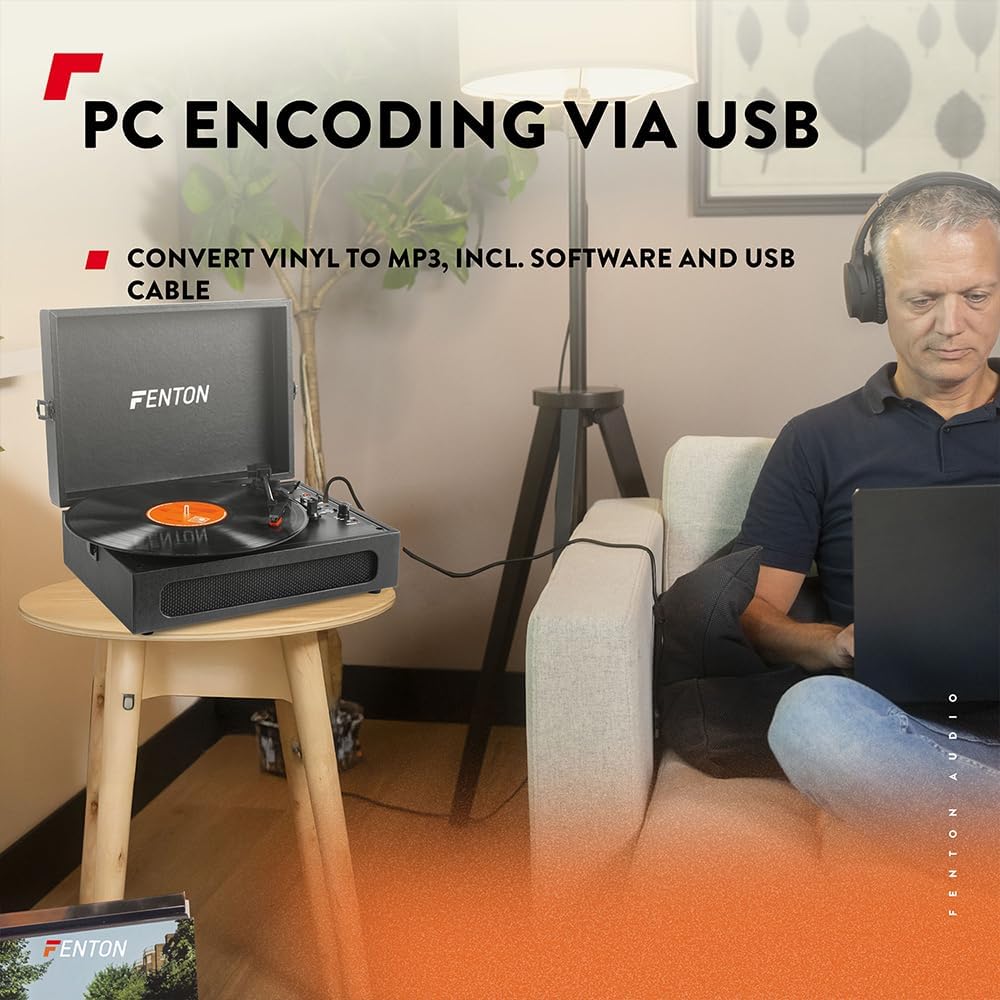
Image 6.3: USB encoding in progress, converting vinyl audio to MP3 files kompiuteryje.
6.5. Using the AUX Input (Line In)
Connect an external audio device (e.g., smartphone, MP3 player) to the turntable's built-in speakers.
- Connect a 3.5mm audio cable from your external device's headphone or line-out jack to the "Line In" jack on the turntable.
- Pasukite maitinimo / garsumo rankenėlę pagal laikrodžio rodyklę, kad įjungtumėte įrenginį.
- Ensure the BT OUT/PHONO/BT IN switch is not in "BT IN" mode (it can be in PHONO or BT OUT, as Line In is a separate input).
- Play audio from your external device. The sound will be routed through the turntable's speakers.
- Adjust the volume using the Power/Volume knob on the turntable and/or your connected device.
7. Priežiūra
7.1. Patefono valymas
- Prieš valydami, visada ištraukite įrenginį iš maitinimo lizdo.
- Išorinius paviršius valykite minkštu, sausu skudurėliu. Nenaudokite abrazyvinių valiklių, vaško ar tirpiklių.
- Švelniai valykite rašiklį minkštu šepetėliu, skirtu rašiklių valymui, nuo galo priekio link.
- Kai nenaudojate, laikykite dulkių dangtelį uždarytą, kad nesikauptų dulkės.
7.2. Rašiklio keitimas
The stylus is a consumable part and will wear out over time. A worn stylus can damage your records and degrade sound quality. Replace the stylus after approximately 300-500 hours of playback, or if you notice a significant drop in sound quality or visible damage.
- Consult the manufacturer's website or your retailer for compatible replacement styli.
- Follow the instructions provided with the replacement stylus for proper installation.
8. Problemų sprendimas
| Problema | Galima priežastis | Sprendimas |
|---|---|---|
| Nėra galios | Power adapter not connected; Power outlet not working; Power/Volume knob off. | Ensure power adapter is securely connected. Try a different outlet. Turn Power/Volume knob clockwise to ON. |
| Iš garsiakalbių nėra garso | Volume too low; BT OUT/PHONO/BT IN switch in incorrect position; Headphones connected. | Increase volume. Set switch to "PHONO" for vinyl or "BT IN" for Bluetooth reception. Disconnect headphones. |
| Garsas iškraipytas arba trūkčioja | Record dirty or damaged; Stylus worn or dirty; Turntable not level. | Clean record. Clean or replace stylus. Place turntable on a level surface. |
| Bluetooth poravimo problemos | Device too far; Turntable not in pairing mode; Incorrect BT mode selected. | Move device closer. Ensure turntable is in "BT IN" (for reception) or "BT OUT" (for transmission) mode and indicator is flashing. Restart both devices. |
| Record stops prematurely (Auto Stop) | Auto Stop switch is ON. | This is normal operation. If you prefer continuous rotation, set the Auto Stop switch to OFF. |
9. Specifikacijos
| Prekės ženklas | Fentonas |
| Modelio numeris | RP118B |
| Spalva | Juoda |
| Medžiaga | Poliuretanas |
| Variklio tipas | Varomas diržu |
| Atkūrimo greitis | 33 1/3, 45, 78 aps./min |
| Suderinami įrenginiai | Personal computer, MP3 player, smartphone, headphones, speakers, tablet |
| Bluetooth versija | 5.0 (for reception and transmission) |
| USB funkcionalumas | PC encoding (Vinyl to MP3) |
| Garso išvestys | RCA Line Out, 3.5mm Headphone Jack |
| Garso įėjimai | 3.5 mm AUX įvestis |
| Integruoti garsiakalbiai | Yes, stereo |
| Prekės svoris | 3.25 kilogramo |
| Maitinimo šaltinis | DC 5V (Adapter included) |

Image 9.1: Dimensions of the Fenton RP118B turntable.
10. Garantija ir palaikymas
For warranty information, please refer to the documentation included with your purchase or visit the official Fenton website. For technical support or service inquiries, please contact your retailer or the manufacturer directly.
Manufacturer: Tronios B.V.
Ask a question about this manual
Ask about setup, troubleshooting, compatibility, parts, safety, or missing instructions. Manuals+ will review the question and use this page’s manual context to help answer it.