
Įvadas
This user manual provides comprehensive instructions for the setup, operation, and maintenance of your AILRINNI 15.6 inch Portable Monitor. Please read this manual thoroughly before using the product to ensure proper functionality and to prevent damage.

Image: The AILRINNI 15.6 inch Portable Monitor, showcasing its compact design and compatibility with multiple devices including laptops, smartphones, gaming consoles, and desktop PCs.
Pakuotės turinys
Atidarę pakuotę, patikrinkite, ar yra visi šie daiktai:
- 15.6 inch Portable Monitor x1
- Apsauginis dėklas x1
- Mini HD to HD cable x1
- USB Type-C to USB Type-C cable x1
- Įkroviklis x1
- Vartotojo vadovas x1
Produktas baigtasview
Familiarize yourself with the monitor's ports and controls for optimal use.

Vaizdas: Išsamus view of the monitor's connectivity options and control buttons.
Uostai ir valdikliai:
- 3.5 mm garso lizdas: Skirta išorinėms ausinėms arba garsiakalbiams prijungti.
- ĮJUNGIMO/IŠJUNGIMO jungiklis: Įjungia arba išjungia monitorių.
- Mini HDMI prievadas: Connects to devices via HDMI cable for video and audio transmission.
- Full Function USB-C Port (x2): Supports power delivery, video signal, and data transfer (for compatible devices).
- Touche menu roue (Menu Wheel): Used to navigate and select options within the On-Screen Display (OSD) menu.
The monitor features a slim 0.3-inch profile and weighs approximately 1.76 pounds, making it highly portable. The included magnetic smart cover provides protection and can be folded to serve as a stand, allowing for multi-angle viewing.

Image: The magnetic smart cover, which protects the monitor and functions as a multi-angle stand.
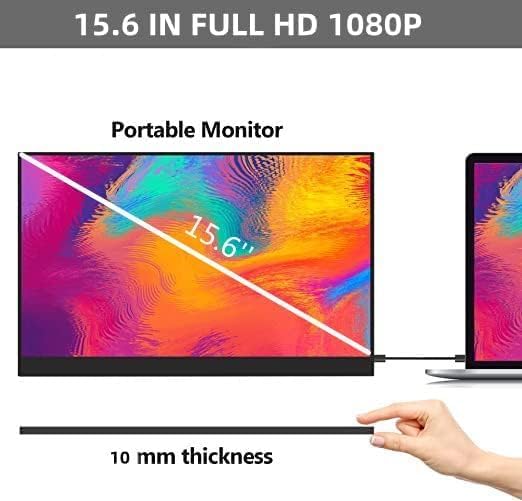
Image: Demonstrating the ultra-thin design of the 15.6-inch portable monitor.
Sąranka ir prijungimas
The AILRINNI portable monitor offers versatile connectivity options for various devices. Ensure your device supports the necessary output for display.
Connecting to a Laptop/PC (USB-C)
- Ensure your laptop's USB-C port supports Thunderbolt 3, USB 3.1, or USB 3.2 with DisplayPort Alternate Mode.
- Connect one end of the USB Type-C to USB Type-C cable to your laptop's compatible USB-C port.
- Connect the other end of the USB Type-C to USB Type-C cable to one of the Full Function USB-C ports on the monitor.
- The monitor should automatically detect the signal and display your laptop's screen. If not, adjust display settings on your laptop (e.g., Extend, Duplicate).
Connecting to a Laptop/PC (HDMI)
- Connect one end of the Mini HD to HD cable to the Mini HDMI Port on the monitor.
- Connect the other end of the HDMI cable to your laptop's or PC's HDMI output port.
- If the monitor does not power on, connect the charger to one of the USB-C ports on the monitor for power.
- Adjust display settings on your laptop/PC as needed.
Prisijungimas prie išmaniojo telefono
- Ensure your smartphone's USB-C port supports DisplayPort Alternate Mode (video output).
- Connect one end of the USB Type-C to USB Type-C cable to your smartphone's USB-C port.
- Connect the other end of the USB Type-C to USB Type-C cable to one of the Full Function USB-C ports on the monitor.
- The monitor will mirror or extend your phone's display.
Connecting to Gaming Consoles (Xbox, Switch, PS4)
- Connect one end of the Mini HD to HD cable to the Mini HDMI Port on the monitor.
- Connect the other end of the HDMI cable to your gaming console's HDMI output port.
- Connect the charger to one of the USB-C ports on the monitor for power, as gaming consoles typically do not provide power through HDMI.
- Ensure the console's video output settings are compatible with the monitor's resolution (1920x1080).
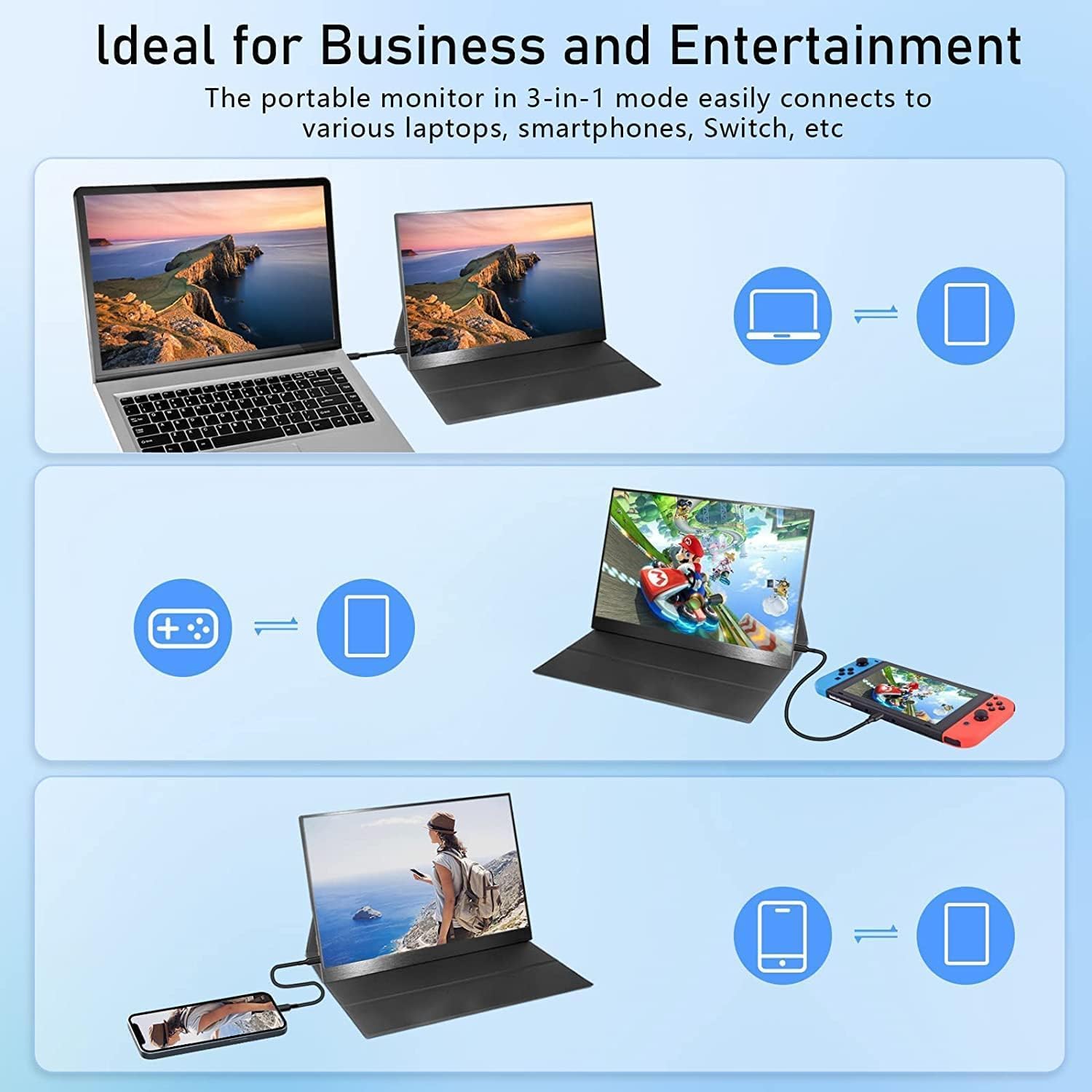
Vaizdas: pvzamples of connecting the portable monitor to different devices for business and entertainment.

Image: The monitor in use with a laptop, ideal for extending screen space.

Image: The monitor providing an immersive gaming experience.

Image: The monitor used with a smartphone for portable media consumption.
Naudojimo instrukcijos
The monitor features an intuitive On-Screen Display (OSD) menu for adjusting various settings.
Ekrano ekrano (OSD) meniu:
Use the "Touche menu roue" (Menu Wheel) to navigate the OSD menu. Press the wheel to confirm selections.
- Ryškumas: Adjust the display brightness (250 cd/m² maximum).
- Kontrastas: Modify the contrast ratio (800:1).
- Apimtis: Control the audio output level from the built-in dual speakers.
- Spalvų nustatymai: Fine-tune color temperature, hue, and saturation. The monitor supports 16.7M (8-bit) true colors and 72% NTSC color gamut.
- Įvesties šaltinis: Manually select between USB-C and Mini HDMI input if auto-detection fails.
- HDR režimas: Enable or disable HDR (High Dynamic Range) for enhanced visuals.

Image: Illustrating the superior visual quality and wide viewing angles of the IPS panel.
Priežiūra
Proper care will extend the life of your portable monitor.
- Valymas: Švelniai nuvalykite ekraną minkštu, nepūkuotu audiniu. Jei dėmės sunkiai įveikiamos, šiek tiek pamirkykite.ampNuvalykite šluostę vandeniu arba ekrano valymo tirpalu. Venkite stiprių cheminių medžiagų ar abrazyvinių medžiagų.
- Saugykla: When not in use, store the monitor in its protective case to prevent scratches and dust accumulation.
- Tvarkymas: Venkite monitoriaus numesti ir stipriai jį sutrenkti. Nedėkite ant jo sunkių daiktų.
- Temperatūra: Operate and store the monitor within recommended temperature ranges to prevent damage to internal components.
Trikčių šalinimas
If you encounter issues with your AILRINNI portable monitor, refer to the following common problems and solutions:
| Problema | Galima priežastis | Sprendimas |
|---|---|---|
| Nėra ekrano / Nėra signalo |
|
|
| Mirgantis ekranas |
|
|
| Nėra garso iš garsiakalbių |
|
|
| Maitinimo mygtukas nereaguoja |
|
|
Specifikacijos
| Funkcija | Detalė |
|---|---|
| Prekės ženklas | AILRINNI |
| Modelis | AILRINNI 15,6 cm |
| Ekrano dydis | 15.6 colių |
| Ekrano technologija | IPS LCD |
| Rezoliucija | 1920 x 1080 (Full HD 1080p) |
| Atnaujinimo dažnis | 60 Hz |
| Ryškumas | 250 cd/m² |
| Kontrasto santykis | 800:1 |
| Viewing kampas | 178 laipsnių |
| Reagavimo laikas | 5 milisekundės |
| Krašto santykis | 16:9 |
| Spalvos gylis | 16.7M (8-bit), 72% colors (NTSC) |
| Ryšys | Mini HDMI, 2x Full Function USB-C |
| Garsas | Dual Speakers, 3.5mm Audio Jack |
| Ypatingos savybės | HDR Display, Wall Mountable, Magnetic Smart Cover |
| Gaminio matmenys | 5 x 25 x 40 cm; 1 kg |
Garantija ir palaikymas
AILRINNI provides professional technical support and high-quality after-sales service for your portable monitor.
- For any product-related issues or technical assistance, please contact us via email.
- El. paštas: ailrinni_trade@163.com
Prašome išsaugoti pirkimo kvitą garantijos tikslais.