
1. Įvadas
Thank you for choosing the Jeecoo A30 Wired Computer Speaker Bar. This manual provides essential information for setting up, operating, and maintaining your speaker bar to ensure optimal performance and longevity. Please read these instructions carefully before use.
Kas yra dėžutėje
- Jeecoo A30 PC Speaker Bar (with integrated USB power cable and 3.5mm AUX audio cable)
2. Savybės
- Kompaktiškas dizainas: The Jeecoo A30 features a simple and modern design, ideal for desktop setups. Dimensions: 13.78 x 2.56 x 2.56 inches.
- Švarus garsas: Equipped with two 5W powerful driver units, providing clear and loud audio with well-balanced highs, mids, and enhanced bass.
- Lengvas garsumo valdymas: A large dial allows for convenient volume adjustment and power on/off.
- Platus suderinamumas: Connects via 3.5mm AUX for audio input and USB for power, compatible with various PCs, laptops, desktops, tablets, and smartphones. (Note: Not compatible with Xbox).
- Perkeliamumas: Weighing 1.2 lbs (560 grams), it is suitable for both office/home use and portable outdoor activities.

Image: The Jeecoo A30 Wired Computer Speaker Bar, showcasing its sleek black design and integrated cables.

Paveikslėlis: sprogęs view of the Jeecoo A30 speaker bar, highlighting its two 5W powerful driver units for clear and balanced audio with enhanced bass.
3. Sąranka
Follow these steps to connect your Jeecoo A30 speaker bar to your device:
- Prijunkite USB maitinimą: Plug the USB-A cable from the speaker bar into an available USB port on your computer, laptop, or a certified 5V/1A USB power adapter. This provides power to the speaker.
- Connect 3.5mm AUX Audio: Plug the 3.5mm AUX cable from the speaker bar into the headphone jack or audio output port of your device (PC, laptop, tablet, smartphone).
- Maitinimas: Rotate the large volume dial clockwise until you hear a click or see an indicator light, turning the speaker on.
- Reguliuoti garsumą: Norėdami padidinti garsumą, toliau sukite ratuką pagal laikrodžio rodyklę.
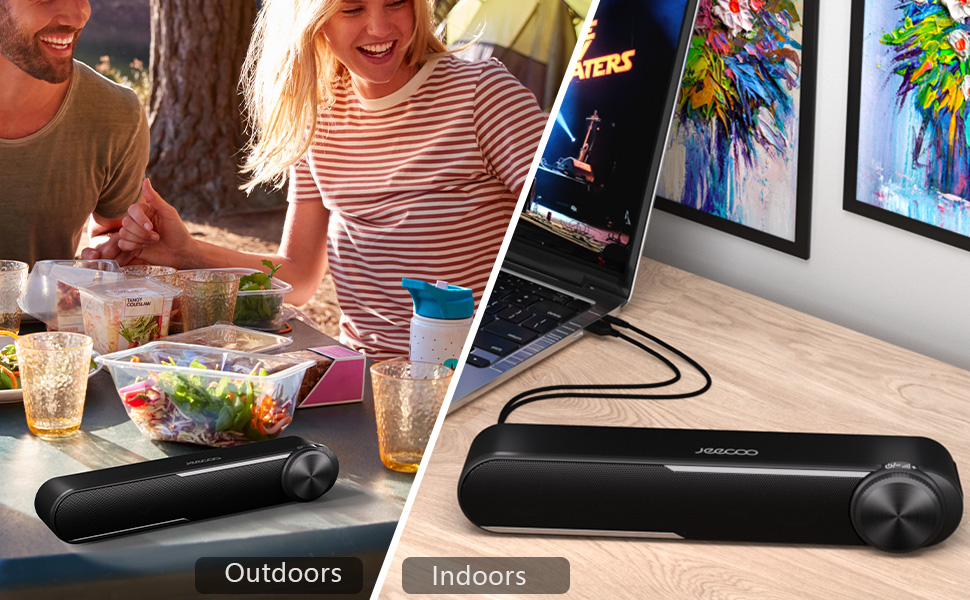
Image: Diagram showing how to connect the USB cable for power and the 3.5mm AUX cable for audio input to a laptop.
Video: Official Jeecoo video demonstrating the connection of the A30 Computer Speaker Bar with 3.5mm AUX input to a laptop.
4. Operacija
Garsumo valdymas ir maitinimas
The Jeecoo A30 features a large, integrated dial for convenient control:
- Power On/Increase Volume: Rotate the dial clockwise. The speaker will power on with a click, and continued rotation will increase the volume.
- Decrease Volume/Power Off: Rotate the dial anti-clockwise. The volume will decrease, and continued rotation past the minimum volume will power off the speaker with a click.

Image: A close-up of the large volume dial on the Jeecoo A30, illustrating how to rotate it clockwise to increase volume and anti-clockwise to decrease volume or power off.
5. Specifikacijos
| Funkcija | Detalė |
|---|---|
| Modelio pavadinimas | Jeecoo A30 |
| Garsiakalbio tipas | Garso juosta |
| Ryšio technologija | Pagalbinis (3.5 mm lizdas) |
| Maitinimo šaltinis | USB (laidinis elektrinis) |
| Įvesties tomastage | 5 voltų |
| Didžiausia garsiakalbio išėjimo galia | 10 vatų (5 W x 2) |
| Garso išvesties režimas | Stereo |
| Erdvinio garso kanalo konfigūracija | 2.0 |
| Garsiakalbio dydis | 2 colio (žemųjų dažnių garsiakalbio skersmuo) |
| Garso tvarkyklės tipas | Dinaminis vairuotojas |
| Signalo ir triukšmo santykis | 65 dB |
| Frequency Response (Max) | 18 KHz |
| Varža | 4 omai |
| Gaminio matmenys (D x P x A) | 2.56" x 13.78" x 2.56" |
| Prekės svoris | 1.2 svarų (560 gramų) |
| Medžiaga | Plastikiniai |
| Spalva | Juoda |
| Montavimo tipas | Stalviršio laikiklis |
| Suderinami įrenginiai | PC Laptops, Desktop Computers, Macbook Air/Pro, iMac, iPad, Smartphones, Tablets |
| Ypatinga funkcija | PC Speaker Bar with Clear Audio & Enhanced Bass |
6. Problemų sprendimas
If you encounter any issues with your Jeecoo A30 speaker bar, please refer to the following common troubleshooting steps:
- Nėra galios:
- Ensure the USB power cable is securely connected to a powered USB port or a 5V/1A USB adapter.
- Rotate the volume dial clockwise to ensure the speaker is powered on.
- Nėra garso:
- Verify that the 3.5mm AUX audio cable is fully inserted into both the speaker bar and your device's audio output jack.
- Check the volume level on both the speaker bar (using the dial) and your connected device.
- Ensure your device's audio output is set to the correct output (e.g., "Headphones" or "External Speakers").
- Test the speaker with a different audio source or device to rule out device-specific issues.
- Distorted Sound / Static:
- Reduce the volume on both the speaker bar and your connected device. High volume levels can sometimes cause distortion.
- Įsitikinkite, kad visos kabelių jungtys yra saugios.
- Avoid placing the speaker near sources of electromagnetic interference (e.g., Wi-Fi routers, power adapters).
- Jei įmanoma, išbandykite su kitu garso šaltiniu arba kabeliu.
7. Priežiūra
To maintain the performance and appearance of your speaker bar:
- Garsiakalbį valykite minkštu, sausu skudurėliu. Nenaudokite skystų valiklių ar aerozolių.
- Avoid exposing the speaker to excessive moisture, heat, or direct sunlight.
- Nebandykite patys ardyti ar taisyti garsiakalbio, nes tai panaikins garantiją.
8. Garantija ir palaikymas
The Jeecoo A30 Wired Computer Speaker Bar comes with a limited warranty. For detailed warranty information, product support, or technical assistance, please contact Jeecoo customer service through the retailer where you purchased the product or visit the official Jeecoo websvetainę.
Išsaugokite pirkimo įrodymą, kad galėtumėte kreiptis dėl garantijos.