
1. Įvadas
This manual provides instructions for the VTech CS2051 DECT 2 Handset Cordless Home Telephone with Answering Machine. It covers setup, operation, maintenance, and troubleshooting to ensure optimal performance of your device. Please read these instructions carefully before using your telephone.
2. Pakuotės turinys
Patikrinkite, ar jūsų pakuotėje yra šie elementai:
- 1 x bazinis blokas
- 2 belaidžiai rageliai
- 2 x Telefonų įkrovikliai
- 2 x AC Adaptors (for base unit and chargers)
- 2 x Battery Packs (AAA batteries required, included)
- 1 x telefono linijos laidas
- 1 x Greitos pradžios vadovas

Image: The VTech CS2051 system, showing the main base unit with one handset, and a separate charger with the second handset.
3. Sąranka
3.1 Akumuliatoriaus įdėjimas
- Atidarykite baterijų skyriaus dangtelį kiekvieno rankinio telefono gale.
- Įdėkite pridedamą AAA baterijų bloką, užtikrindami teisingą poliškumą.
- Uždarykite akumuliatoriaus skyriaus dangtelį.
- Place each handset on its respective charger or the base unit to charge for at least 16 hours before first use.
3.2 Pagrindinio įrenginio prijungimas
- Prijunkite vieną telefono linijos laido galą prie pagrindinio įrenginio LINE prievado.
- Prijunkite kitą telefono linijos laido galą prie telefono sieninio lizdo.
- Connect the AC adaptor to the POWER port on the base unit.
- Plug the AC adaptor into a mains power outlet.
- For the additional charger, connect its AC adaptor to the charger and then to a mains power outlet.
3.3 Ragelio registracija
Your handsets are typically pre-registered to the base unit. If a handset displays 'Unregistered' or 'Register Handset', follow these steps:
- Baziniame įrenginyje paspauskite ir palaikykite PUSLAPIS mygtuką maždaug 5 sekundes, kol pradės mirksėti registracijos indikatoriaus lemputė.
- On the handset, navigate to the 'Registration' menu (refer to the Quick Start Guide for specific menu navigation).
- Select 'Register Handset' and enter the system PIN (default is usually 0000).
- Ragelyje bus rodoma „Registruojama...“, o tada – „Ragelis užregistruotas“, jei registracija sėkminga.
4. Naudojimo instrukcijos
4.1 Skambinimas ir skambučių priėmimas
- Norėdami paskambinti: Paspauskite KALBĖKITE mygtuką, tada surinkite numerį. Arba pirmiausia surinkite numerį ir paspauskite KALBĖKITE.
- Norėdami gauti skambutį: Kai suskamba telefonas, paspauskite KALBĖKITE mygtuką.
- Norėdami baigti skambutį: Paspauskite PABAIGA mygtuką arba padėkite ragelį atgal ant pagrindinio įrenginio / įkroviklio.
4.2 Skaitmeninis atsakiklis
The base unit includes a digital answering machine to record messages when you are unavailable.
- Pranešimų grojimas: Paspauskite PLAY/STOP button on the base unit. The display will show the number of new messages.
- Laiškų trynimas: Pranešimo atkūrimo metu paspauskite IŠTRINTI mygtuką ant pagrindinio įrenginio.
- Nustatymas: Access the answering machine settings via the handset menu to record your outgoing message or adjust settings.

Image: The base unit of the VTech CS2051, highlighting the digital answering system with a message count display.
4.3 Nepageidaujamų skambučių blokatorius
This feature allows you to block unwanted incoming calls.
- Numerio blokavimas: During or after a call, access the call blocker menu on the handset. You can add numbers to a block list.
- Blocking Unknown Numbers: The system can be configured to block calls from numbers not stored in your phonebook or from withheld numbers.

Image: A VTech CS2051 handset, illustrating the call blocker feature for managing unwanted calls.
4.4 Skambinančiojo ID ir skambučio laukimas
These features require subscription from your telephone service provider.
- Skambintojo ID: The handset display shows the caller's number (and name if stored in your phonebook) before you answer. The phone stores up to 20 incoming call records.
- Skambutis laukiamas: If you are on a call and another call comes in, you will hear a tone. You can switch between calls.

Image: A close-up of the VTech CS2051 handset display showing an incoming call number, demonstrating the Caller ID feature.
4.5 Garsiakalbis
The speakerphone function allows for hands-free conversations.
- Norėdami suaktyvinti: Pokalbio metu paspauskite GALBĖJAS mygtuką.
- Norėdami išjungti: Paspauskite GALBĖJAS dar kartą paspauskite mygtuką arba pakelkite ragelį prie ausies.
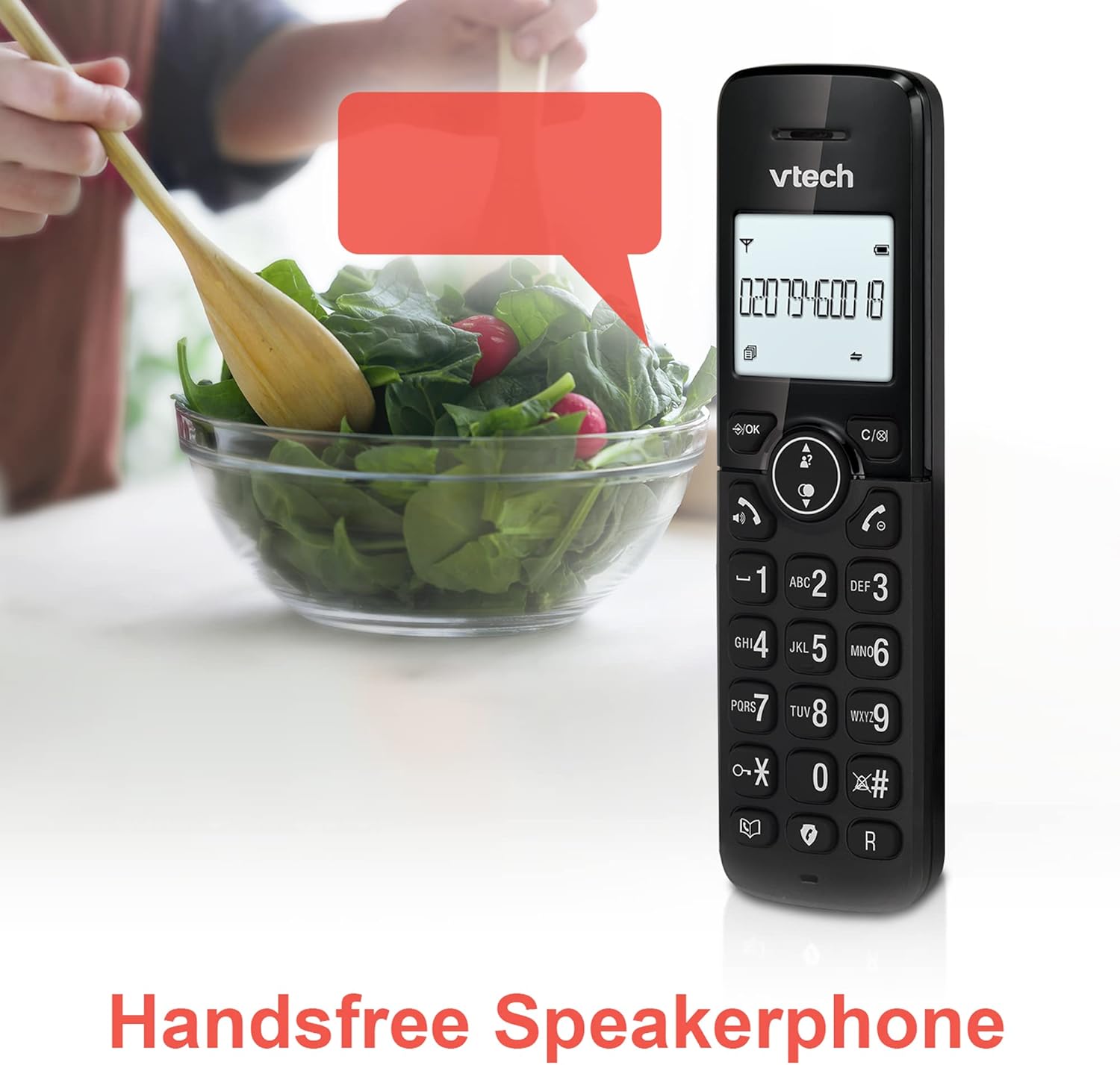
Image: A VTech CS2051 handset positioned for hands-free use, illustrating the speakerphone capability.
4.6 domofonas
You can use the handsets to communicate with each other internally.
- Norėdami pradėti: Paspauskite INT button on one handset and select the desired handset to call.
4.7 Reguliuojamas skambėjimo garsumas ir melodija
Customize the ringtone and volume to your preference.
- Access the 'Ringtone Settings' or 'Volume Settings' menu on the handset to choose from available melodies and adjust the ring volume.

Image: A VTech CS2051 handset, highlighting the controls for adjusting ring volume and melody settings.
4.8 Signalizacijos ir nutildymo funkcija
- Signalizacija: Set an alarm through the handset menu.
- Nutildyti: Pokalbio metu paspauskite Nutildyti button to temporarily silence your microphone. Press again to unmute.

Image: Illustrates the alarm function (represented by a clock icon) and the mute function (represented by a musical note icon) available on the VTech CS2051.
5. Priežiūra
- Valymas: Wipe the telephone and handsets with a soft, damp audinys. Nenaudokite abrazyvinių valiklių ar tirpiklių.
- Akumuliatoriaus priežiūra: Ensure handsets are placed on the charger when not in use to maintain battery life. Replace batteries when performance significantly degrades.
- Vieta: Place the base unit in a central location, away from other electrical appliances that may cause interference.
6. Problemų sprendimas
- Nėra rinkimo tono: Įsitikinkite, kad telefono linijos laidas yra tvirtai prijungtas prie pagrindinio bloko ir sieninio lizdo. Patikrinkite, ar kintamosios srovės adapteris tinkamai prijungtas.
- Ragelis nesikrauna: Verify the handset is correctly seated in the charger/base unit. Clean the charging contacts on both the handset and charger with a dry cloth.
- Prasta skambučių kokybė / trukdžiai: Move the base unit away from other electronic devices (e.g., Wi-Fi routers, microwaves). Ensure the handset is within range of the base unit.
- Handset Displays 'Unregistered': Follow the handset registration steps in Section 3.3.
- Atsakiklis neįrašo: Check the answering machine settings via the handset menu to ensure it is enabled and has sufficient recording time.
7. Specifikacijos
| Funkcija | Specifikacija |
|---|---|
| Modelis | CS2051 |
| Telefono tipas | DECT belaidis |
| Ragelių skaičius | 2 |
| Atsiliepimo sistemos tipas | Digital (up to 15 minutes record time) |
| Skambinančiojo identifikavimas | Taip (būtina prenumerata) |
| Įkyrių skambučių blokatorius | Taip |
| Ekranas | 1.8-inch Backlit Display |
| Baterijos | Reikalinga 4 AAA baterija (yra komplekte) |
| Medžiaga | Akrilnitrilo butadieno stirenas (ABS) |
| Maitinimo šaltinis | Maitinamas baterijomis |
| Daugiaeilė operacija | Taip |
8. Garantija ir palaikymas
This VTech CS2051 product is supplied as an Amazon Renewed item. For specific warranty details and support, please refer to the Amazon Renewed program terms and conditions or contact Amazon Renewed customer service directly. VTech provides manufacturing support for its products. For technical assistance or further information, please visit the official VTech support website or consult the full user manual if available from the manufacturer.