
Įvadas
Thank you for choosing the Yunseity Portable Voice Amplifier. This device is designed to provide clear and stable sound amplification for various applications such as teaching, presentations, meetings, and outdoor activities. Please read this manual carefully before using the product to ensure proper operation and to maximize its lifespan.
Produktas baigtasview
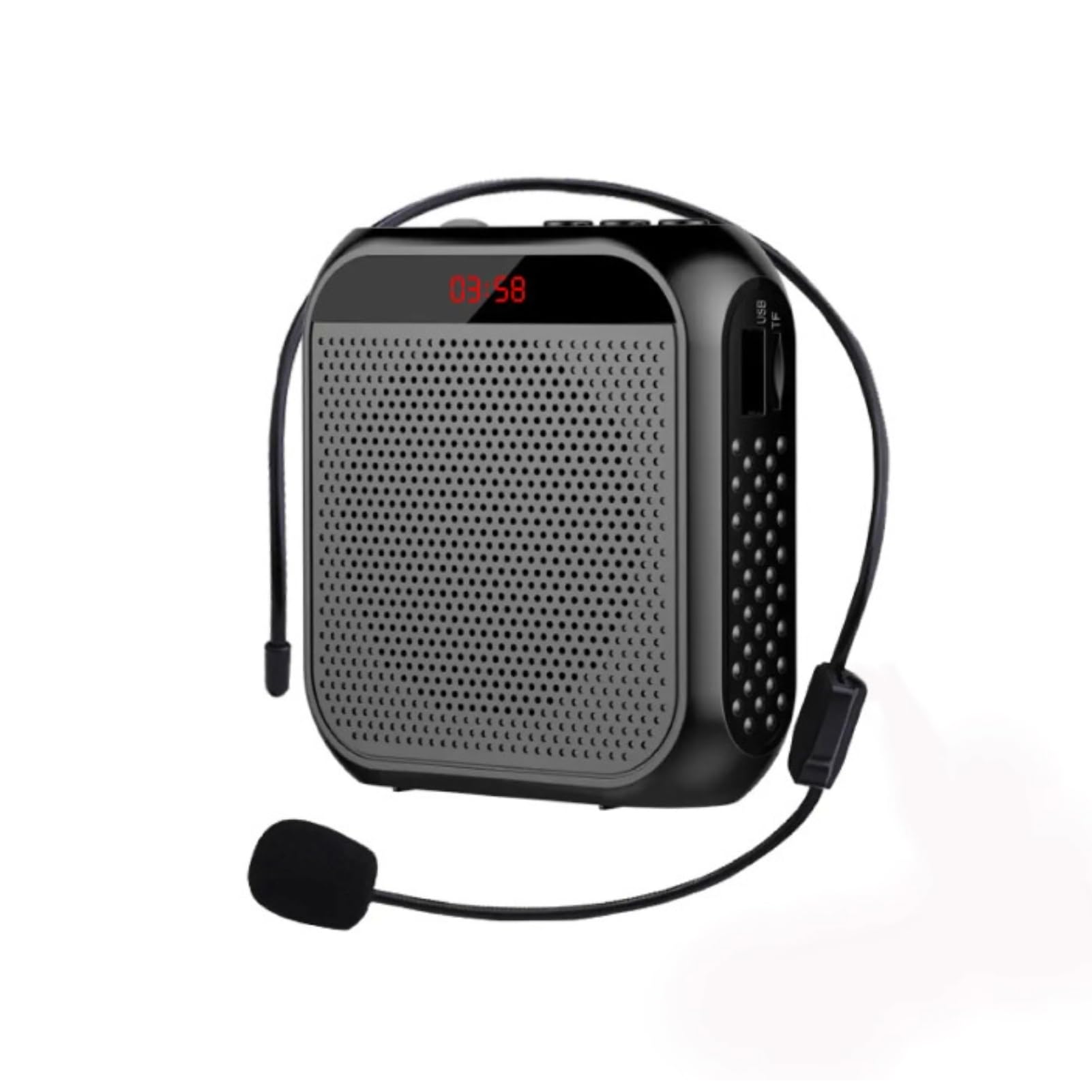
The Yunseity Portable Voice Amplifier is a compact and versatile device. Familiarize yourself with its components and controls.

Image: The voice amplifier unit shown with its accompanying headset microphone, waistband strap, and USB charging cable.
Pagrindiniai komponentai:
- Balsas Amplifier vienetas: The main speaker and control unit.
- Ausinių mikrofonas: For hands-free voice input.
- Waistband Strap: Patogiam nešiojimui.
- USB įkrovimo laidas: Skirta vidinei baterijai įkrauti.
Valdymo skydas ir prievadai:

Image: A labeled diagram indicating the location and function of each button, knob, and port on the ampgyvesnis.
- 3.5 mm mikrofono lizdas: Connect the headset microphone here.
- Garsumo rankenėlė: Pasukite, kad sureguliuotumėte amplifikacijos tūris.
- Įkrovimo prievadas: Prijunkite USB įkrovimo laidą čia.
- Ankstesnės dainos mygtukas: Press to go to the previous track (when playing media).
- Atkūrimo / pristabdymo mygtukas: Tap to play or pause media. Long press to turn the device on or off.
- Mygtukas „Kita daina“: Press to go to the next track. Long press to switch between single song loop and list loop.
- U Disk Interface: Įkiškite USB atmintinę, kad galėtumėte atkurti medijos failus.
- Atminties kortelės lizdas: Insert a Memory Card (TF card) for media playback.
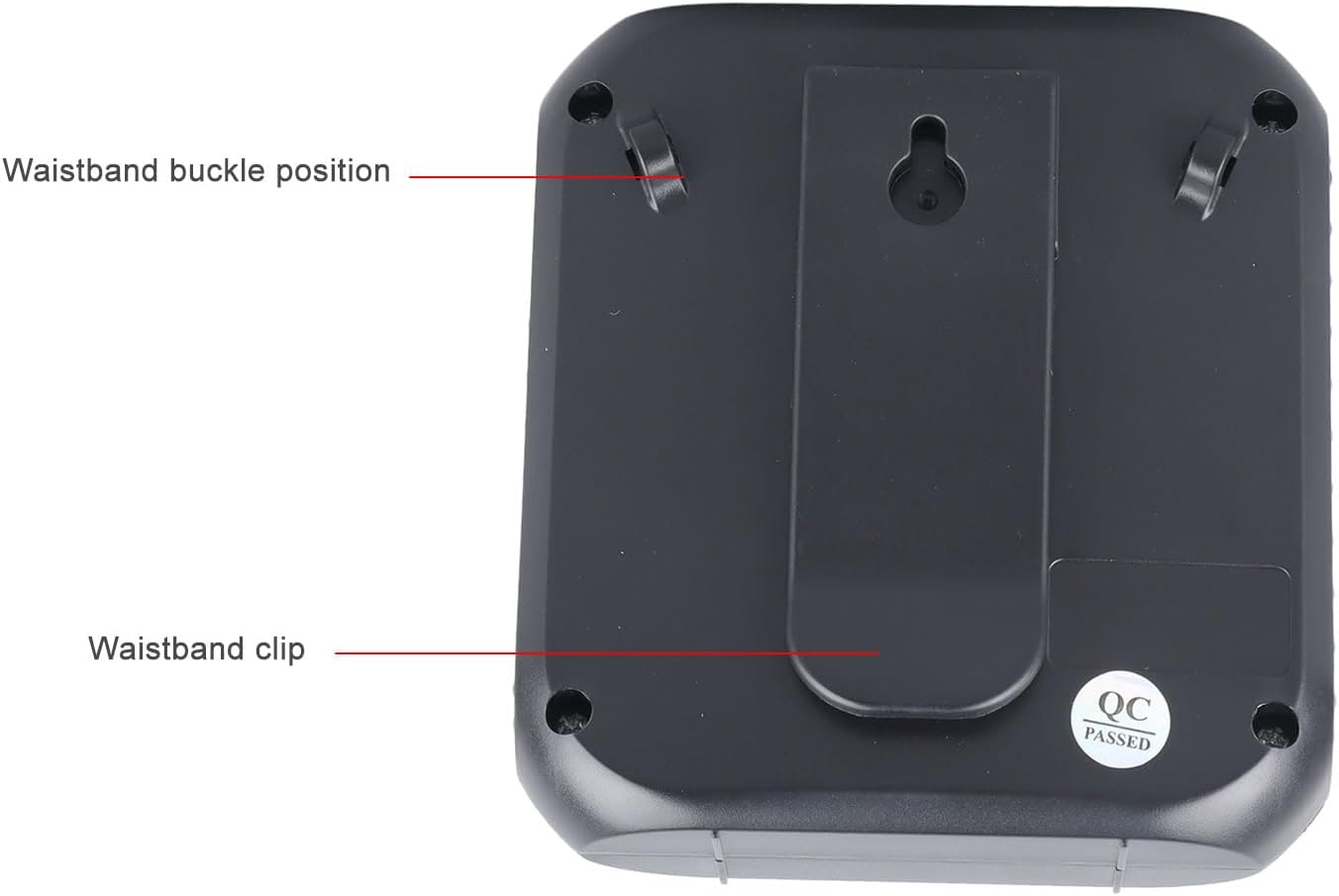
Image: The back of the amplifier, highlighting the attachment points for the waistband strap.
- Waistband Buckle Positions: Slots for attaching the waistband strap.
- Waistband Clip: For direct attachment to clothing or a belt.
Sąranka
- Pradinis mokestis: Prieš pirmą kartą naudodami, visiškai įkraukite amplifier. Connect the USB charging cable to the charging port on the amplifier and to a standard USB power adapter (not included) or computer USB port. The charging indicator will illuminate.
- Prijunkite mikrofoną: Insert the 3.5mm plug of the headset microphone into the microphone jack on the amplifier. Ensure it is securely connected.
- Wear Microphone: Position the headset microphone comfortably on your head, ensuring the microphone element is close to your mouth for optimal voice pickup.
- Prikabinti Ampgyvybingesnis: Use the waistband strap by threading it through the buckle positions on the back of the amplifier, or use the integrated clip to attach the amplifier to your belt or clothing.
Naudojimo instrukcijos
- Maitinimo įjungimas/išjungimas: Ilgai paspauskite mygtuką Leisti / pristabdyti mygtuką, kad pasuktumėte amplifier on or off. A voice prompt will indicate the power status.
- Reguliuoti garsumą: Pasukite Tūrio rankenėlė clockwise to increase volume and counter-clockwise to decrease volume. Start with a low volume and gradually increase to avoid feedback.
- Balsas Ampsušvelninimas: Once powered on and the microphone is connected, speak into the headset microphone. Your voice will be ampnuskambėjo per garsiakalbį.
- Media Playback (U Disk/Memory Card):
- Insert a U disk into the U disk interface or a Memory Card (TF card) into the Memory Card slot.
- The amp„Lifier“ automatiškai aptiks ir pradės leisti garsą files.
- Naudokite Ankstesnė daina ir Kita daina mygtukus, kad galėtumėte naršyti takelius.
- Bakstelėkite Leisti / pristabdyti mygtuką, norėdami pristabdyti arba tęsti atkūrimą.
- Ilgai paspauskite mygtuką Kita daina button to cycle through playback modes (single song loop, list loop).
- AUX įvestis: Prijunkite išorinį garso šaltinį (pvz., išmanųjį telefoną, MP3 grotuvą) prie amplifier's AUX input port (if available, typically shared with microphone jack or a separate port) using an AUX cable (not included). The amp„Lifier“ atkurs garsą iš prijungto įrenginio.
Įkrovimas
The amplifier features a built-in 2200mAh rechargeable battery, providing extended usage time.
Paveikslėlis: Vizualinis vaizdas amplifier's long battery life and capacity.
- Prijunkite pridedamą USB įkrovimo laidą prie amplifier's charging port and a USB power source.
- Įkrovimo indikatoriaus lemputė rodys įkrovimo būseną.
- A full charge can provide up to 10 days of playtime, depending on usage.
- When the battery is low, the device may emit an audible alert or the indicator light may change. Recharge promptly.
Kelios programos
This portable voice amplifier is suitable for a wide range of scenarios where clear and amplified voice is needed.
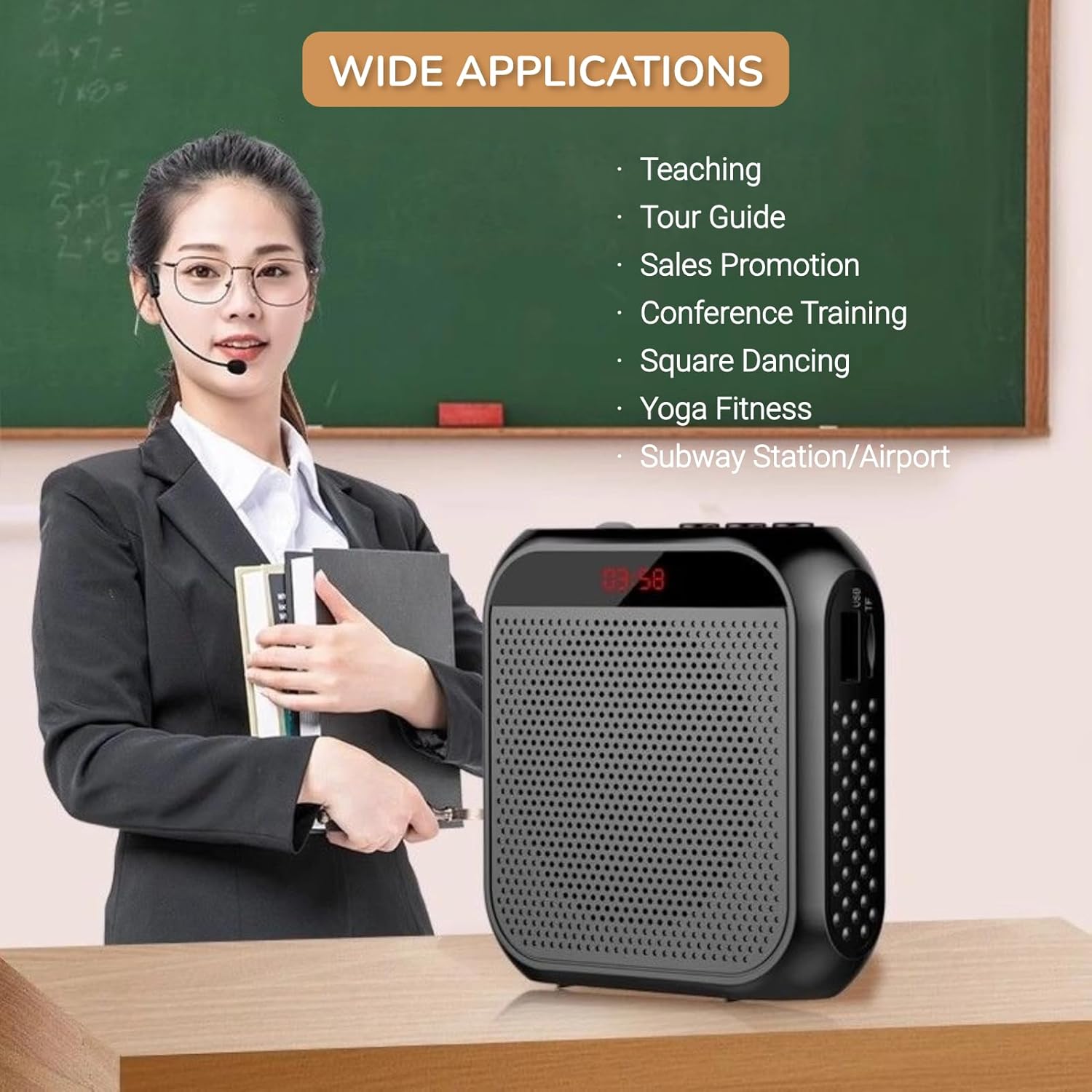
Image: A visual demonstrating various professional and recreational uses for the voice ampgyvesnis.
- Mokymas
- Tour Guiding
- Conference Training
- Pristatymai
- Viešas kalbėjimas
- Užsiėmimai lauke
Dėvėjimo metodai
The amplifier offers flexible wearing options for user comfort and convenience.

Vaizdas: pvzampmažiau kaip amplifier can be worn using the waistband strap or clip.
- Waistband: Attach the provided strap to the buckle positions on the amplifier and wear it around your waist or over your shoulder.
- Diržo segtukas: Use the integrated clip on the back of the amplifier to secure it directly to your belt, pocket, or clothing.
Specifikacijos
Key technical specifications of the Yunseity Portable Voice Ampgyvesnis.

Image: Diagram showing the physical dimensions of the ampgyvesnis.
| Funkcija | Specifikacija |
|---|---|
| Prekės ženklas | Junseity |
| Modelio numeris | Yunseity07h6poqxat |
| Ryšio technologija | AUX |
| Spalva | Juoda |
| Suderinami įrenginiai | Ausinės |
| Montavimo tipas | Nešiojamas, Stalinis |
| Maitinimo šaltinis | Maitinamas baterijomis |
| Jungties tipas | Aux |
| Kanalų skaičius | 1 |
| Garso įvestis | USB, Memory Card, Auxiliary |
| Korpuso medžiaga | Plastikiniai |
| Baterijos talpa | 2200 mAh |
| Matmenys (apytiksliai) | 8.4 cm x 2.8 cm x 9.2 cm (3.30 x 1.10 x 3.62 colio) |
Priežiūra
- Valymas: Nuvalykite ampminkštu, sausu skudurėliu. Nenaudokite stiprių cheminių medžiagų ar abrazyvinių valiklių.
- Saugykla: Laikykite prietaisą vėsioje, sausoje vietoje, apsaugotoje nuo tiesioginių saulės spindulių ir ekstremalių temperatūrų.
- Akumuliatoriaus priežiūra: Norėdami optimalaus akumuliatoriaus veikimo laiko, venkite dažnai visiškai iškrauti akumuliatorių. Reguliariai įkraukite įrenginį, net jei ilgą laiką nenaudojate.
- Elkitės atsargiai: Saugokitės, kad prietaisas nenukristų ir nepatirtų stipraus smūgio.
Trikčių šalinimas
If you encounter issues with your voice amplifier, žr. šias dažniausiai pasitaikančias problemas ir jų sprendimus:
| Problema | Galima priežastis | Sprendimas |
|---|---|---|
| Nėra garso ar mažas garsumas | Device is off; Volume is too low; Microphone not connected; Microphone faulty. | Long press Play/Pause to turn on; Rotate volume knob clockwise; Ensure microphone is fully plugged in; Test with another microphone if available. |
| Feedback/Whistling sound | Microphone too close to speaker; Volume too high; Microphone pointed at speaker. | Padidinkite atstumą tarp mikrofono ir amplifier; Reduce volume; Adjust microphone position away from the speaker. |
| Įrenginys neįkraunamas | Charging cable faulty; Power source faulty; Charging port damaged. | Try a different USB cable; Use a different USB power adapter/port; Contact customer support if port is damaged. |
| Media playback not working | U disk/Memory Card not inserted correctly; Incompatible file Formatas; Sugadintas files. | Reinsert U disk/Memory Card; Ensure files are in a supported format (e.g., MP3); Try different media files. |
Garantija ir palaikymas
This Yunseity product comes with a standard manufacturer's warranty. Please refer to the packaging or the seller's terms for specific warranty details and duration.
For technical support, warranty claims, or any questions regarding your product, please contact the seller or Yunseity customer service through the platform where you purchased the item. Provide your model number (Yunseity07h6poqxat) and purchase details for faster assistance.