
1. Įvadas
This manual provides essential information for the safe operation and maintenance of your Holy Stone HS720S GPS Drone. Please read this manual thoroughly before operating the drone to ensure proper usage and to prevent damage or injury. The HS720S is a lightweight, foldable drone equipped with a 4K camera, GPS functionality, and intelligent flight modes, designed for both beginners and experienced pilots.
2. Saugos gairės
- Patikra prieš skrydį: Always inspect the drone, propellers, and battery before each flight. Ensure all components are securely attached and undamaged.
- Skrydžio aplinka: Fly in open areas, away from people, animals, buildings, and power lines. Avoid flying in strong winds, rain, or fog. Maintain a safe distance from obstacles.
- Baterijos sauga: Use only original Holy Stone batteries. Do not overcharge or over-discharge batteries. Store batteries in a cool, dry place. Discontinue use if batteries show signs of damage or swelling.
- Propelerio sauga: Laikykite rankas, veidą ir laisvus drabužius atokiai nuo besisukančių sraigtų. Prieš skrydį įsitikinkite, kad sraigtai yra tinkamai sumontuoti.
- GPS signalas: For optimal performance and safety features like Return-to-Home, ensure a strong GPS signal before takeoff.
- Teisės laikymasis: Be aware of and comply with local drone regulations, including registration requirements (note: HS720S is under 249g, often exempt from FAA registration in the US, but check local laws).
- Avarinės procedūros: Susipažinkite su avarinio nusileidimo procedūromis ir grįžimo į namus funkcija.
3. Pakuotės turinys
Patikrinkite, ar pakuotėje yra visi reikalingi daiktai:
- Holy Stone HS720S GPS Drone
- Nuotolinio valdymo pultas
- 2 x skrydžio baterijos
- Atsarginiai sraigtai
- USB įkrovimo kabeliai
- Vartotojo vadovas
- Atsuktuvas

Image: Contents of the Holy Stone HS720S package, including the drone, remote, batteries, and accessories.
4. Komponentas baigtasview
4.1 dronas
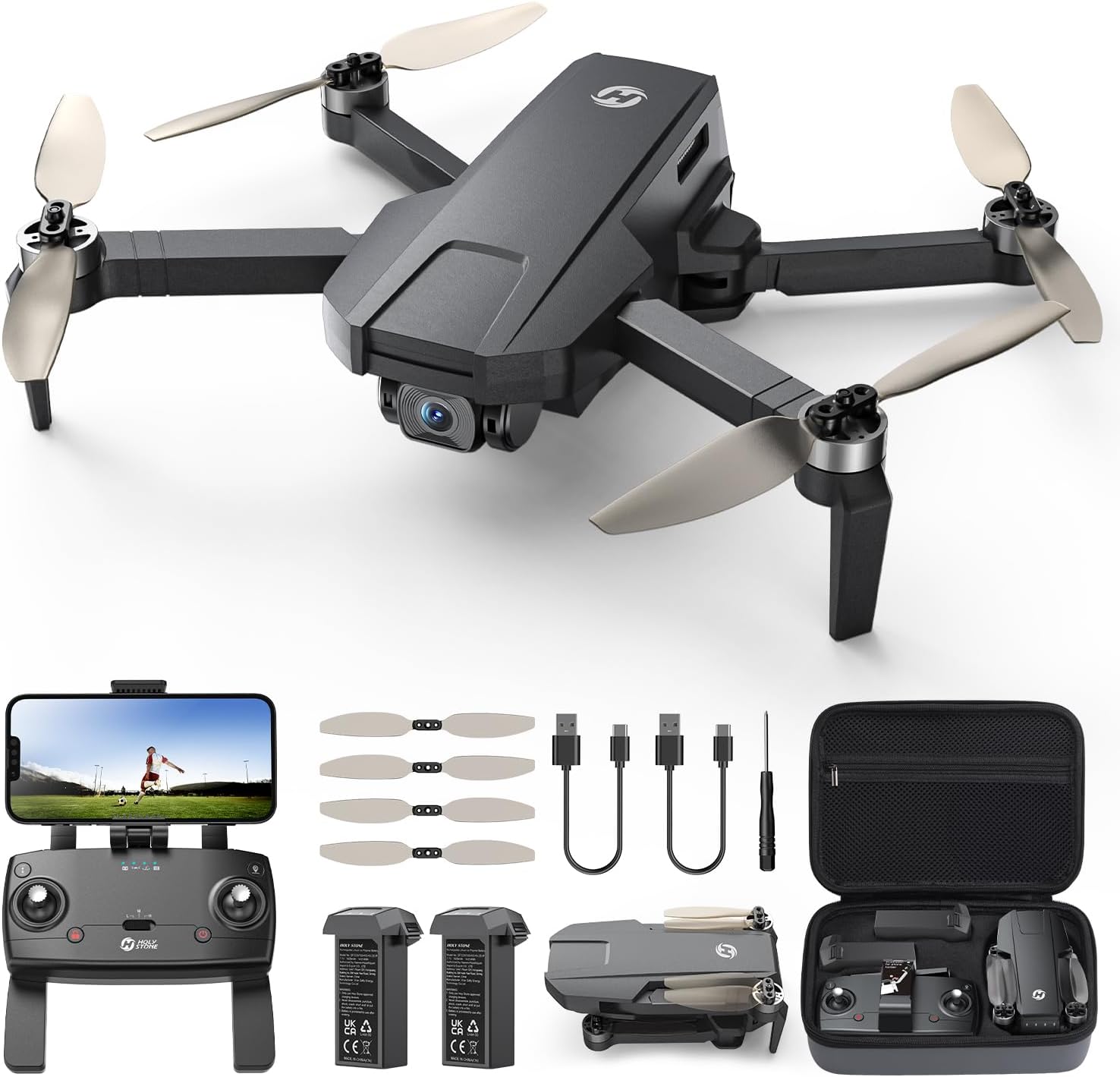
Image: The Holy Stone HS720S drone in its unfolded state.
The HS720S drone features a foldable design for portability. It is equipped with a 4K UHD camera, brushless motors for stable flight, and GPS modules for precise positioning. The drone's weight is under 249g, which may exempt it from certain registration requirements.
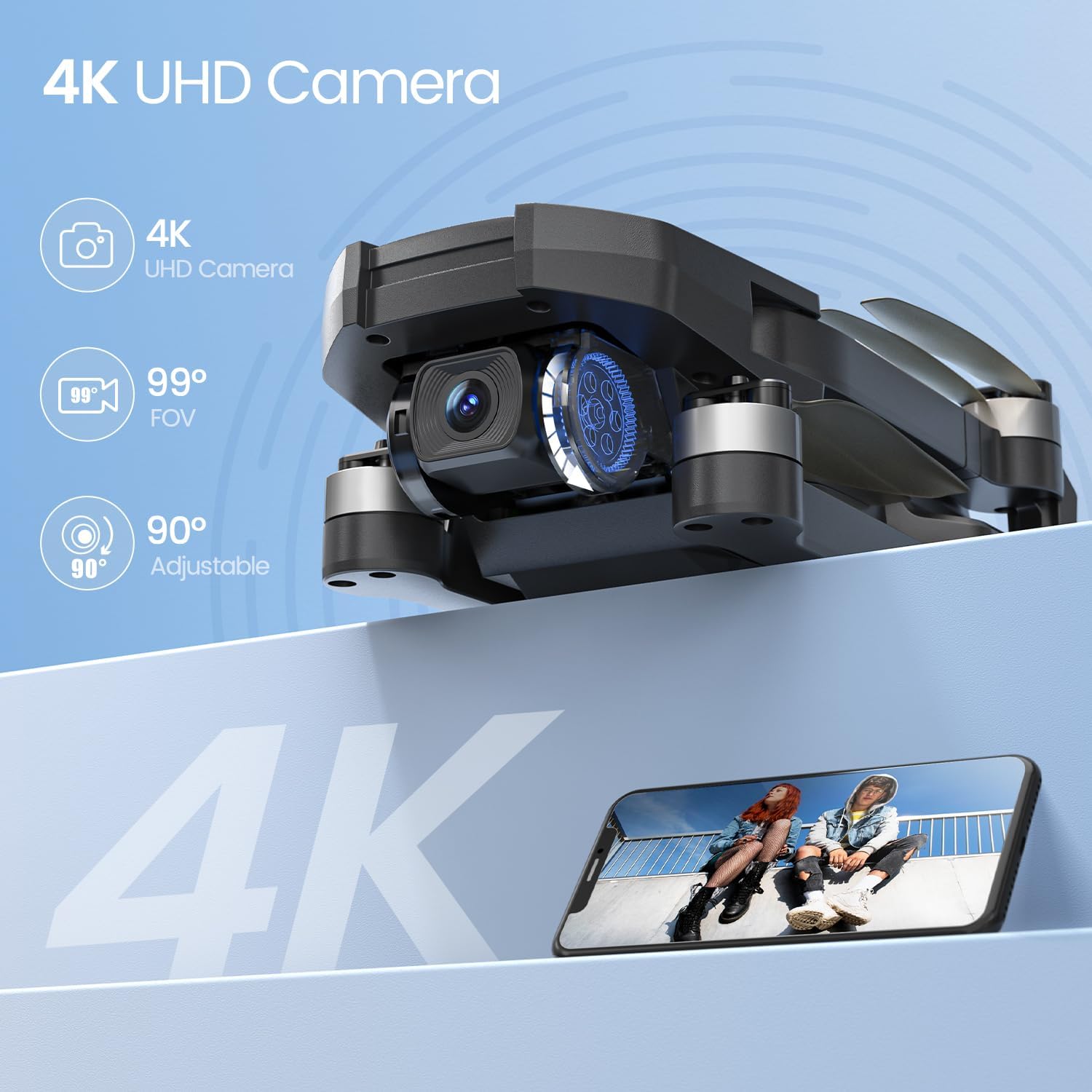
Image: Detail of the drone's 4K camera with adjustable angle.
4.2 Nuotolinis valdymas

Image: The remote control with a smartphone attached, displaying the drone's camera view.
The remote control provides intuitive control over the drone's flight and camera functions. It features a smartphone holder to display the live FPV feed via the Holy Stone app. Ensure the remote control is charged or has fresh batteries before use.
5. Sąranka
5.1 Baterijos įkrovimas ir įdėjimas
- Charge the flight batteries using the provided USB charging cable and a compatible USB adapter (not included). The indicator lights on the battery will show charging status.
- Once fully charged, insert the battery into the drone's battery compartment until it clicks securely into place.
- Charge the remote control using its dedicated USB charging cable.

Image: Drone with two batteries, indicating extended flight time.
5.2 Propelerio montavimas
Ensure propellers are installed correctly according to their markings (A and B) on the corresponding motor arms. Use the provided screwdriver to secure them.
5.3 Programėlės atsisiuntimas ir prisijungimas
- Download the official Holy Stone flight application (e.g., Ophelia Fly) from your smartphone's app store.
- Įjunkite droną ir nuotolinio valdymo pultą.
- Connect your smartphone to the drone's Wi-Fi network (usually named 'HolyStone-HS720S-XXXXXX').
- Atidarykite programėlę, kad užmegztumėte ryšį, ir view tiesioginis FPV srautas.
5.4 Kalibravimas
Before the first flight and after any significant change in location, perform compass and gyroscope calibration as instructed in the app or quick start guide. This ensures stable flight and accurate GPS positioning.
6. Naudojimo instrukcijos
6.1 Pagrindiniai skrydžio valdymo įtaisai
Familiarize yourself with the remote control's joysticks and buttons. The left joystick typically controls altitude and yaw (rotation), while the right joystick controls forward/backward and left/right movement.
6.2 One-Tap Takeoff/Landing
After successful calibration and GPS lock, press the One-Tap Takeoff button on the remote or in the app. The drone will automatically ascend to a safe height and hover. Press the One-Tap Landing button to initiate an automatic descent and landing.
6.3 Kameros veikimas
Use the dedicated buttons on the remote control or the app interface to take photos and record 4K video. The camera's angle can be adjusted remotely up to 90 degrees for optimal shot composition. The 5GHz FPV transmission provides a clear and smooth live video feed to your smartphone.
6.4 GPS and Return-to-Home (RTH)
The HS720S utilizes GPS for stable hovering and precise positioning. The Return-to-Home (RTH) function automatically brings the drone back to its takeoff point. This feature activates in cases of low battery, signal loss, or when manually triggered by the pilot.

Image: Drone demonstrating GPS Auto Return to Home functionality.
7. Išmanieji skrydžio režimai
The HS720S offers several intelligent flight modes to enhance your flying experience:
- Sekite mane: The drone will automatically follow the subject (e.g., the remote control or a person detected by the app) at a set distance and altitude, capturing dynamic footage.
- Waypoint/Tap-to-Fly: Plan a flight path by tapping points on the map within the app. The drone will then fly along the designated route.
- Lankytina vieta: Select a central point on the map, and the drone will circle around it at a specified radius and altitude, keeping the point in the camera's view.
- Pradedančiojo režimas: This mode limits flight speed and range, making it easier for new pilots to learn and control the drone.
- Optinio srauto padėties nustatymas: In environments with sufficient light and clear ground patterns, optical flow sensors assist in maintaining stable hovering, especially indoors or when GPS signal is weak.

Image: Visual representation of Tap Fly, Follow Me, and Point of Interest smart flight modes.
8. Priežiūra
- Valymas: Regularly clean the drone body, camera lens, and motors with a soft, dry cloth. Avoid using liquids or solvents.
- Propelerio apžiūra: Check propellers for cracks, bends, or damage before and after each flight. Replace damaged propellers immediately.
- Akumuliatoriaus priežiūra: Do not store batteries fully charged or completely depleted for extended periods. Charge them to about 50-60% for long-term storage.
- Firmware atnaujinimai: Periodically check the Holy Stone app or website for firmware updates for your drone and remote control. Follow update instructions carefully.
- Saugykla: Store the drone and its components in a cool, dry place, away from direct sunlight and extreme temperatures. The foldable design allows for compact storage.

Image: The drone in its folded, portable configuration.
9. Problemų sprendimas
| Problema | Galima priežastis | Sprendimas |
|---|---|---|
| Dronas neįsijungia | Žemas akumuliatoriaus lygis; akumuliatorius netinkamai įdėtas; | Įkraukite akumuliatorių; Tvirtai įdėkite akumuliatorių atgal |
| Programėlėje nėra FPV sklaidos kanalo | Phone not connected to drone Wi-Fi; App not open | Connect to drone Wi-Fi; Open the Holy Stone app |
| Dronas dreifuoja skrydžio metu | Poor GPS signal; Uncalibrated compass/gyroscope; Strong wind | Fly in open area with strong GPS; Perform calibration; Avoid flying in strong winds |
| Nuotolinio valdymo pultas neprisijungia | Išsikrovusi nuotolinio valdymo pulto baterija; Susiejimo problema | Charge remote; Re-pair drone and remote as per manual |
| Prasta vaizdo įrašų / nuotraukų kokybė | Dirty camera lens; Insufficient light; SD card issue | Clean lens; Fly in good lighting; Ensure SD card is inserted and formatted |
10. Specifikacijos
| Funkcija | Detalė |
|---|---|
| Modelio pavadinimas | HS720S |
| Prekės svoris | 240 gramų (8.5 uncijos) |
| Gaminio matmenys | 10.24 x 8.27 x 2.36 colių (išskleistas) |
| Vaizdo įrašymo raiška | 4K |
| Kameros ypatybės | 99° Wide Angle, 90° Servo-Adjustable Angle |
| Ryšio technologija | 5G, „Wi-Fi“, „Bluetooth“ |
| Maksimalus valdymo diapazonas | 6562 Feet (approx. 2KM) |
| Skrydžio laikas | Up to 42 minutes (with 2 modular batteries) |
| Variklio tipas | Be šepetėlių |
| Baterijos tipas | Ličio polimeras |
| Ypatingos savybės | GPS, 4K UHD Camera, Optical Flow Positioning, Smart Flight Modes (Follow Me, Waypoint, Point of Interest, Auto Return) |
11. Oficialūs produktų vaizdo įrašai
11.1 HS720S Product Overview
Vaizdo įrašas: išsamus aprašymasview of the Holy Stone HS720S drone's features and capabilities (Duration: 3:54).
11.2 Detailed Flight Instructions
Video: In-depth instructions for flying the HS720S drone, covering various flight maneuvers and controls (Duration: 6:01).
12. Garantija ir palaikymas
Holy Stone products typically come with a standard manufacturer's warranty. Please refer to the warranty card included in your package or visit the official Holy Stone websvetainėje, kurioje pateikiamos išsamios garantijos sąlygos.
Pagalba klientams
For technical assistance, troubleshooting, or any inquiries regarding your Holy Stone HS720S drone, please contact Holy Stone customer support:
- Telefonas: +1 (833) 766-4733
- El. paštas (JAV): usa@holystone.com
- El. paštas (ES): eu@holystone.com
- Email (CA): ca@holystone.com
- Email (AU): au@holystone.com

Image: Holy Stone customer support representative.


