
Total TFCLI20411
„Total P20S“ ličio jonų akumuliatoriaus įkroviklis TFCLI20411, naudotojo vadovas
Brand: Total | Model: TFCLI20411
1. Įvadas
This manual provides essential instructions for the safe and efficient operation, setup, maintenance, and troubleshooting of your Total P20S Lithium-ion Battery Charger, model TFCLI20411. Please read this manual thoroughly before using the charger to ensure proper function and to prevent injury or damage.
The Total P20S Lithium-ion Battery Charger is designed to quickly and reliably charge Total P20S series Lithium-ion batteries, ensuring your tools are ready for use.
2. Saugos instrukcijos
ĮSPĖJIMAS: perskaitykite visus saugos įspėjimus ir instrukcijas. Perspėjimų ir instrukcijų nesilaikymas gali sukelti elektros smūgį, gaisrą ir (arba) rimtus sužalojimus.
- Elektros sauga: Ensure the charger is connected to a power supply that matches the specifications indicated on the charger label. Do not use the charger in wet conditions or expose it to rain. Always disconnect the charger from the power supply before cleaning or maintenance.
- Suderinamumas su baterijomis: This charger is designed exclusively for Total P20S series Lithium-ion batteries. Do not attempt to charge other types of batteries, as this may lead to fire, injury, or damage.
- Vėdinimas: Operate the charger in a well-ventilated area. Do not cover the charger's ventilation slots during operation, as this can lead to overheating.
- Žalos patikrinimas: Regularly inspect the charger, cable, and plug for any signs of damage. Do not use a damaged charger. Contact Total customer support for repairs.
- Vaikai ir neteisėtas naudojimas: Šis prietaisas nėra skirtas naudoti asmenims (įskaitant vaikus), kurių fizinės, jutimo ar psichinės galimybės yra ribotos arba kurie neturi patirties ir žinių, nebent už jų saugą atsakingas asmuo juos prižiūrėtų arba instruktuotų, kaip naudoti prietaisą. . Vaikus reikia prižiūrėti, kad jie nežaistų su prietaisu.
- Venkite trumpųjų jungimų: Do not short-circuit the battery terminals or the charger terminals.
- Temperatūra: Do not charge batteries in extremely hot or cold environments. The optimal charging temperature range is typically between 10°C and 40°C (50°F and 104°F).
3. Produktas baigtasview
Familiarize yourself with the components of your Total P20S Lithium-ion Battery Charger.
3.1 Charger Unit

Figure 1: Total P20S Lithium-ion Battery Charger TFCLI20411 in its retail packaging, showing the charger unit and product branding.
3.2 Indikacinės lemputės
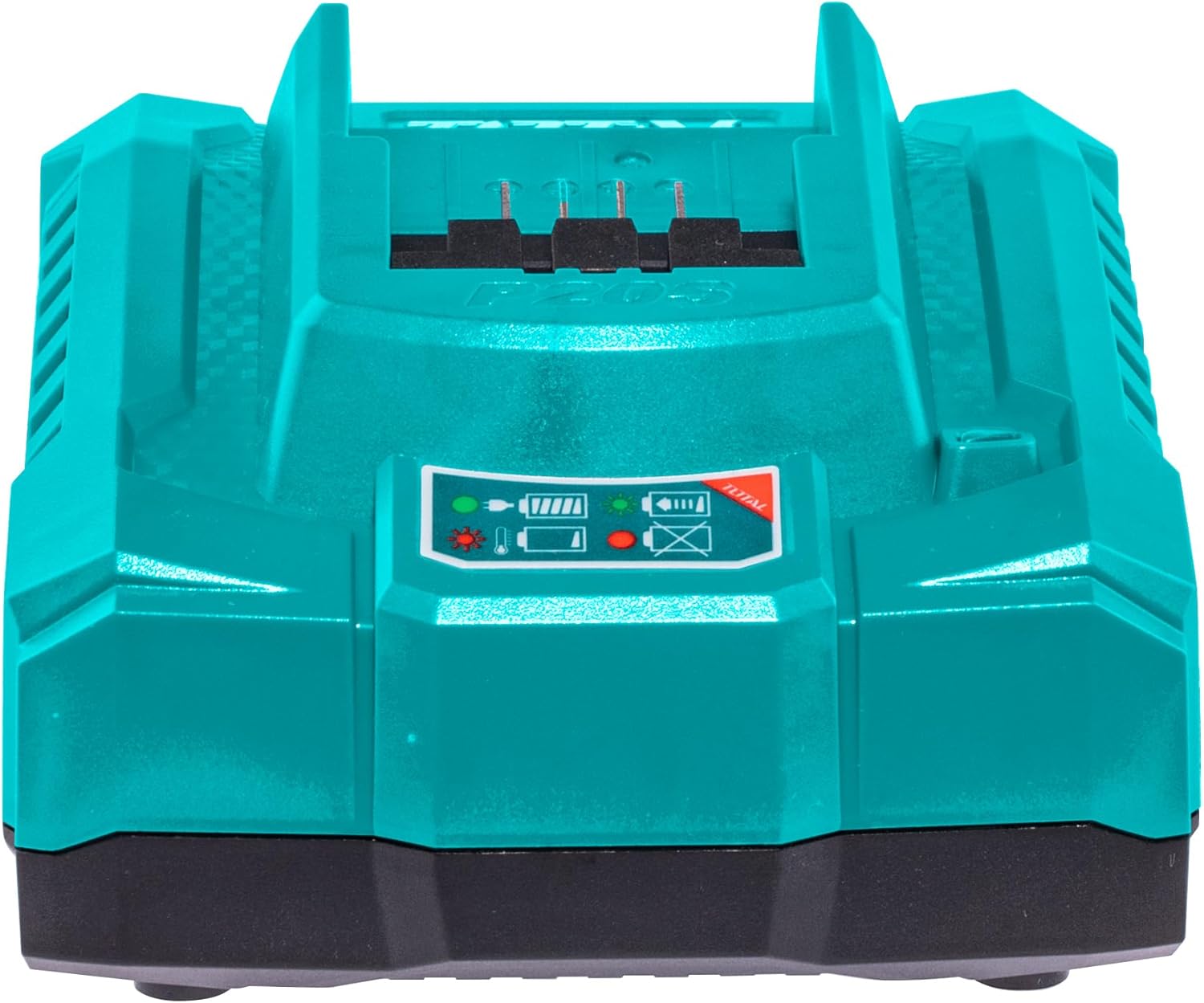
2 pav.: priekis view of the Total P20S Lithium-ion Battery Charger, highlighting the battery slot and the status indicator lights.
- Raudona šviesa (šviečianti nuolat): Indicates the charger is powered on and ready to charge.
- Žalia lemputė (mirksi): Rodo, kad šiuo metu akumuliatorius kraunamas.
- Žalia šviesa (šviečia nuolat): Rodo, kad baterija yra visiškai įkrauta.
- Raudona lemputė (mirksi): Indicates a charging error (e.g., faulty battery, incorrect temperature).
3.3 ventiliacijos angos
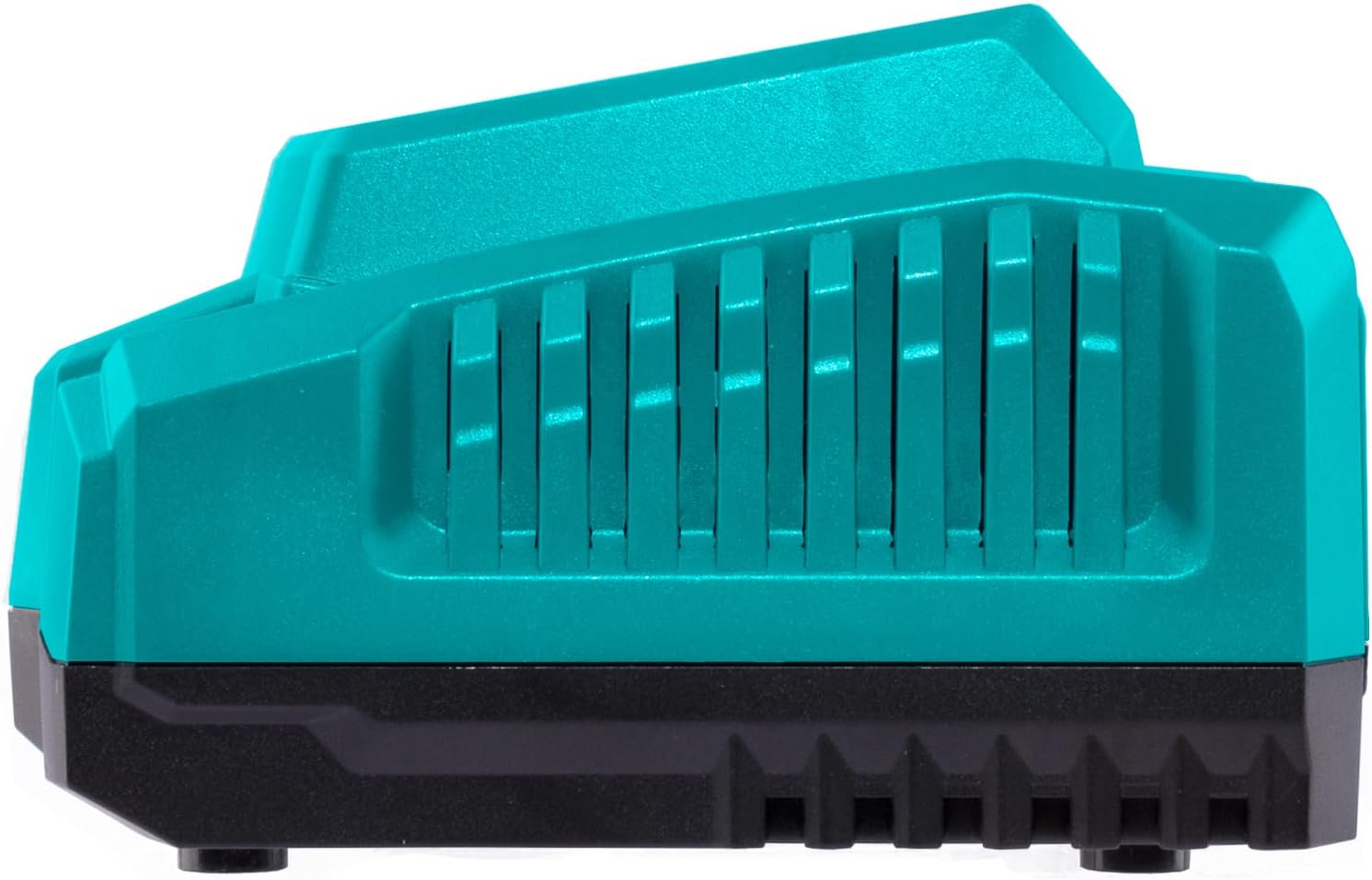
3 pav.: šonas view of the Total P20S Lithium-ion Battery Charger, illustrating the ventilation slots crucial for heat dissipation during charging.
4. Sąranka
- Išpakuoti: Carefully remove the charger from its packaging. Retain packaging for future storage or transport.
- Vieta: Place the charger on a stable, flat, and non-combustible surface. Ensure there is adequate ventilation around the charger. Avoid placing it on carpet or other materials that could block airflow.
- Maitinimo jungtis: Plug the charger's power cord into a suitable 240V AC electrical outlet. The red indicator light on the charger should illuminate, indicating it is powered on and ready.
5. Naudojimo instrukcijos
5.1 Baterijos įkrovimas
- Ensure the charger is plugged into a power outlet and the red indicator light is solid.
- Align the Total P20S Lithium-ion battery with the charging slot on the charger.
- Slide the battery firmly into the charging slot until it clicks into place.
- The green indicator light will begin flashing, indicating that the battery is charging.
- Once the battery is fully charged, the green indicator light will turn solid. The typical charging time for a compatible battery is approximately 0.5 hours.
- To remove the battery, press the release button (if present on the battery) and slide the battery out of the charger.
5.2 Indikatorių lempučių supratimas
- Vientisa raudona: Charger is connected to power, no battery inserted or ready for charging.
- Mirksi žaliai: Battery is actively charging.
- Tvirtai žalia: Baterija pilnai įkrauta.
- Mirksi raudonai: Charging error. This could indicate a faulty battery, an overheated battery, or an issue with the charger itself. Disconnect the battery and charger, allow them to cool, and try again. If the error persists, consult the troubleshooting section.
6. Priežiūra
- Valymas: Disconnect the charger from the power supply before cleaning. Use a soft, dry cloth to wipe the exterior of the charger. Do not use abrasive cleaners or solvents. Keep the charging terminals free of dust and debris.
- Saugykla: When not in use, store the charger in a clean, dry place, away from direct sunlight and extreme temperatures.
- Patikra: Periodically check the power cord and charger housing for any signs of damage. If damage is found, discontinue use and seek professional repair.
7. Problemų sprendimas
| Problema | Galima priežastis | Sprendimas |
|---|---|---|
| Charger not powering on (no lights) | No power to the outlet; faulty power cord/plug; charger malfunction. | Check power outlet with another device. Inspect power cord for damage. If problem persists, contact support. |
| Battery not charging (red light solid, no green flashing) | Battery not properly inserted; battery is not a Total P20S Lithium-ion type; battery is already fully charged. | Ensure battery is fully seated. Verify battery type. Check if battery is already charged. |
| Mirksi raudona indikatoriaus lemputė | Faulty battery; battery too hot/cold; charger malfunction. | Remove battery, allow to cool/warm to room temperature, then reinsert. Try charging a different, known-good battery. If error persists, the battery or charger may be faulty. |
8. Specifikacijos
| Funkcija | Specifikacija |
|---|---|
| Modelis | TFCLI20411 |
| Prekės ženklas | Iš viso |
| Įvesties tomastage | 240 voltų kintamoji srovė |
| Išėjimas ttage | 20 voltų DC |
| Dabartinis reitingas | 4 Amps |
| Baterijos tipo suderinamumas | Total P20S Lithium-ion |
| Apytikslis įkrovimo laikas | 0.5 Hours (for compatible batteries) |
| Prekės svoris | 209 g (0.21 kilogramo) |
| Gaminio matmenys (I x P x A) | 12 x 16 x 15 cm |
| Spalva | Turkis |
| Maitinimo kištuko tipas | Type G or Type I (Region Dependent) |
9. Garantija ir palaikymas
Total products are manufactured to high-quality standards. For information regarding warranty coverage, please refer to the warranty card included with your purchase or visit the official Total website. For technical support, spare parts, or service inquiries, please contact your local Total dealer or authorized service center.
Išsaugokite pirkimo įrodymą, kad galėtumėte kreiptis dėl garantijos.
Ask a question about this manual
Ask about setup, troubleshooting, compatibility, parts, safety, or missing instructions. Manuals+ will review the question and use this page’s manual context to help answer it.