
Strong SW8000M
STRONG SW8000M 8 prievadų gigabito stalinio komutatoriaus naudotojo vadovas
Model: SW8000M
1. Įvadas
This manual provides instructions for the installation, operation, and maintenance of your STRONG SW8000M 8-Port Gigabit Desktop Switch. This device is designed to expand your network connectivity with high-speed Gigabit Ethernet ports, suitable for home and office environments.
2. Produkto ypatybės
- Gigabito greitis: Provides 10/100/1000 Mbps for fast network connections.
- 8-Port Connectivity: Expands network with 8 Gigabit Ethernet ports.
- Plug and Play: No software or configuration required for basic operation.
- Robust Metal Design: Durable metal housing for longevity.
- Lankstus montavimas: Supports desktop placement or wall mounting.
- Veikimas be ventiliatoriaus: Ensures quiet performance, ideal for noise-sensitive areas.
- Optimized Data Traffic: Supports QoS, IGMP, and VLAN functions.
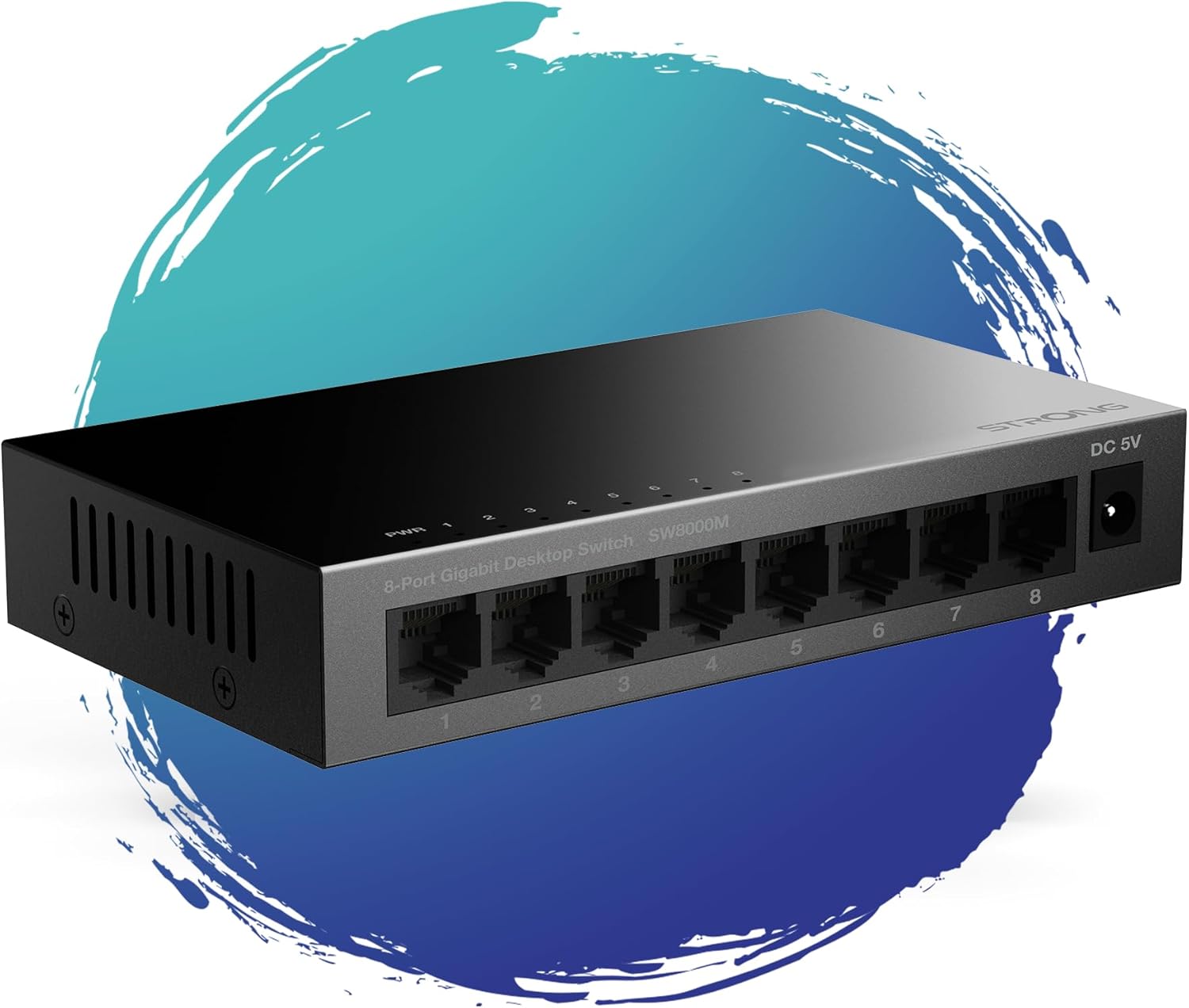
1 pav.: priekis view of the STRONG SW8000M 8-Port Gigabit Desktop Switch, highlighting its compact design and 8 RJ45 ports.
3. Pakuotės turinys
Patikrinkite, ar pakuotėje yra visi reikalingi daiktai:
- STRONG SW8000M 8-Port Gigabit Desktop Switch
- Power Adapter (Mains plug)
- Montavimo instrukcijos (šis vadovas)
- Garantijos kortelė
4. Sąranka ir diegimas
4.1 Fizinis išdėstymas
The SW8000M switch can be placed on a desktop or mounted on a wall. Ensure the location is well-ventilated and away from direct heat sources or moisture.
- Vieta darbalaukyje: Padėkite jungiklį ant lygaus, stabilaus paviršiaus.
- Montavimas ant sienos: Use the provided mounting options (if applicable) to secure the switch to a wall.

Figure 2: Illustrates the switch's advanced features like QoS, traffic optimization, and IEEE 802.3x flow control.
4.2 Jungiklio prijungimas
- Connect the power adapter to the DC 5V port on the switch and then plug it into a power outlet. The Power LED (PWR) on the switch will illuminate.
- Connect your network devices (e.g., computers, printers, network-attached storage, routers) to any of the 8 Gigabit RJ45 ports using standard Ethernet cables.
- The corresponding LED indicator for each connected port will light up, indicating an active connection. A blinking LED indicates data activity.

3 pav.: galinis view of the switch, detailing the 8 Gigabit RJ45 ports and the DC 5V power input.
5. Jungiklio valdymas
The STRONG SW8000M is a plug-and-play device. Once connected, it automatically detects the speed and duplex mode of connected devices, providing optimal performance without manual configuration.
- LED indikatoriai: Each port has an LED indicator. A solid light indicates a link, and a blinking light indicates data transmission. The PWR LED indicates the device is powered on.
- Duomenų srautas: The switch intelligently manages data traffic to ensure smooth and efficient communication between all connected devices.
6. Priežiūra
- Valymas: Jungiklio išorę valykite minkštu, sausu skudurėliu. Nenaudokite skystų ar aerozolinių valiklių.
- Vėdinimas: Ensure that the ventilation openings on the sides of the switch are not blocked to prevent overheating.
- Dizainas be ventiliatoriaus: The fanless design reduces dust accumulation and eliminates operational noise, requiring minimal internal maintenance.
7. Problemų sprendimas
- Nėra galios: Ensure the power adapter is securely connected to the switch and a working power outlet. Check if the PWR LED is illuminated.
- Nėra ryšio lemputės: Verify that the Ethernet cables are properly connected to both the switch and the network device. Try a different port or cable. Ensure the connected device is powered on.
- Lėtas ryšys: Ensure all connected devices and cables support Gigabit Ethernet for optimal speed. Check for excessive network traffic or faulty cables.
- Pertraukiamas ryšys: Check cable connections. Ensure the switch is placed in a stable environment, free from strong electromagnetic interference.
8. Specifikacijos
| Funkcija | Aprašymas |
|---|---|
| Modelis | SW8000M |
| Prievadų skaičius | 8 x RJ45 Gigabit Ethernet |
| Duomenų perdavimo sparta | 10/100/1000 Mbps |
| Sąsajos tipas | RJ45 |
| Maitinimo įvestis | 5 voltai, 1 Amp |
| Bylos medžiaga | Metalas |
| Gaminio matmenys (I x P x A) | 3.07" x 0.98" x 5.43" |
| Prekės svoris | 240 gramų (8.5 uncijos) |
| Darbinė temperatūra | Iki 50 laipsnių Celsijaus |
| Įtraukti komponentai | Switch, Power Adapter, Manual, Warranty Card |
9. Garantija ir palaikymas
The STRONG SW8000M switch comes with a manufacturer's warranty. Please refer to the included Warranty Card for specific terms and conditions. For technical support or further assistance, please visit the official Strong websvetainėje arba susisiekite su jų klientų aptarnavimo tarnyba.
ES atsarginių dalių prieinamumo trukmė: 2 metai
Ask a question about this manual
Ask about setup, troubleshooting, compatibility, parts, safety, or missing instructions. Manuals+ will review the question and use this page’s manual context to help answer it.