
1. Įvadas
Ačiū, kad pirkoteasing the Herneum 0202B-BK1 Bluetooth CD Player Boombox. This device offers versatile audio playback options including CD, Bluetooth, FM radio, USB, and Aux-in. It features a built-in rechargeable battery for portability and comes with a remote control for convenient operation. Please read this manual carefully before using the product to ensure proper operation and to maximize its lifespan.
2. Saugos informacija
- Saugokite įrenginį nuo lietaus, drėgmės ar tiesioginių saulės spindulių.
- Nestatykite įrenginio šalia šilumos šaltinių, tokių kaip radiatoriai, šildytuvai, viryklės ar kiti prietaisai (įskaitant ampkeltuvai), kurie gamina šilumą.
- Naudokite tik gamintojo nurodytus priedus/priedus.
- Atjunkite šį įrenginį žaibuojant arba kai nenaudojate ilgą laiką.
- Neužblokuokite jokių ventiliacijos angų. Montuokite pagal gamintojo instrukcijas.
- Saugokite maitinimo laidą, kad ant jo neužeitų ar nesuspaustų, ypač prie kištukų, patogių lizdų ir toje vietoje, kur jie išeina iš aparato.
- Visus techninės priežiūros darbus patikėkite kvalifikuotam techninės priežiūros personalui. Techninė priežiūra reikalinga, kai aparatas buvo kaip nors pažeistas, pvz., pažeistas maitinimo laidas arba kištukas, į aparatą išsiliejo skystis ar įkrito daiktai, aparatas buvo paveiktas lietaus ar drėgmės, neveikia normaliai. , arba buvo numestas.
- Svarbu: Before playing a CD, ensure you remove any protective cardboard or film covering the CD reader laser lens. Failure to do so may prevent the CD player from functioning correctly.
3. Pakuotės turinys
Patikrinkite pakuotę, ar joje yra šie daiktai:
- Herneum CD Player Boombox
- Nuotolinio valdymo pultas
- Maitinimo adapteris
- 3.5 mm garso laidas
- Instrukcijų vadovas (šis dokumentas)

Image: Herneum Boombox and its accessories, including the remote, power adapter, and cables.
4. Produktas baigtasview (Valdikliai ir prievadai)
Familiarize yourself with the various controls and connection ports on your boombox.

Vaizdas: Viršus view of the boombox, highlighting the CD lid and main control buttons.
Front/Top Panel Controls:
- Įjungimo mygtukas: Įjungia arba išjungia įrenginį.
- MODE mygtukas: Perjungia CD, „Bluetooth“, FM, USB ir AUX režimus.
- PLAY/PAUSE Button (►/❚❚): Pradeda arba pristabdo atkūrimą.
- STOP Button (■): Sustabdo atkūrimą.
- PREVIOUS/REWIND Button (◀◀): Peršoka į ankstesnį takelį arba atsuka atgal atkūrimo metu.
- NEXT/FAST FORWARD Button (►►): Peršoka į kitą takelį arba peršoka į priekį atkūrimo metu.
- Atidaryti/Uždaryti mygtukas: Atidaro CD skyriaus dangtelį.
- Ekranas: Rodo dabartinį režimą, takelio numerį, FM dažnį ir kt.
Side/Rear Panel Ports:
- AUX IN lizdas: Connects external audio devices using a 3.5mm audio cable.
- USB prievadas: Prijungia USB atmintines MP3 atkūrimui.
- Headphones Jack (3.5mm): Prijungia ausines, kad galėtumėte klausytis privačiai.
- DC IN prievadas: Connects the power adapter for charging and AC power.
- FM antena: Ištraukiama antena FM radijo priėmimui.
Vaizdas: Šoninė view of the boombox, detailing the Aux-in, USB-in, and headphones jack.
5. Sąranka ir įkrovimas
Pradinis įkrovimas:
The boombox features a built-in 2000mAh rechargeable battery. Before first use, it is recommended to fully charge the device.
- Connect the provided power adapter to the DC IN port on the boombox.
- Plug the power adapter into a standard AC power outlet.
- The charging indicator light (if available) will illuminate. The unit is fully charged when the indicator changes color or turns off (refer to specific product behavior).
- Pilnai įkrautas grotuvas užtikrina maždaug 5 valandas grojimo laiko.
Image: Illustration showing the internal rechargeable battery of the boombox.
Įjungimas / išjungimas:
- Paspauskite GALIA button on the unit to turn it on.
- Paspauskite GALIA mygtuką dar kartą, kad jį išjungtumėte.
6. Naudojimo instrukcijos
Režimo pasirinkimas:
Paspauskite REŽIMAS button repeatedly to cycle through the available modes: CD, Bluetooth, FM, USB, and AUX.
CD atkūrimas:
- Paspauskite ATIDARYTI/UŽDARYTI mygtuką, kad atidarytumėte CD skyriaus dangtelį.
- Svarbu: Ensure any protective cardboard or film covering the CD laser lens is removed before inserting a CD.
- Place a CD (standard CD, CD-R/RW, MP3 CD, or audiobook CD) onto the spindle with the label side facing up.
- Gently close the CD compartment lid.
- Paspauskite REŽIMAS button to select CD mode. The display will show "CD" and begin reading the disc.
- Playback will start automatically. Use the PALEISTI / PAUZĖ, STOP, ANKSTESIS / ATGAL, ir KITAS / GREITI PIRMYN mygtukai, skirti valdyti atkūrimą.
- The boombox supports random play, repeat play (single track/all tracks), and resume play functions. Refer to the remote control section for specific button functions.
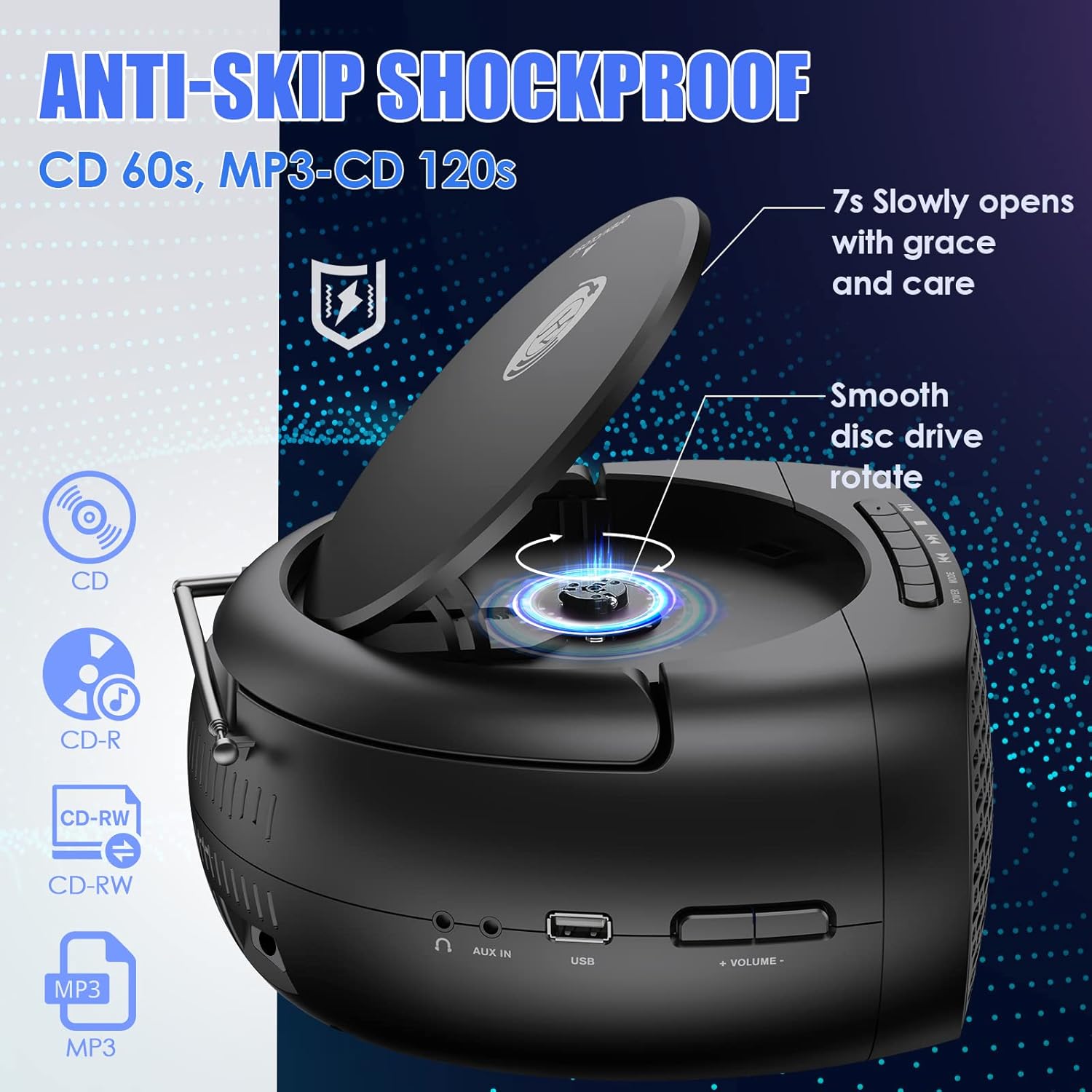
Image: The boombox with its CD lid open, illustrating the smooth disc rotation and compatibility with various CD formats.
„Bluetooth“ režimas:
- Paspauskite REŽIMAS button to select Bluetooth mode. The display will show "BT" or a Bluetooth icon, and the unit will enter pairing mode.
- Įrenginyje su „Bluetooth“ funkcija (išmaniajame telefone, planšetiniame kompiuteryje ir kt.) įjunkite „Bluetooth“ ir ieškokite galimų įrenginių.
- Select "Herneum Boombox" (or similar name) from the list of devices.
- Once paired, the boombox will emit a confirmation sound, and the display will indicate a successful connection.
- You can now stream audio from your device to the boombox. Use your device or the boombox controls for playback.

Image: The boombox connected via Bluetooth 5.1 to a smartphone, illustrating wireless audio streaming.
FM radijo režimas:
- Optimaliam priėmimui visiškai ištieskite FM anteną.
- Paspauskite REŽIMAS button to select FM radio mode. The display will show the FM frequency.
- Norėdami automatiškai nuskaityti ir išsaugoti stotis: paspauskite ir palaikykite PALEISTI / PAUZĖ button. The unit will scan for available stations and save them automatically.
- Norėdami rankiniu būdu derinti: naudokite ANKSTESIS / ATGAL ir KITAS / GREITI PIRMYN mygtukais, kad tiksliai sureguliuotumėte dažnį.
- To navigate saved stations: Briefly press the ANKSTESIS / ATGAL or KITAS / GREITI PIRMYN mygtukai.
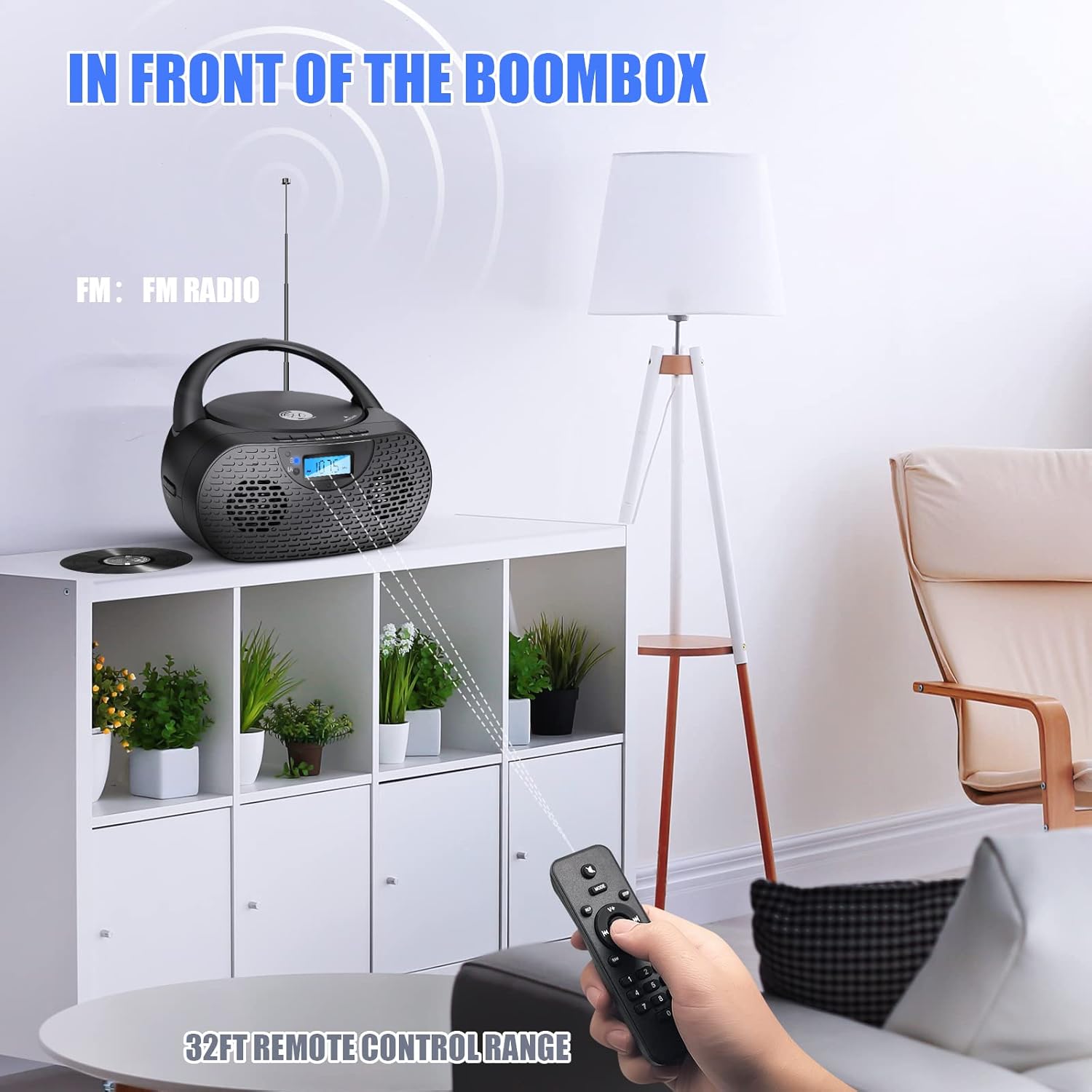
Image: The boombox receiving FM radio signals, with the remote control being used.
USB atkūrimo režimas:
- Įdėkite USB atmintinę, kurioje yra MP3 garso įrašų files į USB prievadą.
- Paspauskite REŽIMAS mygtuką, kad pasirinktumėte USB režimą. Įrenginys automatiškai aptiks ir pradės leisti MP3 failus files iš USB atmintinės.
- Use the playback control buttons (PLAY/PAUSE, NEXT, PREVIOUS) to manage your music.
AUX įvesties režimas:
- Connect one end of the 3.5mm audio cable to the AUX IN jack on the boombox.
- Connect the other end of the 3.5mm audio cable to the headphone jack or audio output of your external audio device (e.g., MP3 player, smartphone).
- Paspauskite REŽIMAS mygtuką, kad pasirinktumėte AUX režimą.
- Start playback on your external device. Audio will be routed through the boombox speakers.
- Volume can be controlled via the boombox or your external device.
Ausinių naudojimas:
- Plug your 3.5mm headphones into the Headphones Jack on the boombox.
- Garsas automatiškai persijungs iš garsiakalbių į ausines.
- Sureguliuokite garsumą iki patogaus klausymosi lygio.
Nuotolinio valdymo pulto veikimas:
The included remote control allows for convenient operation from a distance. Ensure the remote has working AAA batteries (included) and is pointed towards the front of the boombox.
- Galia: Turns the unit on/off (Note: Some units may require manual power on/off from the device itself).
- Režimas: Perjungia įvesties šaltinius.
- Tūris +/-: Reguliuoja garsumo lygį.
- Play/Pause, Stop, Next, Previous: Valdo medijos atkūrimą.
- Kartoti / Atsitiktinai: Cycles through repeat modes (repeat one, repeat all) or enables random playback for CDs/USB.
- Skaičių mygtukai: For direct track selection on CD/USB or direct station input on FM (if supported).
7. Priežiūra
- Valymas: Garso grotuvo išorę valykite minkštu, sausu skudurėliu. Nenaudokite abrazyvinių valiklių ar tirpiklių.
- CD objektyvo priežiūra: If CD playback issues occur, use a specialized CD lens cleaner disc to clean the laser lens. Do not touch the lens directly.
- Saugykla: When not in use for extended periods, store the boombox in a cool, dry place. Remove batteries from the remote control if storing for a long time.
- Akumuliatoriaus priežiūra: Norėdami pailginti baterijos veikimo laiką, venkite dažnai jos visiškai iškrauti. Reguliariai įkraukite įrenginį, net jei jo nenaudojate.
8. Problemų sprendimas
| Problema | Galima priežastis | Sprendimas |
|---|---|---|
| Įrenginys neįsijungia. | Baterija išsikrovusi; Maitinimo adapteris neprijungtas arba sugedęs. | Įkraukite bateriją; Įsitikinkite, kad maitinimo adapteris yra tvirtai prijungtas ir veikia. |
| Kompaktinis diskas negrojamas arba praleidžia garsą. | CD is dirty, scratched, or inserted incorrectly; Protective cardboard not removed; CD lens is dirty. | Clean or replace CD; Insert CD correctly; Remove protective cardboard; Use a CD lens cleaner. |
| „Bluetooth“ neprisijungia. | Boombox not in Bluetooth mode; Device too far; Device already connected to another unit. | Perjunkite į „Bluetooth“ režimą; perkelkite įrenginį arčiau; atjunkite nuo kitų įrenginių ir bandykite dar kartą. |
| Prastas FM radijo priėmimas. | Antena neištiesta; Silpno signalo zona. | Fully extend and adjust the FM antenna; Try moving the unit to a different location. |
| Nėra garso iš garsiakalbių. | Per mažas garsumas; Prijungtos ausinės; Pasirinktas neteisingas režimas. | Increase volume; Disconnect headphones; Ensure correct mode is selected. |
| Nuotolinio valdymo pultas neveikia. | Baterijos išsikrovusios arba įdėtos neteisingai; kliūtis tarp nuotolinio valdymo pulto ir įrenginio. | Replace batteries; Ensure correct polarity; Remove obstructions; Point remote directly at the unit. |
9. Specifikacijos
| Funkcija | Detalė |
|---|---|
| Modelio numeris | 0202B-BK1 |
| Gaminio matmenys (I x P x A) | 10 x 9 x 5.1 colio |
| Prekės svoris | 2.79 svaro |
| Ryšio technologija | „Bluetooth 5.1“, pagalbinis, USB |
| Garsiakalbio tipas | Stereo (5W output) |
| CD suderinamumas | CD, CD-R/RW, MP3 CD, Audiobook CD |
| Baterija | 1 ličio jonų baterija (2000 mAh, pridedama) |
| Play Time (on battery) | Maždaug 5 val |
| FM radijas | Yes, with extendable antenna |
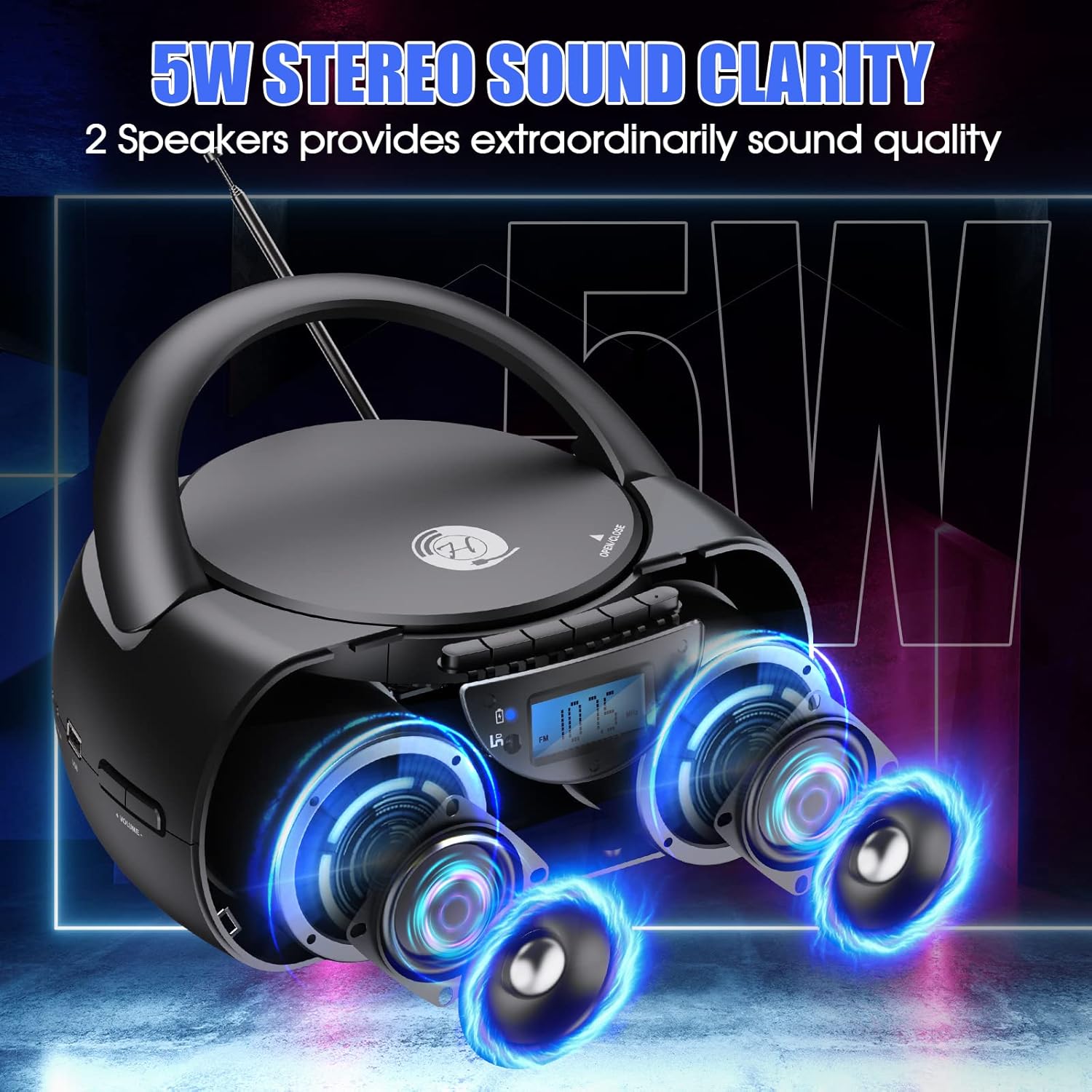
Image: The boombox showcasing its 5W stereo sound system.
10. Produkto vaizdo įrašasview
Vaizdo įrašas: Generolas viršview of the Herneum Bluetooth CD Player Boombox, demonstrating its features and design.
11. Garantija ir palaikymas
Herneum products are designed for reliability and performance. For warranty information, technical support, or any questions regarding your Herneum 0202B-BK1 Bluetooth CD Player Boombox, please refer to the contact information provided with your purchase documentation or visit the official Herneum websvetainę.
Išsaugokite pirkimo įrodymą, kad galėtumėte kreiptis dėl garantijos.