
Įvadas
This manual provides detailed instructions for the operation and maintenance of your Cuifati Portable Cassette Player with Auto Reverse. Please read this manual thoroughly before using the device to ensure proper functionality and to maximize your listening experience.
Pakuotės turinys
Patikrinkite, ar pakuotėje yra visi toliau išvardyti daiktai:
- 1 x Cuifati Portable Cassette Player
- 1x ausines
- 1 x USB Power Cord
- 1 x Vartotojo vadovas
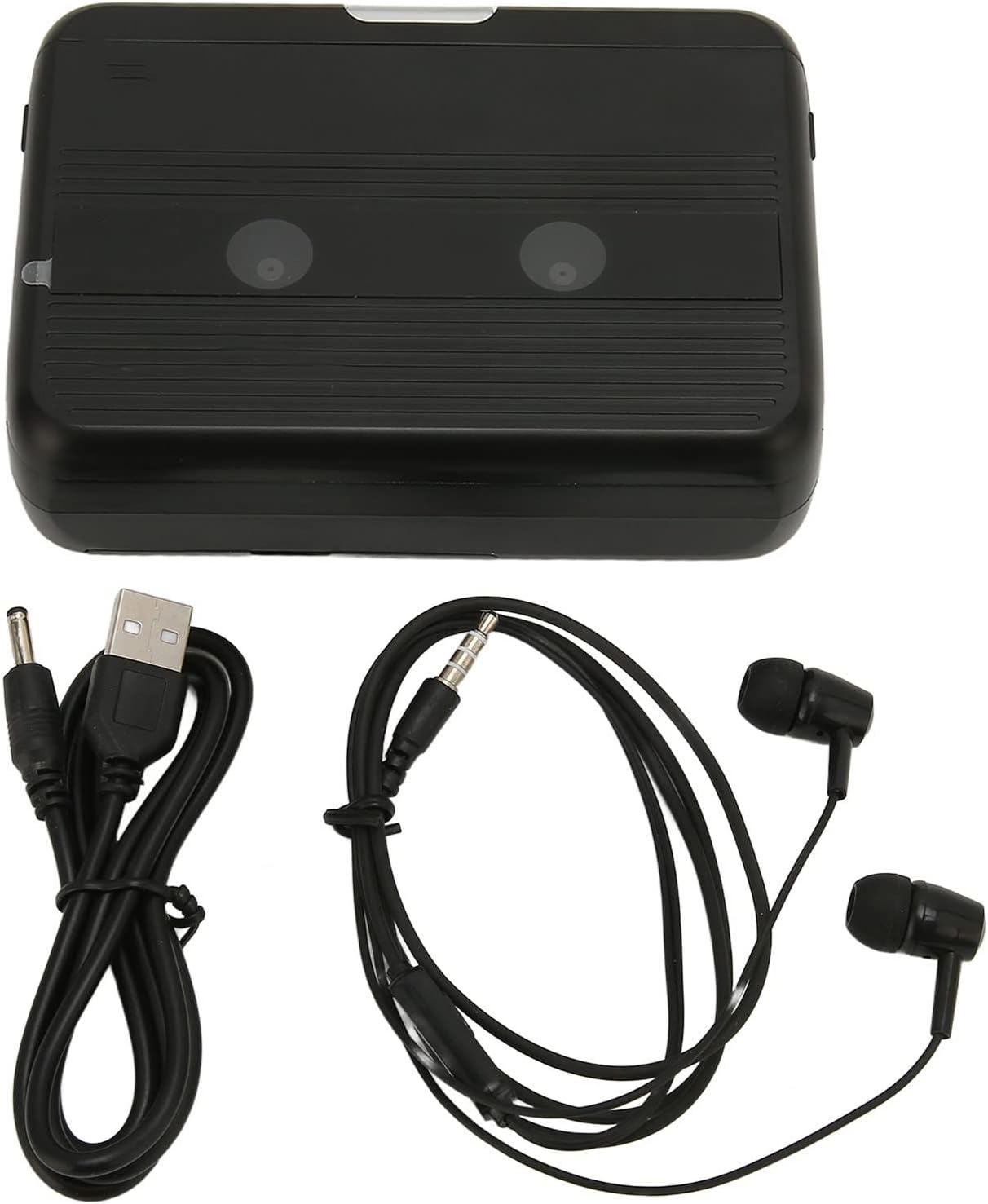
The Cuifati Portable Cassette Player shown alongside its included USB power cord and wired headphones.
Produktas baigtasview
Familiarize yourself with the various parts and controls of your cassette player.
Priekyje View (Atidaryti)
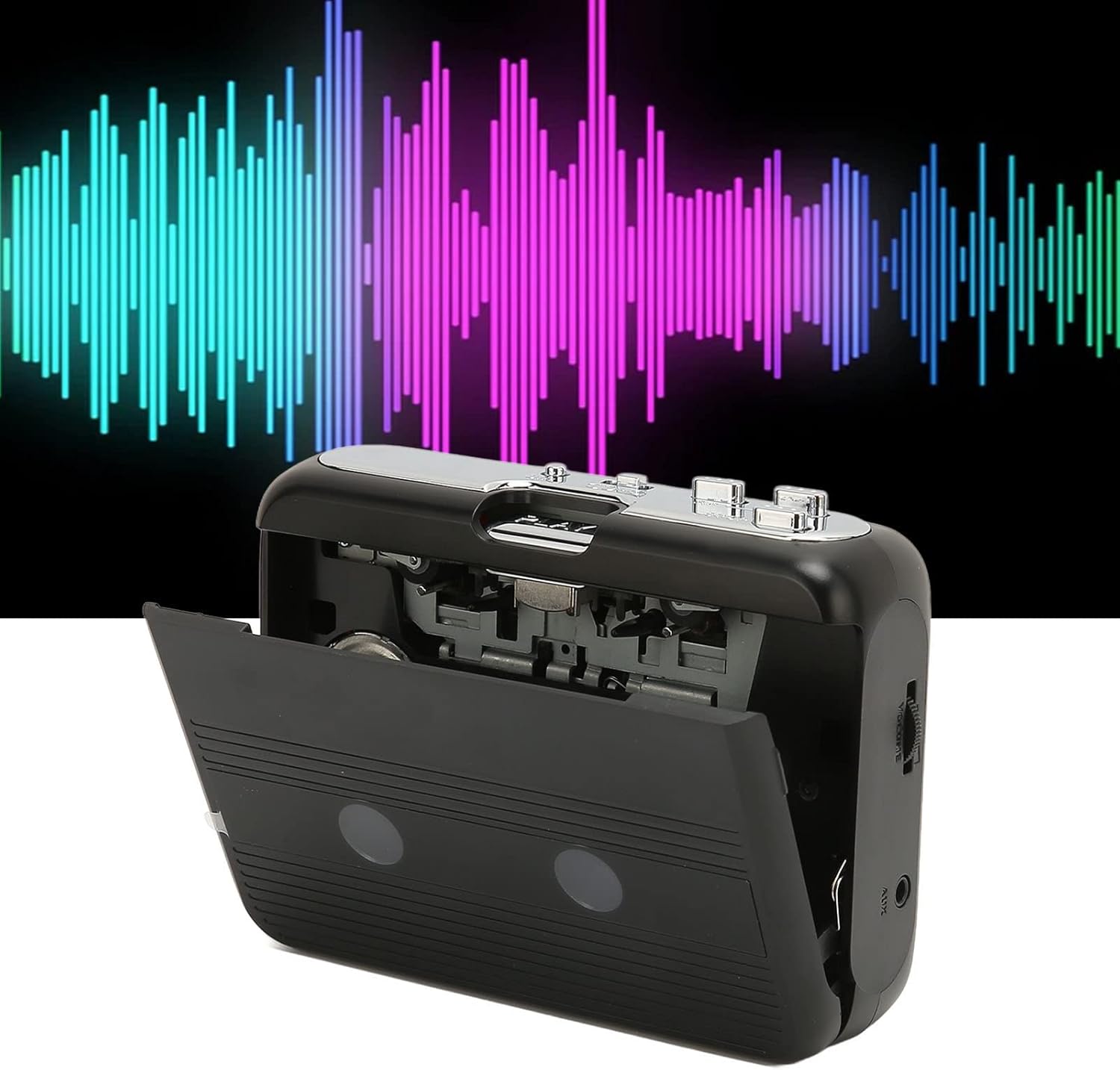
Priekyje view of the Cuifati Portable Cassette Player with the cassette compartment door open, revealing the tape mechanism.
Priekyje View (Uždaryta)
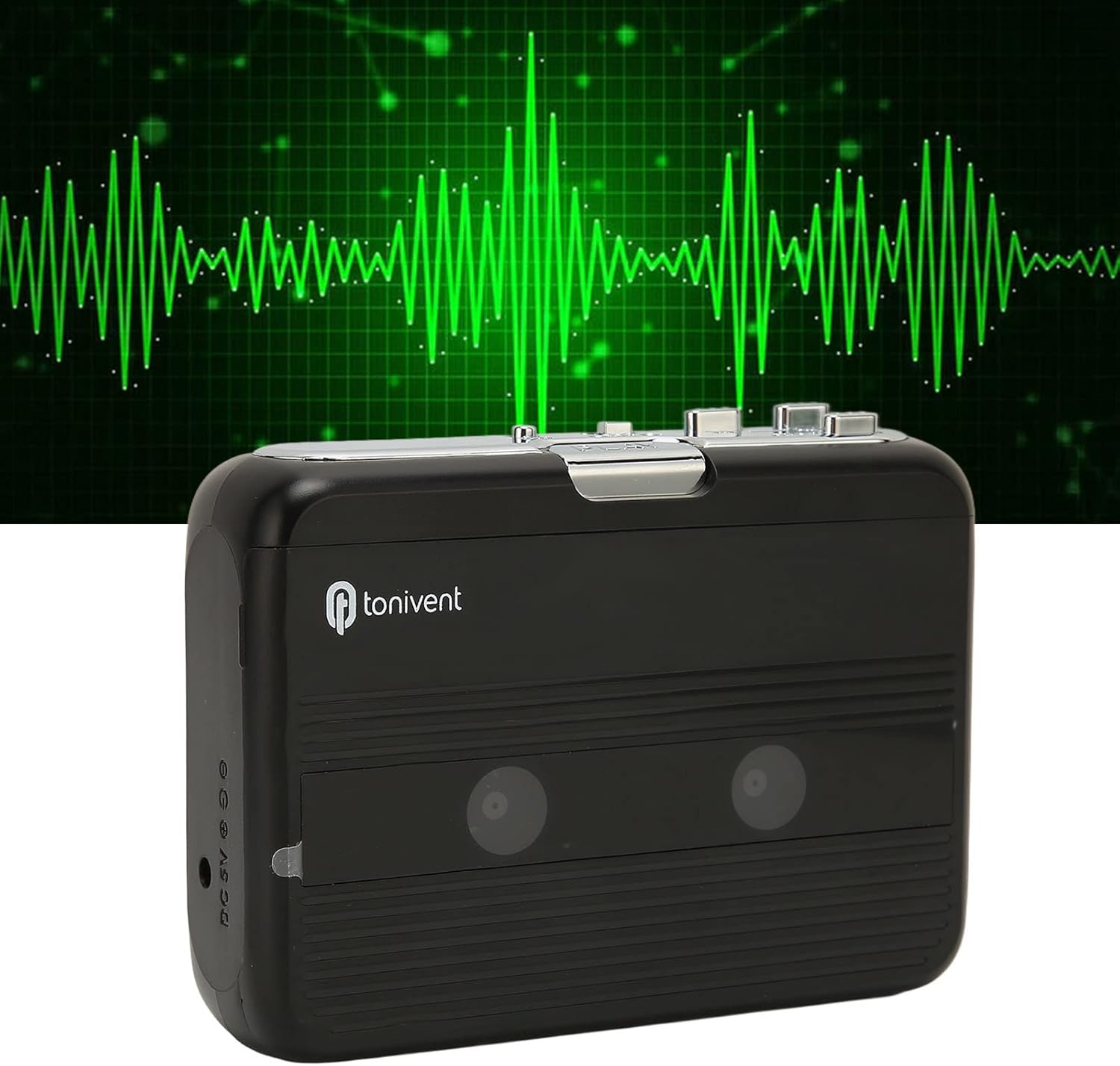
Priekyje view of the Cuifati Portable Cassette Player with the cassette compartment door closed.
Cassette Mechanism

Iš arti view of the cassette player's internal mechanism, showing the tape heads and rollers.
Šoninė View (Valdikliai ir prievadai)

Šoninė view of the cassette player, highlighting the volume control wheel and the AUX output port.
Pagrindiniai valdikliai:
- Grojimo mygtukas: Pradeda kasetės atkūrimą.
- Stop mygtukas: Halts playback.
- Greito persukimo (FF) mygtukas: Greitai perkelia juostą į priekį.
- Atsukimo atgal (REW) mygtukas: Greitai atsuka juostą atgal.
- Auto Reverse Button: Changes tape direction during playback.
- Garsumo valdymo ratas: Reguliuoja garso išvesties lygį.
- FM/Tape Switch: Selects between FM radio and cassette playback mode.
- Headphone/AUX Output Jack: Connects headphones or external audio devices.
- DC 5V įvestis: USB maitinimo šaltiniui.
Sąranka
Maitinimo šaltinis
The cassette player can be powered by two (2) AA batteries or via a USB power supply.
- Akumuliatoriaus montavimas:
- Atidarykite baterijų skyriaus dangtelį, esantį įrenginio gale.
- Įdėkite dvi AA baterijas, užtikrindami teisingą poliškumą (+/-), kaip nurodyta skyriaus viduje.
- Saugiai uždarykite akumuliatoriaus skyriaus dangtelį.
- USB maitinimo jungtis:
- Connect the small end of the included USB power cord to the DC 5V input port on the cassette player.
- Prijunkite standartinį USB galą prie USB maitinimo adapterio (nepridedamas) arba kompiuterio USB prievado.
Kasetės įdėjimas
- Gently open the cassette compartment door.
- Insert a cassette tape with the exposed tape facing upwards and the side you wish to play facing the front.
- Uždarykite kasečių skyriaus dureles, kol jos tvirtai spragtelės.
Naudojimo instrukcijos
Kasečių grojimas
- Įsitikinkite, kad kasetė tinkamai įdėta.
- Set the FM/Tape switch to the "Tape" position.
- Paspauskite Žaisti mygtuką, kad pradėtumėte atkūrimą.
- Sureguliuokite Garsumo valdymo ratas iki norimo klausymosi lygio.
- Norėdami sustabdyti atkūrimą, paspauskite Sustok mygtuką.
- Norėdami greitai sukti pirmyn, paspauskite FF Norėdami atsukti atgal, paspauskite mygtuką REW mygtuką. Paspauskite Sustok to disengage.
Auto Reverse Function
The player features an auto-reverse function, allowing the tape to play in both directions without needing to manually flip the cassette.
- Atkūrimo metu paspauskite Automatinis reversas button to switch the tape direction. The player will automatically reverse and continue playing the other side of the tape.
Naudojant FM radiją
- Set the FM/Tape switch to the "FM" position.
- Use the tuning dial (if present, otherwise the FF/REW buttons might serve as tuning) to scan for FM radio stations.
- Sureguliuokite Garsumo valdymo ratas iki norimo klausymosi lygio.
Using the Built-in Speaker
The device includes a built-in speaker for direct audio output. No special action is required; audio will play through the speaker unless headphones are connected.
Connecting Headphones or External Audio Devices
For private listening or connecting to external speakers, use the 3.5mm headphone/AUX output jack.
- Plug the included headphones or your own 3.5mm audio cable into the Headphone/AUX Output Jack.
- When headphones are connected, audio will automatically switch from the built-in speaker to the headphones.

A person listening to music with headphones, illustrating the headphone usage.
Priežiūra
Proper care ensures the longevity and optimal performance of your cassette player.
- Valymas: Įrenginio išorę valykite minkštu, sausu skudurėliu. Nenaudokite skystų valiklių ar abrazyvinių medžiagų.
- Juostų galvutės: Periodically clean the tape heads with a specialized cassette head cleaner to maintain sound quality.
- Saugykla: When not in use for extended periods, remove the batteries to prevent leakage. Store the device in a cool, dry place away from direct sunlight and extreme temperatures.
- Venkite dulkių: Keep the cassette compartment closed when not in use to prevent dust accumulation.
Trikčių šalinimas
If you encounter issues with your cassette player, refer to the following common problems and solutions:
| Problema | Galima priežastis | Sprendimas |
|---|---|---|
| Nėra galios | Dead batteries; USB cable not connected; faulty power source. | Replace batteries; ensure USB cable is securely connected to a working power source. |
| Nėra garso iš garsiakalbio / ausinių | Volume too low; headphones not fully plugged in; FM/Tape switch in wrong position; dirty tape heads. | Increase volume; ensure headphones are fully inserted; set switch to correct mode (Tape/FM); clean tape heads. |
| Poor sound quality (cassette) | Dirty tape heads; worn-out tape; incorrect tape insertion. | Clean tape heads; try a different tape; re-insert tape correctly. |
| FM radijo signalas neramus / prastas signalas | Silpnas signalas; trukdžiai. | Relocate the player to an area with better reception; try adjusting the player's orientation. |
| Tape not playing/moving | Tape jammed; mechanism issue; tape not inserted correctly. | Check for tape jams; ensure tape is inserted correctly; if issue persists, contact support. |
Specifikacijos
| Funkcija | Detalė |
|---|---|
| Prekės ženklas | Cuifati |
| Modelio numeris | Cuifatibi73wk0z4p |
| ASIN | B0CDD42V9J |
| Maitinimo šaltinis | 2 x AA Batteries or USB DC 5V |
| Funkcijos | Cassette Playback, Auto Reverse, FM Radio, Built-in Speaker, Headphone Output |
| Garso išvestis | 3.5mm Headphone/AUX Jack |
| Prekės svoris | 10.3 uncijos |
Svarbi saugos informacija
- Saugokite įrenginį nuo vandens, drėgmės ar ekstremalių temperatūrų.
- Stenkitės, kad prietaisas nenumestų ar nepatirtų stipraus smūgio.
- Nebandykite patys ardyti ar taisyti įrenginio. Visus techninės priežiūros darbus patikėkite kvalifikuotiems specialistams.
- Atsakingai išmeskite baterijas pagal vietinius reikalavimus.
- Ilgalaikis klausymasis dideliu garsumu gali pažeisti klausą. Sureguliuokite garsumą iki saugaus lygio.
Garantija ir palaikymas
Dėl garantijos informacijos ar techninės pagalbos žr. pirkimo metu pateiktus dokumentus arba susisiekite su pardavėju. Išsaugokite pirkimo kvitą kaip pirkimo įrodymą.