
HUGEROCK X7
HUGEROCK X7 Rugged Tablet User Manual
Modelis: X7
1. Įvadas
The HUGEROCK X7 is a 7-inch rugged tablet designed for demanding outdoor environments. Featuring a 2600-nit sunlight-readable display, IP68 waterproof rating, and MIL-STD-810H drop-proof certification, it is built for durability and performance. This manual provides essential information for setting up, operating, maintaining, and troubleshooting your X7 tablet.
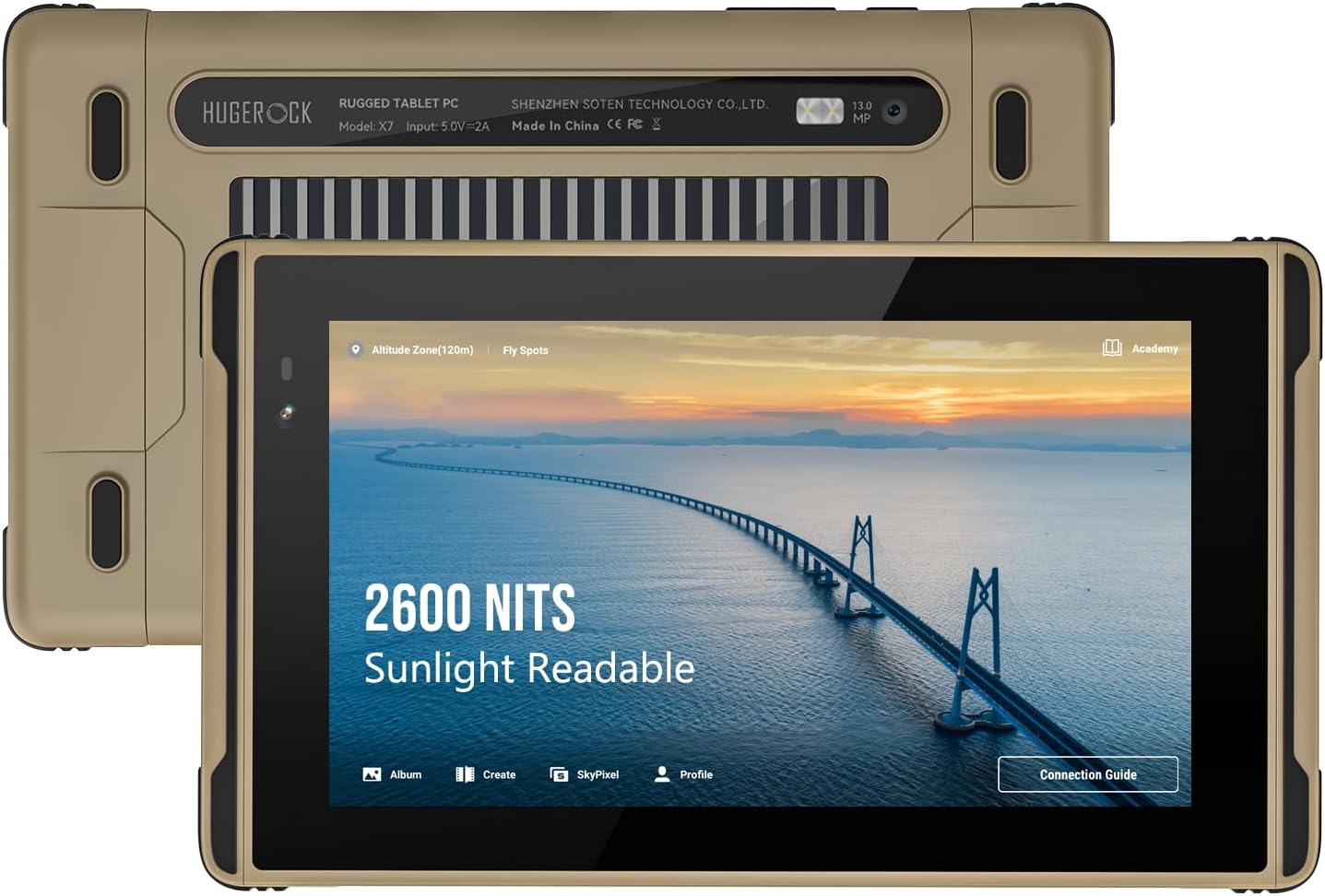
Vaizdas: Priekinė ir galinė dalys view of the HUGEROCK X7 Rugged Tablet, highlighting its 2600 NITS sunlight readable display and robust design.
2. Saugos informacija
- Nebandykite patys ardyti ar taisyti įrenginio. Kreipkitės į kvalifikuotus techninės priežiūros darbuotojus.
- Naudokite tik patvirtintus įkroviklius ir priedus, kad išvengtumėte pažeidimų ir užtikrintumėte saugumą.
- Avoid exposing the tablet to extreme temperatures outside its operating range (-40°C to 80°C).
- Ensure all port covers are securely closed when operating in wet or dusty conditions to maintain IP68 rating.
- Saugokite įrenginį nuo stiprių magnetinių laukų.
3. Kas yra dėžutėje
Išpakuodami patikrinkite, ar yra visi daiktai:
- X7 tvirtas planšetinis kompiuteris
- Flight Controller Data Cable
- C tipo duomenų kabelis
- Hex Wrench/Screen Protector (Screen protector is pre-attached)
- Introduction Manual (this document)
4. Produktas baigtasview
The HUGEROCK X7 features a robust casing designed for protection. Familiarize yourself with the tablet's physical components:

Vaizdas: Šoninė view of the HUGEROCK X7 Rugged Tablet, showing various ports and the durable chassis.
Pagrindiniai komponentai:
- Ekranas: 7-inch, 1920x1080 FHD, 2600 NITS sunlight readable.
- Priekinė kamera: Vaizdo skambučiams ir asmenukėms.
- Galinė kamera: 13 MP for high-quality photos and videos.
- USB-C prievadas: Įkrovimui ir duomenų perdavimui.
- SIM / „MicroSD“ kortelės lizdas: Supports dual Nano SIM and MicroSD expansion.
- Maitinimo mygtukas: Įjungti / išjungti įrenginį arba užmigdyti.
- Garsumo mygtukai: Garso lygiams reguliuoti.
- Magnetinis įkrovimo prievadas: For convenient charging with the custom cable.
5. Sąranka
5.1 Pradinis įkrovimas
Before first use, fully charge your HUGEROCK X7 tablet. Connect the provided Type-C data cable or the magnetic charging cable to the tablet and a power adapter (not included). The charging indicator will show the charging status.
5.2 SIM kortelės ir „MicroSD“ kortelės įdėjimas
The tablet supports dual Nano SIM cards for 4G connectivity and a MicroSD card for expanded storage.
- Planšetinio kompiuterio šone raskite SIM / „MicroSD“ kortelės lizdą.
- Use the provided hex wrench to open the protective cover.
- Carefully insert the Nano SIM card(s) and/or MicroSD card into the designated slots, ensuring correct orientation.
- Close the protective cover securely to maintain the device's waterproof and dustproof rating.

Image: Diagram showing the SIM and MicroSD card installation process and the tablet's connectivity options.
5.3 Maitinimo įjungimas/išjungimas
- Norėdami įjungti: Press and hold the Power button until the HUGEROCK logo appears.
- Norėdami išjungti: Paspauskite ir palaikykite maitinimo mygtuką, tada iš parinkčių pasirinkite „Išjungti“.
- Norėdami paleisti iš naujo: Paspauskite ir palaikykite maitinimo mygtuką, tada iš parinkčių pasirinkite „Paleisti iš naujo“.
5.4 Tinklo jungtis
- „Wi-Fi“: Go to Settings > Network & internet > Wi-Fi, then select your desired network and enter the password.
- Mobilieji duomenys (4G): Ensure a valid SIM card is installed. Go to Settings > Network & internet > Mobile network and enable mobile data.
- Bluetooth: Go to Settings > Connected devices > Connection preferences > Bluetooth to pair with Bluetooth accessories.
6. Planšetinio kompiuterio valdymas
The HUGEROCK X7 runs on Android 13, offering a familiar and intuitive user experience.
6.1 Pagrindinė navigacija
- Lietimo gestai: Palietimas, braukimas ir priartinimas pirštais yra standartiniai „Android“ gestai.
- Pagrindinis ekranas: Pasiekite programas, valdiklius ir pranešimus.
- Nustatymai: Customize tablet functions, network, display, and more.
6.2 Ekrano ryškumas
The 2600-nit display ensures excellent visibility in direct sunlight. Adjust brightness via the quick settings panel (swipe down from the top of the screen) or in Settings > Display > Brightness level.

Image: Visual comparison demonstrating the superior brightness of the HUGEROCK X7 tablet (2600 Nits) compared to a standard display in bright conditions.
6.3 Outdoor Applications
The X7 tablet is optimized for various outdoor uses:
- Drono valdymas: Connect the tablet to your drone controller using the provided Flight Controller Data Cable for a clear, bright monitoring screen.
- External Camera Monitor: Utilize the tablet as a high-brightness monitor for professional camera setups.
- Navigacija: Integrated GPS and sunlight-readable display make it ideal for motorcycle navigation, cycling, and marine use.

Image: The HUGEROCK X7 tablet in use as a drone control monitor, providing clear visuals for outdoor drone operations.

Image: The HUGEROCK X7 tablet serving as an external monitor for a professional camera, enhancing visibility during shoots.
6.4 Patvarios savybės
The X7 tablet is built to withstand harsh conditions:
- IP68 atsparus vandeniui: Protected against continuous immersion in water up to 1.5 meters for 30 minutes.
- Class 6 Dustproof: Completely protected against dust ingress.
- Apsauga nuo kritimo pagal MIL-STD-810H standartą: Designed to survive drops from specified heights onto hard surfaces.

Image: Visual representation of the HUGEROCK X7 tablet's resistance to drops, water, and dust, showcasing tvirto dizaino.
7. Priežiūra
7.1 Valymas
- Nuvalykite ekraną ir korpusą minkšta,amp skudurėliu. Venkite abrazyvinių valiklių ar tirpiklių.
- Ensure all port covers are closed before cleaning with water.
7.2 Akumuliatoriaus priežiūra
- Venkite dažnai visiškai iškrauti akumuliatorių.
- Store the tablet with a partial charge (around 50%) if not used for extended periods.
- Nelaikykite akumuliatoriaus itin karštyje ar šaltyje.
7.3 Saugykla
When storing the tablet, especially for long durations, ensure it is in a cool, dry place, away from direct sunlight and extreme temperatures.
8. Problemų sprendimas
If you encounter issues with your HUGEROCK X7 tablet, try the following solutions:
- Planšetinis kompiuteris neįsijungia: Įsitikinkite, kad akumuliatorius įkrautas. Prijunkite prie įkroviklio ir palaukite kelias minutes, prieš bandydami vėl įjungti.
- Ekranas nereaguoja: Try restarting the tablet. If unresponsive, press and hold the power button for about 10-15 seconds for a forced restart.
- „Wi-Fi“ / 4G ryšio problemos: Check if Wi-Fi or mobile data is enabled in settings. Ensure SIM card is correctly installed and has an active plan. Try restarting the tablet and your router (for Wi-Fi).
- Programėlės stringa: Išvalykite probleminės programėlės talpyklą („Nustatymai“ > „Programos“ > [Programėlės pavadinimas] > Atmintis ir talpykla > Išvalyti talpyklą). Jei problema išlieka, pabandykite iš naujo įdiegti programėlę.
- Lėtas veikimas: Close unnecessary background apps. Clear cached data. Consider a factory reset as a last resort (back up your data first).
For persistent issues, refer to the Support section.
9. Specifikacijos
| Funkcija | Specifikacija |
|---|---|
| Prekės ženklas | HUGEROKAS |
| Modelio pavadinimas | X7 |
| Operacinė sistema | Android 13 |
| Ekrano dydis | 7 colių |
| Ekrano raiška | 1920 x 1080 pikselių (Full HD) |
| Ryškumas | 2600 NITS (Sunlight Readable) |
| Procesorius | 2 GHz (MediaTek) |
| RAM | 8 GB |
| Flash atminties dydis | 128 GB |
| Galinis Webkumštelio raiška | 13 MP |
| Belaidis tipas | 802.11g (Dual-band 2.4GHz/5GHz Wi-Fi) |
| Bluetooth | 5.0 |
| Baterijos talpa | 7000 mAh |
| Vidutinis baterijos veikimo laikas | 7 valandų |
| Prekės svoris | 1.02 svaro (465 g) |
| Gaminio matmenys | 8.19 x 4.76 x 0.63 colio |
| Spalva | Juoda/Pilka |
| Patvarumas | IP68 Waterproof, Class 6 Dustproof, MIL-STD-810H Drop-proof |
10. Garantija ir palaikymas
10.1 Informacija apie garantiją
For detailed warranty information, please refer to the documentation provided with your purchase or contact the seller directly. Standard warranty terms typically cover manufacturing defects.
10.2 Pagalba klientams
If you have any questions, require technical assistance, or experience issues with your HUGEROCK X7 tablet, please reach out to us via Amazon for prompt after-sales service. Our support team is available to assist you.
You can also visit the official HUGEROCK Store on Amazon for additional product information and accessories: HUGEROCK Store
Ask a question about this manual
Ask about setup, troubleshooting, compatibility, parts, safety, or missing instructions. Manuals+ will review the question and use this page’s manual context to help answer it.