
1. Įvadas
Thank you for choosing YiLaie RGB LED Rock Lights. This manual provides detailed instructions for the installation, operation, and maintenance of your 12-pod RGB LED rock light kit. Designed for various off-road vehicles and other applications, these lights offer customizable illumination with app and remote control, music synchronization, and a brake warning function.
2. Produkto ypatybės
- Brake Warning Function: All lights turn red synchronously with your vehicle's brake light for enhanced safety.
- Daugiafunkcinio valdymo parinktys: Control lights via a 4-key remote or a dedicated smartphone application.
- High Quality LEDs: Each pod features 15 high-brightness 5050 multicolor LEDs, offering unlimited color options, quality light output, and uniformity.
- RGB Multi-colors & Music Mode: Select any color via the app. The lights can synchronize and dance to the rhythm of your music. Each pod provides a 150° super wide-angle light.
- IP68 vandeniui atsparus dizainas: Constructed with ultrasonic welding technology, ensuring strong and super waterproof, dust-proof, and rust-proof performance.
- Fast Bluetooth Connection: Equipped with a high-quality smart chip for quick and stable Bluetooth connectivity.
- Lengvas montavimas: User-friendly setup with app compatibility for iOS 7/Android 4.3 or above.
- Platus pritaikymas: Suitable for Off Road vehicles, 4X4, Motorcycles, ATV/SUV/UTV, Boats, as well as indoor use, chassis lights, deck lights, and ambient lighting.
3. Pakuotės turinys
The YiLaie RGB LED Rock Lights kit includes:
- 12 x RGB LED Rock Light Pods
- 1 x Control Box with Wiring Harness
- 1x nuotolinio valdymo pultas
- Tvirtinimo detalės (varžtai, užtrauktukai)
Note: An extension cable may be required for larger vehicles. Please purchase ASIN: B08VN4G4H3 if needed.

Figure 3.1: Included Components and Wiring Diagram
4. Diegimo vadovas
4.1 Laidų prijungimas
- Identifikuokite laidus: The control box has three main power wires: a red wire (positive), a black wire (negative/ground), and a blue wire (brake light system).
- Prijunkite teigiamą: Connect the red wire to the positive terminal of your vehicle's 12V DC power source. Ensure a safety fuse is installed on this line.
- Prijungti neigiamą: Connect the black wire to the negative/ground terminal of your vehicle's power source.
- Connect Brake Light (Optional): Connect the blue wire to your vehicle's brake light system. This enables the brake warning function, causing all rock lights to turn red when the brakes are applied. If this feature is not desired, leave the blue wire disconnected and properly insulated.
- Connect Light Pods: Connect each rock light pod to the main wiring harness. Ensure all connections are secure.
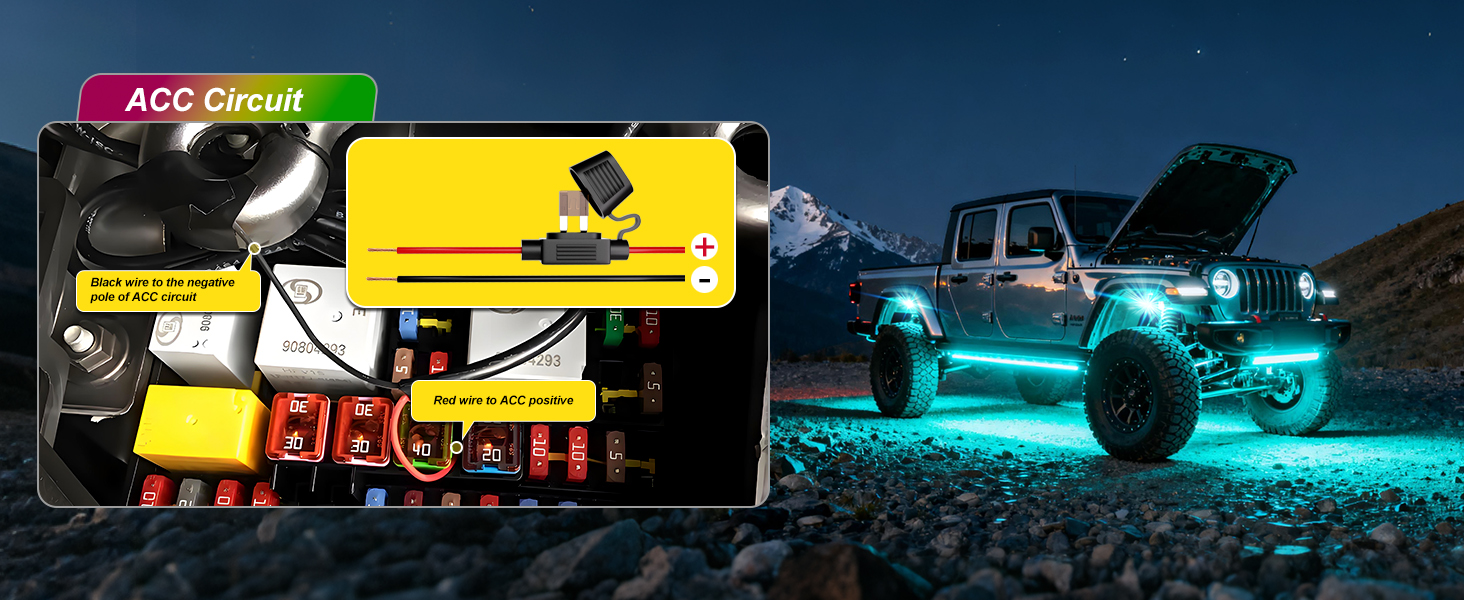
Figure 4.1: ACC Circuit Wiring Diagram

Figure 4.2: Safety Fuse and Switch Integration
4.2 Mounting the Light Pods
Choose appropriate locations under your vehicle or in other desired areas. Use the provided mounting hardware (screws and zip ties) to securely attach each light pod. Ensure the pods are positioned to provide optimal light spread and are clear of moving parts or excessive heat sources.
5. Naudojimo instrukcijos
5.1 Programų valdymas
- Atsisiųsti programą: Scan the QR code on the driver box or in the user manual to download the compatible app (iOS 7/Android 4.3 or above).
- Enable Connectivity: Before connecting, ensure your phone's network, Bluetooth, and Wi-Fi are turned on.
- Poravimo procesas:
- Open the app and agree to the user agreement and privacy policy.
- Allow necessary permissions (WLAN & Cellular, Location, Bluetooth, Local Network).
- Select "Add Device" or search for devices. The app should automatically detect the rock light kit.
- Patvirtinkite ryšį programėlėje.
- Valdymo funkcijos: Prisijungę, naudokite programėlę, kad atliktumėte šiuos veiksmus:
- Turn lights ON/OFF.
- Sureguliuokite ryškumą.
- Select from a wide range of RGB colors.
- Choose various scene modes.
- Activate Music Mode for lights to sync with audio.
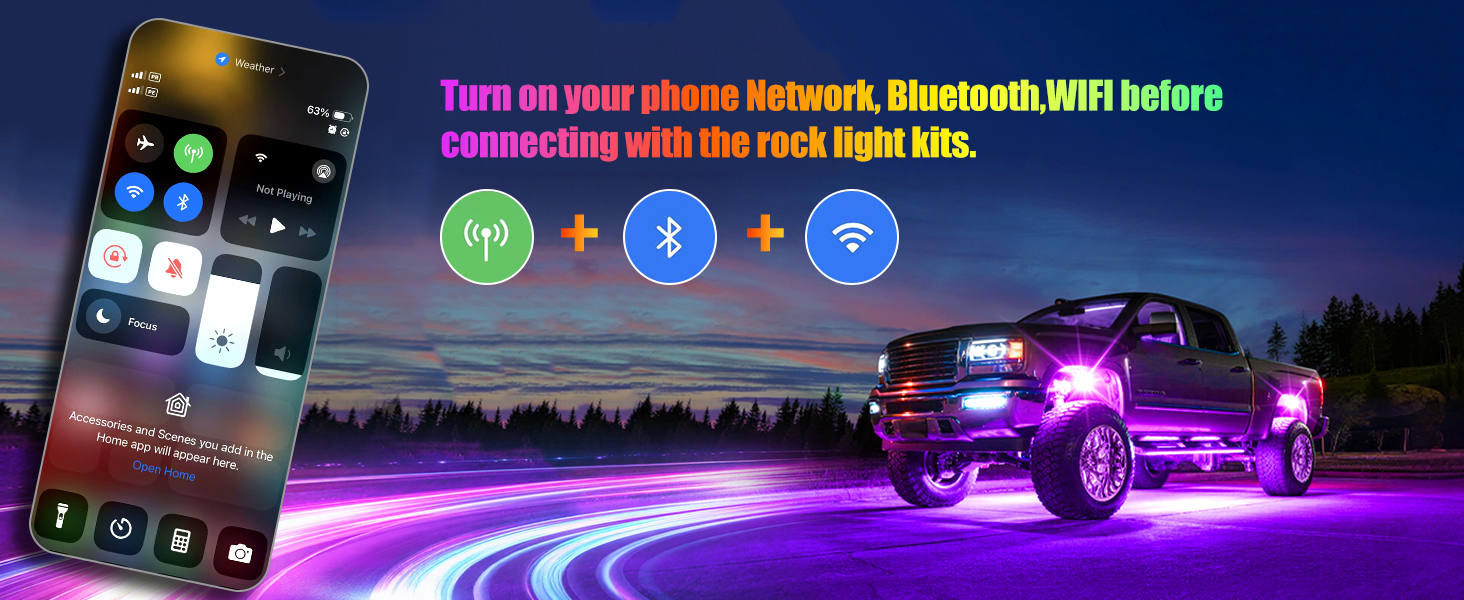
Figure 5.1: Enable Phone Connectivity
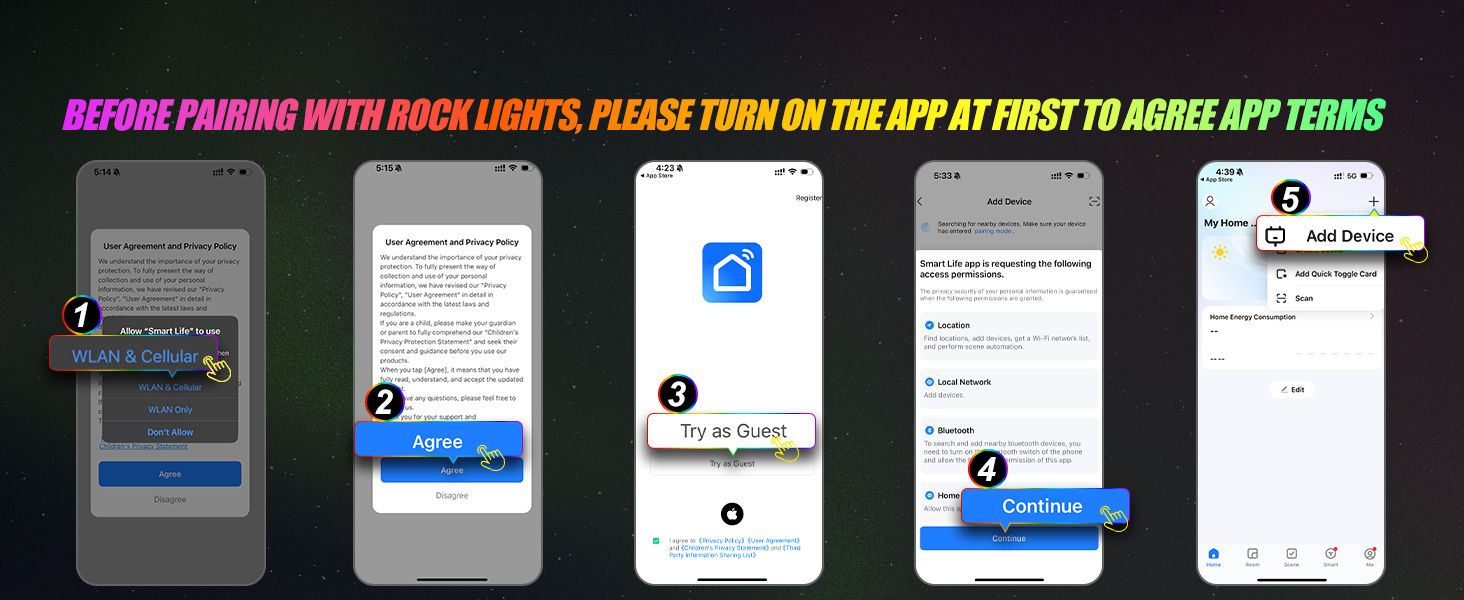
Figure 5.2: App Pairing Steps (Part 1)
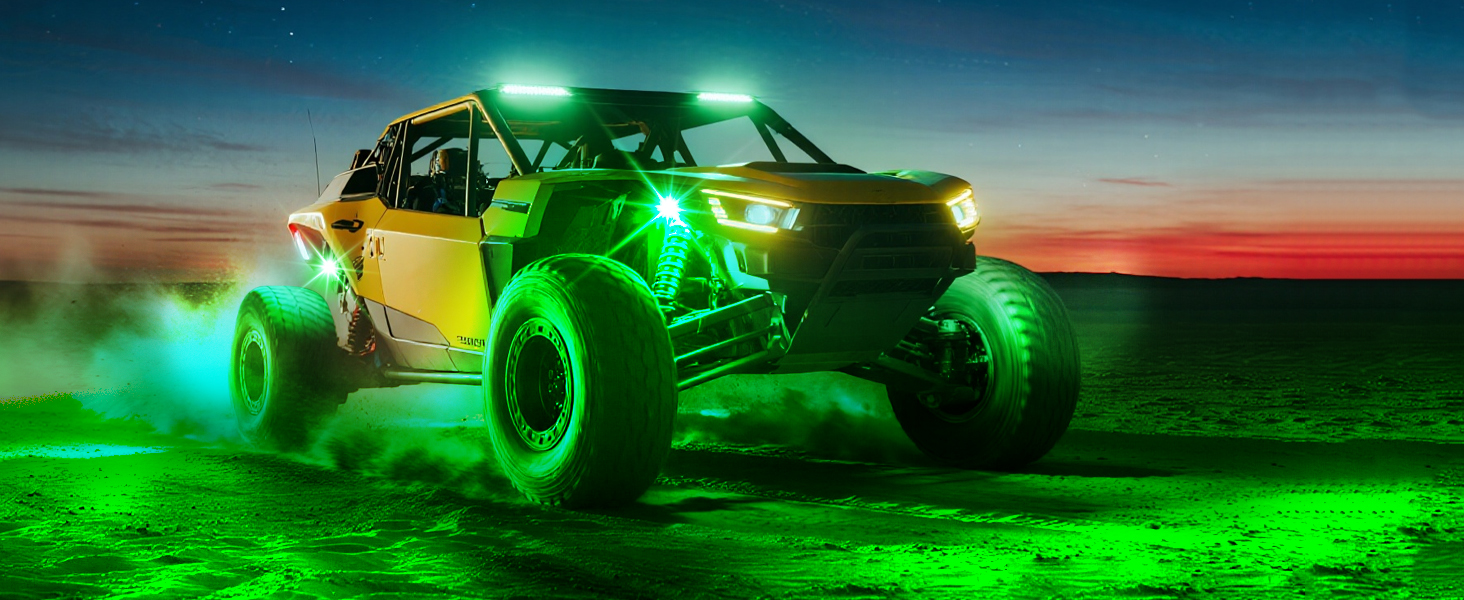
Figure 5.3: App Pairing Steps (Part 2)
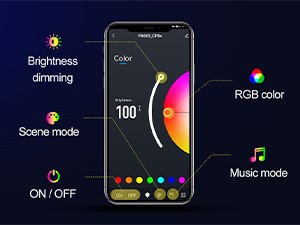
Figure 5.4: App Interface Overview
5.2 Nuotolinis valdymas
The included 4-key remote allows for quick adjustments while driving.
- Mygtukas A: ĮJUNGTA / IŠJUNGTA
- Mygtukas B: Colorful change speed adjustment
- Mygtukas C: Scene mode selection
- Mygtukas D: RGB color selection
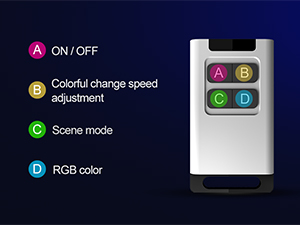
5.5 pav.: Nuotolinio valdymo funkcijos
5.3 Muzikos režimas
Activate Music Mode via the app to synchronize the light effects with your vehicle's audio or music playing on your phone. The lights will respond to various music genres, enhancing your driving experience.
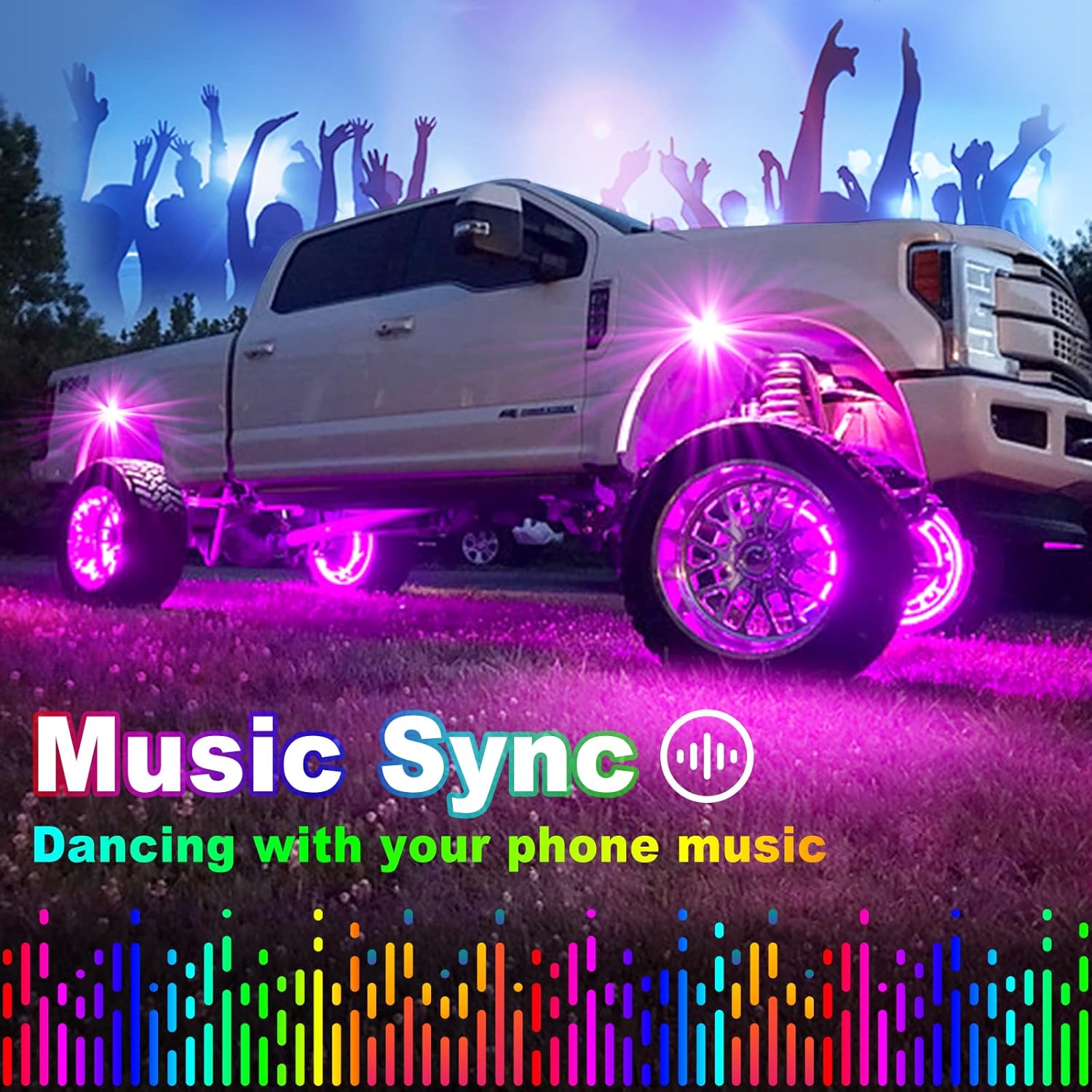
Figure 5.6: Music Sync Feature in Action
5.4 Brake Warning Function
When the blue wire is correctly connected to your vehicle's brake light system, all installed rock lights will illuminate red when the brakes are engaged, providing an additional safety warning to other drivers.
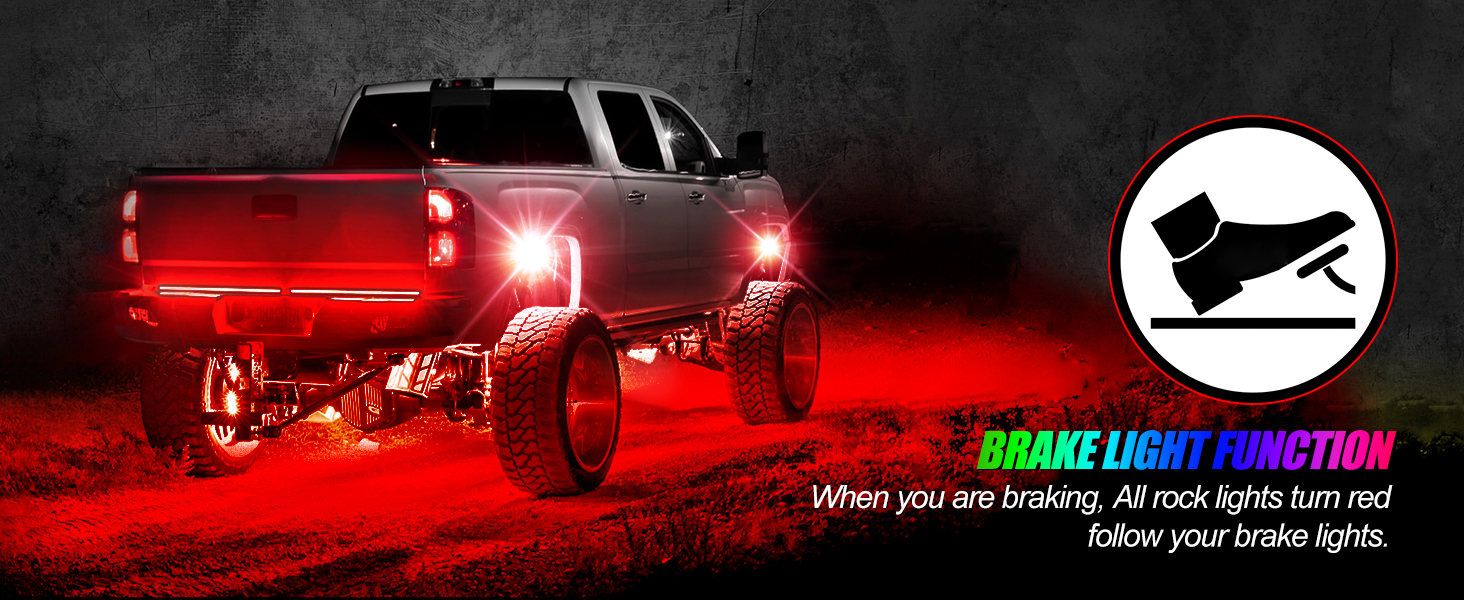
Figure 5.7: Brake Light Function
6. Priežiūra
The YiLaie RGB LED Rock Lights are designed with an IP68 waterproof rating and ultrasonic welding for durability. To ensure longevity:
- Reguliarus valymas: Periodically clean the light pods to remove dirt and debris that may obstruct light output. Use a soft cloth and mild cleaning solution.
- Patikrinkite laidus: Regularly check all wiring connections for signs of wear, corrosion, or damage. Ensure connections remain secure.
- Sandarinimo vientisumas: While designed to be waterproof, extreme conditions or physical damage can compromise seals. Inspect pods for cracks or damage, especially after off-road use.

6.1 pav.: IP68 vandeniui atspari konstrukcija
7. Problemų sprendimas
- Šviesos neįsijungia:
- Check all power connections (red to positive, black to negative).
- Verify the safety fuse is intact and not blown.
- Ensure the main switch on the control box (if present) is in the ON position.
- Confirm the vehicle's 12V power source is active.
- Programos ryšio problemos:
- Ensure Bluetooth, Wi-Fi, and network are enabled on your smartphone.
- Restart the app and your phone's Bluetooth.
- Make sure the app has all necessary permissions (location, local network).
- Try pairing again by following the app's instructions.
- Nuotolinio valdymo pultas neveikia:
- Patikrinkite nuotolinio valdymo pulto bateriją.
- Įsitikinkite, kad tarp nuotolinio valdymo pulto ir valdymo dėžutės nėra jokių kliūčių.
- Lights Only Show Red (or limited colors):
- If the blue brake light wire is connected, ensure it is only receiving power when the brakes are applied. Constant power to the blue wire can restrict color functionality.
- Disconnect the blue wire temporarily to test if full color functionality returns.
- Water Inside Light Pods:
- While rated IP68, extreme pressure washing or prolonged submersion can sometimes compromise seals. Inspect for physical damage.
- If water ingress occurs, discontinue use and contact customer support.
8. Specifikacijos
| Atributas | Specifikacija |
|---|---|
| Prekės ženklas | YiLaie |
| Modelio numeris | EL-ROL-12 |
| Spalva | RGB |
| Formos faktorius | Pod |
| Automobilio dalies padėtis | Apačia |
| Prekės svoris | 1.5 kilogramų (3.3 svarai) |
| Medžiaga | Plastikiniai |
| Atsparumo vandeniui lygis | Neperšlampamas (IP68) |
| Pridedamas nuotolinio valdymo pultas | Taip |
| Vienetų skaičius | 1 (rinkinys) |
| Tinkamo automobilio tipas | Universalus tinka |
| Baterijos | Reikalinga 1 ličio jonų baterija (pridedama nuotolinio valdymo pultui) |
9. Garantija ir palaikymas
For warranty information, technical support, or any inquiries regarding your YiLaie RGB LED Rock Lights, please contact YiLaie customer service through the retailer's platform or the official YiLaie website. Please have your model number (EL-ROL-12) and purchase details ready when contacting support.