
1. Įvadas
This manual provides essential information for the proper installation, operation, and maintenance of your Beetronics 12-Inch Full HD IPS Monitor, model 12HD7M. Please read this manual thoroughly before using the product to ensure optimal performance and safety.
Pagrindinės funkcijos:
- Full HD 1920 x 1080 resolution IPS panel with 178° viewkampų.
- Multiple video inputs: HDMI, VGA, BNC, and RCA.
- Durable metal housing designed for continuous 24/7 operation.
- Platus įvesties tūristage range (9-36 Volts) and dimmable backlight.
- Flexible mounting options: Collapsible stand and 75mm VESA mount.
2. Pakuotės turinys
Verify that all items listed below are included in your product package. If any items are missing or damaged, please contact Beetronics support.
- Beetronics 12-Inch Full HD IPS Monitor (12HD7M)
- Maitinimo šaltinis ir laidas
- Nuotolinio valdymo pultas
- Flush Mounting Brackets
- Sulankstomas stovas
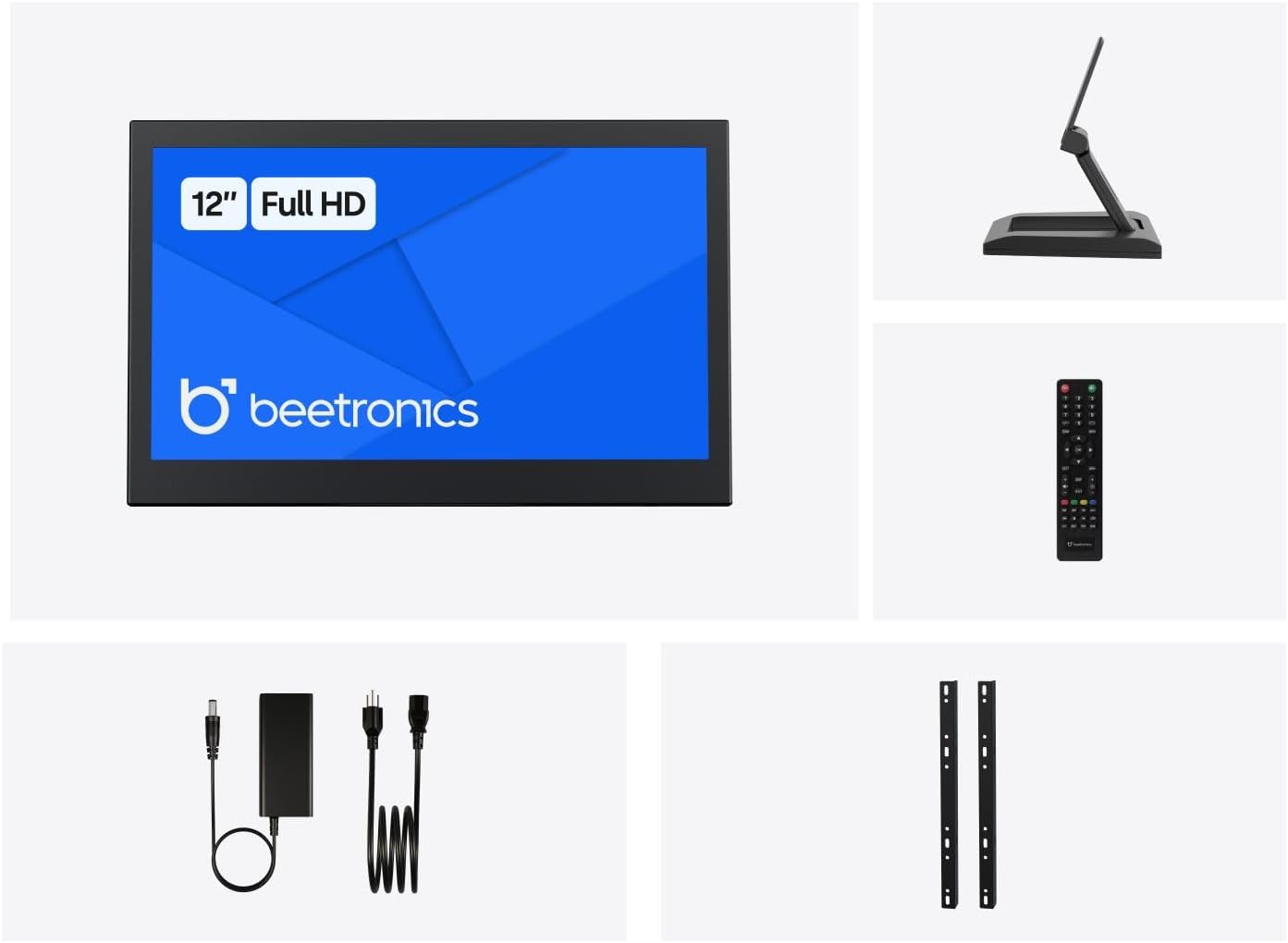
2.1 paveikslas: Package Contents. This image displays the Beetronics 12HD7M monitor along with its standard accessories, including the power adapter, remote, mounting brackets, and desktop stand.
3. Produktas baigtasview
Monitor Dimensions and Design:
The Beetronics 12HD7M monitor features a robust metal housing, designed for industrial environments. Its compact form factor allows for versatile integration.

3.1 paveikslas: Monitor Dimensions. This image illustrates the physical dimensions of the 12HD7M monitor, including width (279 mm), height (179 mm), and stand height adjustment (50-64 mm).
Įvesties / išvesties prievadai:
The monitor is equipped with a comprehensive set of rear-facing, downward-oriented input ports for easy cable management and installation.

3.2 paveikslas: Rear I/O Ports. This image provides a clear view of the monitor's rear panel, detailing the DC power input, HDMI, VGA, USB, AV, BNC, and audio input/output ports. Control buttons for power, menu, and volume are also visible.
- DC maitinimo įvestis: Skirta prijungti pridedamą maitinimo adapterį.
- HDMI: High-Definition Multimedia Interface for digital video and audio.
- VGA: Video Graphics Array for analog video input.
- BNC: Bayonet Neill-Concelman connector, commonly used for professional video applications.
- RCA (AV): Composite video and stereo audio inputs.
- USB: For service or specific peripheral connections.
- Garso įvestis / išvestis: 3.5mm jacks for audio connectivity.
4. Sąranka
4.1 Montavimo parinktys
The 12HD7M monitor offers flexible mounting solutions to suit various environments.
Desktop Stand Installation:
The included collapsible stand allows for desktop placement and angle adjustment. Ensure the stand is securely attached to the monitor and placed on a stable, flat surface.
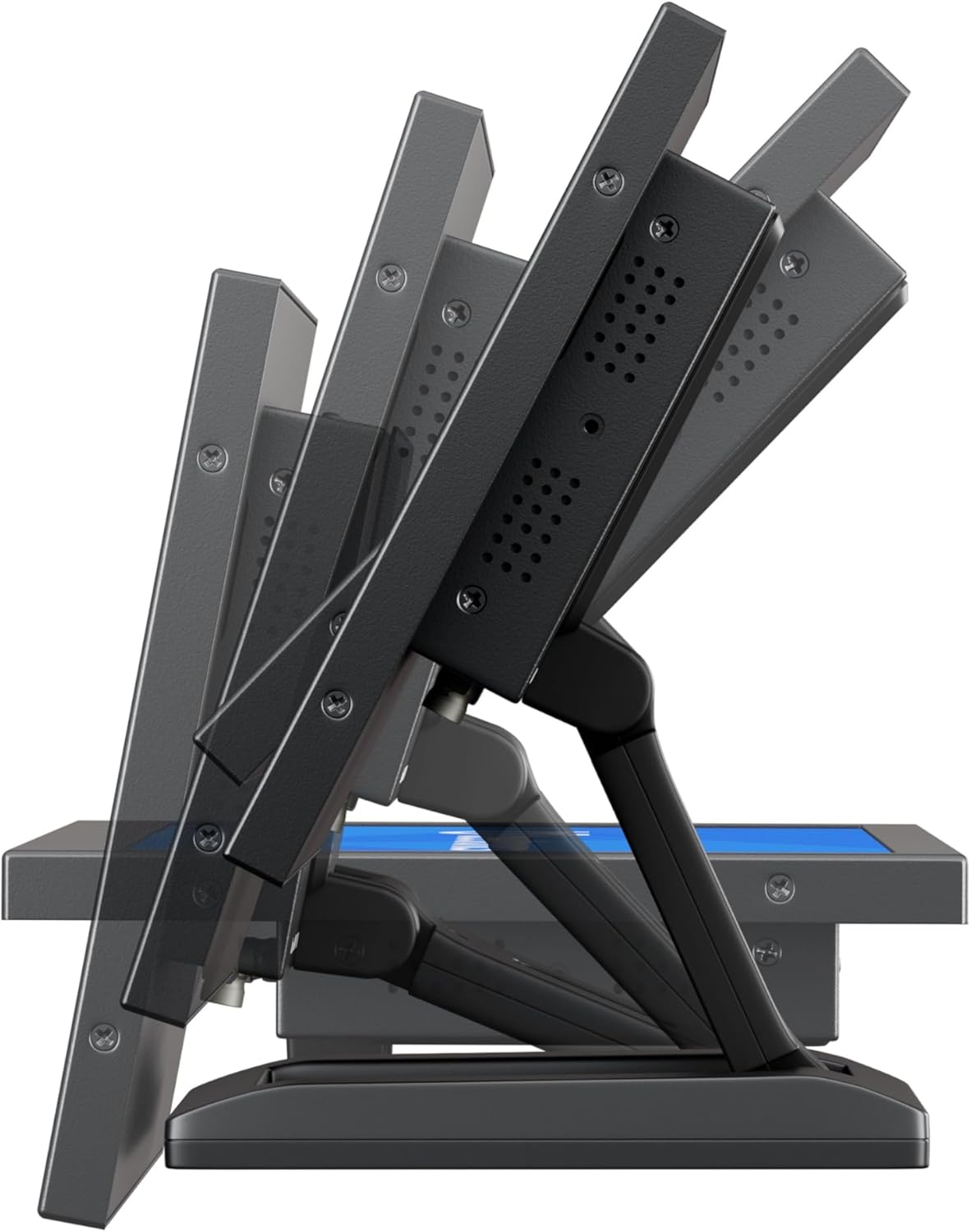
4.1 paveikslas: Adjustable Stand. This image shows the monitor's side profile, highlighting the flexibility of the collapsible stand to adjust the screen's tilt angle for optimal viewing.
VESA Wall/Panel Mounting:
The monitor features a 75mm VESA mount pattern on the rear, allowing it to be mounted on compatible VESA arms, wall mounts, or integrated into panels using the flush mounting brackets. Ensure appropriate screws (M4) are used and tightened securely.

4.2 paveikslas: VESA Mount Points. This image displays the back of the monitor, indicating the standard VESA mounting points for secure attachment to compatible brackets or arms.
4.2 Maitinimo prijungimas
- Connect the power adapter cable to the DC input port on the rear of the monitor.
- Plug the power adapter into a suitable electrical outlet. The monitor supports a wide input voltage diapazonas 9-36V DC.
4.3 Vaizdo šaltinių prijungimas
Connect your video source (e.g., computer, camera, media player) to the desired input port on the monitor using appropriate cables.
- HDMI: For high-quality digital video and audio.
- VGA: Analoginėms vaizdo jungtims.
- BNC: For professional video equipment.
- RCA (AV): For composite video and analog audio.
5. Naudojimo instrukcijos
5.1 Maitinimo įjungimas/išjungimas
Press the 'ON/OFF' button located on the rear panel or on the remote control to power the monitor on or off.
5.2 Meniu navigacija (OSD)
The On-Screen Display (OSD) menu allows you to adjust various monitor settings. Use the 'MENU' button to access the OSD, and the '+', '-', 'AUTO' buttons to navigate and adjust settings. The remote control can also be used for easier navigation.
5.3 Įvesties pasirinkimas
To switch between different video input sources, press the 'AUTO' button on the rear panel or the 'Input' button on the remote control. Cycle through HDMI, VGA, BNC, and AV inputs until the desired source is displayed.
5.4 Vaizdo nustatymai
Access the OSD menu to adjust picture quality settings:
- Ryškumas: Reguliuoja bendrą ekrano šviesumą.
- Kontrastas: Valdo skirtumą tarp šviesių ir tamsių sričių.
- Spalvos temperatūra: Selects preset color modes (e.g., Warm, Cool, User).
- Kraštinių santykis: Adjusts the display ratio (e.g., 16:9, 4:3).
- Ryškumas: Pagerina kraštų ryškumą.
5.5 Garso nustatymai
If an audio source is connected, adjust the volume using the '+' and '-' buttons on the rear panel or remote control. Further audio settings may be available in the OSD menu.
6. Priežiūra
6.1 Monitoriaus valymas
- Prieš valydami visada išjunkite monitorių ir atjunkite jį nuo elektros tinklo.
- Šiek tiek naudokite minkštą, be pūkelių šluostę dampnuplaukite vandeniu arba švelniu, neabrazyviniu ekrano valikliu.
- Nepurkškite skysčio tiesiai ant ekrano ar į jokias angas.
- Venkite naudoti stiprias chemines medžiagas, tirpiklius ar abrazyvines medžiagas.
6.2 Bendroji priežiūra
- Nedėkite ant monitoriaus sunkių daiktų.
- Nelaikykite monitoriaus ekstremalioje temperatūroje, drėgmėje ar tiesioginiuose saulės spinduliuose.
- Užtikrinkite tinkamą vėdinimą aplink monitorių, kad jis neperkaistų.
7. Problemų sprendimas
Jei kyla problemų dėl monitoriaus, žr. toliau pateiktas dažniausiai pasitaikančias problemas ir sprendimus.
| Problema | Galima priežastis | Sprendimas |
|---|---|---|
| Nėra galios | Power cable not connected; Power adapter faulty; Power outlet not working. | Check power cable connections; Test power adapter with another device; Try a different power outlet. |
| Nėra signalo | Video cable not connected; Incorrect input source selected; Video source not active. | Ensure video cable is securely connected; Select the correct input source using the 'Input' button; Verify video source is powered on and outputting a signal. |
| Vaizdas iškraipytas arba neryškus | Incorrect resolution; Loose video cable; Monitor settings. | Set the video source to the monitor's native resolution (1920x1080); Reconnect video cable; Adjust 'Sharpness' or 'Auto' settings in the OSD. |
| Nėra garso | Audio cable not connected (for VGA/BNC/RCA); Volume too low; Audio source not active. | Ensure audio cable is connected (if not using HDMI); Increase monitor volume; Check audio output from the source device. |
8. Specifikacijos
Detailed technical specifications for the Beetronics 12HD7M monitor.
| Funkcija | Specifikacija |
|---|---|
| Modelio numeris | 12HD7M |
| Ekrano dydis | 11.6 colių (įstrižainė) |
| Rezoliucija | 1920 x 1080 (Full HD) |
| Skydelio tipas | IPS |
| Krašto santykis | 16:9 |
| Viewing kampas | 178° (horizontalus / vertikalus) |
| Vaizdo ryškumas | 500 kandelų |
| Ekrano paviršius | Matinis |
| Vaizdo įrašų įėjimai | HDMI, VGA, BNC, RCA (AV) |
| Garso įėjimai / išėjimai | 3.5mm Audio In, 3.5mm Audio Out |
| Maitinimo įvestis | 9–36 voltai (nuolatinė srovė) |
| Gaminio matmenys | 1.4 x 11 x 9.6 colio (35.6 x 279.4 x 243.8 mm) |
| Prekės svoris | 3.7 svaro (1.68 kg) |
| Montavimas | 75mm VESA, Collapsible Stand |
9. Garantija ir palaikymas
9.1 Informacija apie garantiją
The Beetronics 12HD7M monitor comes with a solid 2 metų garantija, reflecting our commitment to quality and reliability. This warranty covers defects in materials and workmanship under normal use. Please retain your proof of purchase for warranty claims.
9.2 Techninė pagalba
For technical assistance, troubleshooting beyond this manual, or warranty inquiries, please contact Beetronics customer support. Refer to the official Beetronics websvetainę, kurioje rasite naujausią kontaktinę informaciją ir pagalbos išteklius.
Websvetainė: www.beetronics.com