SHARKPOP 1080P Light Bulb Security Camera User Manual
Model: HT60-White | Brand: SHARKPOP
1. Įvadas
This manual provides detailed instructions for the installation, operation, and maintenance of your SHARKPOP 1080P Light Bulb Security Camera. Please read this manual thoroughly before using the product to ensure correct usage and optimal performance. Keep this manual for future reference.
2. Saugos informacija
- Prieš montuodami arba atlikdami techninę priežiūrą įsitikinkite, kad maitinimas yra atjungtas.
- This device is designed for use with standard E27 bulb sockets. Do not attempt to install it in incompatible sockets.
- Avoid exposing the camera to extreme temperatures, direct water immersion, or harsh chemicals. While rated for indoor/outdoor use, ensure proper protection from severe weather conditions.
- Nebandykite ardyti ar modifikuoti kameros. Tai panaikins garantiją.
- Laikykite fotoaparatą vaikams ir naminiams gyvūnams nepasiekiamoje vietoje.
3. Pakuotės turinys
- SHARKPOP 1080P Light Bulb Security Camera (Model HT60-White)
- E27 Bulb Socket (for convenience)
- Vartotojo vadovas
4. Pagrindinės savybės
- 1080P „Full HD“ vaizdo įrašas: Užfiksuoja aiškų ir detalų maistątage.
- Wireless Wi-Fi Connectivity: Supports 2.4GHz Wi-Fi for easy connection.
- Naudojimas viduje / lauke: Versatile for various surveillance needs.
- Human Detection & Tracking: Advanced AI identifies and follows human movement, reducing false alerts.
- Tiesiogiai View: Monitor your premises in real-time from your smartphone.
- Spalvotas naktinis matymas: Provides bright, colorful images even in low-light conditions.
- 355° pasukimas ir 95° pakreipimas: Offers expansive panoramic coverage for wide-area monitoring.
- Dvipusis garsas: Bendraukite su lankytojais arba atbaidykite įsibrovėlius naudodami įmontuotą mikrofoną ir garsiakalbį.
- Cloud Storage Options: Securely store and access recorded videos (subscription may be required).
- Lengvas montavimas: Screws directly into a standard E27 light bulb socket.
5. Sąrankos vadovas
5.1. Programėlės atsisiuntimas
Atsisiųskite Aiwit App to your smartphone. You can find it on the App Store (iOS) or Google Play Store (Android), or by scanning the QR code on the product packaging. Alternatively, visit www.aiwit.cc/download.

Image: SHARKPOP camera and packaging, highlighting the Aiwit App download information.
5.2. Fizinis įrengimas
- Ensure the power to the light fixture is turned off at the circuit breaker.
- Carefully screw the SHARKPOP camera into a standard E27 light bulb socket. Ensure it is securely tightened.
- Restore power to the light fixture. The camera will power on and initiate its startup sequence.

Image: Visual guide demonstrating the simple screw-in installation of the camera into a light socket.
5.3. Prietaiso poravimas
- Open the Aiwit App on your smartphone.
- Follow the on-screen instructions to add a new device. This typically involves selecting your camera model and connecting it to your 2.4GHz Wi-Fi network.
- The app will guide you through scanning a QR code displayed on your phone with the camera lens to establish the connection.
- Once successfully paired, you can name your camera and begin monitoring.
6. Naudojimo instrukcijos
6.1. Gyvai View
Open the Aiwit App and select your camera from the device list to access the live video feed. You can view your premises in real-time.

Image: The SHARKPOP camera alongside a smartphone showing its live video feed.
6.2. Pakreipimo ir pasukimo valdymas
Tiesioginio transliacijos metu view interface of the Aiwit App, use the directional controls to remotely pan (rotate horizontally up to 355°) and tilt (move vertically up to 95°) the camera lens to adjust your viewing kampas.

Image: Diagram illustrating the 355-degree panoramic and 95-degree tilt rotation of the camera.
6.3. Dvipusis garsas
Programėlės tiesioginiame ekrane palieskite mikrofono piktogramą. view to speak through the camera's speaker. Tap the speaker icon to listen to audio from the camera's surroundings. This feature allows for real-time communication.

Image: A person interacting with a delivery driver via the camera's two-way audio feature.
6.4. Motion and Human Detection
Enable motion detection and human detection in the app's settings to receive instant alerts on your smartphone when movement is detected. Human detection filters out non-human movements, providing more relevant notifications.
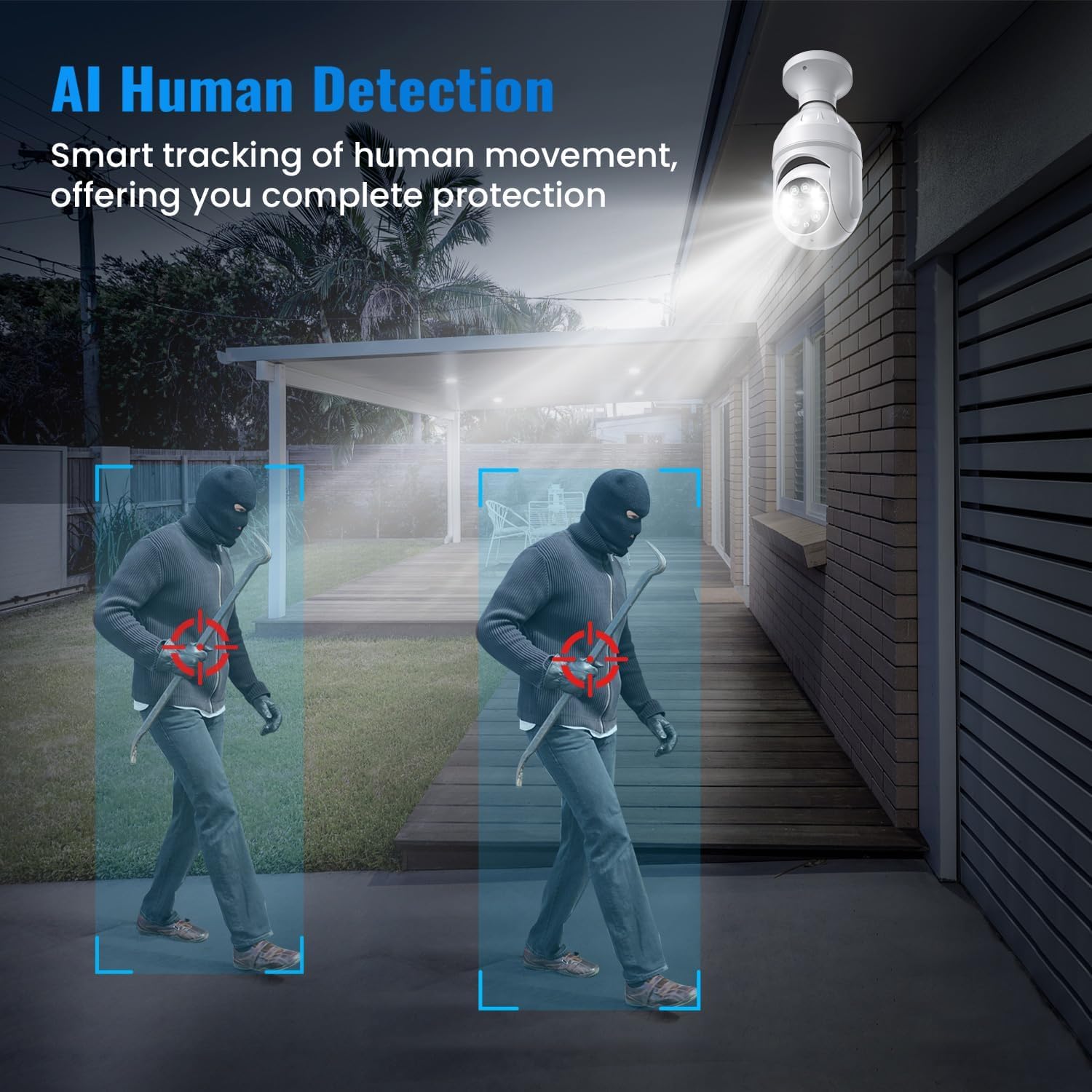
Image: The camera's AI Human Detection feature highlighting a person in the surveillance area.
6.5. Naktinio matymo režimai
The camera automatically switches between Color Night Vision and Infrared Mode based on ambient light conditions. Color Night Vision provides full-color images in low light, while Infrared Mode offers clear black-and-white footage visiškoje tamsoje.
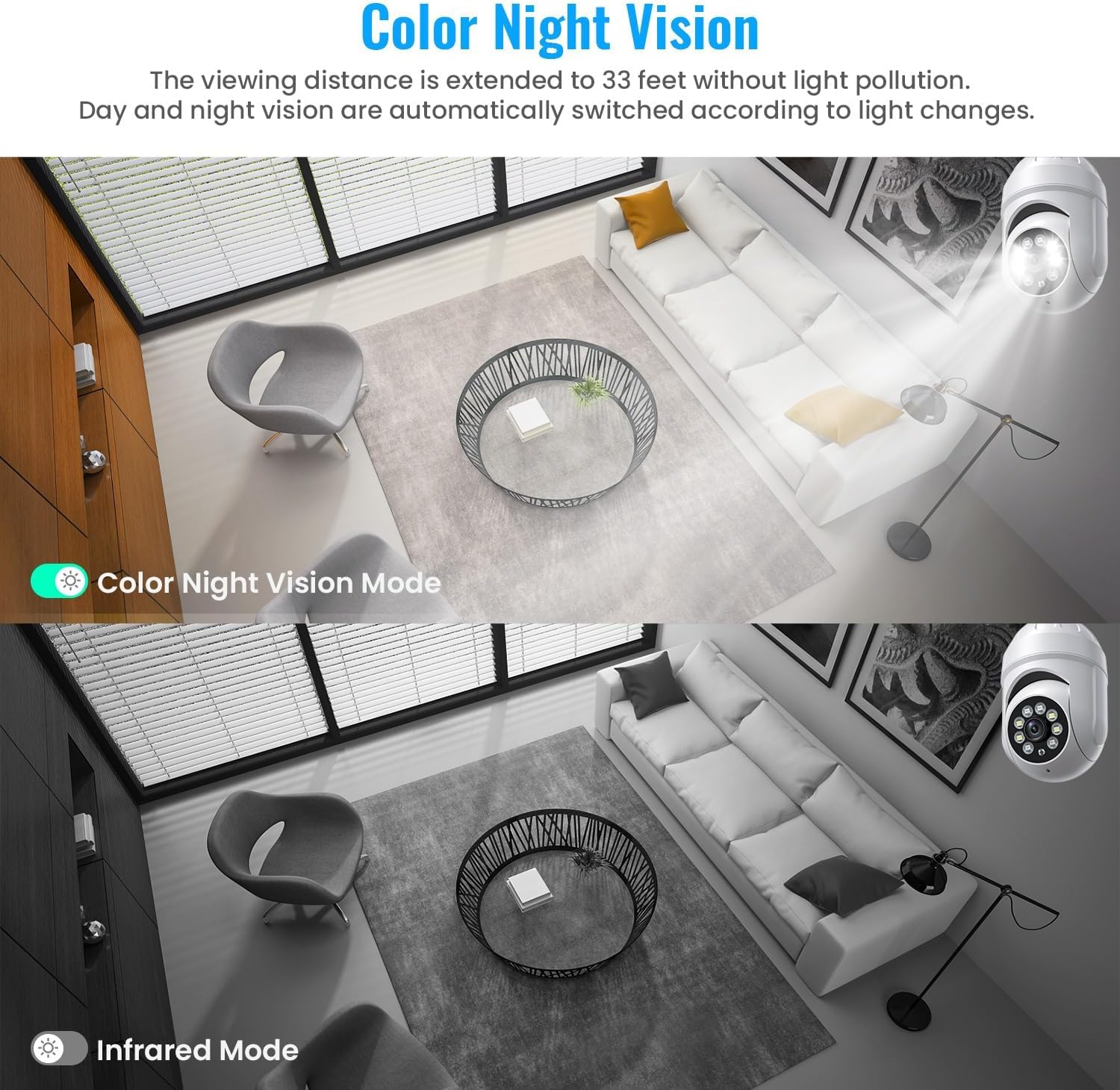
Image: A side-by-side comparison showing the difference between Color Night Vision and standard Infrared Night Vision.
6.6. Debesų saugykla
Access recorded videos and event history through the Aiwit App. Cloud storage offers secure backup and allows you to review footage from anywhere. A 30-day free trial may be available, with subscription plans for continued service.
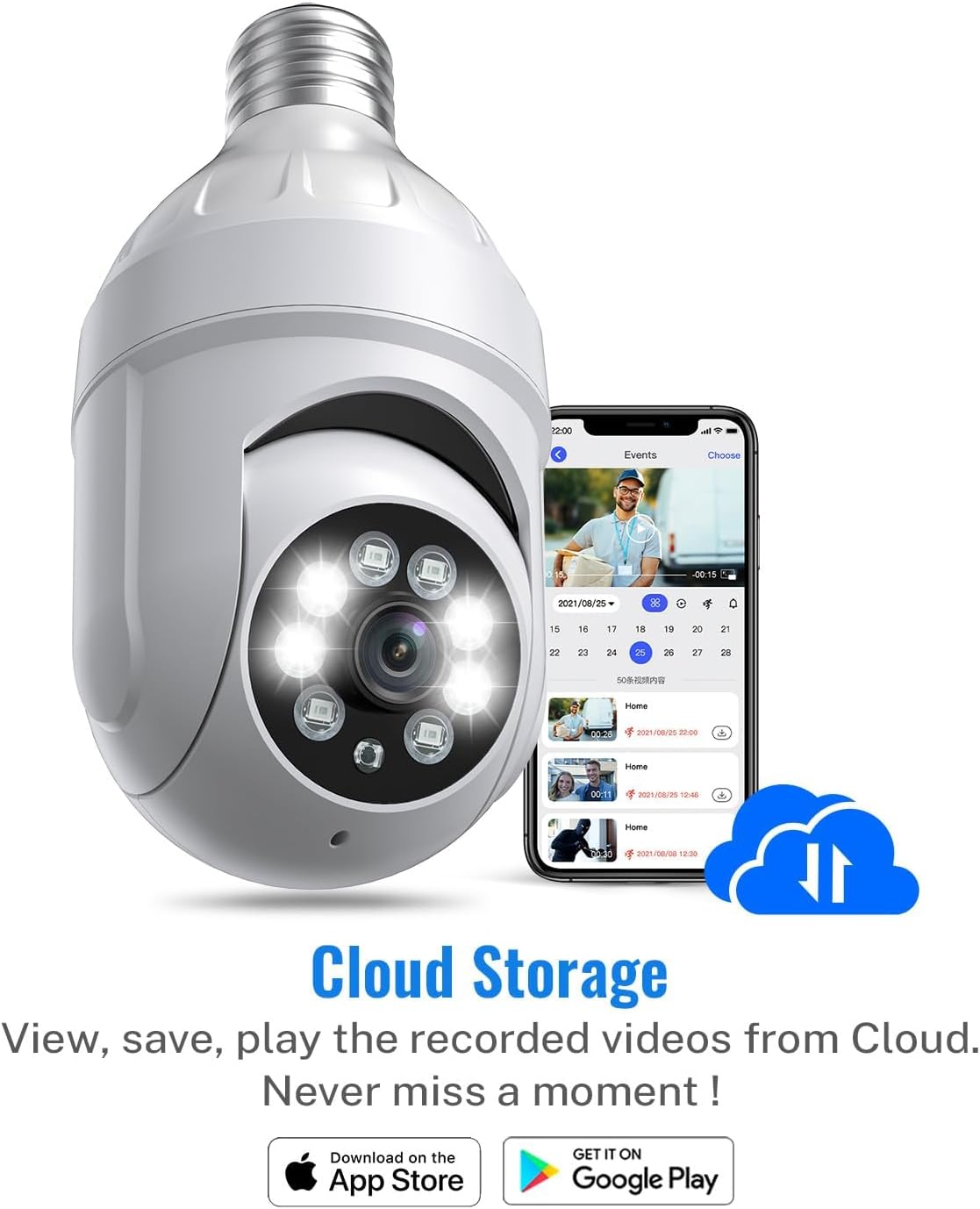
Image: Illustration of cloud storage functionality, showing recorded events accessible via the app.
6.7. Produkto vaizdo įrašasview
Vaizdo įrašas: pareigūnas viršview of the SHARKPOP 1080P Light Bulb Security Camera, demonstrating its key features and functionalities. Closed captions are available for this video.
7. Priežiūra
- Valymas: Gently wipe the camera lens and body with a soft, dry cloth. Do not use abrasive cleaners or solvents.
- Firmware atnaujinimai: Periodically check the Aiwit App for available firmware updates. Keeping your camera's firmware up-to-date ensures optimal performance and security.
- Maitinimo ciklas: If the camera experiences issues, try turning off the power at the circuit breaker for 10 seconds, then restoring it.
8. Problemų sprendimas
- Fotoaparatas neprisijungęs: Ensure your Wi-Fi network is stable and the camera is within range. Check if the camera's power supply is secure. Restart your router and the camera.
- Prasta vaizdo kokybė: Ensure the lens is clean and free from obstructions. Check your Wi-Fi signal strength; a weak signal can affect video streaming quality.
- Jokių įspėjimų apie judėjimą: Verify that motion detection and human detection are enabled in the app settings. Adjust sensitivity levels if necessary.
- Camera Not Working in Cold Weather: Some users have reported issues with the camera going offline in very cold temperatures. If this occurs, consider relocating the camera to a more sheltered area or ensuring it is not exposed to extreme cold.
- Dvipusio garso problemos: Check your phone's volume settings and ensure the app has microphone permissions. Ensure there are no obstructions blocking the camera's microphone or speaker.
9. Specifikacijos
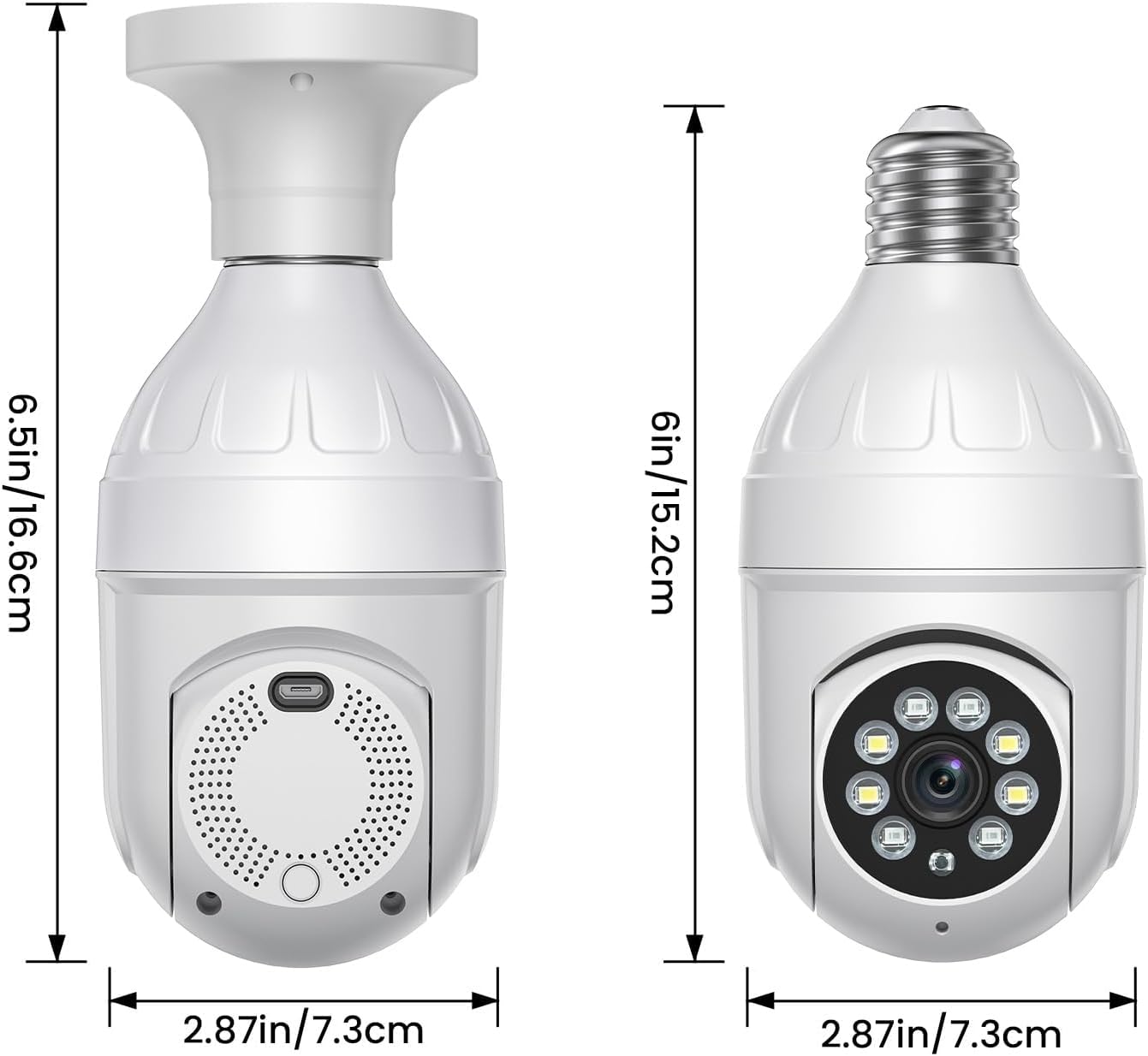
Image: Detailed dimensions of the SHARKPOP Light Bulb Security Camera.
| Funkcija | Detalė |
|---|---|
| Modelio pavadinimas | HT60-White |
| Vaizdo įrašymo raiška | 1080p |
| Ryšio protokolas | „Wi-Fi“ (2.4 GHz) |
| Maitinimo šaltinis | Su laidu elektra |
| Montavimo tipas | Ceiling Mount (E27 Screw-in) |
| Panardinimo / pakreipimo diapazonas | 355° Pan, 95° pakreipimas |
| Naktinis matymas | Color Night Vision, Infrared Mode |
| Įspėjimo tipas | Motion Only (with Human Detection) |
| Dvipusis garsas | Taip |
| Kontrolės metodas | App (Aiwit) |
| Gaminio matmenys | 2.87 x 2.87 x 6 colio (7.3 x 7.3 x 15.2 cm) |
| Prekės svoris | 9.1 uncijos |
| Medžiaga | Akrilnitrilo butadieno stirenas (ABS) |
| Naudojimas viduje / lauke | Viduje, Lauke |
10. Garantija ir palaikymas
SHARKPOP products are designed for reliability and performance. For specific warranty details, please refer to the product packaging or contact SHARKPOP customer support. If you encounter any issues or have questions not covered in this manual, please reach out to our support team for assistance.


