
1. Produktas baigtasview
The VTech CS1500 DECT cordless phone is designed for home use, offering essential communication features with enhanced convenience. This manual provides instructions for setting up, operating, and maintaining your phone.
Pagrindinės funkcijos:
- Dual-Charging Design: Innovative design allows the handset to be charged face up for easy screen viewing or face down for a compact profile.
- Skambučių blokavimas: Block up to 60 unwanted numbers to prevent nuisance calls.
- ECO DECT Mode: Automatically adjusts radio frequency power based on distance from the base station, ensuring reduced energy consumption.
- Ilgas baterijos veikimo laikas: Provides up to 13 hours of talk time and 200 hours of standby time.
- Ekranas su apšvietimu: Clear, easy-to-read display for optimal visibility.
- Telefonų knyga: Išsaugokite iki 60 vardų ir numerių, kad galėtumėte greitai surinkti.
- Skambintojo ID / laukiančio skambučio: Stores up to 20 incoming call entries with name, number, time, and date.
- Paskutinio numerio perrinkimas: Easily redial the last 10 numbers called.
- Laisvų rankų garsiakalbis: For convenient conversations.
- Papildomos funkcijos: Adjustable ringtone volume and melodies, alarm function, mute function, 3-way conference, call transfer, and intercom.

Figure 1: VTech CS1500 DECT Cordless Phone Handset in Charging Base.
2. Pakuotės turinys
Įsitikinkite, kad jūsų pakuotėje yra šie elementai:
- VTech CS1500 ragelis
- Base Station with Power Adapter
- Telefono linijos laidas
- Rechargeable Batteries (1 product specific - included)
- Vartotojo vadovas (šis dokumentas)
3. Sąrankos vadovas
3.1 Akumuliatoriaus įdėjimas
- Atidarykite akumuliatoriaus skyriaus dangtelį ragelio gale.
- Įdėkite pridedamas įkraunamas baterijas, laikydamiesi teisingo poliškumo (+ ir -).
- Saugiai uždarykite akumuliatoriaus skyriaus dangtelį.
3.2 Base Station Placement and Connection
- Place the base station on a flat, stable surface, away from heat sources and direct sunlight.
- Connect the small end of the power adapter to the power jack on the base station.
- Prijunkite didelį maitinimo adapterio galą į sieninį lizdą.
- Connect one end of the telephone line cord to the telephone line jack on the base station.
- Kitą telefono linijos laido galą prijunkite prie sieninio telefono lizdo.
3.3 Initial Charging and Handset Registration
- Place the handset in the base station to charge. The handset can be placed face up or face down.
- Prieš pirmą kartą naudodami, leiskite įrenginiui įkrauti bent 16 valandas, kad užtikrintumėte pilną akumuliatoriaus įkrovą.
- The handset is typically pre-registered to the base station. If not, follow the on-screen prompts or refer to the full manual for manual registration steps.

Figure 2: Handset dual-charging design, allowing face-up or face-down placement in the base.

Figure 3: Illustration of the phone's reliable long-range signal within a home environment.
4. Naudojimo instrukcijos
4.1 Skambinimas ir skambučių priėmimas
- Norėdami paskambinti: Paspauskite Kalbėtis button (green phone icon), then dial the number. Alternatively, dial the number first and then press Kalbėtis.
- Norėdami gauti skambutį: Kai suskamba telefonas, paspauskite Kalbėtis mygtuką.
- Norėdami baigti skambutį: Paspauskite Pabaiga button (red phone icon) or place the handset back in the base station.
4.2 Garsiakalbio naudojimas
Pokalbio metu paspauskite Garsiakalbis button (speaker icon) to activate hands-free mode. Press it again to return to handset mode.
4.3 Telefonų knyga
Telefonų knygoje saugoma iki 60 vardų ir numerių.
- Norėdami pridėti įrašą: Eikite į telefonų knygos meniu, pasirinkite „Pridėti naują“, įveskite vardą ir numerį, tada išsaugokite.
- Norėdami skambinti iš telefonų knygos: Paspauskite Telefonų knyga mygtuką, slinkite iki norimo įrašo ir paspauskite Kalbėtis.
4.4 Skambučių blokavimas
Blokuokite nepageidaujamus skambučius įtraukdami numerius į skambučių blokavimo sąrašą (iki 60 įrašų).
- Norėdami užblokuoti numerį: During an incoming call or from the Caller ID log, press the Skambučio blokavimas button (shield icon) and confirm.

Figure 4: Close-up of the handset highlighting the call block button, used to prevent unwanted calls.
4.5 Caller ID and Call Log
The phone displays the caller's information (if available) and stores the last 20 incoming calls.
- Į View Skambučių žurnalas: Paspauskite CID button or navigate to the Call Log menu. Use the navigation keys to scroll through entries.
- Norėdami skambinti iš skambučių žurnalo: Select an entry from the Call Log and press Kalbėtis.

Figure 5: Handset display showing caller ID information and a list of stored incoming calls.
4.6 Paskutinio numerio perrinkimas
The phone stores the last 10 numbers dialed.
- Perskambinti: Paspauskite Perskambinti mygtuką, slinkite iki norimo numerio ir paspauskite Kalbėtis.

Figure 6: Handset display showing a number being redialed, illustrating the last 10 number redial function.
4.7 Kitos funkcijos
- Nutildyti: Pokalbio metu paspauskite Nutildyti button to temporarily disable your microphone.
- Signalizacija: Set an alarm through the handset menu.
- Domofonas: If you have multiple handsets, you can make internal calls between them.
- Trišalė konferencija: Allows three parties to participate in a single call.

Figure 7: A user on a call, with an indicator showing the phone's 13-hour talk time capability.
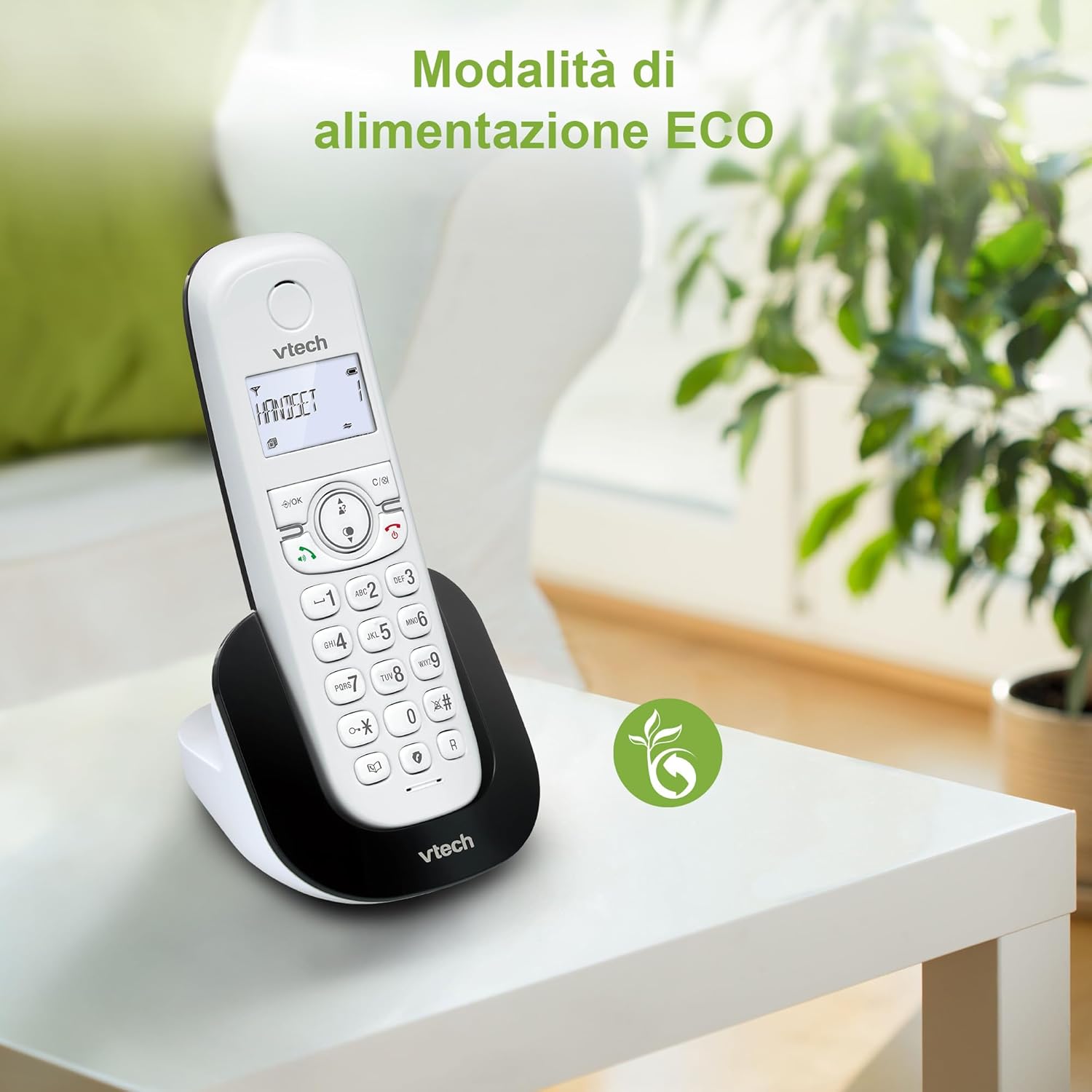
Figure 8: The phone in a home setting, indicating the energy-saving ECO power mode.
5. Priežiūra
5.1 Valymas
- Nuvalykite telefoną ir bazinę stotelę minkšta,amp audinys.
- Do not use cleaning sprays or harsh chemicals, as these can damage the surface or internal components.
5.2 Akumuliatoriaus priežiūra
- To maintain optimal battery performance, always return the handset to the base station when not in use.
- Jei telefonas nebus naudojamas ilgesnį laiką, išimkite baterijas, kad išvengtumėte elektrolito pratekėjimo.
- Replace batteries when their performance significantly degrades. Use only VTech-approved replacement batteries.
6. Problemų sprendimas
If you experience issues with your VTech CS1500, try the following solutions:
| Problema | Sprendimas |
|---|---|
| Nėra rinkimo tono | Ensure the base station power adapter and telephone line cord are securely connected. Check if other phones on the same line are working. |
| Negaliu skambinti / priimti skambučių | Check the telephone line connection. Ensure the handset batteries are charged. If multiple handsets, ensure they are registered. |
| Prasta garso kokybė | Move closer to the base station. Ensure there are no large metal objects or other electronic devices interfering with the signal. |
| Ragelio ekranas tuščias | Place the handset in the base station to charge. The battery may be depleted. |
| Ragelis nesikrauna | Ensure the power adapter is connected to the base station and a working wall outlet. Clean the charging contacts on both the handset and base station. |
7. Specifikacijos
| Funkcija | Detalė |
|---|---|
| Prekės ženklas | „VTech“ |
| Modelio numeris | CS1500 |
| Spalva | Baltas |
| Telefono tipas | Belaidis |
| Ypatingos savybės | Belaidis |
| Suderinami įrenginiai | PSTN |
| Baterijų skaičius | 1 (konkrečiam produktui – įtraukta) |
| Medžiaga | Plastikiniai |
| Maitinimo šaltinis | Maitinamas baterijomis |
| Rinkiklio tipas | Viena klaviatūra |
| Atsiliepimo sistemos tipas | Digital (Note: Product description does not explicitly mention an answering machine feature.) |
| Prekės svoris | 350 gramų |
| Gamintojas | VTECH TELECOMMUNICATIONS LTD |
| Kilmės šalis | Kinija |
8. Garantija ir palaikymas
Dėl garantijos informacijos ir techninės pagalbos žr. prie gaminio pridėtą garantinę kortelę arba apsilankykite oficialioje „VTech“ svetainėje. websvetainė. Paprastai ten galite rasti palaikymo komandos kontaktinę informaciją, DUK ir papildomų išteklių.
VTech oficialus Websvetainė: www.vtechphones.com