
1. Įvadas
This manual provides detailed instructions for the installation, operation, and maintenance of your UNITOPSCI Single Din Car Stereo, Model A3460. This unit features a 6.86-inch HD touch screen, Apple CarPlay, Android Auto, Bluetooth 5.0, FM radio, mirror link functionality, and support for a backup camera and DVR. Please read this manual thoroughly before use to ensure proper functionality and safety.
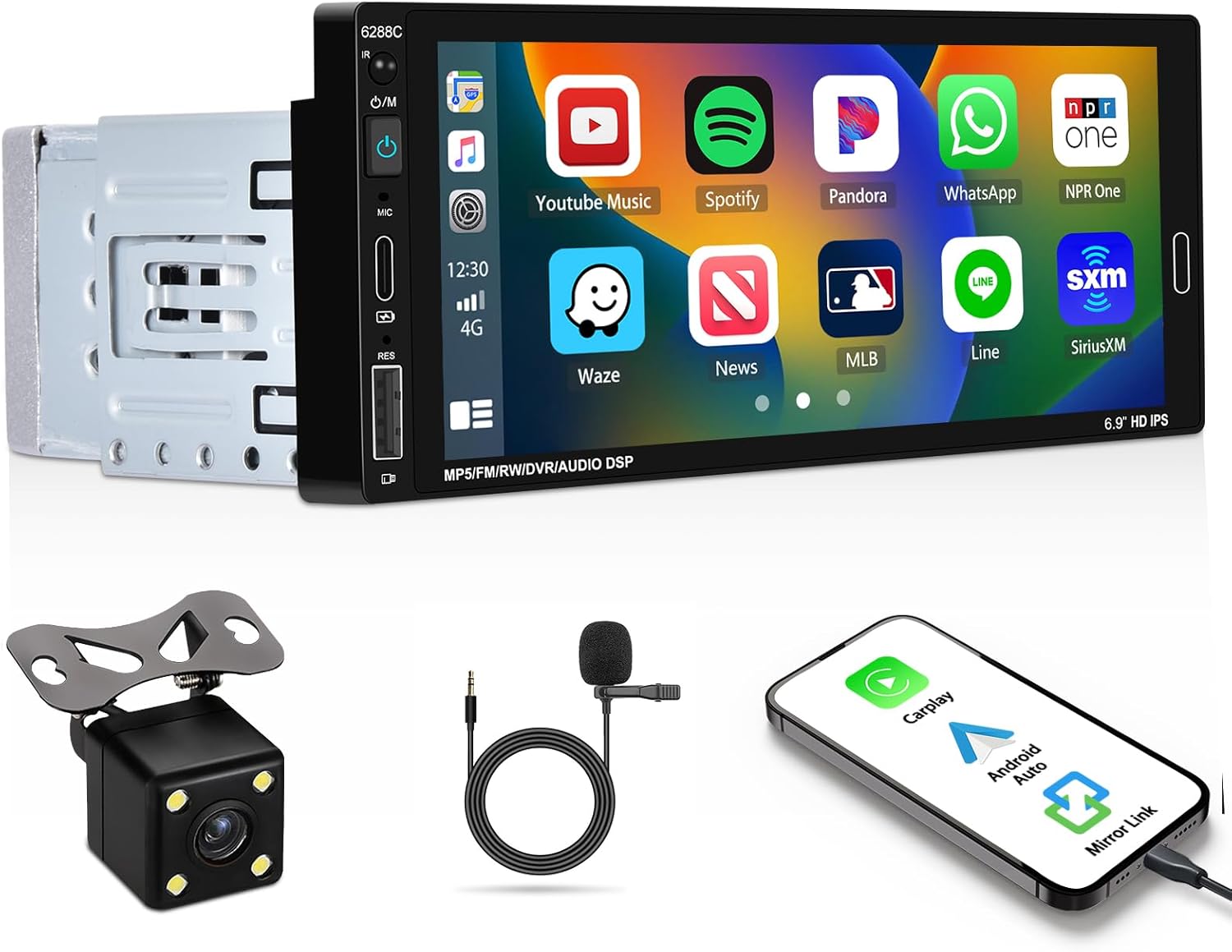
Image 1.1: UNITOPSCI Single Din Car Stereo with backup camera, microphone, and smartphone showing CarPlay/Android Auto connection.
2. Kas yra dėžutėje
Patikrinkite, ar pakuotėje yra visi toliau išvardyti daiktai:
- 1 x Car Stereo
- 1 x atsarginė kamera
- 1 x Remote Control (Battery Not included)
- 1 x Steering Wheel Control (Battery Not included)
- 1x maitinimo laidas
- 1 x rago kabelis
- 1 x Vartotojo vadovas
- 1x mikrofonas
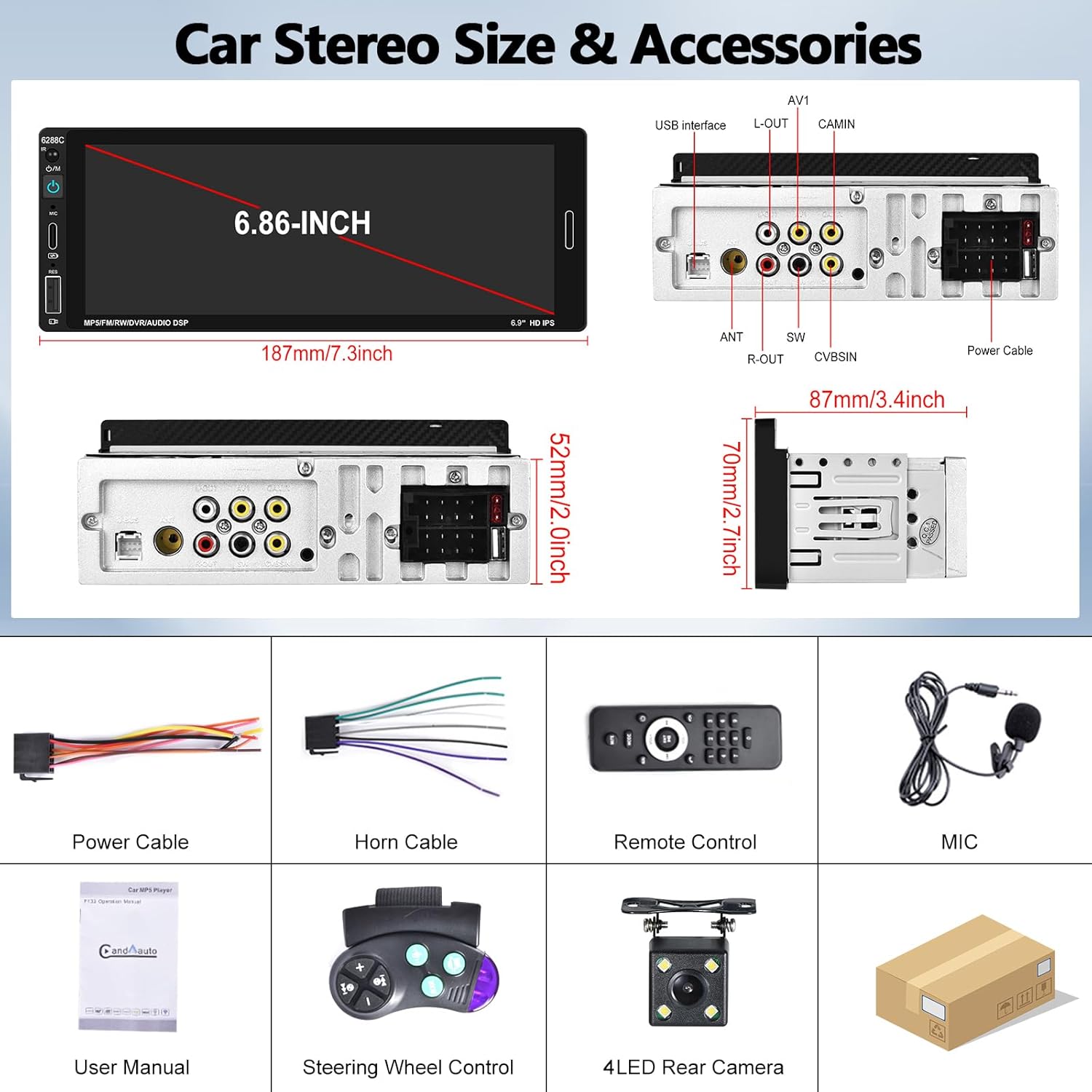
Image 2.1: Visual representation of the car stereo unit, power cables, remote control, microphone, user manual, steering wheel control, and 4-LED rear camera.
3. Specifikacijos
| Funkcija | Detalė |
|---|---|
| Modelio numeris | A3460 |
| Sistema | SURAUKTI |
| CPU lustas | F133 |
| Ekrano dydis | 6.86 colių |
| Ekrano raiška | 1280 x 480 |
| Maitinimo išvestis | 45W x 4 |
| Bluetooth versija | 5.0 |
| Bluetooth pavadinimas | AUTOMOBILIS BT |
| Radijo lustas | QN8035 |
| Galia Ampkeltuvas Chip | TDA7388 |
| Ryšys | „Bluetooth“, USB, C tipo |
| Ypatingos savybės | Apple CarPlay, Android Auto, Mirror Link, FM Tuner, Backup Camera Input, DVR Function, DSP Sound, Steering Wheel Control, Colorful Backlight |
| Garso formatai | MP3 / WMA / WAV / APE / FLAC |
| Vaizdo įrašų formatai | RM/RMVB/AVI/MP4/MKV/3GP |
| Paveikslėlių formatai | JPG BMP PNG |
| Palaikomos kalbos | Anglų, kinų, ispanų, portugalų, rusų, italų, vokiečių, prancūzų, turkų, čekų, arabų, lenkų, hebrajų |
| Gaminio matmenys | 3.42 colio gylis x 7.4 colio plotis x 2.04 colio aukštis (87 mm x 187 mm x 52 mm) |
| Prekės svoris | 1.92 svaro |
| Veiklos ttage | DC 12V |
| Darbinė temperatūra | -10°C iki 60°C |
4. Sąranka ir diegimas
4.1. Patikrinimas prieš montavimą
Before beginning installation, ensure your vehicle has a single DIN radio opening. The unit dimensions are approximately 187mm (length) x 52mm (height) x 87mm (depth). Some vehicles may require a special wire harness, which is sold separately.

Image 4.1: Comparison of a standard car dashboard before and after installation of the UNITOPSCI 6.86-inch touch screen car stereo.
4.2. Laidų schema
Refer to the provided wiring diagram for correct connections. Incorrect wiring can damage the unit or vehicle electrical system. The pink wire is typically for the reverse trigger signal.
4.2 vaizdas: galinis view of the car stereo showing various ports and a detailed wiring diagram for power, horn, USB, AV, camera, and steering wheel control connections.
- Maitinimo kabelis: Prijunkite prie transporto priemonės maitinimo šaltinio (ACC, B+, Ground).
- Rago kabelis: Connect to vehicle's speaker outputs.
- Atsarginė kamera: Connect the camera's video output to the CAMIN port and the power to the reverse light circuit. The pink wire on the stereo is the reverse trigger.
- Vairo valdymas (SWC): Prijunkite SWC laidus prie savo transporto priemonės vairo valdymo sąsajos.
- Mikrofonas: Plug the external microphone into the dedicated MIC input for improved call quality.
4.3. Galinio vaizdo kameros įrengimas
The included backup camera should be mounted at the rear of the vehicle. Ensure the camera is securely fastened and its view is unobstructed. Connect the camera's power to the vehicle's reverse light circuit so it activates when the vehicle is in reverse gear. Connect the video cable to the "CAMIN" input on the stereo. The stereo's pink wire must be connected to the reverse trigger signal from the vehicle.

Image 4.3: Illustration of a backup camera mounted on a vehicle and its connection to the car stereo for displaying reversing images.
5. Naudojimo instrukcijos
5.1. „Apple CarPlay“ ir „Android Auto“
Connect your iOS or Android smartphone to the stereo via a USB cable. The unit will automatically detect and launch Apple CarPlay or Android Auto. This allows voice control for navigation, calls, messages, and music playback, enhancing driving safety and convenience.
- Valdymas balsu: Use "Hey Siri" or "Hey Google" to issue commands.
- Navigacija: Access your phone's navigation apps directly on the stereo screen.
- Bendravimas: Make calls and send messages hands-free.
- Žiniasklaida: Play music and podcasts from your phone.

Image 5.1: The car stereo displaying Apple CarPlay and Android Auto interfaces, demonstrating voice control commands for navigation and communication.
5.2. Bluetooth ryšys
The stereo features Bluetooth 5.0 for hands-free calling and wireless audio streaming (A2DP).
- Poravimas: Go to the Bluetooth settings on the stereo and your phone. Ieškokite "CAR BT" and pair.
- Skambinimas laisvų rankų įranga: Use the built-in microphone or external microphone for clear calls.
- Garso transliacija: Play music from your phone wirelessly through the car stereo.

Image 5.2: The car stereo's Bluetooth setup screen for connecting a phone and the FM radio interface with station presets.
5.3. FM radijas
Access FM radio stations with 18 preset memory slots. The DSP sound effect feature can enhance audio quality.
- Tiuningas: Use the touch screen controls to scan for stations or manually tune.
- Išankstiniai nustatymai: Išsaugokite mėgstamiausias stotis, kad galėtumėte jas greitai pasiekti.
- Dažnių diapazonas: 87.5–108 MHz.
5.4. Veidrodinio susiejimo funkcija
Connect your iOS or Android phone via USB cable to mirror its screen onto the stereo display. This allows you to view maps, videos, or other content from your phone. Note: Mirror Link functionality may not be compatible with all Samsung phone models.
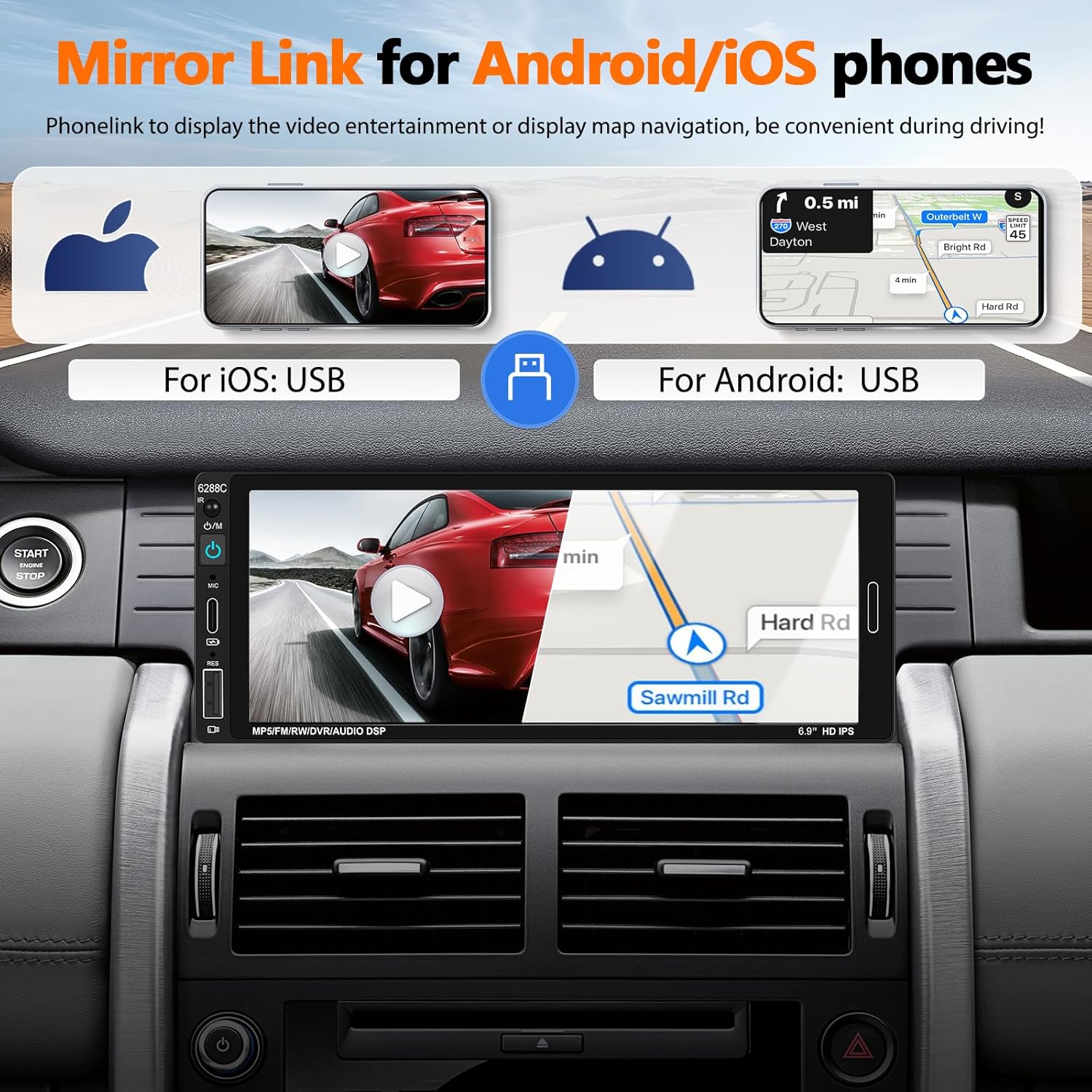
Image 5.3: The car stereo screen showing a mirrored smartphone display, illustrating navigation and video playback via Mirror Link.
5.5. Atbulinės eigos kameros ekranas
When the vehicle is shifted into reverse gear, the stereo will automatically switch to display the live feed from the connected backup camera. The camera provides a wide-angle view, night vision, and is waterproof, assisting with safer parking maneuvers. Parking guidelines are displayed on the screen.
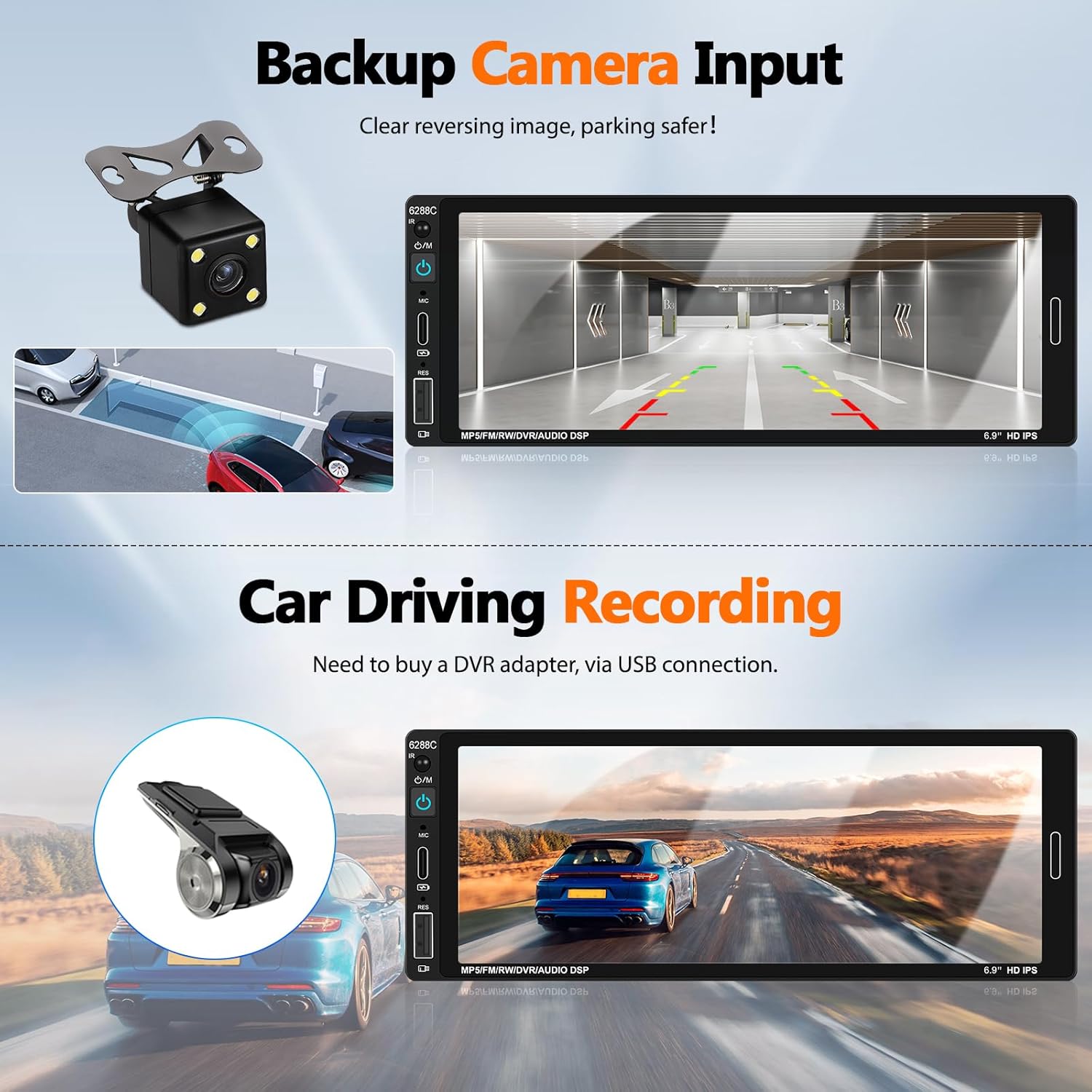
Image 5.4: The car stereo screen showing a clear reversing image from the backup camera with parking assistance lines.
5.6. DVR Function (Optional)
The unit supports a DVR (Driving Video Recorder) function. To use this, connect a compatible USB DVR adapter (purchased separately) to the rear USB slot. This enables recording of your driving footage directly through the head unit.
5.7. Vairo valdymas (SWC)
If your vehicle supports steering wheel controls, connect the provided SWC module. This allows you to easily control functions such as volume, track skipping, and answering calls directly from your steering wheel, reducing distractions while driving.
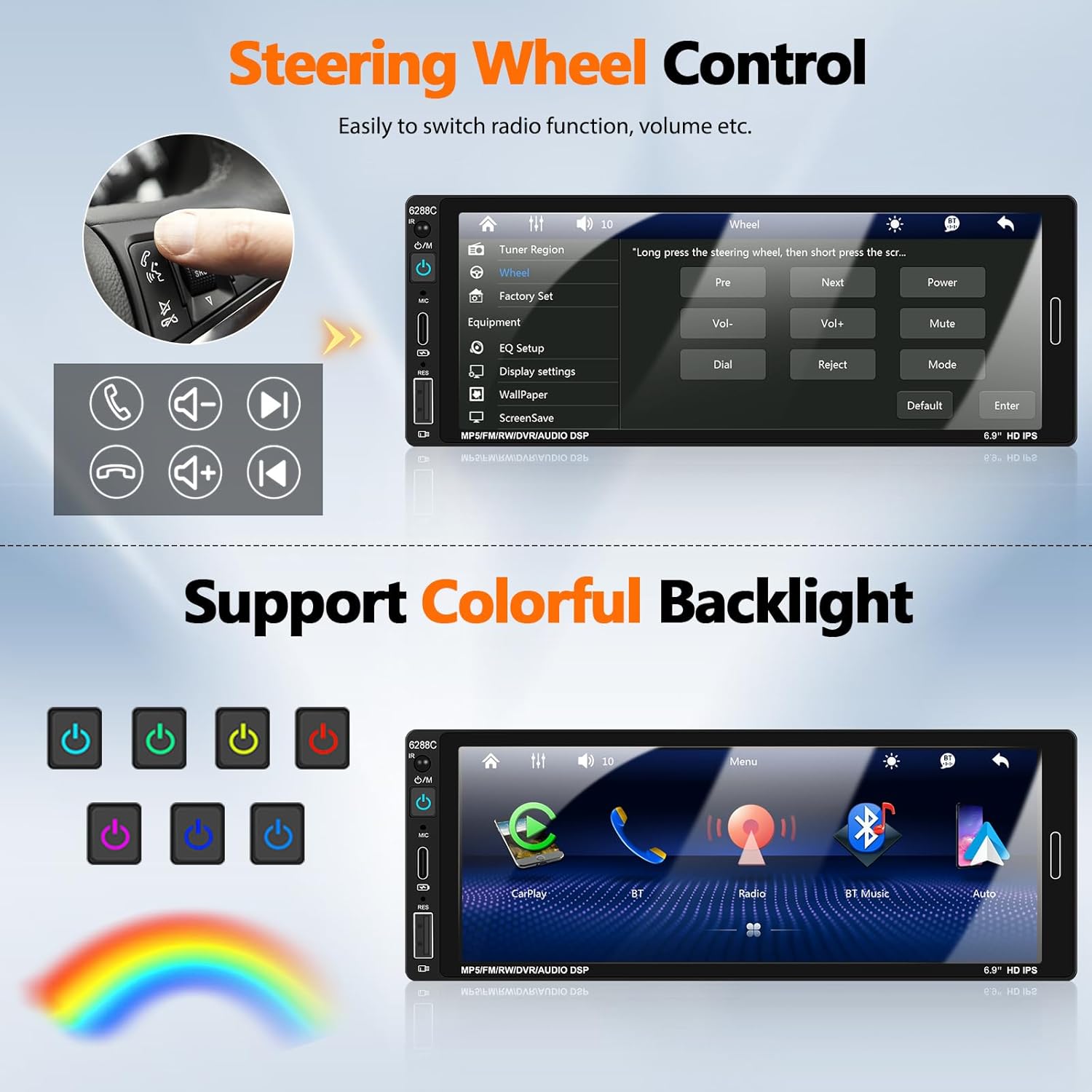
Image 5.5: Illustration of steering wheel controls and the corresponding settings screen on the car stereo for mapping functions.
5.8. DSP garso nustatymai
The Digital Sound Processor (DSP) allows you to customize the audio output. Access the EQ settings to adjust bass, treble, balance, and other sound parameters to your preference.

Image 5.6: Various user interface screens, including detailed EQ settings for audio customization.
5.9. Colorful Backlight
The unit features 7-color backlight buttons. You can customize the button illumination color to match your vehicle's interior lighting or your personal preference.
6. Priežiūra
- Valymas: Ekraną ir įrenginį valykite minkšta, sausa šluoste. Venkite abrazyvinių valiklių ar tirpiklių.
- Temperatūra: Operate the unit within the recommended temperature range (-10°C to 60°C).
- Jungtys: Periodiškai patikrinkite visus laidų sujungimus, kad įsitikintumėte, jog jie tvirtai pritvirtinti.
7. Problemų sprendimas
| Problema | Galima priežastis / sprendimas |
|---|---|
| Įrenginys neįsijungia. | Check power cable connections (ACC, B+, Ground). Ensure vehicle's fuse is intact. |
| Nėra garso iš garsiakalbių. | Verify speaker wire connections. Check volume level and mute settings. Ensure "Horn Cable" is correctly connected. |
| „Apple CarPlay“ / „Android Auto“ neprisijungia. | Ensure a genuine USB cable is used. Check phone settings for CarPlay/Android Auto permissions. Try a different USB port if available. Restart both phone and stereo. |
| Galinio vaizdo kamera nerodoma. | Check CAMIN video connection. Ensure the pink reverse trigger wire is correctly connected to the vehicle's reverse light signal. Verify camera power supply. |
| Bluetooth not pairing or unstable. | Ensure Bluetooth is enabled on both devices. Forget previous pairings and try again. Ensure devices are within range. |
| Nuotolinio valdymo pultas neveikia. | Check battery in the remote control. Ensure there are no obstructions between the remote and the stereo's IR receiver. |
| Mirror Link not working for Samsung phone. | Some Samsung phone models may not be compatible with the Mirror Link function. This is a known limitation. |
8. Garantija ir palaikymas
UNITOPSCI is committed to providing high-quality products and satisfactory services. We offer comprehensive support for your car stereo.
- Pakeitimas: Available within 24 months of purchase.
- Grąžinimai: 60-day no-worry return policy.
- Techninė pagalba: Lifetime after-sales consultation and technical support.
- Susisiekite: Jei turite klausimų ar palaikymo, susisiekite su mumis el UNITOPSCI@126.com. We aim for a quick response within 16 hours.

8.1 vaizdas: Baigtaview of UNITOPSCI's customer support, including replacement policy, quick response time, lifetime technical support, and contact email.