
1. Įvadas
The BOTSLAB W302 Outdoor Dual-Lens Security Camera is designed to provide comprehensive surveillance for your home or business. Featuring advanced dual-lens technology, it offers a 170° super-wide viewing angle and crystal-clear 4MP resolution. This manual provides detailed instructions for setting up, operating, and maintaining your security camera to ensure optimal performance.
2. Pakuotės turinys
Patikrinkite, ar pakuotėje yra visi toliau išvardyti daiktai. Jei kurių nors daiktų trūksta arba jie pažeisti, susisiekite su klientų aptarnavimo tarnyba.
- Fotoaparato blokas x 1
- Laikiklis x 1
- Padėties lipdukas x 1
- Warning sticker x 1
- Greitos pradžios vadovas x 1
- Maitinimo adapteris x 1
- Varžtų paketas x 1

Figure 2.1: All components included in the BOTSLAB W302 camera package.
3. Produkto ypatybės
- Dual-Lens Vision: Captures a wide 170° super-wide viewing angle with 4MP (2MP+2MP) resolution for seamless panoramic images without blind spots.
- Spalvotas naktinis matymas: Provides continuous color views 24/7, even in low light, thanks to automatic light adaptation (ColorGuard) and up to 100ft night vision range.
- Smart Security & Precise Alerts: Detects people and vehicles with motion detection, sending precise alerts. Features a customizable siren and light alarm for enhanced security.
- Dirbtinio intelekto valdomas sekimas: Intelligently focuses on humans, offering close-up views and dual live views (wide panorama and close-up) simultaneously via the Botslab app.
- Sklandus ryšys: Supports faster and more stable dual-band Wi-Fi (2.4GHz/5GHz).
- Dvipusis garsas: Stay connected and communicate with visitors or deter intruders.
- Atsparus oro sąlygoms dizainas: IP66 rated, ensuring reliable performance in temperatures from -20°C to 60°C.
- Išmaniųjų namų integracija: Seamlessly integrates with Amazon Alexa and Google Assistant for voice control.

Figure 3.1: Dual-Lens Vision with 170° Super-Wide Angle.

Figure 3.2: Non-Stop Color Night Vision.

Figure 3.3: Smart Security with Person, Vehicle, and Motion Detection.
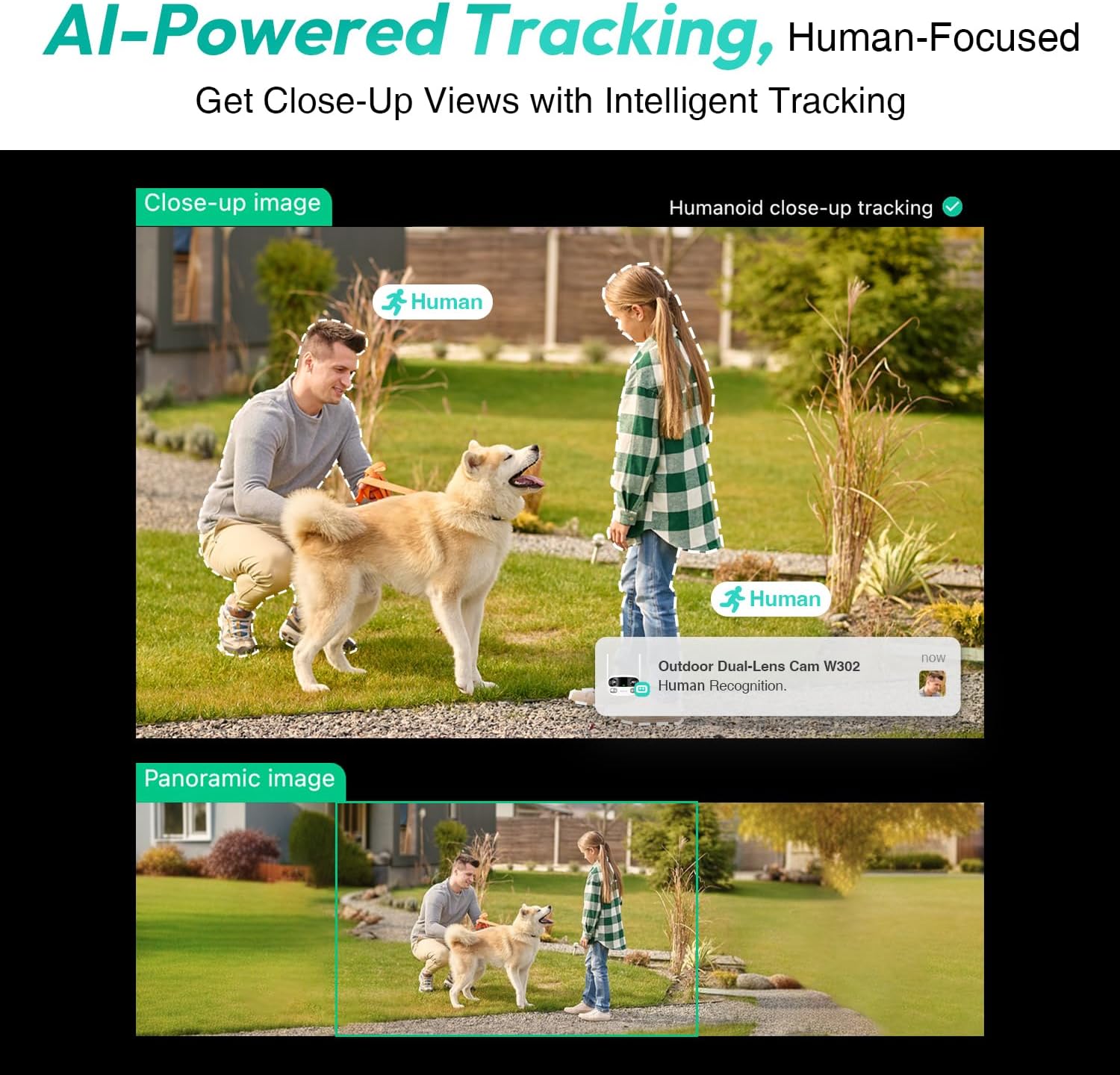
Figure 3.4: AI-Powered Human Tracking with Dual Live Views.
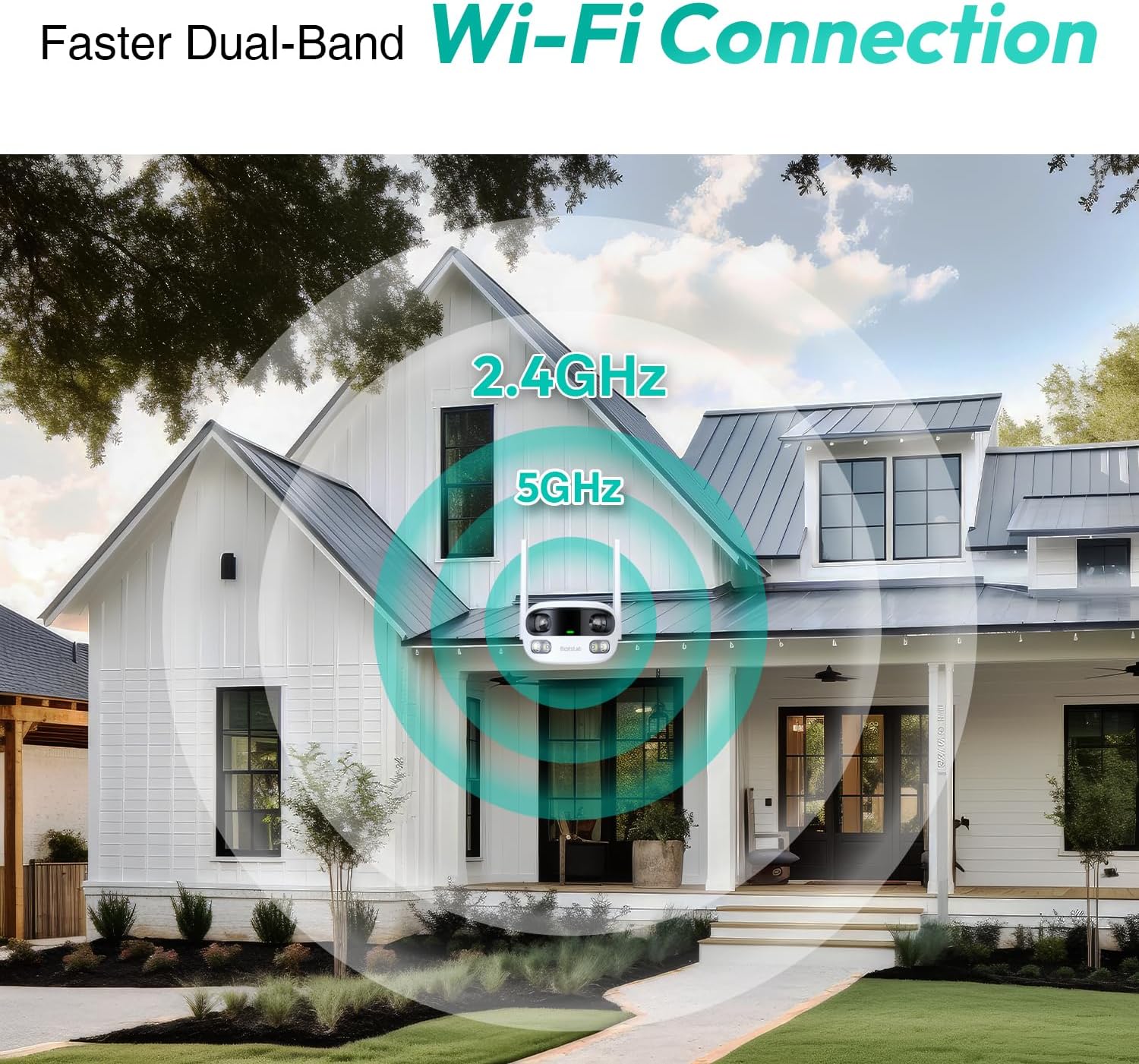
Figure 3.5: Faster Dual-Band Wi-Fi Connection.

Figure 3.6: Two-Way Audio Communication.

Figure 3.7: IP66 Weatherproof Design.

Figure 3.8: Alexa & Google Assistant Integration.
4. Sąranka ir diegimas
Follow these steps to properly install your BOTSLAB W302 camera.
- Pasirinkite vietą: Pasirinkite vietą lauke su skaidria šviesa view of the area you wish to monitor. Ensure it's within Wi-Fi range and near a power outlet.
- Sumontuokite laikiklį: Use the provided positioning sticker to mark drill holes on the wall or ceiling. Drill the holes, insert expansion tubes, and securely fasten the bracket with screws.
- Pritvirtinkite fotoaparatą: Rotate the camera body and screw it onto the bracket. Adjust the camera's position and tighten the bracket.
- Prijunkite maitinimą: Plug the power adapter into the camera and then into a power outlet. The indicator light will turn green and start flashing when ready for pairing.

Figure 4.1: Versatile Installation Options (Wall and Ceiling).
4.1 vaizdo įrašas: metimas per sekundęview of the Botslab Security Camera Outdoor, including its features and installation process. This video is provided by Botslab Security.
5. Programėlės konfigūracija
The Botslab app is essential for controlling and monitoring your camera. Download and install the app on your smartphone (available on App Store and Google Play).
- Registruotis / Prisijungti: Open the Botslab app and register a new account or log in with an existing one.
- Pridėti įrenginį: Tap 'Add Device' or the '+' icon in the app.
- Nuskaityti QR kodą: Nuskaitykite QR kodą, esantį fotoaparato apačioje.
- Prisijunkite prie „Wi-Fi“: Follow the in-app instructions to connect the camera to your 2.4GHz or 5GHz Wi-Fi network. Ensure your phone is near the camera during this process.
- Įrenginio susiejimas: The app will bind the device to your account. Once connected, the indicator light on the camera will turn solid blue.
5.1 vaizdo įrašas: išsamus aprašymasview of the Botslab W302 Outdoor Dual Lens Security Camera, including app setup and features. This video is provided by Galaxy Tech Review.
6. Naudojimo instrukcijos
Once configured, you can access and control your camera through the Botslab app.
- Tiesiogiai View: Access the live feed from both lenses. You can switch between close-up and panoramic views, or use the left/right mode for individual lens feeds.
- Panorimas / mastelio keitimas: In panoramic mode, slide the bottom image to pan left or right. Pinch to zoom on the close-up image.
- Dvipusis garsas: Tap the phone icon to speak through the camera's speaker. Tap the mute icon to silence audio from the camera's microphone.
- Siren & Light Alarm: Activate the siren and floodlights manually from the app to deter intruders.
- Motion/Vehicle/Person Detection: Enable these features in the app settings to receive precise alerts.
- Privatumo zonos: Nustatykite konkrečias sritis kameros viduje view that will not be monitored for privacy.
- Naktinis matymas: The camera automatically adapts to low light. You can choose between full-color night vision (using floodlights) or infrared night vision.

Figure 6.1: Dual Live Views on the Botslab App.

Figure 6.2: Siren & Light Alarm for Instant Deterrence.

Figure 6.3: Configuring Privacy Zones.

Figure 6.4: Smart Security with Precise Alerts.
7. Saugojimo parinktys
The BOTSLAB W302 offers flexible storage solutions for your recorded footage.
- Botslab Cloud Storage: Includes a one-year trial with 7-day storage for motion-detected clips at 5-minute intervals.
- Vietinė saugykla: Supports up to 256GB MicroSD cards (not included). The MicroSD card slot is located under a protective cover at the bottom of the camera.

Figure 7.1: Cloud and Local Storage Options.
8. Specifikacijos
| Funkcija | Specifikacija |
|---|---|
| Vaizdo įrašymo raiška | 4 MP |
| Viewing kampas | 170 laipsnių |
| Ryšio technologija | 2.4 GHz / 5 GHz Wi-Fi |
| Tarptautinis apsaugos įvertinimas | IP66 |
| Darbinė temperatūra | -20°C iki 60°C |
| Išmaniųjų namų suderinamumas | Amazon Alexa, Google Assistant |
| Vietinė saugykla | Up to 256GB MicroSD (Not Included) |
| Maitinimo šaltinis | Wired (AC power cord included) |
| Spalva | White Pro |
| Prekės svoris | 1.63 svaro |
9. Priežiūra
- Valymas: Reguliariai valykite fotoaparato objektyvą ir korpusą minkšta,amp cloth to remove dust and dirt. Do not use harsh chemicals.
- Firmware atnaujinimai: Check the Botslab app periodically for firmware updates to ensure optimal performance and security.
- Maitinimas: Ensure the camera is connected to a stable power source. Avoid using unofficial power adapters.
- SD kortelės tvarkymas: If using local storage, regularly back up important footage and format the MicroSD card to maintain performance.
10. Problemų sprendimas
- Fotoaparatas neprisijungęs: Check Wi-Fi connection and power supply. Try restarting the camera and your router.
- Prasta vaizdo kokybė: Ensure the lens is clean. Check your Wi-Fi signal strength. Adjust camera placement if necessary.
- Judesio aptikimo problemos: Verify detection zones are correctly set in the app. Adjust sensitivity settings.
- Dvipusio garso problemos: Patikrinkite mikrofono ir garsiakalbio nustatymus programėlėje. Įsitikinkite, kad garsumo lygis yra tinkamas.
- SD kortelė neįrašo: Ensure the MicroSD card is inserted correctly and is not full. Format the card if issues persist.
11. Garantija ir palaikymas
„BOTSLAB“ yra įsipareigojusi tiekti aukštos kokybės produktus ir puikų klientų aptarnavimą.
- Kokybės garantija: Enjoy a 365-day quality guarantee.
- Techninė pagalba: Teikiama visą gyvenimą trunkanti techninė pagalba.
- Grąžinimai: 30-day free returns.
- Fast Support: Expect support within 48 hours.
Jei reikia daugiau pagalbos, apsilankykite global.botslab.com arba susisiekite service@botslab.com.