
Įvadas
The Havit Gamenote KB885L mechanical keyboard is engineered for precision, durability, and customization. It features a gasket structure design, providing a soft and stable typing experience while minimizing noise. The full key rollover with multi-key response ensures fast and accurate input, crucial for gaming. With customizable RGB backlighting, you can personalize your keyboard with various lighting modes and effects. The detachable USB-C cable enhances portability and simplifies cable management. This keyboard is built with mechanical switches rated for 50 million key presses, making it suitable for gamers, typists, and professionals who require long-lasting performance.
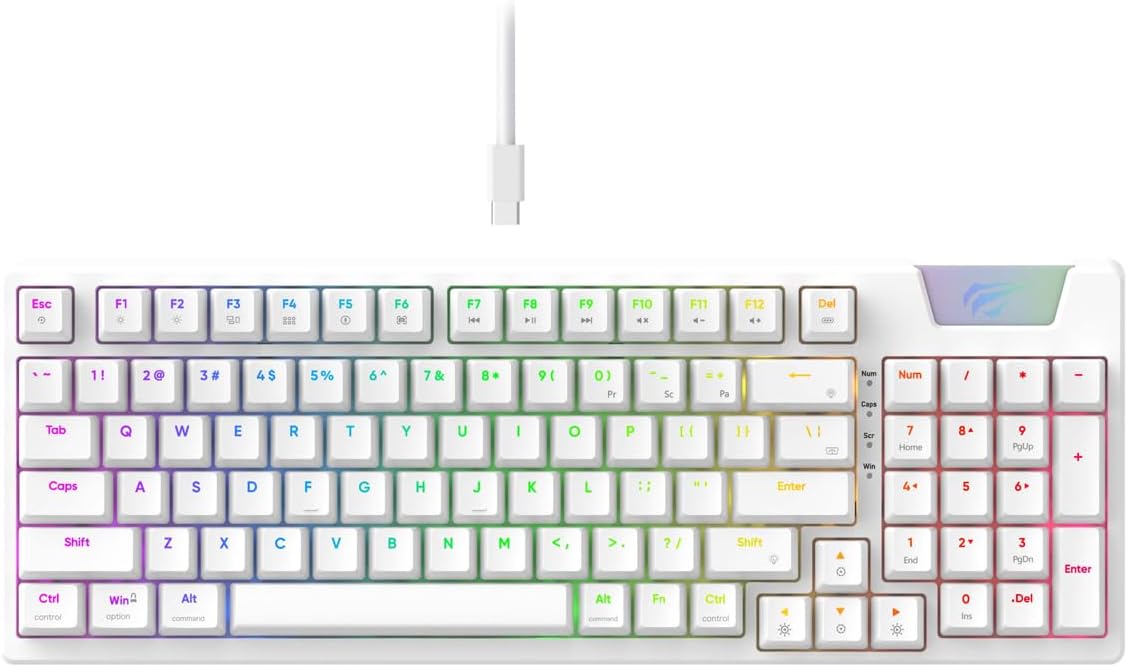
Image: The Havit Gamenote KB885L mechanical keyboard in white, showcasing its full layout and detachable USB-C cable.
Sąrankos vadovas
Follow these steps to set up your Havit Gamenote KB885L mechanical keyboard:
- Išpakuokite klaviatūrą: Atsargiai išimkite klaviatūrą ir jos priedus iš pakuotės.
- Prijunkite USB-C laidą: Insert the detachable USB Type-C cable into the port on the keyboard.
- Prisijunkite prie kompiuterio: Kitą USB laido galą įkiškite į laisvą kompiuterio USB prievadą.
- Tvarkyklės diegimas: The keyboard is plug-and-play and typically does not require additional drivers. Your operating system should automatically detect and install the necessary drivers.
- Bandymo funkcionalumas: Open a text editor or browser to test key presses and ensure all functions are working correctly.

Image: A close-up of the Havit Gamenote KB885L keyboard highlighting its portable design and detachable cable for easy setup and transport.
Naudojimo instrukcijos
The Havit Gamenote KB885L keyboard offers various features for an enhanced user experience:
RGB foninio apšvietimo valdymas
The keyboard features customizable RGB backlighting. Use the following key combinations to adjust lighting effects:
- Fn + [Klavišas]: Cycle through different RGB lighting modes. (Specific key combinations may vary, refer to on-keyboard legends if available).
- Fn + rodyklių klavišai: Adjust brightness and speed of lighting effects.

Image: The Havit Gamenote KB885L keyboard displaying its vibrant RGB backlighting, illustrating customizable lighting effects.
Visiškas rakto perkėlimas (NKRO)
This keyboard supports Full Key Rollover, meaning every key press is registered independently, regardless of how many keys are pressed simultaneously. This feature is essential for fast-paced gaming and typing, preventing ghosting or missed inputs.
Ergonomiškas dizainas
The keyboard is designed with ergonomics in mind to provide comfort during extended use. Its layout and keycap profile aim to reduce strain on your wrists and fingers.

Vaizdas: A view of the Havit Gamenote KB885L keyboard highlighting its ergonomic design for comfortable use.
Priežiūra
Tinkama priežiūra užtikrina klaviatūros ilgaamžiškumą ir optimalų veikimą:
- Valymas: Regularly clean the keyboard with a soft, dry cloth. For deeper cleaning, use compressed air to remove dust and debris from between the keycaps. For stubborn dirt, a slightly damp Galima naudoti šluostę su švelniu muilu, užtikrinant, kad į klaviatūrą nepatektų skysčio.
- Venkite išsiliejimo: Keep liquids away from the keyboard to prevent damage to the internal components. In case of a spill, immediately disconnect the keyboard and allow it to dry completely before reconnecting.
- Kabelio priežiūra: Atsargiai elkitės su nuimamu USB-C laidu. Venkite staigių lenkimų ar per didelio tempimo, kad nepažeistumėte laido ar jungčių.
- Saugykla: Kai nenaudojate klaviatūros, laikykite ją švarioje, sausoje vietoje, toliau nuo ekstremalių temperatūrų.
Trikčių šalinimas
If you encounter issues with your Havit Gamenote KB885L keyboard, try the following solutions:
- Klaviatūra nereaguoja:
- Įsitikinkite, kad USB-C laidas yra tvirtai prijungtas prie klaviatūros ir kompiuterio.
- Pabandykite prijungti klaviatūrą prie kito kompiuterio USB prievado.
- Išbandykite klaviatūrą kitame kompiuteryje, kad nustatytumėte, ar problema susijusi su klaviatūra, ar su jūsų sistema.
- RGB lemputės neveikia:
- Check if the lighting is turned off using the Fn key combinations.
- Ensure the keyboard is properly powered via the USB connection.
- Raktai neregistruojami / šešėliuojami:
- Due to full key rollover, this is unlikely. However, ensure no debris is lodged under the keycap.
- If a specific key is consistently failing, it might indicate a switch issue. Contact support if the problem persists.
Specifikacijos
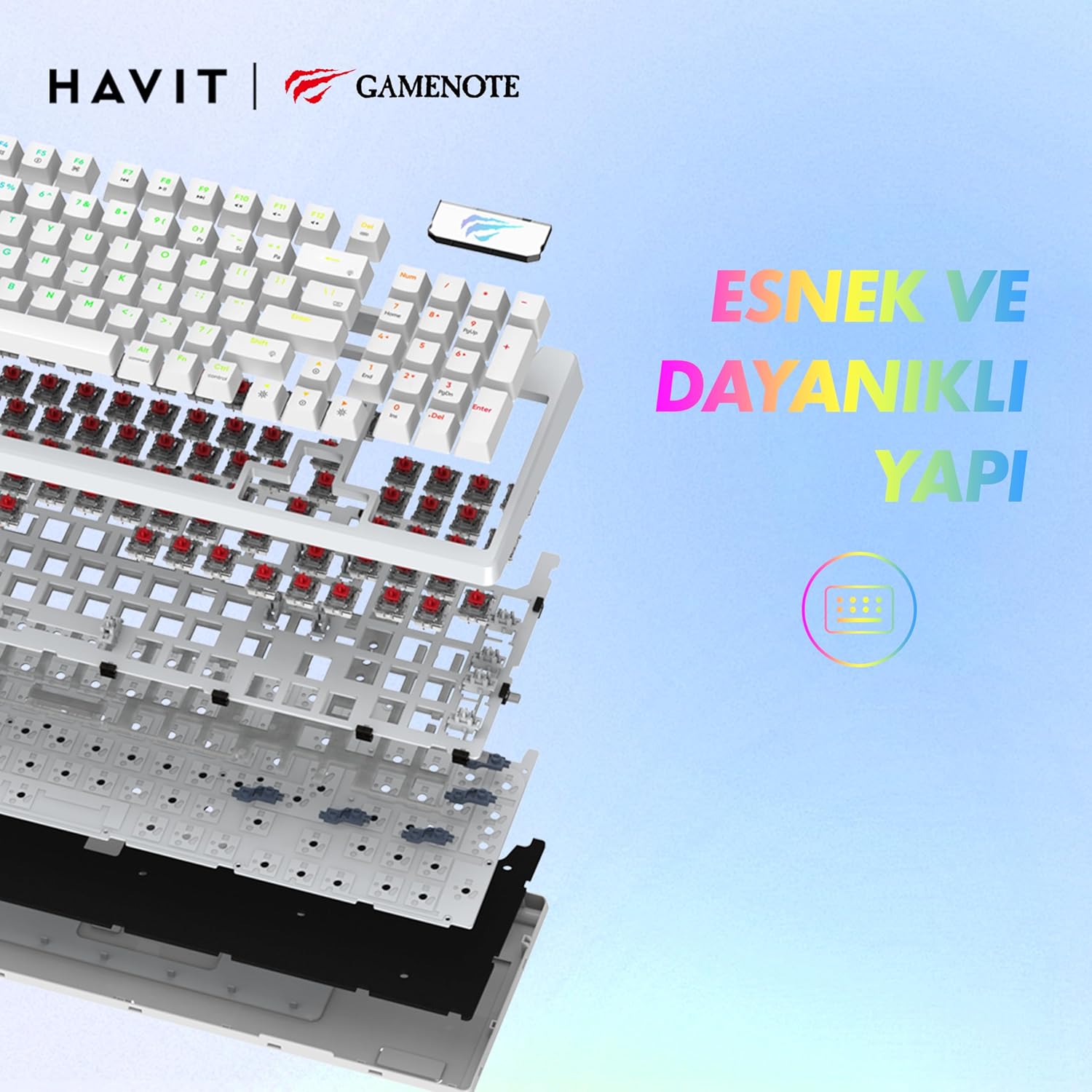
Paveikslėlis: sprogęs view of the Havit Gamenote KB885L keyboard, illustrating its internal gasket structure for enhanced stability and typing feel.
| Funkcija | Detalė |
|---|---|
| Prekės ženklas | Havit |
| Modelio numeris | KB885L |
| Suderinami įrenginiai | Kompiuteris |
| Ryšio technologija | USB |
| Klaviatūros aprašymas | Žaidimas |
| Rekomenduojami naudojimo būdai | Žaidimas |
| Ypatinga funkcija | Nešiojami |
| Spalva | Baltas |
| Backlight Color Support | RGB (Red, Green, Blue model) |
| Stilius | Modernus |
| Gaminio matmenys (I x P x A) | 38.7 x 14 x 4.5 cm |
| Kalba | anglų kalba |
| Maitinimo šaltinis | USB maitinimas |
| Jungiklio tipas | Lytėjimo |
| Klaviatūros išdėstymas | QWERTY |
| Rankų orientacija | Abipusis |
| Raktų skaičius | 95 |
| Mygtukų kiekis | 104 |
| Įtraukti komponentai | USB kabelis |
| Medžiaga | Plastikiniai |
| Key Press Lifespan | 50 Million (from description) |

Image: An illustration highlighting the Havit Gamenote KB885L's durable mechanical switches, rated for a 50 million key press lifespan.
Informacija apie garantiją
„Havit Gamenote KB885L“ mechaninė klaviatūra turi... vienerių metų garantija from the date of purchase. This warranty covers manufacturing defects and issues arising from normal use. It does not cover damage caused by misuse, accidents, unauthorized modifications, or improper maintenance. Please retain your proof of purchase for warranty claims.
Pagalba klientams
For further assistance, technical support, or warranty inquiries, please contact Havit customer service through their official website or the retailer where you purchased the product. Have your model number (KB885L) and proof of purchase ready when contacting support.