
Coby CETW527
Coby Sweat-Resistant True Wireless Earbuds User Manual
Modelis: CETW527
Įvadas
Thank you for choosing the Coby Sweat-Resistant True Wireless Earbuds. These in-ear Bluetooth earphones are designed to provide a seamless audio experience with up to 12 hours of playtime, voice assistant support, noise-isolating technology, a built-in microphone, and dedicated audio controls. This manual will guide you through the setup, operation, and maintenance of your new earbuds.

Image: The Coby True Wireless Earbuds, white in color, resting beside their open charging case. The case shows four blue LED indicator lights, signifying battery level.
Kas yra dėžutėje
- Coby True Wireless Earbuds (Left and Right)
- Įkrovimo dėklas
- USB įkrovimo laidas (Note: Typically included, though not explicitly listed in product details)
- Vartotojo vadovas (šis dokumentas)
Sąrankos vadovas
1. Ausinių ir dėklo įkrovimas
Before first use, ensure both the earbuds and the charging case are fully charged. The charging case provides additional power for on-the-go charging.
- Place the earbuds into their respective slots in the charging case. They will magnetically snap into place.
- Connect the charging cable to the charging port on the case and the other end to a USB power source.
- The LED indicator lights on the charging case will illuminate to show the charging status. A full charge is indicated when all lights are solid.

Vaizdas: Stambus planas view of the wireless charging case with earbuds inserted, highlighting the magnetic contacts and the battery light indicators on the case.
2. Susiejimas su jūsų įrenginiu
The Coby earbuds feature hassle-free Bluetooth 5.3 connectivity with instant auto-connect.
- Įsitikinkite, kad ausinės yra įkrautos ir įdėtos į įkrovimo dėklą.
- Atidarykite įkrovimo dėklo dangtelį. Ausinės automatiškai įsijungs susiejimo režimu.
- Išmaniajame telefone, planšetiniame kompiuteryje ar kitame įrenginyje su „Bluetooth“ ryšiu eikite į „Bluetooth“ nustatymus.
- Ieškokite new devices. You should see "CETW527" or "Coby Earbuds" in the list.
- Select "CETW527" to connect. Once connected, a voice prompt will confirm the pairing, and the device will show "Connected".
- After the initial pairing, the earbuds will automatically connect to the last paired device when removed from the case and within range.

Image: A smartphone screen displaying Bluetooth settings, showing "CETW527" as a connected device, with the Coby earbuds floating nearby.
Naudojimo instrukcijos
Audio Playback and Call Control
The Coby earbuds feature seamless touch controls on the earbud stems for easy management of your audio and calls.

Image: A graphic illustrating the touch control areas on the earbuds and their corresponding functions: Play/Pause, Previous Track/Next Song, Adjust Volume, and Answer/Reject Calls.
| Veiksmas | Funkcija |
|---|---|
| Vienu paspaudimu | Leisti/pristabdyti muziką, atsiliepti/baigti skambutį |
| Double Tap (kairioji ausinė) | Ankstesnis takelis |
| Dukart bakstelėjimas (dešinė ausinė) | Kitas takelis |
| Trigubas palietimas (kairioji ausinė) | Sumažinti garsumą |
| Trigubas bakstelėjimas (dešinė ausinė) | Padidinti garsumą |
| Ilgas paspaudimas (2 sekundės) | Activate Voice Assistant (Siri/Google Assistant), Reject call |
Pagrindinės naudojimo funkcijos
- Prailgintas grojimo laikas: Enjoy up to 12 hours of continuous audio playback on a single charge, perfect for long commutes or extended listening sessions.
- Balso asistento palaikymas: Easily activate your device's voice assistant (Siri or Google Assistant) with a simple touch command for hands-free control.
- Aiškūs skambučiai: The built-in high-quality microphone ensures your voice is heard clearly during phone calls, even in noisy environments.
- Noise-Isolating Technology: Immerse yourself in your audio with advanced noise-isolating technology that reduces external distractions.
- Sweat-Resistant Design: These earbuds are designed to withstand sweat, making them ideal for workouts and active lifestyles.
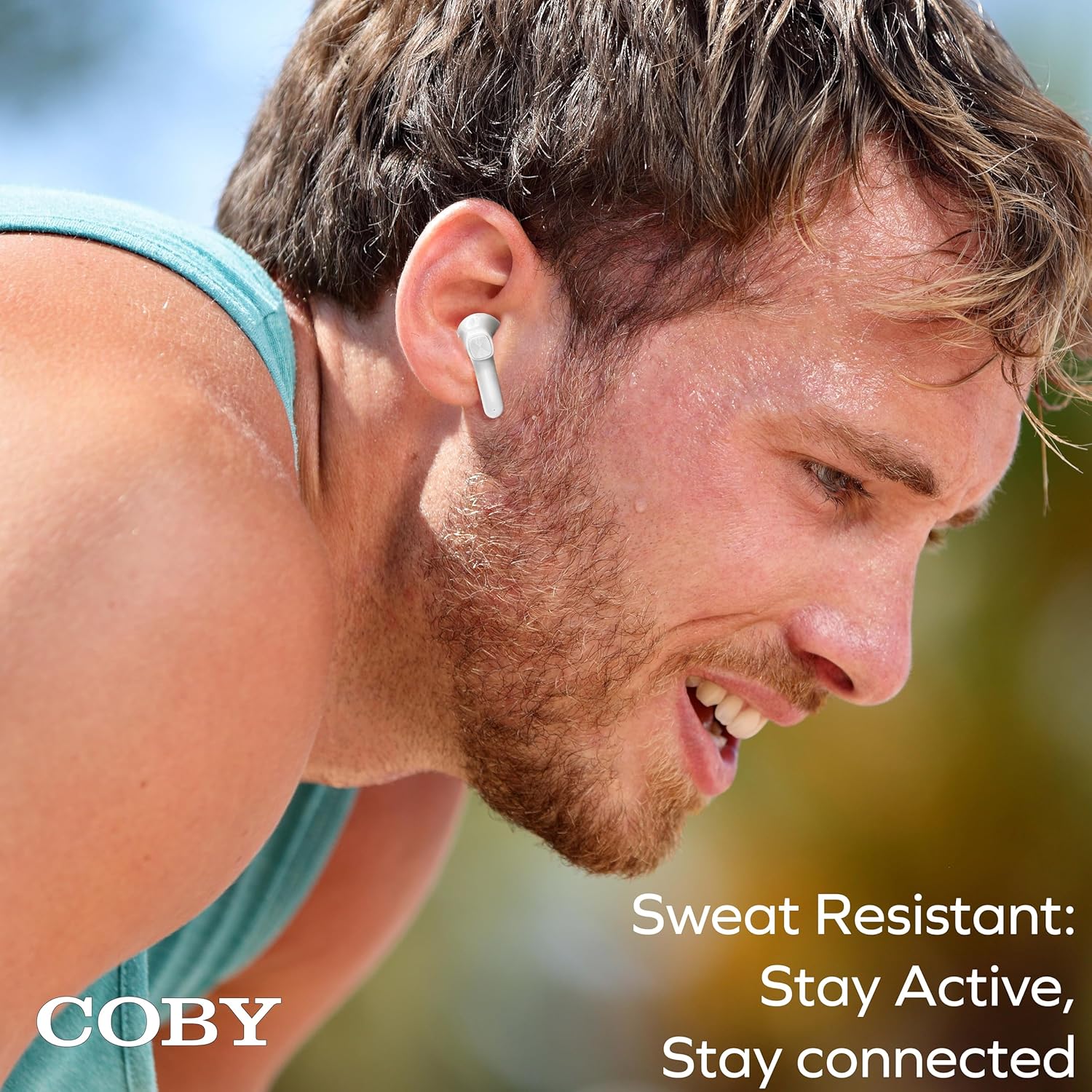
Image: A person engaged in physical activity, wearing the Coby earbuds, demonstrating their sweat-resistant feature for active use.

Image: A visual representation highlighting the key features: Voice Assistant Ready (with Google Assistant and Siri logos), Crystal-Clear Calls, and Noise-Isolating capabilities, shown with a person using the earbuds.
Priežiūra ir priežiūra
To ensure the longevity and optimal performance of your Coby True Wireless Earbuds, follow these care guidelines:
- Valymas: Gently wipe the earbuds and charging case with a soft, dry, lint-free cloth. Do not use abrasive cleaners, alcohol, or chemical solvents.
- Saugykla: Kai nenaudojate, laikykite ausines įkrovimo dėkle, kad jos būtų apsaugotos ir įkrautos.
- Atsparumas vandeniui: While sweat-resistant, these earbuds are not waterproof. Avoid submerging them in water or exposing them to heavy rain.
- Temperatūra: Venkite ausinių laikymo ekstremaliose temperatūrose (karštyje arba šaltyje) arba didelėje drėgmėje.
- Įkrovimas: Use only the provided or a certified charging cable with a compatible USB power adapter.
Trikčių šalinimas
If you encounter any issues with your Coby True Wireless Earbuds, please refer to the following common solutions:
- Ausinės nesusijungia:
- Įsitikinkite, kad abi ausinės yra įkrautos.
- Išjunkite „Bluetooth“ savo įrenginyje, tada vėl jį įjunkite.
- Forget the "CETW527" device in your device's Bluetooth settings and attempt to pair again.
- Įdėkite ausines atgal į dėklą, uždarykite dangtelį, palaukite kelias sekundes, tada atidarykite dangtelį, kad vėl įjungtumėte susiejimo režimą.
- Nėra garso iš vienos ausinės:
- Įsitikinkite, kad abi ausinės yra įkrautos.
- Pabandykite įdėti abi ausines atgal į įkrovimo dėklą, uždaryti dangtelį ir vėl jas išimti.
- Perform a factory reset if available (refer to manufacturer's website for specific instructions if not detailed here).
- Įkrovimo problemos:
- Patikrinkite, ar įkrovimo laidas ir maitinimo adapteris nepažeisti.
- Įsitikinkite, kad ausinių ir dėklo viduje esantys įkrovimo kontaktai yra švarūs ir be šiukšlių.
- Išbandykite kitą USB maitinimo šaltinį.
- Poor audio quality or disconnections:
- Įsitikinkite, kad jūsų įrenginys yra ne toliau kaip 10 metrų „Bluetooth“ diapazone.
- Venkite kliūčių tarp įrenginio ir ausinių, kurios gali trukdyti signalui.
- Patikrinkite, ar netrukdo kiti belaidžiai įrenginiai.
If these steps do not resolve your issue, please contact Coby customer support for further assistance.
Specifikacijos
| Funkcija | Detalė |
|---|---|
| Modelio pavadinimas | CETW527 |
| Ryšio technologija | Belaidis ryšys („Bluetooth 5.3“) |
| Bluetooth diapazonas | 10 metrai |
| Įtraukti komponentai | Įkrovimo stotis |
| Medžiaga | Akrilnitrilo butadieno stirenas (ABS) |
| Suderinami įrenginiai | Išmanieji telefonai, planšetiniai kompiuteriai, nešiojamieji kompiuteriai, išmanieji garsiakalbiai |
| Valdymo tipas | Medijos valdymas, balsas |
| Ausų išdėstymas | Ausyje |
| Triukšmo valdymas | Garso izoliacija |
| Gaminio matmenys | 1.73 x 1.73 x 0.99 colio |
| Prekės svoris | 5.6 uncijos |
| Gamintojas | Summit Electronics LLC |
| Kilmės šalis | Kinija |
| UPC | 810071493522 |
Garantija ir palaikymas
For warranty information and customer support, please refer to the documentation included with your purchase or visit the official Coby website. You can also reach out to the manufacturer, Summit Electronics LLC, for assistance.
Palaikymas internetu: Visit the Coby Store on Amazon
Ask a question about this manual
Ask about setup, troubleshooting, compatibility, parts, safety, or missing instructions. Manuals+ will review the question and use this page’s manual context to help answer it.