
1. Įvadas
This manual provides comprehensive instructions for the Symcode 2D Bluetooth Barcode Scanner, model MJ-1911-Blue. This device is a versatile tool designed for efficient barcode scanning in various environments, offering both 1D and 2D barcode decoding capabilities, multiple connectivity options, and a durable, ergonomic design. Please read this manual thoroughly before operating the device to ensure proper usage and optimal performance.
2. Produktas baigtasview
The Symcode MJ-1911-Blue barcode scanner features a robust design with a comfortable grip and includes a wireless charging stand for convenience. It supports various scanning modes and connectivity types to adapt to different operational needs.

Image 1: Symcode 2D Bluetooth Barcode Scanner and Charging Stand. The scanner is black and blue, ergonomically shaped, resting in its black charging stand.
3. Sąranka
3.1. Įrenginio įkrovimas
The scanner is equipped with an 1800mAh Lithium Polymer battery. A full charge takes approximately 4 hours, providing 12-13 hours of continuous scanning or up to 30 days of standby time.

Image 2: Visual representation of the scanner's battery capacity (1800mAh), scanning time (12-13 hours), standby time (30 days), and charging time (4 hours).
3.2. Assembling the Charging Stand
The charging stand can be adjusted for optimal scanning angles. Follow these steps to adjust the stand:
- Locate the two small tabs on the underside of the stand.
- Gently push these tabs inward.
- While holding the tabs, pull the side panels of the stand outwards.
- Adjust the stand to your desired angle and release the tabs to lock it in place.
Video 1: Demonstrates how to adjust the angle of the scanner stand. The video shows the stand being disassembled and reassembled to change its angle.
4. Ryšys
The Symcode MJ-1911-Blue scanner offers three primary connectivity modes: Wired, 433MHz Wireless, and Bluetooth.

Image 3: Illustrates the three connectivity modes: Wired (USB cable for charging and data), 433 Wireless (pairing with a computer via a dongle), and Bluetooth (pairing with mobile devices without a driver).
4.1. Laidinis režimas
Connect the scanner to your computer using the provided USB cable. The cable serves as both a charging cable and a data transmission cable, supporting fast charging and efficient data transfer.
4.2. 433MHz Wireless Mode
For 433MHz wireless connection, plug the wireless receiver dongle into your computer's USB port. The scanner will automatically pair with the dongle, allowing for a transmission distance of up to 1968 feet (600m) in a barrier-free environment and 656 feet (200m) in a barrier environment.
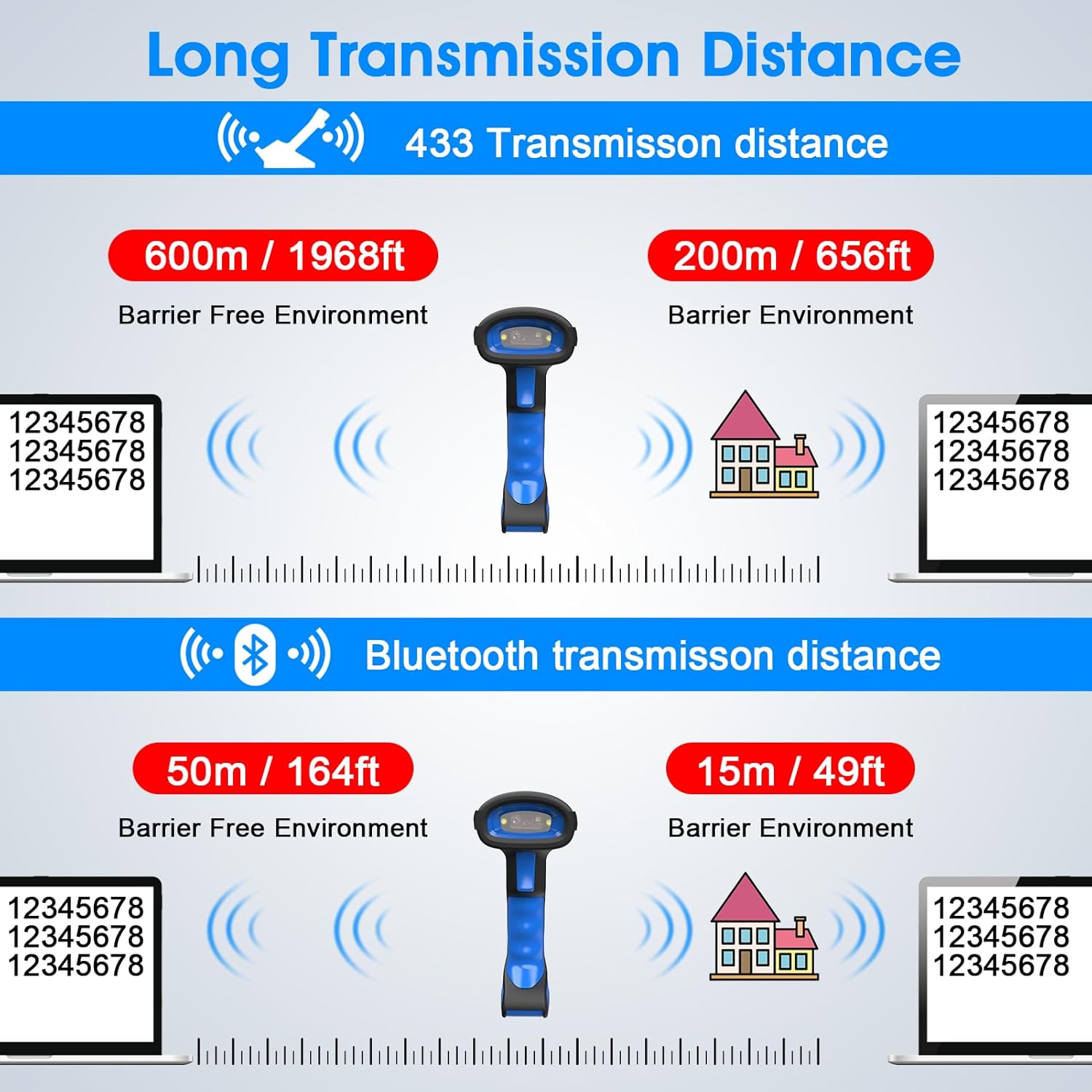
Image 4: Details the transmission distances for 433MHz wireless (600m barrier-free, 200m with barriers) and Bluetooth (50m barrier-free, 15m with barriers).
To connect via 2.4G (433MHz) wireless:
- Plug the 2.4G wireless dongle into your computer's USB port.
- Scan the '2.4G Connection' barcode from the instruction manual.
- The scanner will connect, and scanned data will appear on your computer.
Video 2: Demonstrates the 2.4G wireless connection process, showing the dongle being plugged in and barcodes being scanned to a laptop.
4.3. „Bluetooth“ režimas
The scanner can connect to various devices such as desktops, laptops, and smartphones via Bluetooth without requiring driver installation. The Bluetooth transmission distance is up to 164 feet (50m) in a barrier-free environment and 49 feet (15m) in a barrier environment.
Norėdami prisijungti per Bluetooth:
- Scan the 'Bluetooth Connection' barcode from the instruction manual.
- Alternatively, long-press the scanner's trigger button for 8 seconds until the indicator light changes, signifying pairing mode.
- On your device (e.g., smartphone, laptop), go to Bluetooth settings and select the scanner from the list of available devices to pair.
Video 3: Illustrates two methods for Bluetooth connection: scanning a setting code and long-pressing the trigger button for 8 seconds, then pairing with a smartphone.
4.4. Stiprus suderinamumas
The scanner is compatible with multiple operating systems, including Android, Apple iOS/macOS, Windows, and Linux.
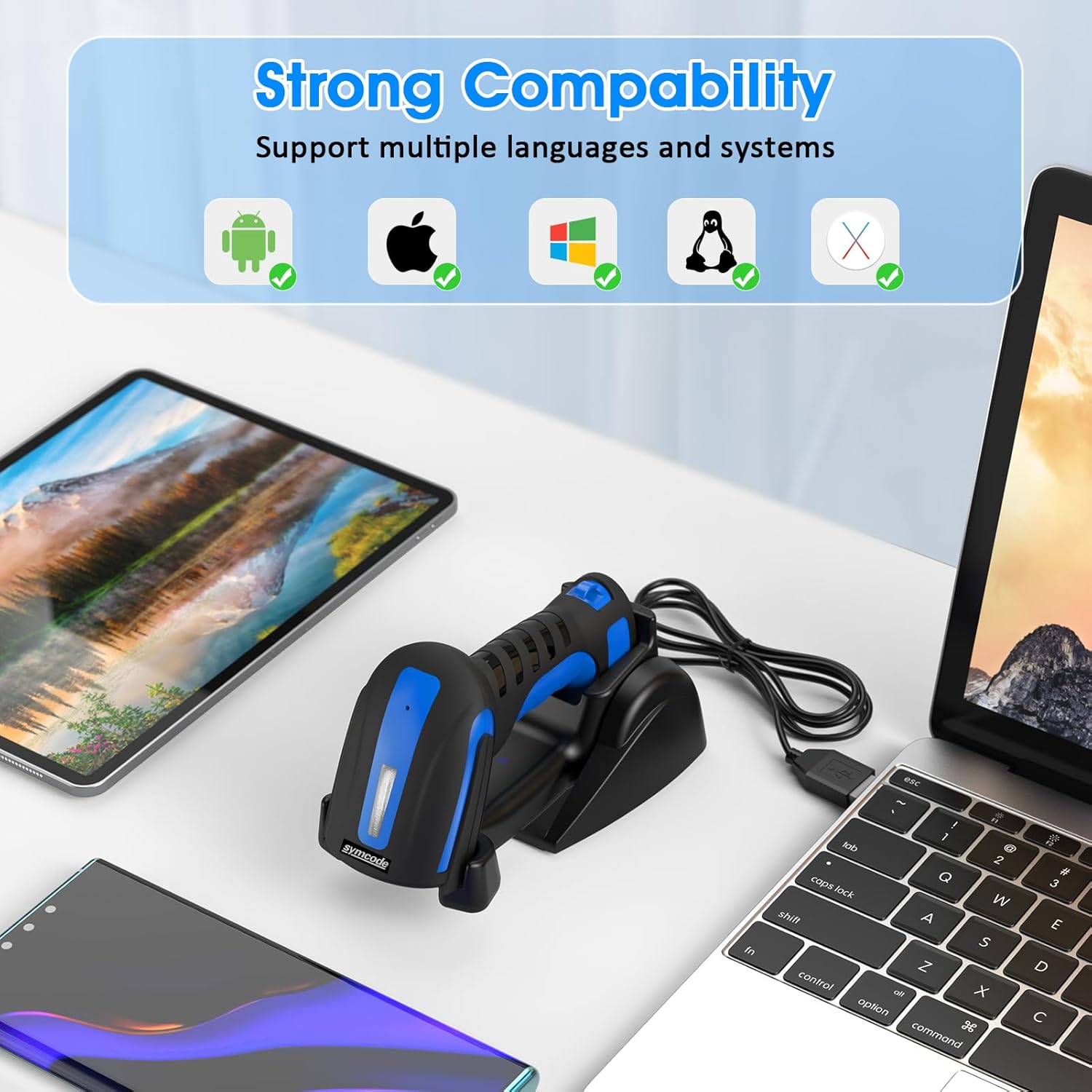
Image 5: Displays icons for Android, Apple, Windows, and Linux operating systems, indicating the scanner's broad compatibility.
5. Veikimo režimai
The Symcode MJ-1911-Blue scanner supports several operating modes to suit different scanning workflows.
5.1. Trigger Scan Mode
In this mode, the scanner will only activate and scan a barcode when the trigger button is pressed. This is ideal for precise, on-demand scanning.
5.2. Nepertraukiamo nuskaitymo režimas
The scanner continuously emits its scanning beam, allowing for rapid scanning of multiple barcodes without repeatedly pressing the trigger. This mode is suitable for high-volume scanning tasks.
5.3. Hands-Free Auto Mode
When placed in its charging stand, the scanner can automatically detect and scan barcodes presented in its field of view without requiring manual trigger presses. This is useful for hands-free operation at a workstation.
Video 4: Demonstrates the Continuous Scan Mode and Trigger Scan Mode. It shows the scanner reading barcodes automatically in continuous mode and only when the trigger is pressed in trigger mode.
5.4. Saugojimo režimas
In Storage Mode, the scanner stores scanned barcode data internally. This is useful when working out of range of a connected device. Once back in range, you can upload the stored data to your device via Bluetooth, 2.4G wireless, or USB connection by scanning a specific setting code.
Video 5: Explains and demonstrates the Storage Mode, where scanned data is saved internally and then uploaded to a connected device.
6. Palaikomi brūkšninių kodų tipai
The Symcode MJ-1911-Blue scanner features 2D & 1D Super Decoding Ability, capable of reading even blurred or incomplete barcodes. It supports a wide range of symbologies, including:
- 1D: Codabar, Code 11, Code93, MSI, Code 128, UCC/EAN-128, Code 39, EAN-8, EAN-13, UPC-A, ISBN, Industrial 25, Interleaved 25, Standard 25, 2/5 Matrix.
- 2D: QR Code, Data Matrix, PDF417, Aztec, Hanxin, Micro PDF417 (option).

Image 6: Shows various 1D and 2D barcode types, including Data Matrix, QR Code, Profiled Barcode, Frauded Barcode, ITF, and PDF417, indicating the scanner's decoding capabilities.
7. Durability and Applicable Scenes
The scanner is designed for industrial use with an anti-shock design, capable of withstanding multiple drops from a height of 8 feet (2.4m) onto concrete, ensuring reliability in demanding environments.

Image 7: Depicts the scanner's anti-shock design, showing it remaining functional after drops from 2.4 meters (8 feet).
Its robust construction and versatile features make it suitable for various applications, including:
- Express delivery services
- Sandėlio valdymas
- Supermarket checkout
- File room organization

Image 8: Shows the scanner being used in various applicable scenes: express delivery, warehouse, supermarket, and file room, highlighting its versatility.
8. Priežiūra
To ensure the longevity and optimal performance of your Symcode barcode scanner, follow these maintenance guidelines:
- Valymas: Regularly clean the scanning window with a soft, lint-free cloth. Avoid abrasive materials or harsh chemicals that could scratch the surface.
- Saugykla: Skaitytuvą laikykite vėsioje, sausoje vietoje, toliau nuo tiesioginių saulės spindulių ir ekstremalių temperatūrų.
- Akumuliatoriaus priežiūra: Ilgesniam laikymui įsitikinkite, kad akumuliatorius yra iš dalies įkrautas (apie 50 %). Venkite ilgo visiško akumuliatoriaus iškrovimo.
- Fizinė apsauga: While the scanner has an anti-shock design, avoid unnecessary drops or impacts to prevent potential damage.
9. Problemų sprendimas
If you encounter issues with your Symcode barcode scanner, refer to the following common problems and solutions:
- Skaitytuvas neįsijungia: Ensure the battery is charged. Connect the scanner to the charging stand or directly via USB to charge.
- Scanner not connecting via Bluetooth/Wireless: Verify that the scanner is in the correct pairing mode (refer to Section 4.3 for Bluetooth, Section 4.2 for 433MHz). Ensure your host device's Bluetooth is enabled or the 433MHz dongle is properly inserted. Try re-pairing the device.
- Nuskaityti duomenys nerodomi: Check the connection status. Ensure the scanner is successfully paired or connected. Confirm that the application on your host device is ready to receive input.
- Inaccurate or incomplete scans: Ensure the barcode is clean and not damaged. Hold the scanner at an appropriate distance and angle to the barcode. Check if the specific barcode symbology is enabled in the scanner's settings (refer to the full programming manual for advanced settings).
- Trumpas baterijos veikimo laikas: Ensure the battery is fully charged. Reduce continuous scanning time if possible. If battery life significantly degrades, contact support.
10. Specifikacijos
| Funkcija | Vertė |
|---|---|
| Modelio numeris | MJ-1911-Blue |
| Prekės ženklas | symcode |
| Ryšys | Bluetooth, 433MHz Wireless, USB Wired |
| Baterija | 1 Lithium Polymer battery required (included), 1800mAh |
| Įkrovimo laikas | apytiksliai 4 valandas |
| Nuskaitymo laikas | 12-13 valandas |
| Budėjimo laikas | Iki 30 dienų |
| 433MHz Transmission Distance | 1968 feet (600m) barrier-free, 656 feet (200m) with barriers |
| Bluetooth perdavimo atstumas | 164 feet (50m) barrier-free, 49 feet (15m) with barriers |
| Palaikomi brūkšniniai kodai | 1D (Codabar, Code 11, Code93, MSI, Code 128, UCC/EAN-128, Code 39, EAN-8, EAN-13, UPC-A, ISBN, Industrial 25, Interleaved 25, Standard 25, 2/5 Matrix), 2D (QR Code, Data Matrix, PDF417, Aztec, Hanxin, Micro PDF417) |
| Atsparumas kritimui | 2.4m (8ft) to concrete |
| Suderinami įrenginiai | Stalinis kompiuteris, nešiojamas kompiuteris, išmanusis telefonas |
| Prekės svoris | 1.7 svaro |
| Pakuotės matmenys | 8.5 x 7.75 x 3.25 colio |
| UPC | 719986954633 |
11. Garantija ir palaikymas
For warranty information, technical support, or further assistance, please refer to the contact details provided with your product packaging or visit the official Symcode websvetainę. Išsaugokite pirkimo čekį garantiniams reikalavimams.